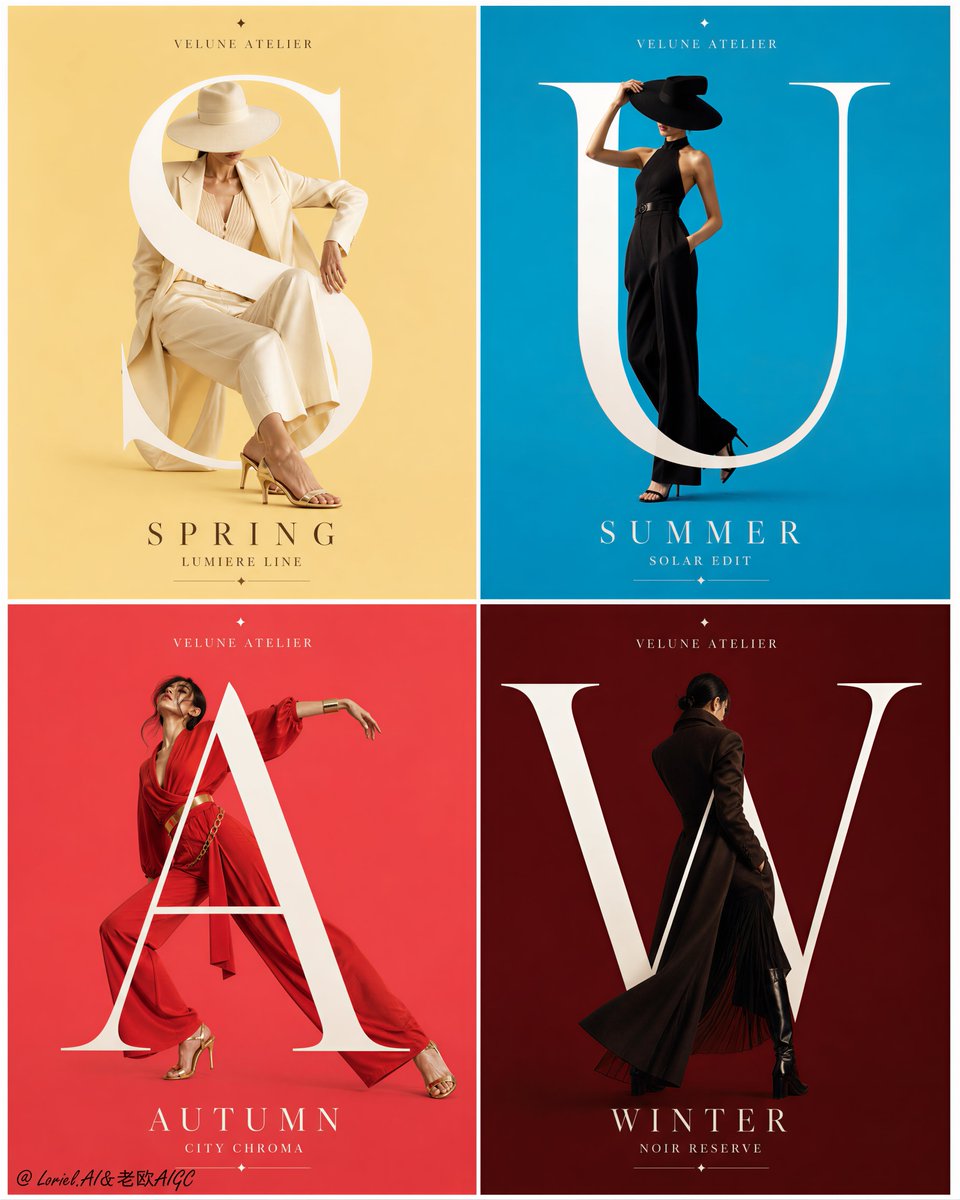
AI画像モデル
Alibaba Cloud
Qwen Image
Qwen Image 3.0
Qwen Image 3.0は、テキストだけの画像生成と最大3枚の参照画像を使う画像変換に対応します。1K/2K、8種類のキャンバスサイズ、PNG/JPEG出力に加え、プロンプト拡張、ネガティブプロンプト、seedを利用できます。サイト内の事前承認額は5~7クレジットです。
ワークフロー
テキスト画像生成、画像変換
解像度
1K/2K
参照画像
最大3枚
クレジット
5~7/回
30秒でわかる
- テキスト画像生成と1~3枚の参照画像を使う画像変換で、それぞれ対応する入口を使用します
- 1K/2Kの基本料金は同じで、テキスト画像生成は5クレジットを事前承認します
- 8種類のキャンバスサイズとPNG/JPEG出力に対応します
- プロンプト拡張、ネガティブプロンプト、センシティブコンテンツの切り替え、seedを利用できます
よく検索されるキーワード: Qwen Image 3.0の使い方 · Qwen Image 3.0の料金 · Qwen Image 3.0は参照画像を何枚使えるか
例
Visual concept
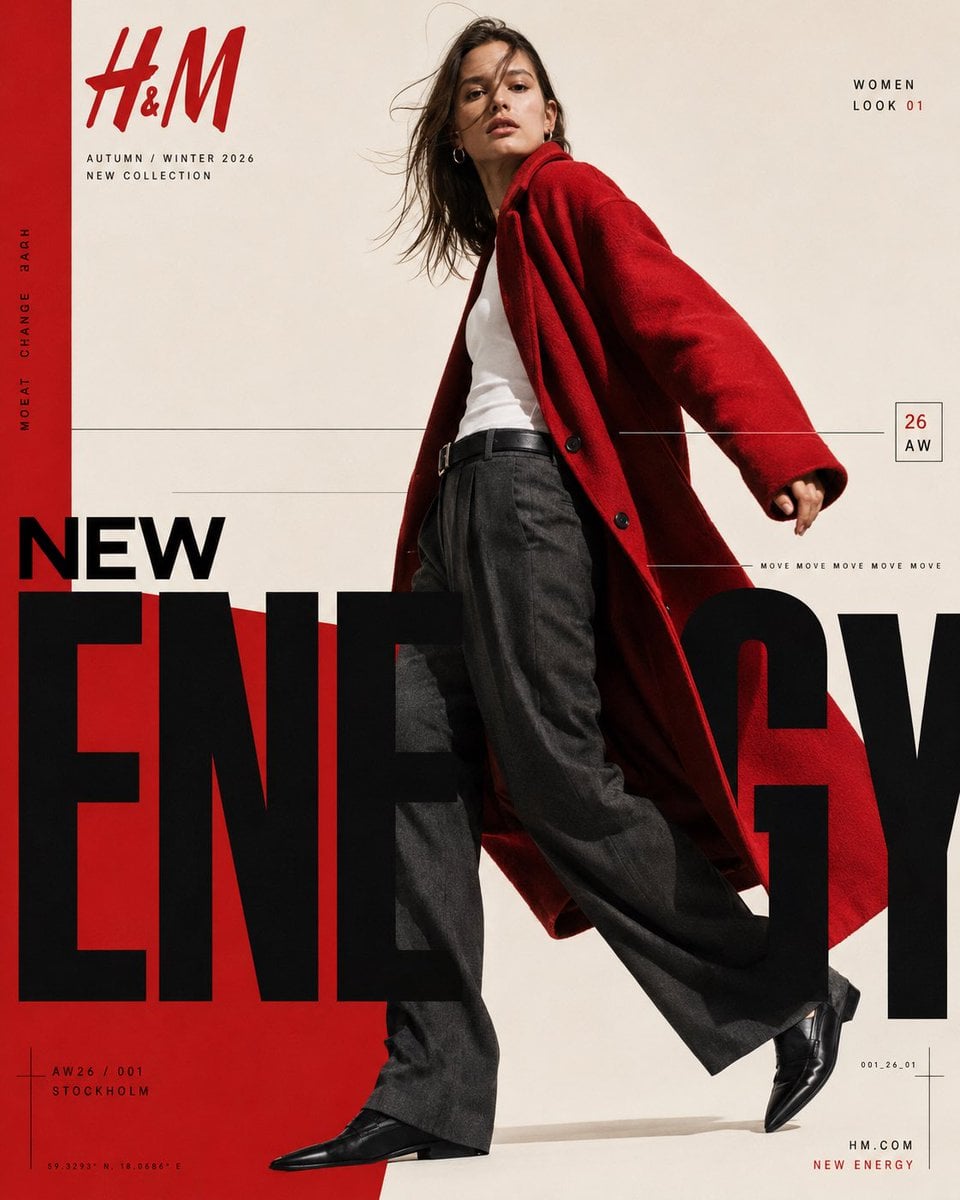
H&M — “NEW ENERGY / AW26” CONTEMPORARY FASHION EDITORIAL POSTER FORMAT 4:5 vertical | ultra-high resolution | finished graphic-design poster Premium international H&M Autumn/Winter 2026 fashion campaign. Behance-featured-quality art direction combining high-fashion editorial photography, bold modernist typography, Swiss-inspired grid composition and strong red, black and warm ivory colour blocking. The final output must be a complete professionally art-directed campaign poster — not simply a fashion photograph with typography placed on top. BRAND H&M CAMPAIGN NEW ENERGY / 26 AUTUMN / WINTER 2026 ART DIRECTION A striking full-body female fashion model dominates the composition, positioned slightly right of centre against a warm ivory studio background. She is captured mid-stride from a subtly low camera angle, creating a confident, elongated silhouette. Dark brown shoulder-length hair moves naturally across her face as though caught by a soft studio wind. Neutral confident expression, minimal natural makeup, understated gold hoop earrings. WARDROBE Oversized vivid H&M-red wool coat with broad relaxed shoulders, open front and dramatic flowing movement. Underneath: fitted clean white tank top tucked into charcoal-black wide-leg tailored trousers with a black leather belt. Polished pointed black leather shoes. The red coat sweeps diagonally behind the model and visually connects with the graphic red field across the lower-left composition. PHOTOGRAPHY Premium European fashion editorial photography. Slightly low-angle full-body framing. Hard but refined directional studio lighting. Natural skin texture. Crisp textile detail. Controlled shadows. Subtle analogue fashion-film grain. Warm ivory background. Sharp subject with realistic garment movement. GRAPHIC COMPOSITION Warm ivory canvas with a strong vertical H&M-red strip running along the entire left edge. Large H&M logo in red at the upper-left. Directly underneath: “AUTUMN / WINTER 2026” “NEW COLLECTION” Along the red vertical strip, rotated 90 degrees: “MOVE CHANGE 2026” Upper-right: “WOMEN” “LOOK 01” with “01” highlighted in red. Fine black horizontal rules travel across the middle of the poster, intersecting visually with the model. Small outlined rectangular season marker on the right: “26” “AW” A thin horizontal rule near the model’s coat carries tiny repeated typography: “MOVE MOVE MOVE MOVE MOVE” HERO TYPOGRAPHY The lower half is dominated by enormous condensed black sans-serif typography: “NEW” above “ENERGY” ENERGY must be extremely oversized, bold, tightly spaced and partially cropped by the left, right and bottom boundaries. The model overlaps and interrupts portions of the typography, producing sophisticated editorial depth between photograph and graphic design. A saturated red geometric field rises diagonally from the lower-left behind the giant black typography and model. BOTTOM DETAILS Lower-left: small crosshair/grid registration graphic “AW26 / 001” “STOCKHOLM” Below in tiny technical typography: “59.3293° N 18.0686° E” Lower-right: small technical code “001_26_01” minimal registration lines Bottom-right: “NEW ENERGY” in red DESIGN LANGUAGE H&M Scandinavian fashion identity. Swiss modernist editorial grid. Oversized condensed typography. Extreme scale contrast. Asymmetric composition. Fine technical rules and microtype. Red / black / warm ivory palette. Fashion photography integrated through typography. Luxury magazine art direction. Clean but energetic. Bold negative space. Precise alignment. Print-ready campaign finish. Avoid generic advertising layouts, excessive effects, gradients, glossy 3D typography, decorative clutter, artificial skin, distorted anatomy, extra models, streetwear aesthetics or random text.
Visual concept
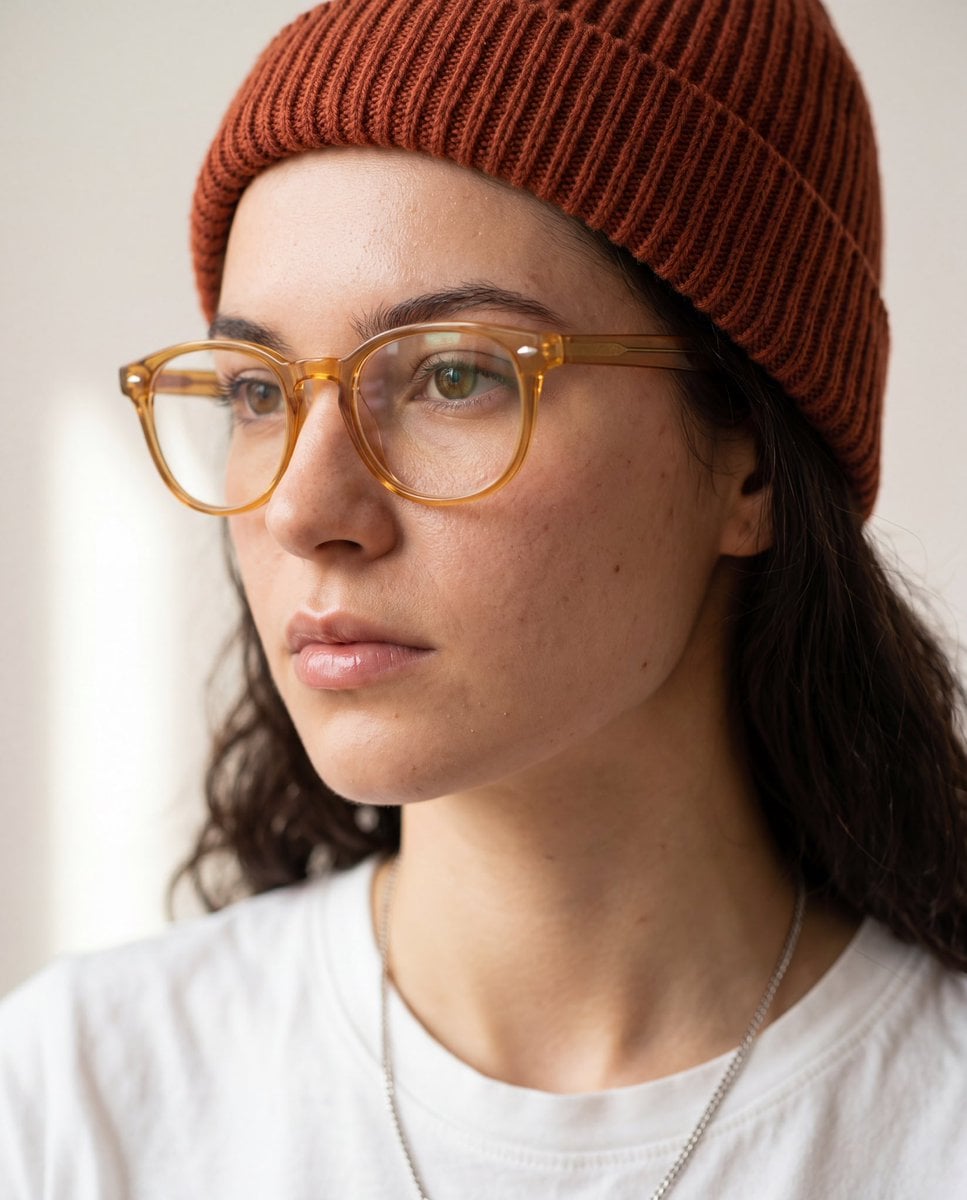
Use the uploaded reference image only for preserving the subject's facial identity, facial proportions, skin tone, hairstyle (unless specified otherwise), and overall likeness. Do not copy the original background, pose, clothing, or lighting. Create a hyper-realistic close-up portrait from a 3/4 side profile (30–45° angle), with the subject looking slightly away from the camera. Frame from the upper chest to the top of the head, filling 80–90% of the frame. Maintain natural facial anatomy and realistic skin texture with visible pores, subtle imperfections, and authentic details. Style the subject with transparent amber acetate eyeglasses, a rust-colored ribbed knit beanie, a clean white crew-neck t-shirt, and a thin silver chain necklace. Keep the expression neutral, calm, and thoughtful. Use soft diffused natural window light from one side, creating gentle shadows and smooth highlights across the face. Background should be a clean off-white or light beige studio wall with minimal distractions. Apply a very shallow depth of field with creamy bokeh and crisp focus on the eyes and face. Editorial fashion photography, minimalist aesthetic, premium lifestyle portrait, luxury eyewear campaign, muted warm color grading, soft contrast, realistic color tones, DSLR quality, 85mm lens, f/1.8, ISO 100, ultra-sharp focus, photorealistic, HDR, 8K, magazine-quality, high-detail facial features, natural skin, cinematic composition. Negative prompt: low quality, blurry, oversharpened, plastic skin, extra facial features, distorted anatomy, asymmetrical eyes, duplicate glasses, unrealistic beard or hair, oversaturated colors, watermark, logo, text, frame, cartoon, CGI, illustration, low resolution, noise, artifacts.
Visual concept
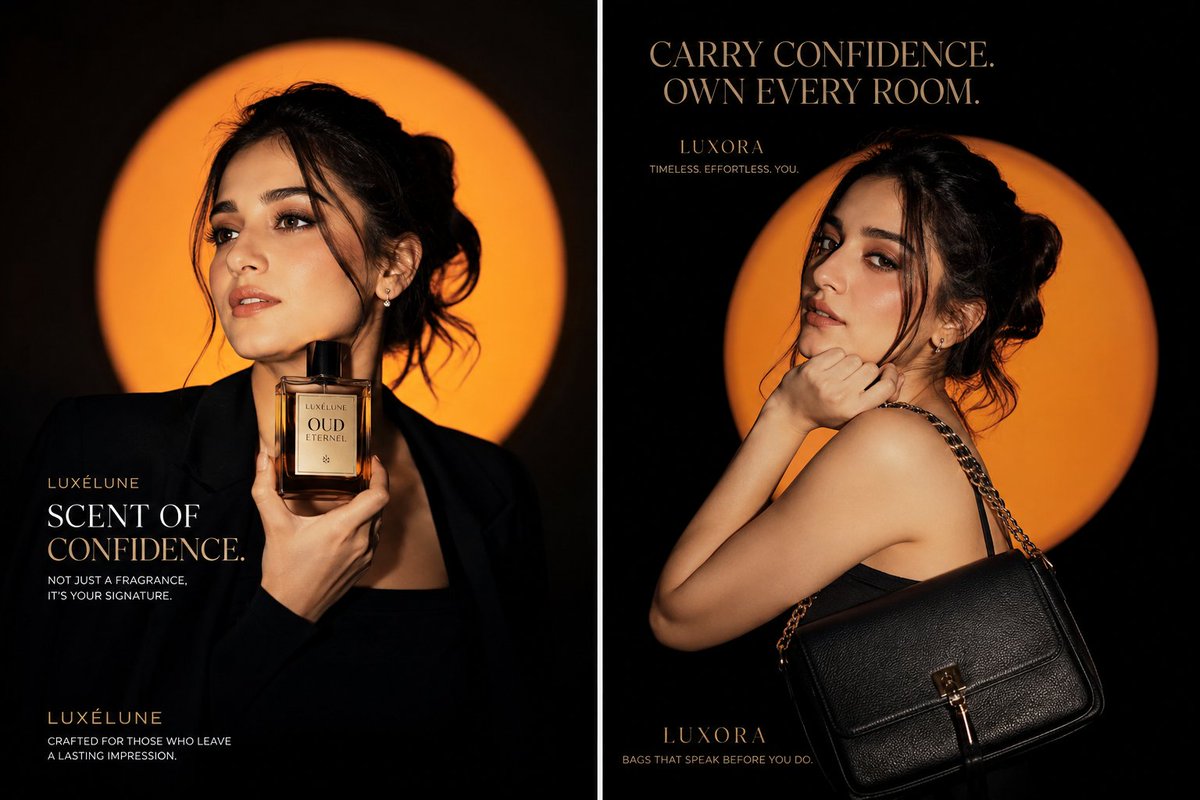
Create a viral luxury fashion advertising campaign featuring the same elegant young woman in two completely different poses, presented as a premium cinematic diptych poster. Left panel: The woman wears a structured matte-black blazer with a sleek black outfit. She holds a luxurious amber perfume bottle close to her neck with one hand, while looking confidently away from the camera with a calm, powerful expression. Her hair is styled in a soft messy bun with natural loose strands framing her face. Right panel: Show the same woman in a dramatic over-the-shoulder pose, wearing a minimalist black evening dress. A premium black leather handbag with subtle gold hardware hangs elegantly from her shoulder. She lightly rests one hand beneath her chin and looks directly into the camera with effortless confidence. Use a deep black studio background with a large glowing burnt-orange circular halo behind the model in both panels. Add cinematic orange rim lighting around her hair, face and shoulders, soft directional key lighting, deep shadows, glossy highlights and high-fashion editorial contrast. Hyper-realistic natural skin texture, realistic pores, elegant makeup, sharp expressive eyes, premium hair detail, realistic leather texture, polished perfume glass reflections, sophisticated luxury styling, 85mm lens, shallow depth of field, HDR, ultra-sharp focus, 8K photorealism, Vogue-style editorial photography, international luxury campaign quality. Add clean premium serif typography in warm metallic gold and ivory: Left panel text: LUXÉLUNE SCENT OF CONFIDENCE Not just a fragrance. It’s your signature. Right panel text: LUXORA CARRY CONFIDENCE. OWN EVERY ROOM. Timeless. Effortless. You. Keep the typography perfectly aligned, readable and minimal. Use balanced negative space, symmetrical luxury composition and a bold scroll-stopping social-media aesthetic. No watermark, no existing brand logos, no distorted hands, no extra fingers, no duplicate products, no clutter, no cartoon effect, no artificial plastic skin. Aspect ratio: 16:9 cinematic campaign poster.
Visual concept
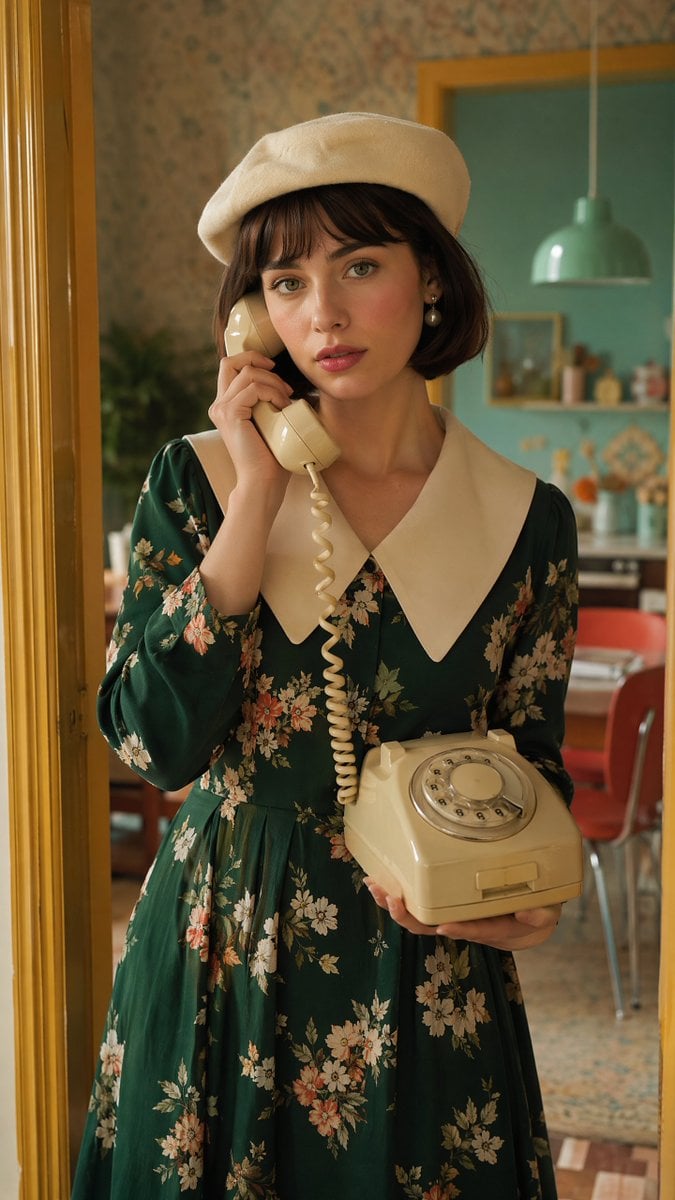
Create a beautiful young European woman with fair skin, expressive green eyes, and short dark brown bob hair with soft bangs. She is wearing a stylish cream beret, elegant pearl earrings, a premium emerald green floral vintage dress with a white oversized collar, creating a sophisticated European fashion editorial look. She is gently holding a classic cream rotary telephone receiver to her ear with one hand while supporting the telephone base with the other, looking thoughtfully toward the camera with a calm, slightly melancholic expression. The scene takes place inside a colorful retro 1970s European apartment. The doorway is painted warm mustard yellow. The walls feature pastel teal and soft coral colors with subtle vintage wallpaper patterns. A hanging mint pendant lamp, blurred kitchen details, and nostalgic home décor appear in the background. Natural cinematic lighting enters from the doorway, producing soft highlights, realistic shadows, authentic skin texture, and premium editorial color grading. Luxury fashion campaign photography, Vogue editorial, retro European lifestyle, cinematic realism, medium portrait, 85mm lens, f/2, shallow depth of field, ultra photorealistic, HDR, 8K, masterpiece. Negative prompt: anime, cartoon, CGI, illustration, low quality, blurry, text, logo, watermark, duplicate subject, distorted hands, extra fingers, deformed face, oversaturated colors.
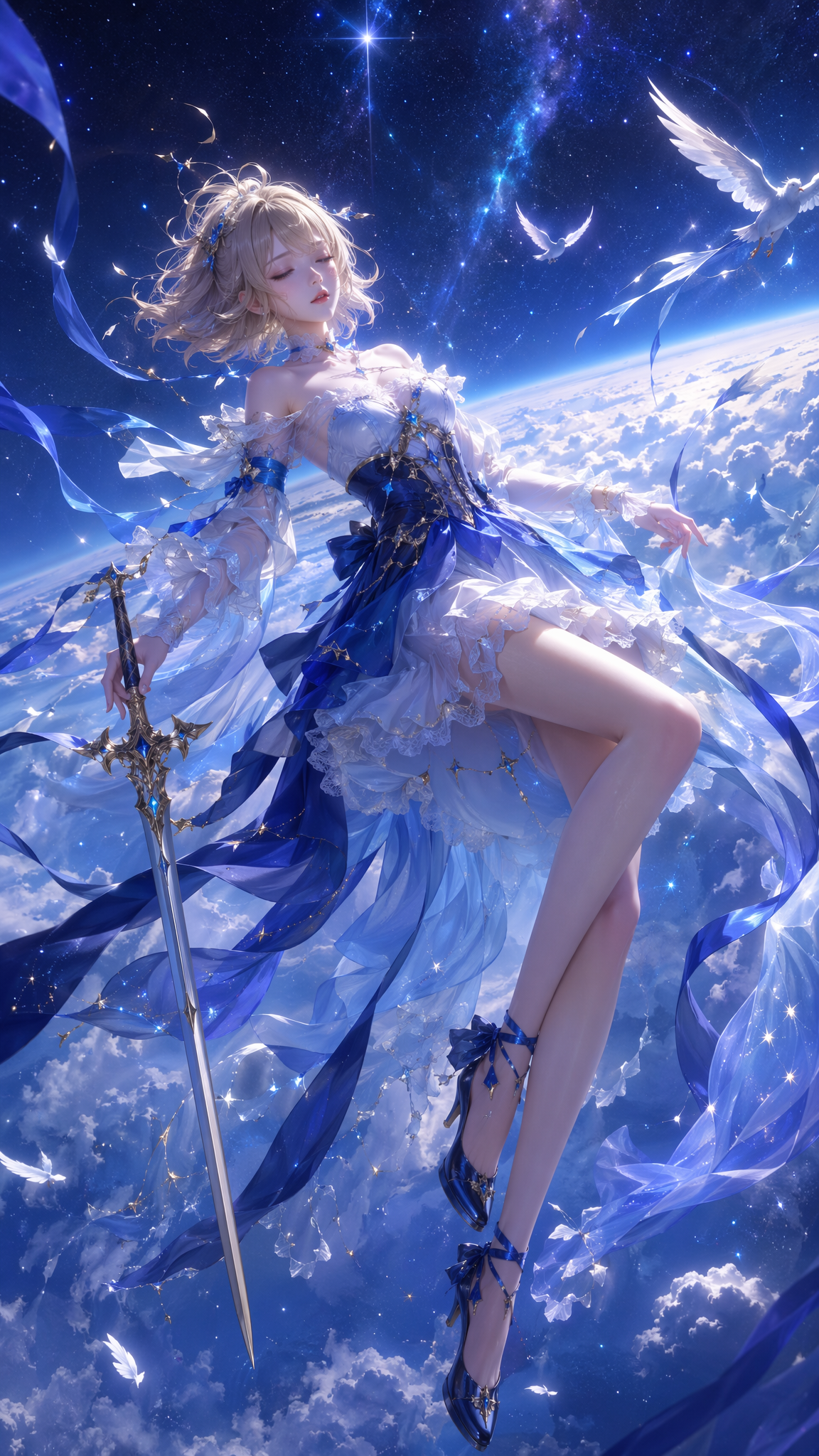
Fantasy scene
ひとことで紹介
このモデルの特長
画像をアップロードしない場合はテキスト画像生成として実行し、1~3枚の画像をアップロードすると画像変換に切り替わります。参照画像はJPEG、PNG、WebP、BMP、GIF、TIFFに対応し、各画像10 MBまでです。画面からは現在の契約で許可されたフィールドだけを送信し、追加のパラメーターはクレジットを差し引く前に拒否します。
- 得意なこと
- キャンバスを細かく選び、seedで比較条件を揃え、少数の複数画像を参照したい汎用画像生成タスク向けです。
- おすすめのユーザー
- マーケティング用ラフ、キャラクターや商品の参照、縦横の異なるコンテンツ、ネガティブ条件を含むビジュアル検証、1K/2Kの納品に向いています。
- Kyeo AIで使う理由
- Kyeoは入力画像の枚数に応じて切り上げた事前承認を行い、クレジットを差し引く前にテキスト画像生成と画像変換のルート、画像形式、パラメーターのホワイトリストを確定します。
主な仕様
このモデルが用途や業務に合うかをすばやく判断できます。
モデルカテゴリ
AI画像モデル
提供元
Alibaba Cloud
モデルファミリー
Qwen Image
プロンプト上限
800文字
参照画像の形式
JPEG/PNG/WebP/BMP/GIF/TIFF
出力形式
PNG/JPEG
別名
同じモデルでも、公式ドキュメント、コミュニティ、API接続層で呼び方が異なる場合があります。ここでまとめて確認できます。
Qwen Image 3
Qwen3 Image
Tongyi Qianwen Image 3.0
Qwen画像3.0
よくある質問・検索
タスク、入力条件、必要な結果から、モデルを選ぶ前に確認したい実用的な質問を整理しています。
Qwen Image 3.0の使い方
Qwen Image 3.0の料金
Qwen Image 3.0は参照画像を何枚使えるか
Qwen Image 3.0が対応する画像サイズ
Qwen Image 3.0とProの違い
Qwen Image 3.0のseedとネガティブプロンプトの設定方法
選び方ガイド
モデル選びで迷う場合は、まず次のポイントをご確認ください。
1
予算を抑えるなら標準版を優先する
1K/2Kの基本料金を同じに保ちたい場合は、標準版の方がProより予算を管理しやすくなります。参照画像が増えるほど、事前承認額は計算式に従って上がります。
2
上位の料金区分が必要ならProと比較する
Proは2Kの基本料金が高いため、標準版の無料アップグレードではなく、独立した料金区分として比較してください。
3
多くの参照画像が必要ならモデルを替える
現在の画像変換は最大3枚です。4枚以上の素材が必要な場合は、Nano Banana 2 Liteなど複数画像に対応する別の入口と比較してください。
よく検索される比較
同じタスクで候補を比べ、入力方法、制御項目、コストの違いを確認できます。
Qwen Image 3.0とQwen Image 3.0 Proでは、料金と解像度がどう違うか?
Qwen Image 3.0とQwen2 Imageでは、パラメーターがどう変わったか?
Qwen Image 3.0で複数の参照画像を使う場合、料金はどう計算するか?
モデル比較表
現在のモデルと代替候補の主な違いを一覧で確認できます。
サイト内クレジット
Qwen Image 3.0
5~7クレジット
Qwen Image 3.0 Pro
7~14クレジット
Nano Banana 2 Lite
3クレジット固定
解像度
Qwen Image 3.0
1K/2K、基本料金は同じ
Qwen Image 3.0 Pro
1K/2K別の料金
Qwen2 Image
現在の契約はモデルページを参照
参照画像
Qwen Image 3.0
1~3枚、各画像10 MB
Qwen Image 3.0 Pro
1~3枚、各画像10 MB
Nano Banana 2 Lite
最大10枚、各画像30 MB
実際の利用場面での見方
公開情報、現在のサイト内の範囲、代表的なタスクに基づく実用的な案内です。
複数画像の料金は実際の枚数で見積もる
入力画像ごとに0.5 creditsが加算され、サイト内では整数クレジットに切り上げます。そのため1枚と2枚はどちらも6クレジット、3枚は7クレジットを事前承認します。
設定項目が多くても結果は確定しない
seedは実験条件を揃える助けになりますが、参照画像、プロンプト拡張、非同期サービスの状態も結果に影響します。正式な素材は人が確認してください。
機能の詳細
二つのモードによる画像生成
参照画像の有無に応じてテキスト画像生成または画像変換の入口を選び、内部ルートを混在させません。
複数の出力設定
解像度、キャンバスサイズ、出力形式、プロンプト拡張、ネガティブプロンプト、乱数シードを組み合わせられます。
複数形式の参照画像
6種類の一般的な画像形式に対応し、サーバーは拡張子だけでなく実際のファイル形式を確認します。
適した用途
商品やキャラクターの参照
1~3枚の画像で主体、材質、構図を分担させ、各画像の役割をプロンプトに書きます。
複数掲載枠のビジュアルラフ
1:1、16:9、9:16、21:9などを切り替え、表紙、フィード、横長ページ向けの方向案を用意します。
再現条件を揃えた検証
seedを固定し、ネガティブプロンプトまたはプロンプト拡張の切り替えだけを変更して、各変数が結果に与える影響を比較します。
プロンプトのコツ
800文字以内で必須条件を先に書く
主体、構図、カメラ、必ず維持する要素を先に記載し、その後にスタイルを加えます。重要な制約を末尾に置かないでください。
ネガティブプロンプトを具体的にする
表示してほしくない対象、欠陥、レイアウト上の問題を明記し、一般的な低品質ワードだけを並べないようにします。
参照画像ごとに役割を分ける
どの画像が人物、色、空間関係を担当するかを明確にし、複数画像の意味が衝突するのを防ぎます。
選ぶ理由
1K/2Kの基本料金が同じで、標準版の費用を把握しやすいモデルです。
3枚の参照画像と6種類の入力形式に対応します。
サイズ、形式、ネガティブプロンプト、seedを細かく設定できます。
入力枚数をクレジット差し引き前の料金計算に含め、最低料金だけで事前承認することはありません。
利用前の注意点
プロンプトは最大800文字で、複雑な仕様は簡潔にまとめる必要があります。
画像変換には1~3枚が必要で、各画像10 MBまでです。
参照画像を使うと料金が上がり、3枚では事前承認額が7クレジットになります。
非同期生成の結果は、キュー、コンテンツ審査、公開資料サービスの状態の影響を受ける場合があります。
設定できる項目
このモデルが用途や業務に合うかをすばやく判断できます。
解像度
任意
パラメータ型: ドロップダウン
デフォルト:1K
1K
2K
キャンバスサイズ
任意
パラメータ型: ドロップダウン
デフォルト:16:9
1:1
3:2
2:3
4:3
3:4
16:9
9:16
21:9
全8項目
出力形式
任意
パラメータ型: ドロップダウン
デフォルト:png
png
jpeg
プロンプト拡張
任意
パラメータ型: 切り替え
デフォルト:オン
センシティブコンテンツの切り替え
任意
パラメータ型: 切り替え
デフォルト:オフ
ネガティブプロンプト
任意
パラメータ型: テキスト
最大5,000文字
乱数シード
任意
パラメータ型: 整数
デフォルト:1
0~2,147,483,647
クレジット消費
5~7クレジット
現在の公開資料料金は出力画像あたり4.8 creditsで、入力する参照画像ごとに0.5 creditsが加算されます。Kyeoは切り上げて事前承認するため、テキスト画像生成は5クレジット、参照画像が1/2/3枚の場合はそれぞれ6/6/7クレジットです。1Kと2Kの基本料金は同じで、タスク完了後に実際の消費量を読み取って精算します。
クレジットを節約するコツ
画像や動画を一括生成する前に、同じ素材を使って現在のモデルと同タイプの候補をA/Bテストし、結果を確認してから一括生成することをおすすめします。
よくある質問
同タイプのおすすめモデル
まだ決まっていない場合は、同タイプの候補も比較してみましょう。
Qwen Image 3.0 Pro
Qwen Image 3.0 Proは、テキスト画像生成と最大3枚の参照画像を使う画像変換に対応します。1K/2K、8種類のキャンバスサイズ、PNG/JPEG出力に加え、プロンプト拡張、ネガティブプロンプト、seedを利用できます。解像度と入力画像の枚数に応じて7~14クレジットを事前承認します。
Qwen2 Image
Qwen2 Image — Qwen2 Image / テキスト生成と1枚の画像編集 — テキストプロンプトから始めるか、編集する画像を1枚だけアップロードします。複数の参照画像には対応しません。 比率、形式、seed — テキスト生成は1:1、3:4、4:3、9:16、16:9に対応します。編集では2:3、3:2、21:9が追加され、初期値は16:9です。 プロンプトは800文字まで、編集画像はJPG/PNG/WebPの1枚で10 MBまで、各結果は固定6クレジットです。
情報源
開発元の資料、モデルファミリーの説明、Kyeo AIの現在の接続設定をもとにまとめています。
情報源について
Qwen Image 3.0のテキスト画像生成と画像変換、1K/2K、8種類のキャンバスサイズ、最大3枚の参照画像、プロンプト拡張、ネガティブプロンプト、5~7クレジットを解説します。 現在の公開資料料金は出力画像あたり4.8 creditsで、入力する参照画像ごとに0.5 creditsが加算されます。Kyeoは切り上げて事前承認するため、テキスト画像生成は5クレジット、参照画像が1/2/3枚の場合はそれぞれ6/6/7クレジットです。1Kと2Kの基本料金は同じで、タスク完了後に実際の消費量を読み取って精算します。
最終更新: 2026-08-11
Qwen Image 3 の現行インターフェース情報
接続情報
現在サイトに接続されている版の入力モード、表示設定、素材制限、提供状況を確認するための情報です。実際に選べる項目はページとワークベンチを基準にしてください。