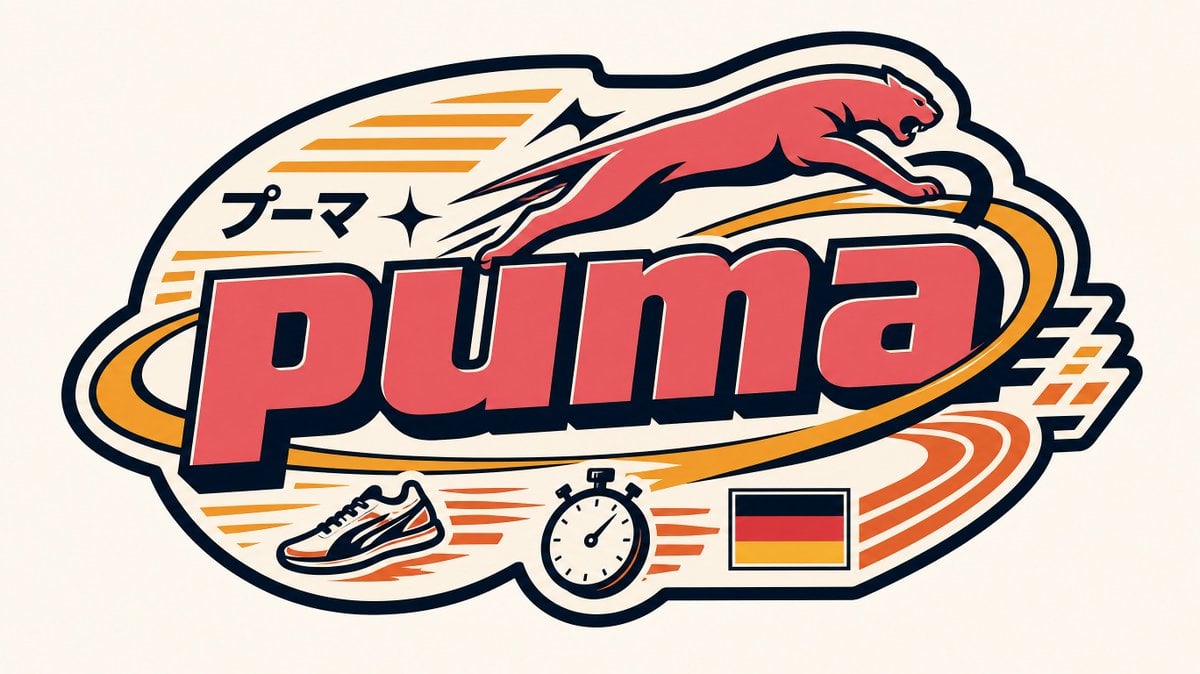
Visual concept
Create a premium flat vector badge inspired by ASICS, designed like a collectible Harajuku Y2K sticker and embroidered streetwear patch. The artwork must feel like a fresh Tokyo bootleg remix created by a designer obsessed with ASICS running culture. Build the composition entirely from ASICS design DNA—never use a generic badge template.
STYLE
Senior Vector Graphic Designer specializing in Y2K Japanese streetwear badges, retro-futuristic sticker art, and clean Adobe Illustrator vectors.
VIBE
Tokyo Harajuku bootleg remix • Y2K sportswear • Japanese graphic design • collectible vinyl sticker • embroidered patch • flat vector only.
BRAND INTELLIGENCE
1. PRIMARY COLOR
Soft pastel ASICS blue (#7FADEB style) used as the main lettering fill while remaining instantly recognizable.
2. ACCENT COLOR
Warm saturated coral-orange inspired by performance running details for speed lines and graphic accents.
3. DARK COLOR
Deep navy (#1D2C5B style) used for all outlines, extrusions, typography strokes, sparkle, and structural elements.
4. LETTERING
Large bold lowercase:
asics
Use a wide rounded geometric font.
Flat pastel blue fill.
Heavy dark navy outline.
Dark navy extrusion offset diagonally down-right approximately 10% of the letter height.
No gradients.
5. KATAKANA
Small secondary typography:
アシックス
Neatly tucked into the composition in dark navy.
6. FLAG
Small flat Japanese flag naturally integrated into the badge.
7. ICONIC GEOMETRY
Design the badge using shapes inspired by:
• sweeping ASICS stripe curves
• flowing running-track arcs
• dynamic motion ribbons
• athletic lane geometry
• intersecting speed curves
Avoid generic circles or plain ovals unless transformed into running-inspired forms.
8. ICONIC SYMBOLS
Include 1–2 tiny flat illustrations:
• running shoe
• stopwatch or finish-line ribbon
Do NOT use the ASICS logo as a decorative object.
9. LAYOUT
Invent an original badge silhouette based on athletic movement.
The lettering should be the anchor while curved speed-track geometry wraps around it.
One curved element must pass behind the letters and emerge in front to create layered depth.
Every surrounding shape should reinforce speed, balance, and Japanese sports heritage.
CANVAS
1:1 square.
Flat warm off-white background.
No texture.
No paper grain.
No gradient.
STRUCTURE
Must include:
• Central "asics" lettering
• Athletic geometric forms interacting with typography
• One element weaving behind and in front of the letters
• Unified sticker/patch silhouette
Y2K DETAILS
• Parallel or radial speed lines in coral-orange
• One sharp 4-point sparkle near the lettering in dark navy
• Small "アシックス"
• Small Japanese flag
• Tiny running shoe and stopwatch illustrations
RULES
Flat vector only.
No gradients.
No shadows.
No blur.
No lighting effects.
Maximum four colors:
• Pastel ASICS blue
• Saturated coral-orange
• Deep navy
• Warm off-white
The final result should feel like an authentic early-2000s Japanese sportswear badge, collectible sticker, or embroidered patch that instantly communicates ASICS through motion, running culture, and clean Y2K vector aesthetics.
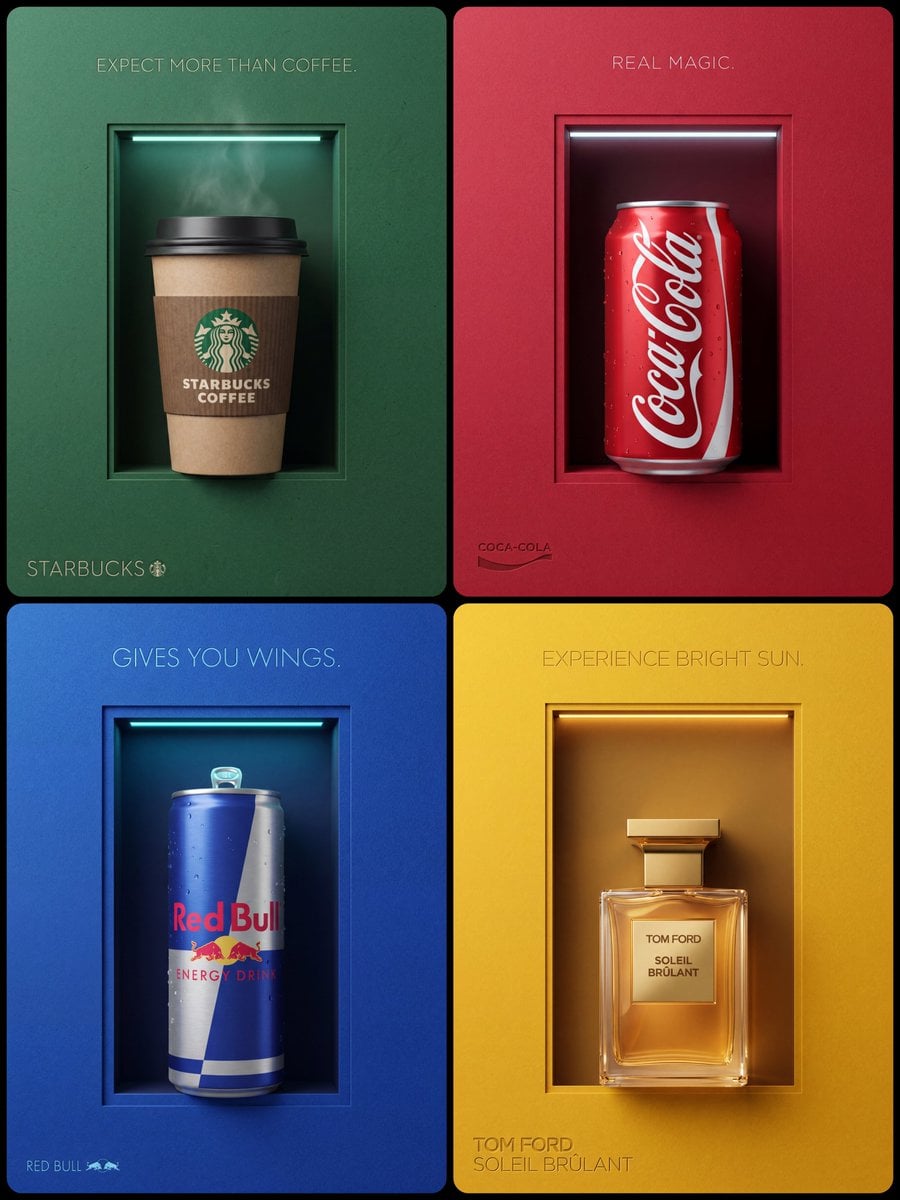
Visual concept
An editorial premium minimalist commercial product photograph of a single volumetric 3D [Product Name], shot from a strict flat, straight-on, eye-level studio perspective. Aperture & Window Geometry: The background is a perfectly centered, vertical rectangular die-cut window cutout made from a single plane of solid [Foreground Color] paper. The paper has an intense, highly tactile, fine-grain sand-like matte noise texture. The inner perimeter of this centered rectangular window features a single, hairline-thin, uniform inner paper ledge that sits just a millimeter inside the first cut, creating an exceptionally narrow, low-profile single-border inset frame. Inside the window is a flat, smooth, textureless under-layer set deeply behind to create a distinct depth gap; this base layer is a solid [Darker Under-Layer Color], casting tight, fine ambient shadows. Hidden Ambient Light Feature: Concealed perfectly behind the top inner ledge of the window frame is a single, razor-thin horizontal [Neon Color] neon light strip. This linear light source casts a soft, atmospheric [Glow Description] luminous glow directly downwards into the depth gap, gently illuminating the negative space.
The Iconic 3D Product (The Precise Design & Direction): The product is a highly specific, realistic 3D [Object Type] with tangible volume, positioned in a perfectly vertical, straight upright orientation with zero tilt. The base of the product is resting squarely on the bottom inner paper ledge of the window frame. [Surface Effects], catching the soft downlight from the top neon strip.
[Material And Body Texture Details].
Spatial Proportion (Top Negative Void): Crucially, the upper composition ensures a perfectly balanced negative space within the recessed window. The total height of the vertical void extends sufficiently upward, such that a crisp, 20% negative space gap is preserved between the very top of the product (including any rising steam, foam, or condensation) and the bottom of the top inner window ledge where the hidden neon light strip is concealed. This ensures the box feels spacious and the object is centered vertically within its depth frame.
Typography & Lighting: Centered at the top, the slogan [Slogan Text In All Caps] is rendered in an ultra-thin, elegant, minimalist light sans-serif font, featuring a subtle Letterpress debossed effect physically pressed into the thick paper. Positioned in the bottom-left corner of the foreground paper, the brand name text "[Brand Name]" along with the [Small Logo] are rendered in the exact same light, thin typography style and match the exact desaturated color value of the top slogan, featuring a clean Letterpress debossed pressed-in design. Balanced, smooth studio ambient lighting casting a uniform, flat gradient shadow across the textured top layer. The top of the inner recess features a stylized [Neon Color] neon wash, while the right cutting edge remains completely matte, clean, and free of light leaks or stray glare. Completely clean composition with no signatures. Photorealistic, 8k resolution, crisp editorial asset style.
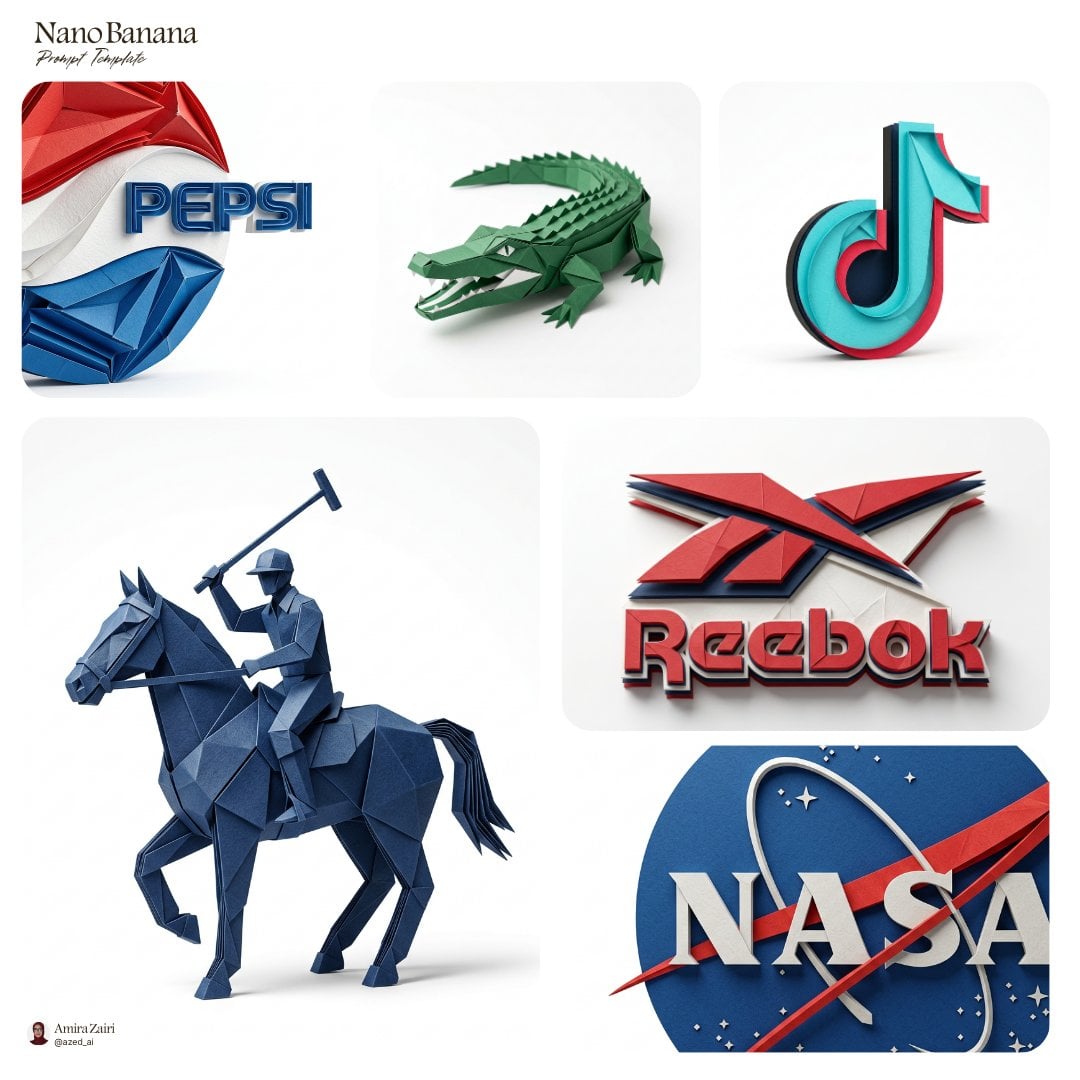
Visual concept
Create an ultra-detailed hyper-realistic 3D render of [logo], transformed into an elegant folded paper sculpture with crisp architectural geometry, refined layered planes, precise folded edges, subtle paper fiber texture, realistic material thickness, delicate creases, soft structural shadows, handcrafted sculptural sophistication, sculpted to preserve the exact logo shape and proportions, using the authentic official brand color palette of [brand], accurate brand-matching tones applied across the folded paper surfaces, balanced composition, premium editorial product photography aesthetic, isolated on a pure white seamless background, soft studio lighting designed to emphasize form and dimensionality, natural contact shadow, macro detail, razor-sharp focus, photorealistic, 8k, 1:1, no watermark, no extra text
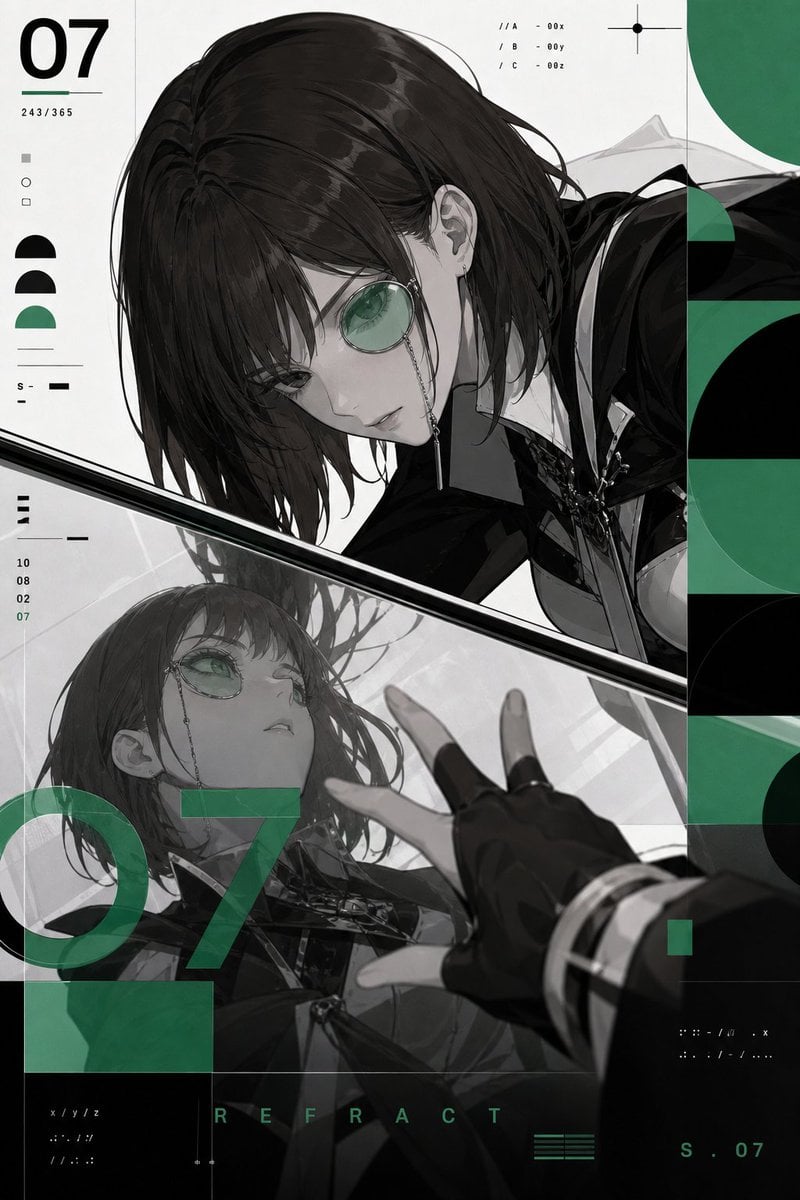
Visual concept
9:16 竖版艺术海报,以“[角色]”为唯一主体。完整保留角色原有面部、发型、服装、配饰与代表性色彩,以成熟精致的二次元幻想游戏角色视觉表现。
采用 Armin Hofmann 式瑞士平面设计:严格模块网格、黑白肖像切片、重复半圆、透明几何叠印、精确比例、国际主义无衬线版式、照片网点 and 轻微双色 Risograph 套印错位。
大胆透视:角色俯身靠近一面倾斜镜面,镜面从画面左下延伸到右上。真实角色与镜中倒影形成两种尺度和两个视觉焦点;前景手掌、眼部配饰或角色代表性物件被适度放大,镜面消失点错位但空间结构清楚。
配色仅使用黑、白、翠绿。翠绿色用于镜面几何分区、少量角色识别细节、吊牌边缘和 voxcat 胸针。
品牌元素固定规范:左上角加入 stylized “V” 与猫元素组成的图形 logo;右下角加入小型签名“voxCAT”;服装上带有可见吊牌,吊牌文字准确写为“VOXCAT”;胸口或领口处自然加入 voxcat 胸针。镜中可以出现这些服装元素的合理反射,但不要额外生成第二套漂浮品牌标记。
要求:角色本体与倒影身份一致,面部清楚,双手准确。除指定 VOXCAT 内容外,无其他 logo、品牌、水印或随机文字。
Visual concept
[BRAND NAME = CHANGE TO YOUR BRAND].
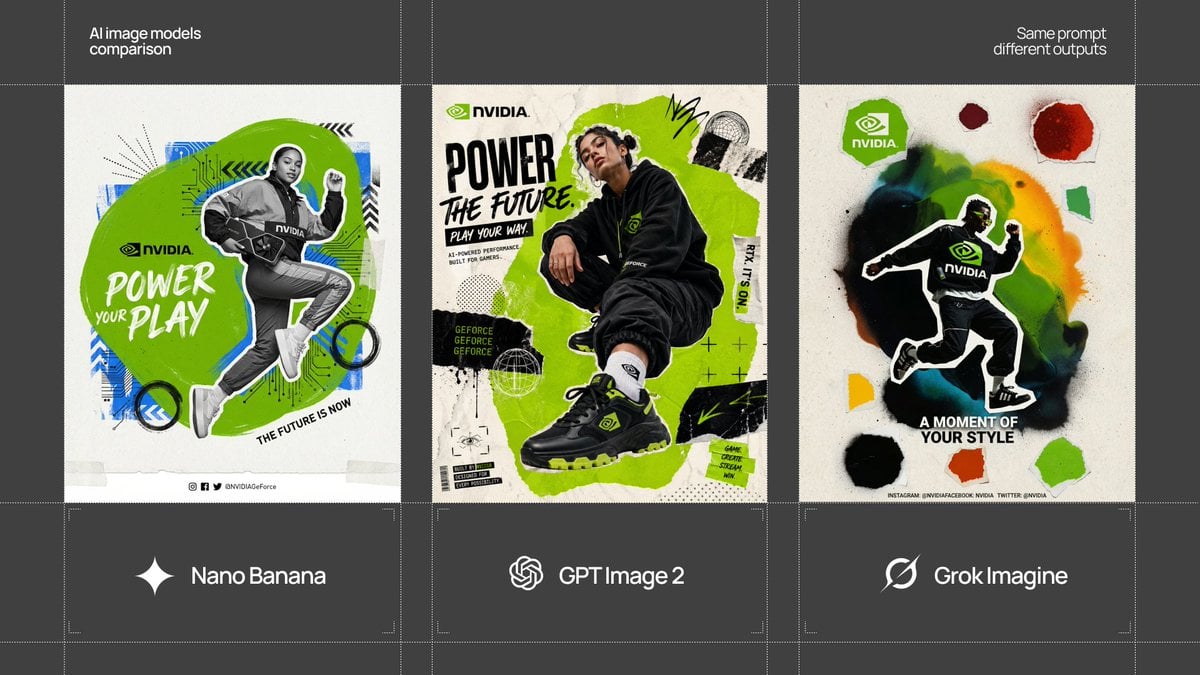
Act as a Social Media Art Director and Digital Collage Artist specializing in bold, youth-oriented brand content for Instagram and digital campaigns. PHASE 1: CONCEPTUAL FRAMEWORK Create a dynamic digital collage that merges fashion photography with graphic design chaos. This is controlled rebellion – a composition that feels spontaneous and energetic while maintaining brand coherence. The aesthetic is anti-polished: torn edges, layered textures, hand-drawn elements, and bold color blocking that screams confidence and movement. PHASE 2: MODEL & PHOTOGRAPHY - Subject: One model (diverse casting, age 18-30) in a dynamic, confident pose - Pose Energy: 80% attitude, 20% natural – sitting, jumping, mid-motion, or power stance (avoid static standing) - Outfit: Street style/athleisure that aligns with [BRAND NAME] aesthetic – casual but styled - Hero Product: Feature 1 signature [BRAND NAME] product prominently (sneakers, bag, apparel) – this is the visual anchor - Photography Style: Editorial fashion cutout – model extracted from background with clean edges - Camera Angle: Slight low angle to empower subject (hero perspective) - Crop: Full body or 3/4 body showing hero product clearly - Background Removal: Model cut out cleanly for layering over collage elements PHASE 3: COLOR BLOCKING FOUNDATION - Primary Color Blob: Large organic shape (40-60% of composition) in bold, saturated brand color behind/around model - Shape Style: Irregular, hand-painted aesthetic – think Photoshop brush strokes or torn paper texture (NOT perfect geometric shapes) - Color Selection (Autonomous): Choose 1 hero color from [BRAND NAME] palette: - Texture: Visible brush strokes, grain, or subtle noise (15-25% opacity) – avoid flat digital fills - Placement: Blob positioned to frame model without obscuring key product details PHASE 4: GRAPHIC ELEMENTS LAYER Add 3-5 abstract graphic elements scattered across composition: - Element Types: - Color Palette: Use 2-3 accent colors total (main blob color + 1-2 contrasting tones from brand palette) - Placement: Asymmetric scatter – top-left and bottom-right zones primarily (avoid center crowding) - Scale: Mix small (5% of canvas) and medium (15% of canvas) elements – nothing overpowering - Aesthetic: Analog/handmade feel – imperfect circles, rough edges, visible texture PHASE 5: TYPOGRAPHY INTEGRATION - Brand Logo: Clean [BRAND NAME] logo placed in upper-left or upper-right quadrant (10-15% of width) - Slogan/Tagline: If [BRAND NAME] has an iconic slogan, integrate it using: - Supporting Copy: Optional 1-line descriptor (e.g., "A MOMENT OF YOUR STYLE") in smaller uppercase sans-serif - Type Treatment: Mix of aligned and slightly rotated text (2-5° angles) for dynamic energy - Hierarchy: Logo largest → Slogan medium → Copy smallest PHASE 6: TEXTURE & BACKGROUND - Base Layer: Off-white or light gray textured background (NOT pure white) - Texture Options (Autonomous selection): - Color: RGB 245-250 (near-white with warmth) – maintains brightness while adding depth - Treatment: Texture should be felt, not seen – enhances tactility without competing with foreground PHASE 7: COMPOSITION RULES - Layout: Asymmetric balance – model off-center, graphic elements counter-balance - Breathing Room: 15-20% negative space (textured background visible) to prevent claustrophobia - Layering Order: Background texture → Color blob → Graphic elements → Model (cutout) → Typography top layer - Focal Point: Model + hero product = primary focus (60% visual weight), graphics support (40%) - Movement: Diagonal lines and angled elements create directional flow (top-left to bottom-right or vice versa) PHASE 8: BRAND INTELLIGENCE (AUTONOMOUS) Autonomously adapt composition based on [BRAND NAME] personality: - Streetwear/Sportswear (Nike, Adidas, Supreme): - Luxury Streetwear (Balenciaga, Off-White, Gucci): - Beauty/Lifestyle (Glossier, Fenty, Skims): - Tech/Modern (Apple, Tesla, Beats): PHASE 9: SOCIAL MEDIA FOOTER (OPTIONAL) - Bottom Strip: Clean white or light gray bar at bottom 8-10% of frame - Content: Social media handles (Instagram, Facebook, Twitter) in small sans-serif - Layout: Three-column grid with platform icons or text handles - Aesthetic: Minimal and professional – contrast with chaotic collage above TECHNICAL SPECS: - Aspect Ratio: 4:5 (Instagram feed) or 1:1 (square social post) - Resolution: 2400x3000px minimum (high-quality for zoom and detail) - Color Mode: sRGB, vibrant saturation (Instagram-optimized) - File Aesthetic: Digital collage that mimics analog craft (Photoshop + hand-drawn hybrid) - Model Photography: 85mm lens, f/2.8, shallow depth of field on original shoot (before cutout) - Style Reference: Nike social campaigns, Spotify wrapped graphics, Gen Z Instagram aesthetics, Hypebeast x streetwear collabs - Mood: Confident, energetic, youthful, authentic chaos, anti-corporate polish
Visual concept
【用户输入】
品牌名:[填写品牌名,可为真实品牌或虚构品牌]
品牌缩写 / 主视觉大字:[填写1-6个字母或汉字,例如 STAR / COSTA / HEYTEA / 椰殿]
产品名:[填写具体饮品名,例如 森林冷萃咖啡 / 热带芒果果茶 / 黑糖珍珠奶茶]
产品类型:[咖啡 / 奶茶 / 果茶 / 气泡饮 / 能量饮料 / 其他]
主色调:[填写品牌主色,例如 深森林绿 / 暖橙粉 / 电光蓝 / 奶油米白 / 深红棕]
辅助色:[填写辅助色,例如 金色细线 / 奶白 / 冰蓝 / 焦糖棕]
食材元素:[填写3-6个核心食材,例如 咖啡豆、肉桂、橙皮、奶泡、冰块]
几何风格:[极简几何 / 包豪斯几何 / 未来感几何 / 东方留白几何 / 活力放射几何]
模特设定:[年轻男性 / 年轻女性 / 都市白领 / 运动青年 / 时尚女孩 / 其他具体人群]
核心口号:[填写一句短口号,例如 TASTE IN MOTION / 风味正在流动]
底部标签:[填写3-4个短标签,例如 Fresh Brewed / Rich Aroma / Crafted Daily / Real Ingredients]
画幅比例:[默认4:5竖版,如需修改可填写3:4、2:3、1:1]
【重要默认规则】
默认必须出现一位符合品牌产品调性的模特。
除非用户明确写出“不出现模特”或“只要产品”,否则画面中必须有模特与饮品互动。
模特不是背景装饰,而是品牌调性的一部分,需要自动匹配产品类型、品牌颜色、饮品气质和广告风格。
如果用户没有填写模特设定,请根据产品类型自动生成合适模特:
- 咖啡:都市白领、创意工作者、冷静专业气质
- 奶茶:时尚青年、精致潮流气质
- 果茶:运动青年、阳光活力气质
- 气泡饮:年轻潮流人群、轻快街头气质
- 能量饮料:运动型或未来感青年,力量与速度感
- 纯茶 / 茶饮:清冷、克制、东方高级感人物
- 植物饮 / 健康饮:自然、清爽、自律生活方式气质
【创作目标】
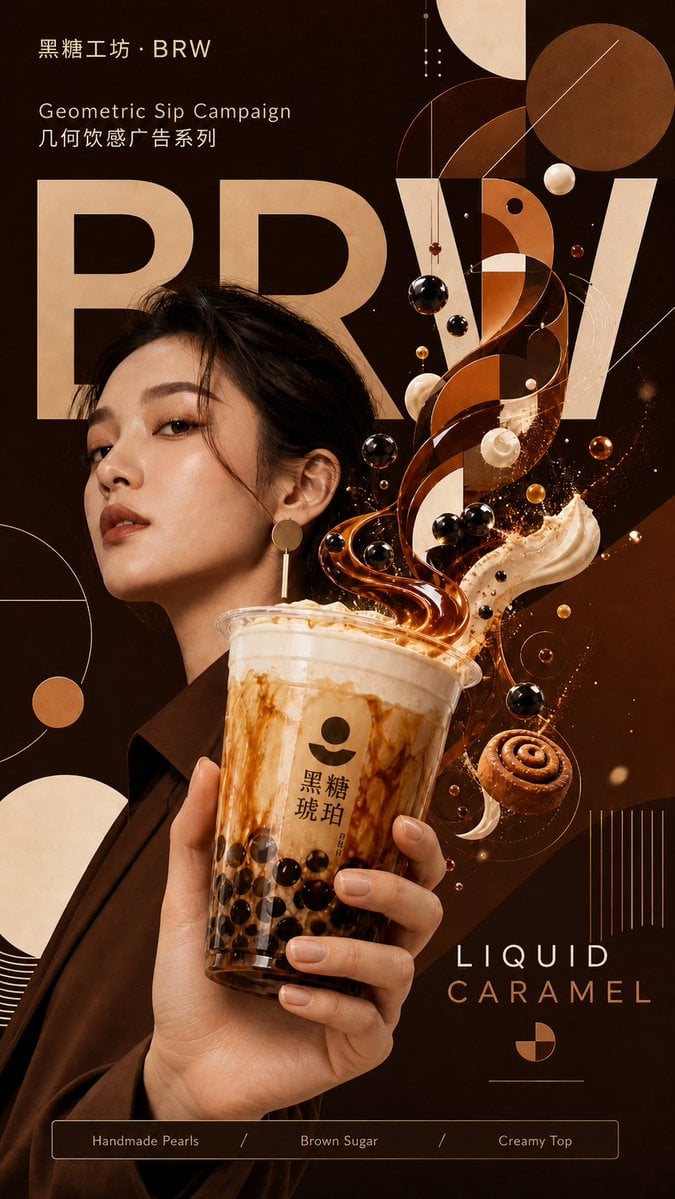
这不是普通饮品海报,也不是简单的产品摄影,而是一张融合「高端商业广告 + 平面几何设计 + 超现实3D饮品表现 + 食材风味可视化 + 品牌调性模特」的品牌视觉海报。
核心视觉概念是:
把饮品的风味、香气、口感、能量和人物气质,翻译成一套有秩序的几何运动系统。
几何图形不是普通背景装饰,而是从饮品液体、蒸汽、食材、人物动作和光影中自然生长出来的视觉语言。
【整体风格】
画面应呈现 premium、modern、bold、clean、commercial、high-end advertising、magazine campaign、cinematic product photography 的质感。
整体视觉要高级、有冲击力、有品牌感,适合社交媒体传播、品牌广告、产品推广和视觉案例展示。
风格应是:flat geometric design fused with hyper-realistic 3D beverage, organic ingredients, and premium lifestyle model photography。
【画面结构】
采用[画幅比例]竖版商业广告构图。
背景使用大面积[主色调]作为品牌色块,可以加入圆角矩形、几何网格、细线、圆形、三角形、六边形、斜切色块或抽象平面结构。
背景要干净、有秩序、有现代感,不要杂乱。
画面中央或中下方为主视觉:
一位[模特设定]手持[产品名]杯子,杯子处于前景视觉中心,具有轻微广角近距离广告镜头感。
模特应与杯子形成明确互动关系:手真实握住杯身或杯盖,手臂从人物身体自然延伸,肩膀、手肘、手腕、手指方向符合真实人体结构。
人物可以正面、微侧身或侧身,但身体朝向、头部朝向、视线方向、手臂方向和杯子位置必须一致,形成可信的商业摄影瞬间。
如果用户明确选择“不出现模特”或“只要产品”,则改为产品杯子单独悬浮或置于中央,以更强的产品广告构图呈现。
杯子必须具有真实商业摄影质感:
清晰杯身、真实材质、自然高光、细腻阴影、立体体积感,产品识别度强。
杯子不能变形,杯口、杯身、杯底透视必须合理。
【人物与手部一致性要求】
这是本海报的关键质量要求。
模特必须是完整、可信、符合物理现实的人物,不要只生成一只孤立的手。
手、手腕、手臂、肩膀和身体必须属于同一个人,并且在空间中自然连接。
手持杯子的动作必须符合真实摄影逻辑:手指自然环绕杯身,拇指位置合理,手腕角度舒适,杯子重心稳定。
人物姿态不要过度扭曲,不要出现反向手臂、错位肩膀、断裂手腕、额外手指、融合手指、畸形手掌、漂浮手、与身体方向不一致的手。
人物视线、头部、躯干和持杯动作要协调,像真实商业广告拍摄出来的瞬间。
如果是近景构图,可以裁切人物身体,但必须保留足够的肩膀、手臂和手部连接关系,让观众明确知道手属于该模特。
【核心视觉效果:饮品转化为几何】
饮品从杯口自然溢出、升腾或爆发,但不是混乱飞溅。
液体、蒸汽、冰块、奶泡、茶汤、咖啡、果汁或气泡,必须被设计成一种受控的几何运动结构。
The beverage is not simply splashing; it visually transforms into a controlled geometric system.
Liquid streams, steam, ingredients, and flat vector shapes are choreographed as one unified motion structure,
creating the feeling that the product flavor is being translated into geometry.
具体表现为:
1. 饮品液体带有真实光泽、折射、浓稠度和流动感。
2. 液体在空中逐渐转化为干净的几何平面,例如圆形、三角形、六边形、弧线、色块、透明片层。
3. 【食材元素】以真实3D材质悬浮在杯子周围,与几何结构自然融合。
4. 蒸汽、香气或气泡转化为柔和的几何雾层、细线轨迹和微光粒子。
5. 所有元素围绕杯子形成一个清晰的视觉漩涡或放射结构,让画面有动势,但保持高级克制。
6. 几何运动方向需要配合人物动作和杯子方向,不要与人物持杯姿势发生物理冲突。
【品牌文字系统】
画面后方加入巨型品牌缩写 / 主视觉大字:【品牌缩写 / 主视觉大字】
字体使用 bold modern sans-serif typography,部分被人物、杯子或几何元素遮挡,形成高级广告层次。
文字应像品牌广告中的视觉结构,而不是普通标题贴字。
顶部可放置小型品牌名:【品牌名】
底部设置极简标签条:【底部标签】
核心口号【核心口号】可以放在中上方或中下方,作为广告主张。
文字排版要求:
简洁、克制、清晰、有品牌感。
不要堆太多小字。
不要让文字喧宾夺主。
整体像高端饮品广告 campaign,而不是普通促销海报。
如果模型难以准确生成小字,优先保证主视觉大字、品牌氛围和整体版式,不要生成大量错误小字或乱码。
【光影与材质】
使用 cinematic commercial lighting、soft volumetric light、studio product photography、sharp highlights、realistic shadows。
液体、杯子、食材和人物皮肤 / 服装必须真实细腻;几何部分则保持平面、干净、矢量感。
形成“真实3D产品与人物”与“扁平几何系统”的强烈对比。
人物、杯子、食材和几何元素应共享统一光源,阴影方向一致,避免拼贴感。
【画面气质】
整体要有强烈的广告大片感、设计感和系列化统一感。
视觉重心明确:先看到杯子和饮品几何爆发,再看到模特气质,再看到几何系统、品牌大字和底部标签。
画面要高级、现代、干净、有张力,不要廉价AI感。
【避免问题】
不要默认无模特。
不要生成孤立的手。
不要让人物和手不属于同一个身体。
不要让手部、手腕、手臂、肩膀方向互相矛盾。
不要出现多余手指、畸形手指、断裂手腕、融合手指、反向手臂。
不要让人物视线、身体朝向、持杯方向互相冲突。
不要杂乱堆叠元素。
不要让几何背景抢走产品主体。
不要让杯子变形。
不要让杯子漂浮在手外或没有被真实握住。
不要让食材过多导致画面廉价。
不要生成错误、乱码或过多文字。
不要塑料感、贴纸感、拼贴感。
不要普通奶茶店促销风。
不要低端电商海报风。
不要过度卡通化。
不要让液体像脏水或爆炸事故。
不要让模特像廉价网红广告。
不要让人物和产品像后期硬贴上去。
【最终效果】
一张高完成度、高级、现代、具有强商业广告质感的饮品品牌海报。
它应该看起来像真实品牌 campaign 的主视觉,同时又有 AI 生成带来的超现实视觉记忆点。
默认呈现为:品牌调性模特 + 真实商业饮品产品 + 食材风味可视化 + 有秩序的几何运动系统。