نموذج لتوليد الصور وتحريرها بالذكاء الاصطناعي
Google
Nano Banana
Nano Banana
يقدم Nano Banana (Gemini 2.5 Flash Image) في Kyeo AI تحويل النص إلى صورة وتحرير الصور بلغة طبيعية. يستدعي `Nano Banana` من دون صورة، و`Nano Banana` بعد الرفع؛ وتكلف كلتا الطريقتين 3 نقاط / عملية، بحد 5,000 محرف لنص الطلب.
تصنيف القدرة
نص إلى صورة وصورة إلى صورة
استهلاك النقاط
3 نقاط / عملية
حد نص الطلب
5,000 محرف
حد الرفع
حتى 10 صور
تعرّف عليه في 30 ثانية
- يستدعي `Nano Banana` من دون رفع صورة، و`Nano Banana` بعد الرفع
- تكلف كل من عملية النص إلى صورة وتحرير الصور حاليًا 3 نقاط ثابتة
- حد نص الطلب 5,000 محرف، مع اختيار PNG / JPEG و11 نسبة أبعاد
- تقبل واجهة التحرير حتى 10 صور، لكن Google توصي بألا يتجاوز إدخال هذا النموذج 3 صور لنتائج أفضل
عمليات البحث الشائعة: كيفية استخدام Nano Banana في Kyeo AI · كم نقطة تستهلك كل عملية Nano Banana في Kyeo AI · كيف يولّد Nano Banana صورة جديدة من دون رفع صورة
أمثلة
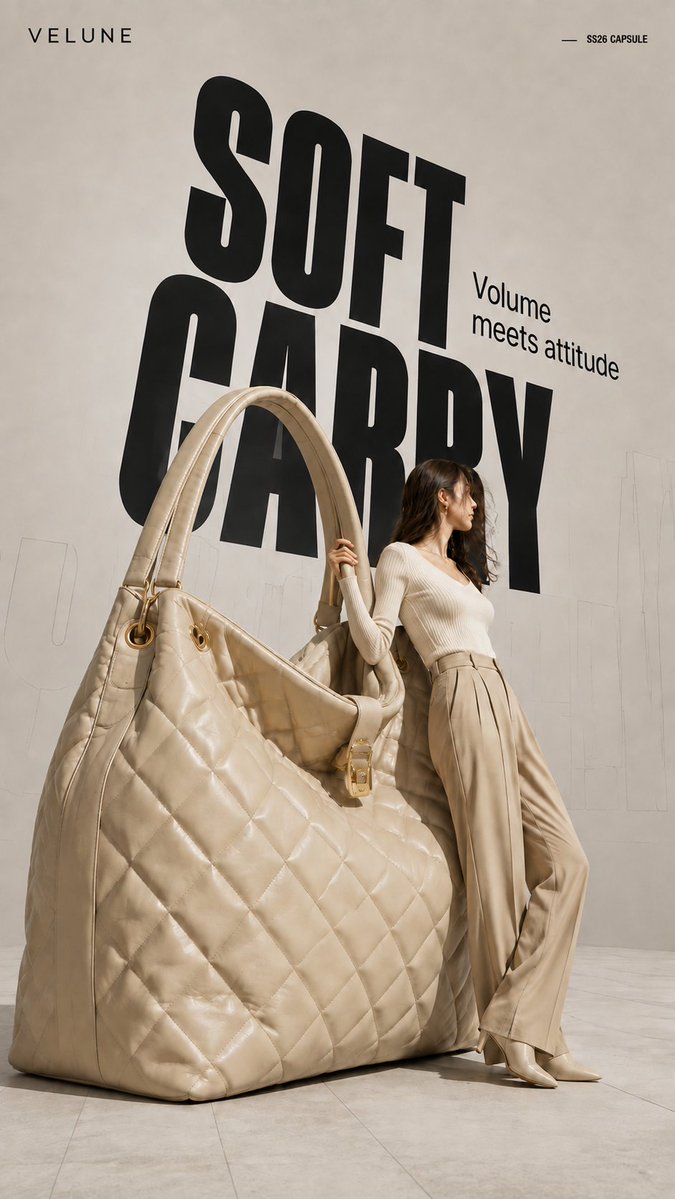
Visual concept
Brand name: [Brand Name] Main title: [Main Title] Subtitle: [Subtitle] Collection label: [Collection Label] Product type: [Product Type] Product material and key details: [Product Material And Key Details] Main color palette: [Main Color Palette] Model styling: [Model Styling] Model interaction: [Model Interaction] Create a 9:16 high-fashion editorial poster featuring an oversized [Product Type] transformed into a giant wearable object installation. Show most of the product clearly and keep its complete silhouette recognizable. Preserve premium product craftsmanship, including realistic material texture, stitching, polished edges, metal hardware, structural joints, reflections, surface finishing, and other details specific to the product. It should look like a real luxury product enlarged to architectural scale, not a rough prop or simplified 3D object. Use an asymmetrical composition: place the oversized product on one side and a realistic full-body adult female model on the other. The model should physically interact with the object by leaning against it, holding it, pushing it, or using it for balance. The pose should show believable weight, contact, and body tension rather than a standard fashion pose. Use a clean neutral studio background with subtle perspective lines, architectural outlines, and soft directional light. Add a large black condensed headline behind the subjects, with partial overlap from the model and product. Place faint oversized outline typography or low-opacity perspective text farther in the background to create depth.
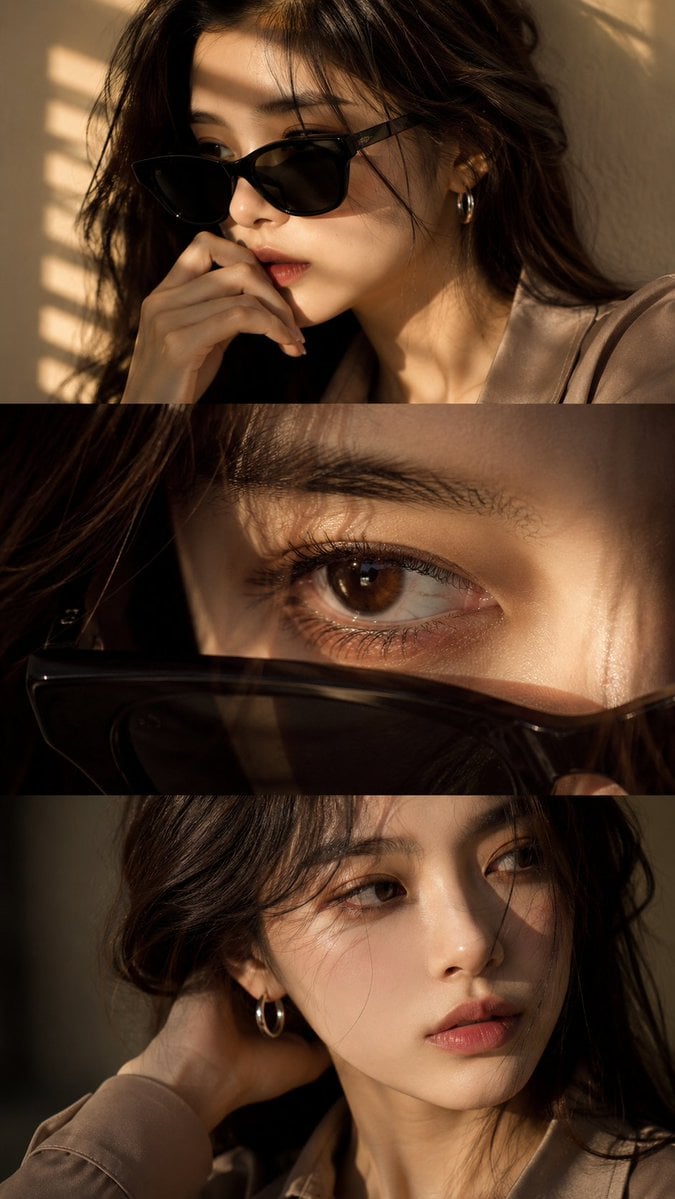
Visual concept
Use the uploaded face reference as a strict identity guide and preserve exact facial features, proportions, skin tone, eye shape, nose, lips, jawline, and overall recognizable identity with very high accuracy. Create an ultra-realistic cinematic high-end fashion editorial vertical triptych portrait in 9:16 format divided into three horizontal panels featuring a young Asian woman with elegant feminine beauty, soft natural styling, luxury aesthetic, silver hoop earring, minimal jewelry, and softly voluminous dark ash-brown wavy hair. Panel 1: medium close-up three-quarter portrait wearing black sunglasses, hand near lips, calm introspective expression, warm golden sunlight through window blinds casting striped shadows, cinematic mood. Panel 2: extreme macro close-up of one eye with sunglasses lowered in foreground, highly detailed iris, lashes, moist reflections, cinematic depth, emotional intimate feel. Panel 3: close-up without sunglasses, head turned toward light, hand behind neck, relaxed lips, soft distant gaze, subtle emotional tension. Outfit: smoky taupe or muted beige tailored silk-viscose blouse, minimal elegant luxury fashion styling, realistic fabric texture. Lighting: warm golden cinematic sunlight, soft indoor blinds shadows, luxury editorial lighting, soft contrast, glowing skin highlights. Camera: DSLR ultra-realism, 85mm lens, f/1.4 shallow depth of field, sharp facial detail, natural skin texture, 8K quality. Color grading: warm golden tones, soft amber highlights, cinematic contrast, filmic glow, luxury finish. Negative: no anime, no CGI, no plastic skin, no over-smoothing, no face change, no distortion, no watermark, no text, no logo.
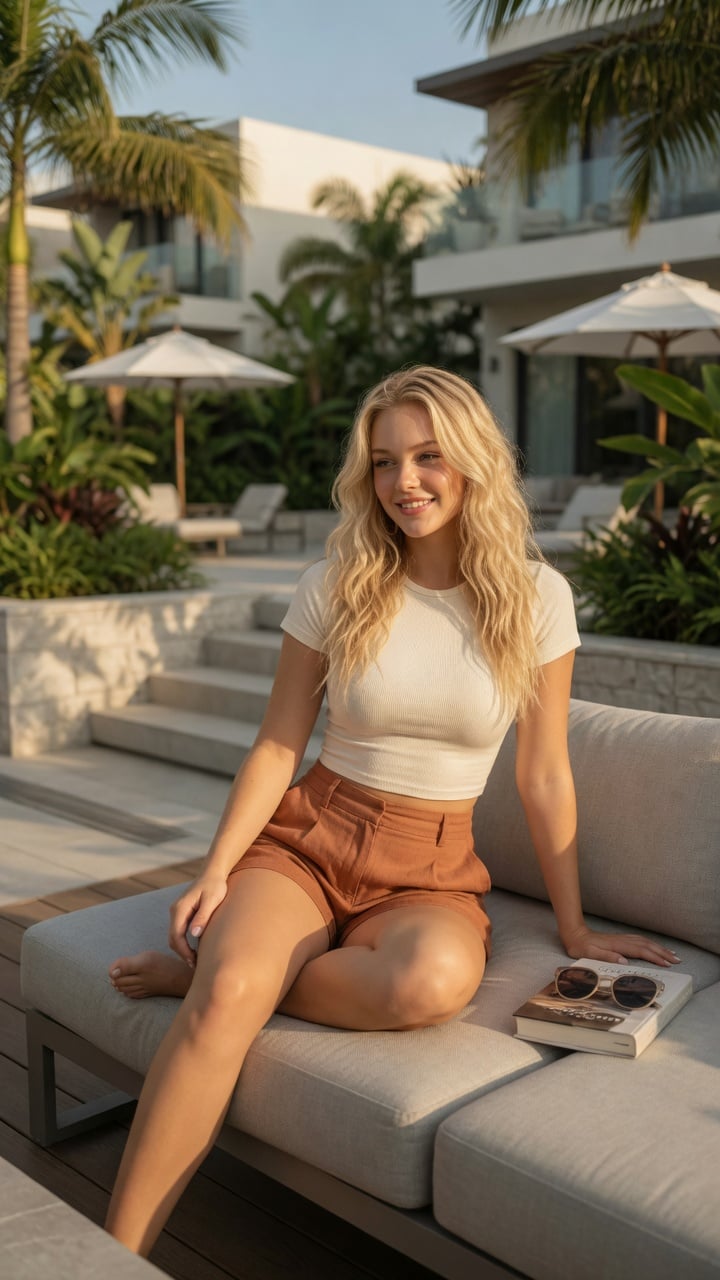
Visual concept
Ultra-realistic lifestyle fashion editorial photograph of a confident young woman relaxing on a contemporary outdoor terrace at an upscale residential complex. She has shoulder-length Blonde colored wavy hair, natural glowing makeup, and a relaxed smile while looking toward the horizon. She is wearing a fitted cream-colored ribbed crop top paired with high-waisted linen shorts in a warm terracotta color.She sits casually on a light gray modular outdoor sofa with one leg folded and the other resting naturally, one hand supporting her body and the other resting on her knee. A hardcover novel and a pair of sunglasses lie beside her, suggesting a peaceful afternoon of reading.The environment features minimalist architecture, lush tropical landscaping, stone planters, modern wooden decking, neutral outdoor furniture, and soft white umbrellas. Bright golden afternoon sunlight creates warm highlights and gentle shadows through nearby palm leaves. The atmosphere is calm, luxurious, and summery.Captured from a slightly low three-quarter angle using an 85mm lens with shallow depth of field. Natural skin texture, realistic anatomy, premium fabric details, cinematic color grading, HDR, soft bokeh, photorealistic, magazine-quality fashion photography, ultra-detailed, 8K. Negative Prompt:low quality, blurry, watermark, logo, text artifacts, bad anatomy, extra limbs, extra fingers, duplicate person, distorted hands, unrealistic proportions, oversaturated, underexposed, overexposed, motion blur, cartoon, anime, illustration, CGI, plastic skin
Visual concept
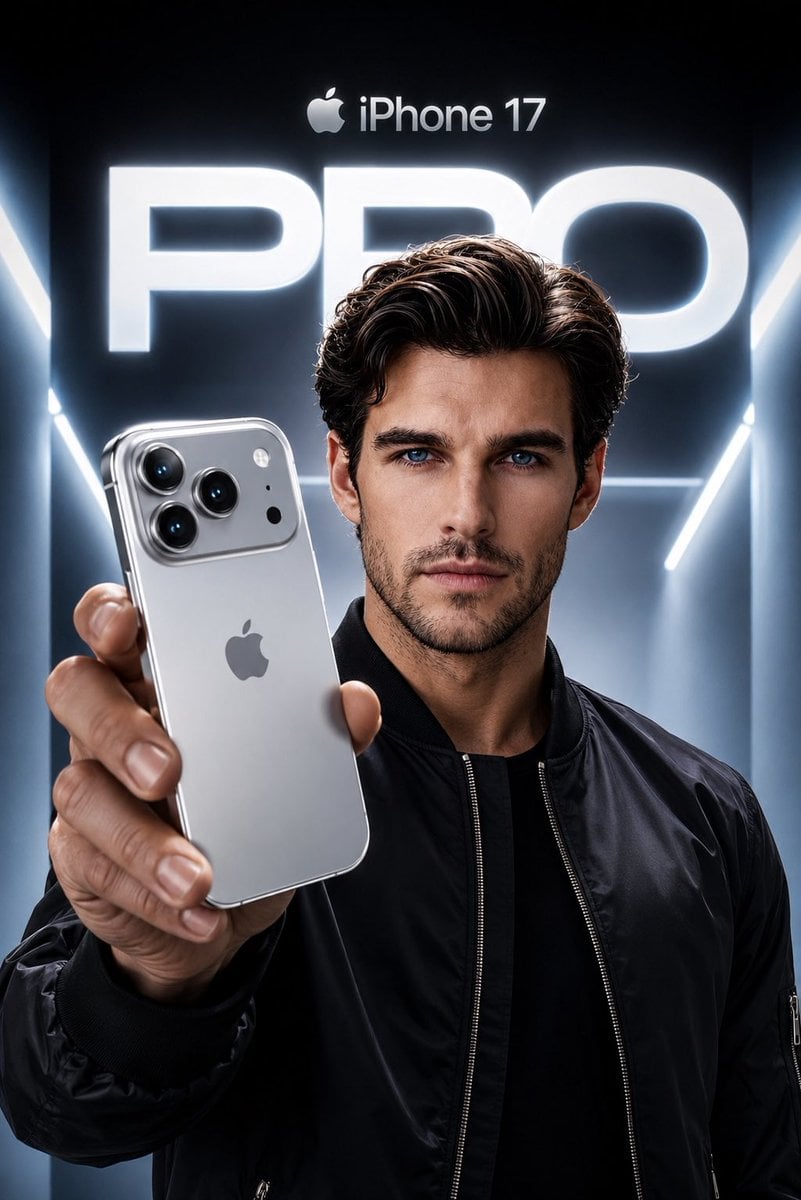
Create an ultra-premium Apple-style product campaign using the uploaded image as the exact facial reference. Preserve my identity with maximum accuracy, including my face shape, hairstyle, beard, eyebrows, skin tone, eye proportions, lips, jawline, and every unique facial feature. Do not alter my age or recognizable appearance. I am wearing a sleek black premium bomber jacket with a minimal futuristic aesthetic. I am confidently holding a Silver iPhone 17 Pro toward the camera in a dramatic low-angle perspective, with the phone dominating the foreground while my face remains perfectly sharp and cinematic. The iPhone features a luxurious brushed titanium silver finish with polished edges, realistic reflections, premium camera lenses, and authentic Apple design language. The background is a futuristic Apple keynote-inspired environment with glowing white and cool blue volumetric lighting, clean architectural lines, and a massive illuminated “PRO” typography behind me. At the top, place a subtle Apple logo with “iPhone 17” in Apple’s minimalist style. Use high-end commercial lighting, realistic skin texture, natural hand proportions, sharp focus, premium depth of field, soft rim lighting, and flawless reflections on the phone. The composition should feel like an official Apple flagship advertisement, ultra-realistic, hyper-detailed, 8K, HDR, IMAX quality, magazine cover worthy, with a cool silver and blue color palette, luxury aesthetic, and perfect cinematic color grading.
Visual concept
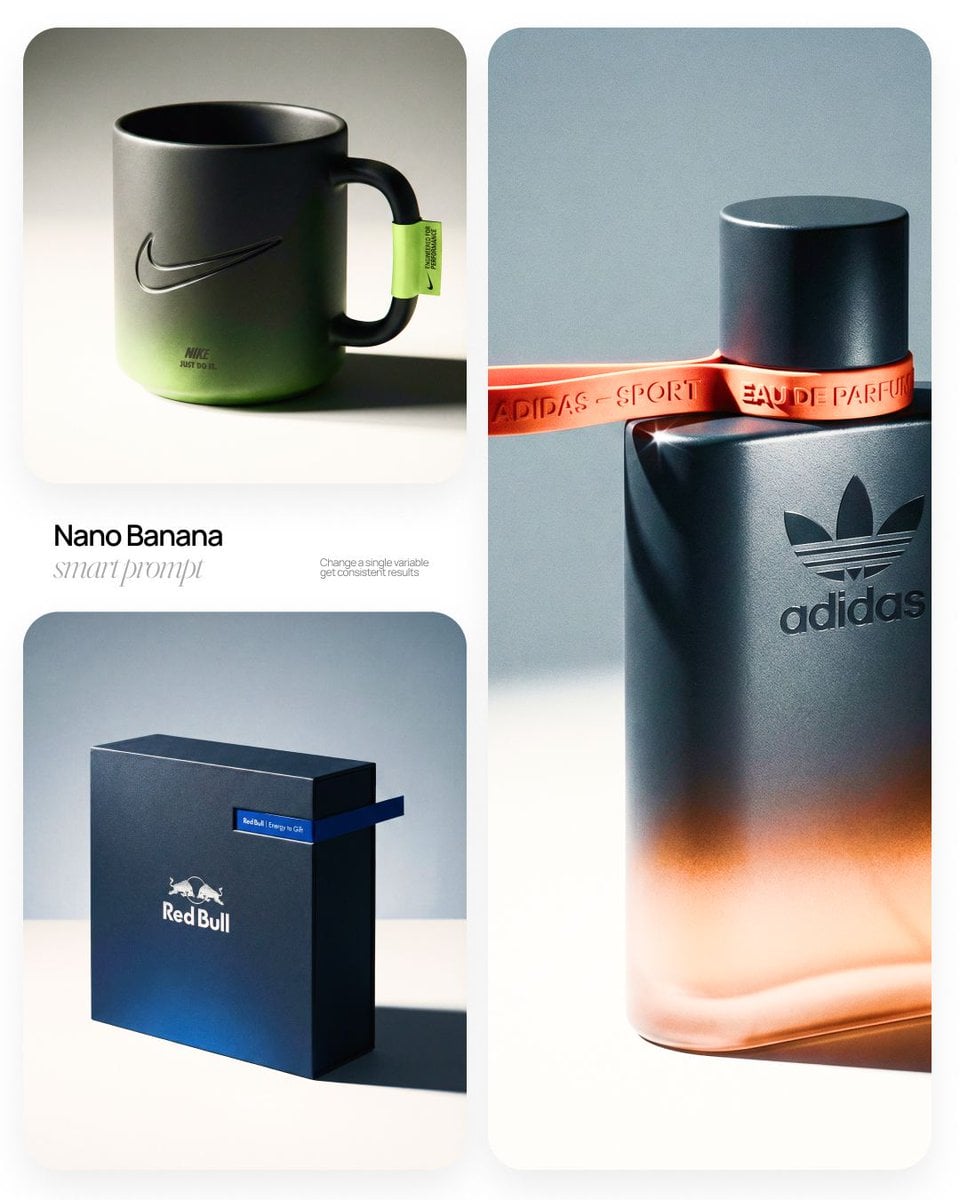
[BRAND NAME] | [OBJECT] Act as a High-End Commercial Product Photographer and Creative Director shooting a luxury editorial campaign (Hypebeast / Highsnobiety /Wallpaper* level). PHASE 1: BRAND INTELLIGENCE The hero subject is a [OBJECT] branded for [BRAND NAME]. Autonomously determine [BRAND NAME]'s full visual identity: signature color palette, typographic DNA, logo mark geometry, material language, and cultural positioning. Apply this identity to the [OBJECT] with precision — do not invent a generic brand, decode the real visual codes. PHASE 2: OBJECT SURFACE & MATERIAL DNA Regardless of the shape of [OBJECT], apply this material system: Base tone: deep neutral — matte dark graphite, warm charcoal, or matte black. Fine-grain surface micro-texture visible under raking light — powder-coat, matte paper, or brushed material feel. Subtle gradient bloom: the base color dissolves in the lower portion of the object's surface into the brand's most iconic accent color — a soft luminous haze from within the material, not a printed graphic. Logo application: embossed, debossed, or metallic foil relief — catching specular light at edges only. Precise. Restrained. Typography: brand-accurate typeface, small tracking, positioned with editorial intentionality. PHASE 3: THE ACCENT BREAKOUT ELEMENT This is the signature design move — adapt it to the natural geometry of [OBJECT]: Identify the most logical "interruption zone" on [OBJECT] — a seam, edge, band, collar, rim, strap, or wrap point. At this zone, apply a narrow saturated accent element in the brand's most iconic hue — vivid, slightly matte. This element must visually "break out" of the object's boundary — extending, protruding, or wrapping beyond the expected edge, creating a deliberate 3D tension between the object and the detail.The accent element carries a micro-typographic brand detail — tagline, model name, or descriptor — small, precise, tracked. PHASE 4: STAGING & COMPOSITION Studio cyclorama. Surface tone: off-white to warm light gray. Background field: cool neutral mid-gray, darker in upper zone. [OBJECT] positioned at 3/4 angle — front face and one secondary surface simultaneously visible. Rule of thirds: object occupies right 60% of frame. Left field: generous negative space — intentional, not empty. Single hard-edged directional shadow cast to the right and slightly downward — crisp penumbra, no diffusion. PHASE 5: LIGHTING Single dominant key light: large softbox, camera-left, elevated at 40°. Specular highlight traces the top-left edge of [OBJECT] — revealing material grain. Shadow side: no fill. Darkness earns depth. Subtle ambient bounce from cyclorama floor — lifts shadow by 15%, no more. Accent element receives micro-specular glint along its dominant edge. Mood: Rembrandt chiaroscuro logic applied to product photography. No lens flare. No atmospheric effects. PHASE 6: TECH SPECS Lens: 85mm equivalent, f/4.5. Depth of field: object fully sharp, background softened. Chromatic aberration: subtle, at extreme frame edges only — optical realism signal. Film grain overlay: 15% opacity — anti-CGI-plastic treatment. Render: Octane / Ray Tracing quality —subsurface scattering where material demands it, global illumination, physically accurate shadow falloff. Aspect ratio: autonomously determine optimal ratio for this [OBJECT] format.
خلاصة في جملة
كيف يبدو هذا النموذج؟
هذا مدخل توليد وتحرير ثابت السعر، بلا مستويات سعر حسب الدقة. ما زالت وثائق Gemini API الحالية من Google تدرج `gemini-2.5-flash-image` بوصفه إصدارًا مستقرًا؛ أما المعرّف القديم المتوقف فهو `gemini-2.5-flash-image-preview`. يستخدم Kyeo معرّف التوليد والتحرير الخاص بالواجهة العلوية، وتبقى القدرة الفعلية محكومة بمعلمات هذه الصفحة ونتائج التشغيل.
- ما الذي يتقنه؟
- يجمع Kyeo النص إلى صورة وتحرير الصور في Nano Banana في صفحة واحدة، لكنه يستدعي معرّفًا مختلفًا للنموذج في الواجهة العلوية عند الإرسال وفق وجود صورة مرفوعة. ويتمثل الفرق الأساسي في سعر 3 نقاط الثابت، لا في دقة أعلى أو تعزيز بحث.
- لمن يناسب؟
- يناسب توليد الصور من النص، وإضافة عناصر إلى صورة موجودة أو حذفها أو استبدالها أو تغيير أسلوبها، وتجربة الدمج بعدد قليل من الصور المرجعية واضحة الأدوار. ويجب الحكم بالاختبار على ثبات الأشخاص والمنتجات وعناصر العلامة التجارية.
- لماذا تستخدمه في Kyeo AI؟
- تعرض الصفحة الحالية بوضوح حد نص الطلب 5,000 محرف، وإخراج PNG / JPEG، و11 نسبة أبعاد، وحد 10 صور في واجهة التحرير، وتختار المسار المناسب تلقائيًا بين التوليد والتحرير.
المعلمات الأساسية
يساعدك على تقييم مدى ملاءمة النموذج لسيناريو عملك بسرعة.
فئة النموذج
نموذج لتوليد الصور وتحريرها بالذكاء الاصطناعي
الشركة
Google
عائلة النموذج
Nano Banana
طريقة التكامل
التكامل الحالي داخل المنصة
تصنيف القدرة
Nano Banana — مهمة غير متزامنة
طريقة التشغيل
مهمة غير متزامنة
حد نص الطلب
5,000 محرف
حد الرفع
حتى 10 صور
أسماء أخرى
قد يحمل النموذج نفسه أسماء مختلفة في الوثائق الرسمية ونقاشات المجتمع وطبقة تكامل API؛ نجمعها هنا بصورة موحدة.
Nano Banana — كيفية مقارنة تحرير Nano Banana وGPT Image 1.5
Gemini 2.5 Flash Image
Google Nano Banana
أسئلة المستخدمين الشائعة
تركز هذه الأسئلة العملية على المهمة وشروط الإدخال والنتيجة التي ينبغي تأكيدها قبل الاختيار.
كيفية استخدام Nano Banana في Kyeo AI
كم نقطة تستهلك كل عملية Nano Banana في Kyeo AI
كيف يولّد Nano Banana صورة جديدة من دون رفع صورة
كيف يحرر Nano Banana الصورة بعد رفعها
هل يتساوى سعر النص إلى صورة والتحرير في Nano Banana
كم صورة تقبلها واجهة تحرير Nano Banana
متى يكون Nano Banana Pro أنسب من النسخة ثابتة السعر
كيفية مقارنة تحرير Nano Banana وGPT Image 1.5
ما الذي يجب فحصه عند تعديل صورة منتج بـ Nano Banana
هل Nano Banana هو Gemini 2.5 Flash Image
دليل الاختيار
هل ما زلت مترددًا في اختيار النموذج؟ ابدأ بهذه النقاط الأساسية.
1
عند الحاجة إلى توليد أو تحرير بتكلفة ثابتة
إذا لم تتطلب المهمة اختيار مستوى 1K أو2K أو4K ولم تعتمد على تعزيز البحث، فابدأ بعملية نص إلى صورة أو تحرير موجه مقابل 3 نقاط، ثم قرر وفق النتيجة ما إذا كنت ستواصل.
2
عند الحاجة إلى دقة أو وظيفة أحدث
قارن Nano Banana 2 وPro المتاحين حاليًا في Kyeo عند الحاجة إلى مستوى إخراج واضح 1K أو2K أو4K أو تعزيز البحث؛ واختبر GPT Image 1.5 بالمواد نفسها لمقارنة تحرير مورد مختلف.
3
تحقق أولًا بصورة إلى ثلاث صور مرجعية
ابدأ بمدخلات قليلة في التحرير متعدد الصور، واكتب وظيفة كل صورة بوضوح. لا تزد العدد إلا عند الحاجة الفعلية وبعد ثبوت قابلية التحكم؛ فسماح الواجهة بعشر صور لا يعني أن استخدامها كلها أكثر ثباتًا.
المقارنات الشائعة في البحث
قارن البدائل الشائعة في المهمة نفسها لتوضيح الفروق في المدخلات والتحكم والتكلفة.
كيف أختار بين Nano Banana ذي 3 نقاط الثابتة وPro متدرج السعر حسب الدقة
هل ينبغي الانتقال إلى Pro لعدم وجود مستوى 4K في Nano Banana
ما المهام الأنسب لـ Nano Banana 2
هل أختار Nano Banana أم Nano Banana 2 عند الحاجة إلى تعزيز البحث
كيف أختبر مدخلي تحرير الصور من Google وOpenAI
كيف تقارن حدود إدخال Nano Banana وGPT Image 1.5
جدول مقارنة النماذج
هل تتردد بين الخيارات؟ يوضح هذا الجدول أهم الفروق بين النموذج الحالي وبدائله بنظرة واحدة.
موقع Kyeo الحالي
Nano Banana
مدخل ثابت السعر للنص إلى صورة وتحرير الصور
Nano Banana Pro
خيار متدرج السعر حسب الدقة ويتضمن 4K
GPT Image 1.5
خيار OpenAI لتوليد الصور وتحريرها
بنية سير العمل
Nano Banana
تبدّل الصفحة نفسها بين مساري التوليد والتحرير وفق وجود صورة مرفوعة
Nano Banana Pro
يقبل مدخل النموذج نفسه النص أو الصور
GPT Image 1.5
تبدّل الصفحة نفسها إلى المسار المناسب وفق نوع الإدخال
سعر Kyeo الحالي
Nano Banana
3 نقاط / عملية للنص إلى صورة والتحرير معًا
Nano Banana Pro
8 نقاط لـ1K / 2K؛ و14 نقطة لـ4K
Nano Banana 2
5 نقاط لـ1K؛ و8 لـ2K؛ و12 لـ4K
عدد صور التحرير
Nano Banana
تقبل الواجهة العلوية حتى 10 صور؛ وتوصي Google بألا تتجاوز 3 صور لنتائج أفضل
Nano Banana Pro
يقبل حاليًا حتى 8 صور مدخلة
GPT Image 1.5
يقبل حاليًا حتى 16 صورة مرجعية
الاحتياجات الأنسب
Nano Banana
توليد ثابت السعر وتحرير موجه بلا مستويات دقة
Nano Banana Pro
الحاجة إلى مستوى إخراج واضح 1K أو2K أو4K
Nano Banana 2
الحاجة إلى خيارات دقة أكثر أو تعزيز البحث
تجربة الاستخدام الفعلية
إرشادات عملية تستند إلى مصادر عامة وحدود الموقع الحالية ومهام تمثل الاحتياجات الشائعة.
حد الواجهة ليس عدد الإدخال الموصى به
سماح واجهة التحرير العلوية بعشر صور يعني إمكان حمل الطلب لمواد أكثر؛ لكن إرشادات Google لـ Gemini 2.5 Flash Image توصي بألا تتجاوز المدخلات ثلاث صور لنتائج أفضل. ويُفضل عمليًا استخدام أصغر مجموعة فعالة.
كونه إصدارًا قديمًا لا يعني أنه غير متاح حاليًا
تدرج Google حاليًا `gemini-2.5-flash-image` بوصفه إصدارًا مستقرًا، وتدرج `gemini-2.5-flash-image-preview` وحده بوصفه متوقفًا. يختلف معرّف الواجهة العلوية في Kyeo، لذلك لا يمكن استنتاج مطابقة الإصدار الدقيقة من الاسم وحده.
تفاصيل القدرات
مسار النص إلى صورة
عند عدم رفع صورة، يستخدم Kyeo `Nano Banana` لتوليد صورة من نص الطلب. يمكن حاليًا ضبط صيغة الإخراج ونسبة الأبعاد، وتستهلك العملية ثلاث نقاط ثابتة.
مسار تحرير الصور بلغة طبيعية
بعد رفع الصور، ينتقل Kyeo إلى `Nano Banana`. يمكن وصف ما يجب حفظه أو حذفه أو استبداله أو تعديله بالنص، لكن يجب فحص درجة الالتزام في كل صورة.
حدود الصيغة والأبعاد والإدخال
يدعم حاليًا إخراج PNG / JPEG و11 نسبة أبعاد. يمكنك إرسال ما يصل إلى 10 صور مرجعية، لكن Google توصي بألا يتجاوز إدخال هذا النموذج 3 صور لنتائج أفضل.
الاستخدامات المناسبة
إنشاء صورة جديدة من نص
يناسب إنشاء مسودة وفق وصف الموضوع والمشهد والتكوين والأسلوب، وضبط الاتجاه الأفقي أو العمودي أو المربع عبر نسبة الأبعاد.
تعديلات موجهة على صورة موجودة
يمكن تجربة إضافة عناصر أو حذفها أو استبدال الخلفية أو تعديل اللون أو تغيير الأسلوب. وعند التعامل مع شكل منتج أو هوية شخص أو معايير علامة تجارية، يلزم فحص التفاصيل التي لم يُطلب تغييرها يدويًا.
دمج عدد قليل من الصور المرجعية
يمكن تقديم مراجع منفصلة للموضوع والخامة والمشهد، ثم تحديد وظيفة كل منها في نص الطلب. ابدأ بصورة إلى ثلاث، ولا تعامل حد الواجهة كعدد موصى به.
نصائح الموجّه
ابدأ بالموضوع والفعل المطلوب
اشرح في جملة ما تريد إنشاءه أو تعديله، ثم أضف ما يجب حفظه واستبداله وتجنبه. عادةً ما يسهل التحقق من وصف أفعال قابلة للتنفيذ أكثر من سلسلة أوصاف أسلوبية مجردة.
حدد وظيفة كل صورة مرجعية
وضح أي صورة تقدم الموضوع أو الخامة أو الوضعية أو الخلفية، وابدأ قدر الإمكان بصورة إلى ثلاث. كلما زادت المدخلات، زادت ضرورة فحص خلط العناصر أو إغفالها.
حدد النسبة والصيغة قبل الإرسال
اختر نسبة مثل 1:1 أو16:9 أو9:16 وفق موضع النشر النهائي، وحدد PNG أو JPEG. بعد الإخراج افحص الكتابة والأيدي والحواف وخصائص الموضوع والمناطق التي لم يُطلب تغييرها.
أسباب اختياره
توفر الصفحة نفسها تحويل النص إلى صورة وتحرير الصور.
تكلف كلتا الطريقتين 3 نقاط ثابتة لكل عملية، فتسهل توقع التكلفة.
يصل نص الطلب إلى 5,000 محرف، مع 11 نسبة أبعاد.
تقبل واجهة التحرير صورًا متعددة، مما يتيح تجربة مراجع ذات أدوار مختلفة.
ما يجب معرفته قبل الاستخدام
تدرج Google حاليًا `gemini-2.5-flash-image` بوصفه مستقرًا، لكن Kyeo يستخدم معرّف الواجهة العلوية؛ لذلك لا يمكن افتراض أن مطابقة الإصدار متطابقة تمامًا.
لا يقدم النموذج الحالي مستويات دقة 1K أو2K أو4K، ولا يوفر تعزيز البحث.
رغم سماح الواجهة العلوية بعشر صور للتحرير، توصي Google بألا يتجاوز إدخال هذا النموذج ثلاث صور لنتائج أفضل.
تظل الكتابة وخصائص الأشخاص أو المنتجات والاتساق ومخاطر حقوق النشر بحاجة إلى مراجعة بشرية، ولا تضمن الصفحة النتائج.
المعلمات القابلة للضبط
يساعدك على تقييم مدى ملاءمة النموذج لسيناريو عملك بسرعة.
صيغة الإخراج
اختياري
نوع المعلمة: قائمة منسدلة
الافتراضي: png
PNG
JPEG
نسبة الأبعاد
اختياري
نوع المعلمة: قائمة منسدلة
الافتراضي: 1:1
1:1
9:16
16:9
3:4
4:3
3:2
11 خيارًا إجمالًا
استهلاك النقاط
3 نقاط / عملية
تستهلك حاليًا كل مهمة نص إلى صورة أو تحرير صور في Kyeo AI ثلاث نقاط ثابتة.
نصيحة لتوفير النقاط
قبل توليد الصور أو الفيديو على دفعات، يُنصح بإجراء اختبار A/B بالمواد نفسها بين النموذج الحالي وبدائله من النوع نفسه، ثم بدء التوليد على دفعات بعد تأكيد النتيجة لتجنب هدر النقاط.
الأسئلة الشائعة
نماذج مشابهة موصى بها
لم تقرر بعد؟ قارن أيضًا بهذه البدائل المشابهة.
Nano Banana Pro
يدعم Nano Banana Pro في Kyeo AI توليد الصور من النص وتحرير الصور المرجعية، مع اختيار إخراج 1K أو2K أو4K. تبلغ تكلفة 1K و2K ثماني نقاط لكل عملية، و4K أربع عشرة نقطة؛ وتمثل الدقة مستوى حجم الإخراج، لا ضمانًا للجودة أو الدقة أو التفاصيل.
نموذج لتوليد الصور وتحريرها بالذكاء الاصطناعي
8–14 نقطة / عملية
Nano Banana 2
يقدّم Kyeo AI توليد الصور من النص والتحرير بالصور المرجعية باستخدام Nano Banana 2. يمكنك رفع ما يصل إلى 10 صور مرجعية، والاختيار بين 15 نسبة أبعاد، وإخراج النتيجة بدقة 1K/2K/4K. الأسعار الحالية 5 و8 و12 نقطة على التوالي، وحد نص الطلب 20,000 محرف، ولا يتضمن نموذج التوليد الحالي خيار البحث على الويب.
نموذج لتوليد الصور وتحريرها بالذكاء الاصطناعي
5–12 نقطة / عملية
GPT Image 1.5
يدعم GPT Image 1.5 في Kyeo النص إلى صورة والصورة إلى صورة، مع اختيار ثلاث نسب أبعاد ومستويي الجودة medium/high. يستخدم مسار الصورة إلى صورة حتى 16 صورة مرجعية بصيغة JPG أوPNG أوWebP، لا تتجاوز الواحدة 10 MB؛ وتكلف medium أربع نقاط وhigh اثنتين وعشرين نقطة. GPT Image 1.5 نموذج صور من الجيل السابق أهملته OpenAI. يحتفظ Kyeo بمدخلي التوليد والتحرير، لكن ذلك لا يعني أن OpenAI لا تزال تعده خيارها الحالي المفضل.
نموذج صور بالذكاء الاصطناعي
4-22 نقطة / عملية
مصادر المعلومات
أُعد محتوى الصفحة استنادًا إلى مواد الشركة المطوّرة ووصف عائلة النموذج وإعداد التكامل في منصة Kyeo AI.
ملاحظة المصدر
تعرّف إلى توليد الصور وتحريرها بـ Nano Banana في Kyeo AI: 3 نقاط ثابتة لكل عملية، ونص طلب حتى 5,000 محرف، وما يصل إلى 10 صور في واجهة التحرير. تستهلك حاليًا كل مهمة نص إلى صورة أو تحرير صور في Kyeo AI ثلاث نقاط ثابتة.
آخر تحديث: 2026-07-20
Google AI for Developers: Nano Banana
رسمي
Google AI for Developers: Image generation with Gemini
رسمي