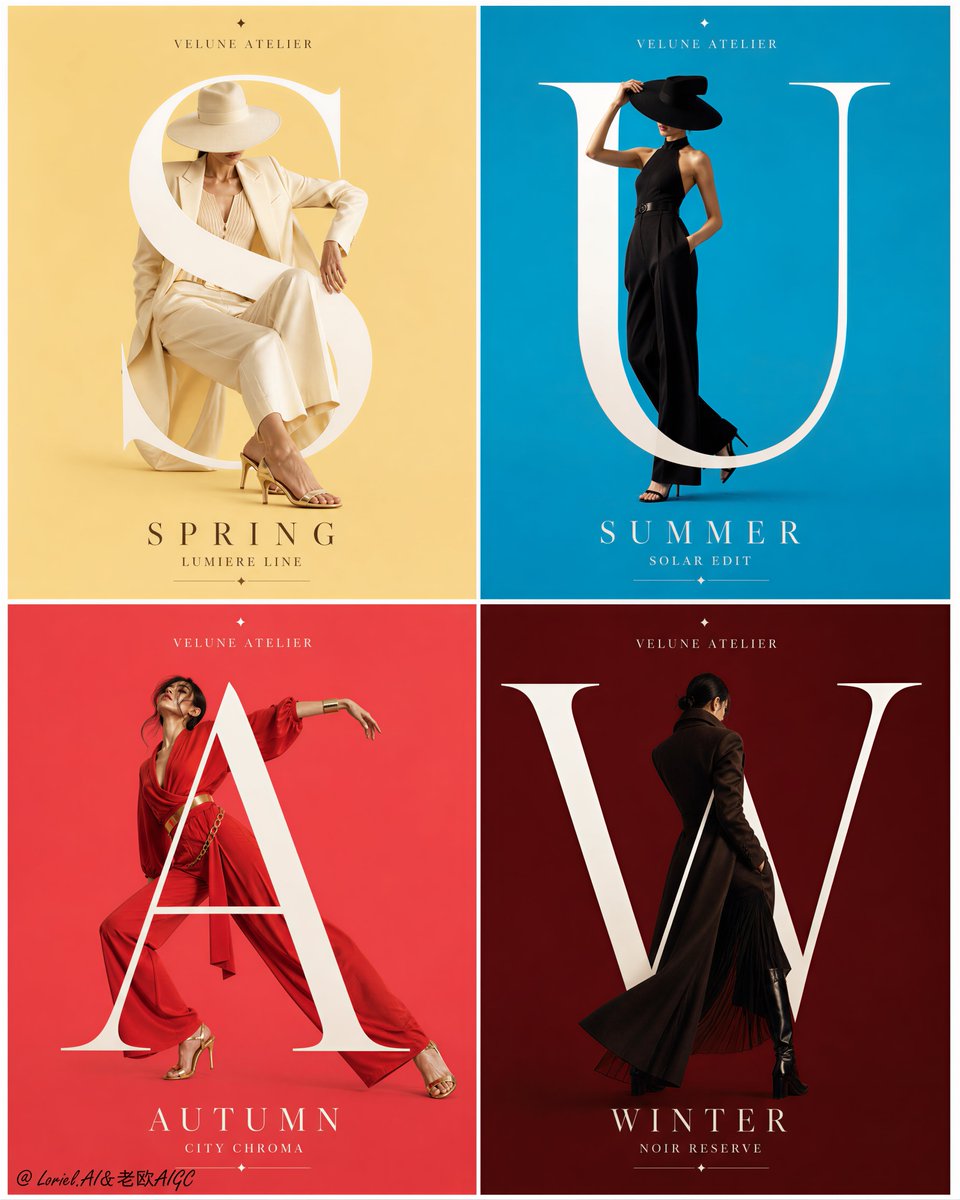
AI image model
Alibaba Cloud
Qwen Image
Qwen Image 3.0
Qwen Image 3.0 supports both text-only generation and image-to-image work with up to 3 references. It offers 1K/2K, 8 canvas sizes, PNG/JPEG output, prompt expansion, negative prompts, and seed control. Kyeo preauthorizes 5–7 credits per request.
Workflows
Text to image, image to image
Resolution
1K/2K
References
Up to 3 images
Credits
5–7 per request
30-second overview
- Uses the appropriate text-to-image or image-to-image entry point for 1–3 references
- 1K/2K share the same base price, with text-only generation preauthorized at 5 credits
- 8 canvas sizes with PNG/JPEG output
- Supports prompt expansion, negative prompts, a sensitive-content toggle, and seed
Popular searches: how to use Qwen Image 3.0 · how much does Qwen Image 3.0 cost · Qwen Image 3.0 reference image limit
Examples
Visual concept
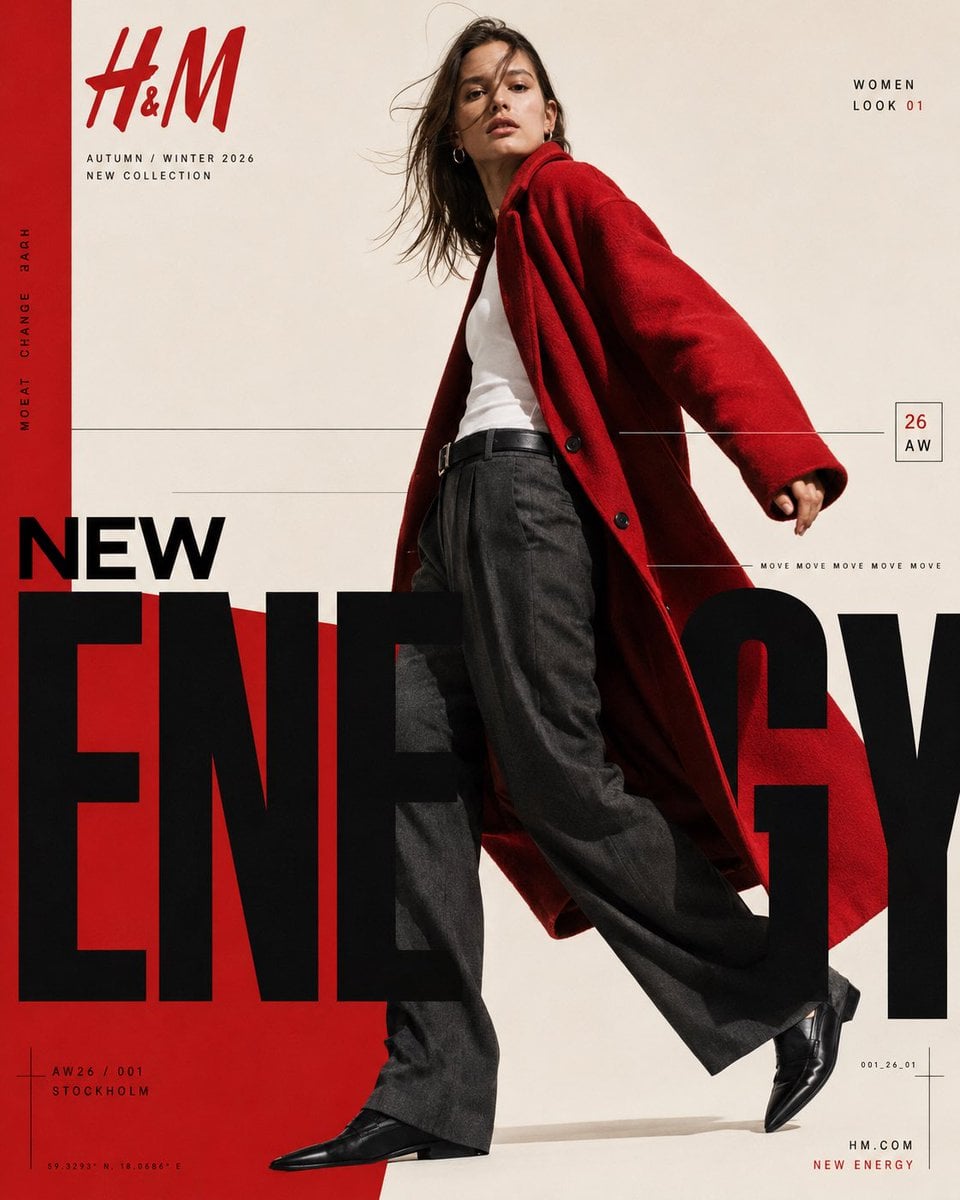
H&M — “NEW ENERGY / AW26” CONTEMPORARY FASHION EDITORIAL POSTER FORMAT 4:5 vertical | ultra-high resolution | finished graphic-design poster Premium international H&M Autumn/Winter 2026 fashion campaign. Behance-featured-quality art direction combining high-fashion editorial photography, bold modernist typography, Swiss-inspired grid composition and strong red, black and warm ivory colour blocking. The final output must be a complete professionally art-directed campaign poster — not simply a fashion photograph with typography placed on top. BRAND H&M CAMPAIGN NEW ENERGY / 26 AUTUMN / WINTER 2026 ART DIRECTION A striking full-body female fashion model dominates the composition, positioned slightly right of centre against a warm ivory studio background. She is captured mid-stride from a subtly low camera angle, creating a confident, elongated silhouette. Dark brown shoulder-length hair moves naturally across her face as though caught by a soft studio wind. Neutral confident expression, minimal natural makeup, understated gold hoop earrings. WARDROBE Oversized vivid H&M-red wool coat with broad relaxed shoulders, open front and dramatic flowing movement. Underneath: fitted clean white tank top tucked into charcoal-black wide-leg tailored trousers with a black leather belt. Polished pointed black leather shoes. The red coat sweeps diagonally behind the model and visually connects with the graphic red field across the lower-left composition. PHOTOGRAPHY Premium European fashion editorial photography. Slightly low-angle full-body framing. Hard but refined directional studio lighting. Natural skin texture. Crisp textile detail. Controlled shadows. Subtle analogue fashion-film grain. Warm ivory background. Sharp subject with realistic garment movement. GRAPHIC COMPOSITION Warm ivory canvas with a strong vertical H&M-red strip running along the entire left edge. Large H&M logo in red at the upper-left. Directly underneath: “AUTUMN / WINTER 2026” “NEW COLLECTION” Along the red vertical strip, rotated 90 degrees: “MOVE CHANGE 2026” Upper-right: “WOMEN” “LOOK 01” with “01” highlighted in red. Fine black horizontal rules travel across the middle of the poster, intersecting visually with the model. Small outlined rectangular season marker on the right: “26” “AW” A thin horizontal rule near the model’s coat carries tiny repeated typography: “MOVE MOVE MOVE MOVE MOVE” HERO TYPOGRAPHY The lower half is dominated by enormous condensed black sans-serif typography: “NEW” above “ENERGY” ENERGY must be extremely oversized, bold, tightly spaced and partially cropped by the left, right and bottom boundaries. The model overlaps and interrupts portions of the typography, producing sophisticated editorial depth between photograph and graphic design. A saturated red geometric field rises diagonally from the lower-left behind the giant black typography and model. BOTTOM DETAILS Lower-left: small crosshair/grid registration graphic “AW26 / 001” “STOCKHOLM” Below in tiny technical typography: “59.3293° N 18.0686° E” Lower-right: small technical code “001_26_01” minimal registration lines Bottom-right: “NEW ENERGY” in red DESIGN LANGUAGE H&M Scandinavian fashion identity. Swiss modernist editorial grid. Oversized condensed typography. Extreme scale contrast. Asymmetric composition. Fine technical rules and microtype. Red / black / warm ivory palette. Fashion photography integrated through typography. Luxury magazine art direction. Clean but energetic. Bold negative space. Precise alignment. Print-ready campaign finish. Avoid generic advertising layouts, excessive effects, gradients, glossy 3D typography, decorative clutter, artificial skin, distorted anatomy, extra models, streetwear aesthetics or random text.
Visual concept
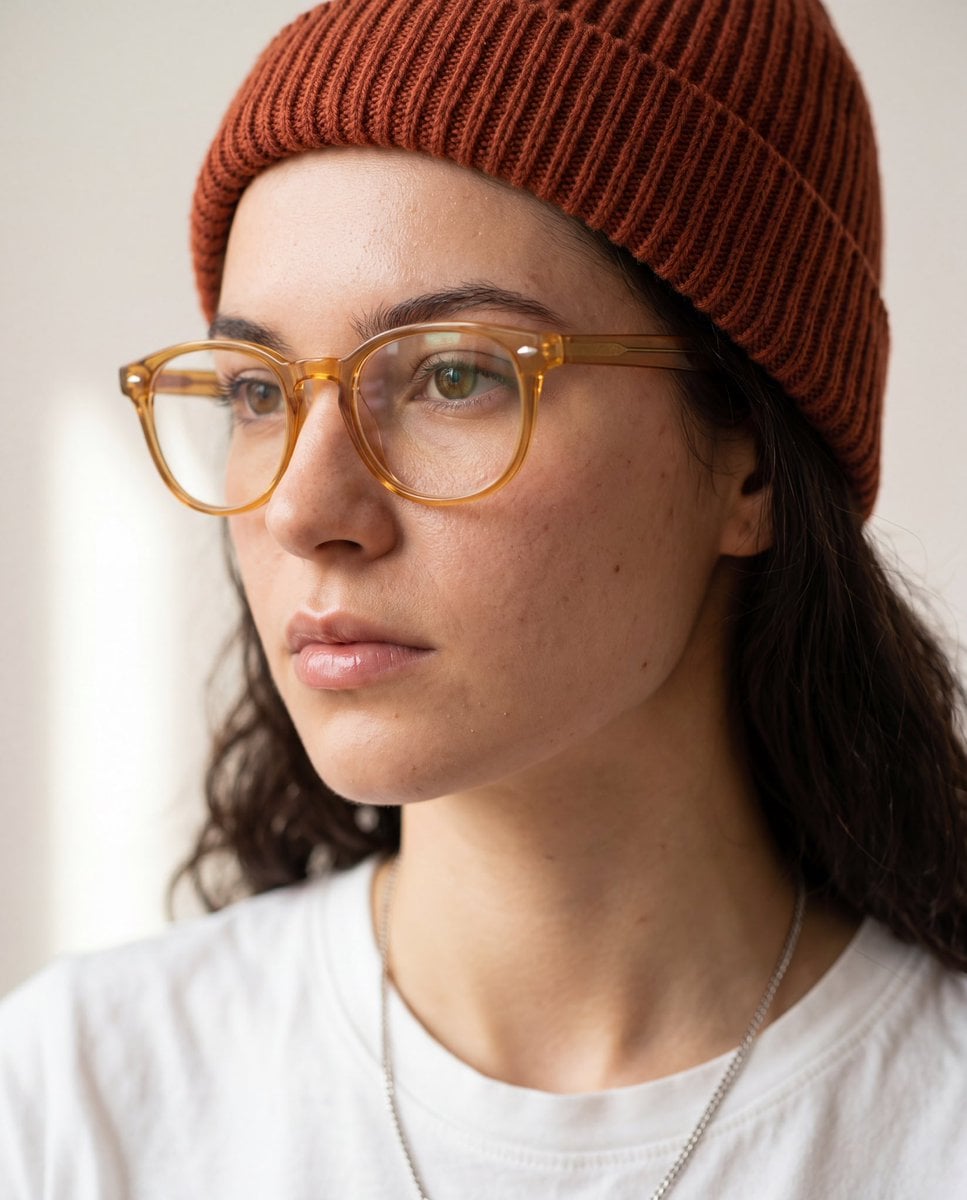
Use the uploaded reference image only for preserving the subject's facial identity, facial proportions, skin tone, hairstyle (unless specified otherwise), and overall likeness. Do not copy the original background, pose, clothing, or lighting. Create a hyper-realistic close-up portrait from a 3/4 side profile (30–45° angle), with the subject looking slightly away from the camera. Frame from the upper chest to the top of the head, filling 80–90% of the frame. Maintain natural facial anatomy and realistic skin texture with visible pores, subtle imperfections, and authentic details. Style the subject with transparent amber acetate eyeglasses, a rust-colored ribbed knit beanie, a clean white crew-neck t-shirt, and a thin silver chain necklace. Keep the expression neutral, calm, and thoughtful. Use soft diffused natural window light from one side, creating gentle shadows and smooth highlights across the face. Background should be a clean off-white or light beige studio wall with minimal distractions. Apply a very shallow depth of field with creamy bokeh and crisp focus on the eyes and face. Editorial fashion photography, minimalist aesthetic, premium lifestyle portrait, luxury eyewear campaign, muted warm color grading, soft contrast, realistic color tones, DSLR quality, 85mm lens, f/1.8, ISO 100, ultra-sharp focus, photorealistic, HDR, 8K, magazine-quality, high-detail facial features, natural skin, cinematic composition. Negative prompt: low quality, blurry, oversharpened, plastic skin, extra facial features, distorted anatomy, asymmetrical eyes, duplicate glasses, unrealistic beard or hair, oversaturated colors, watermark, logo, text, frame, cartoon, CGI, illustration, low resolution, noise, artifacts.
Visual concept
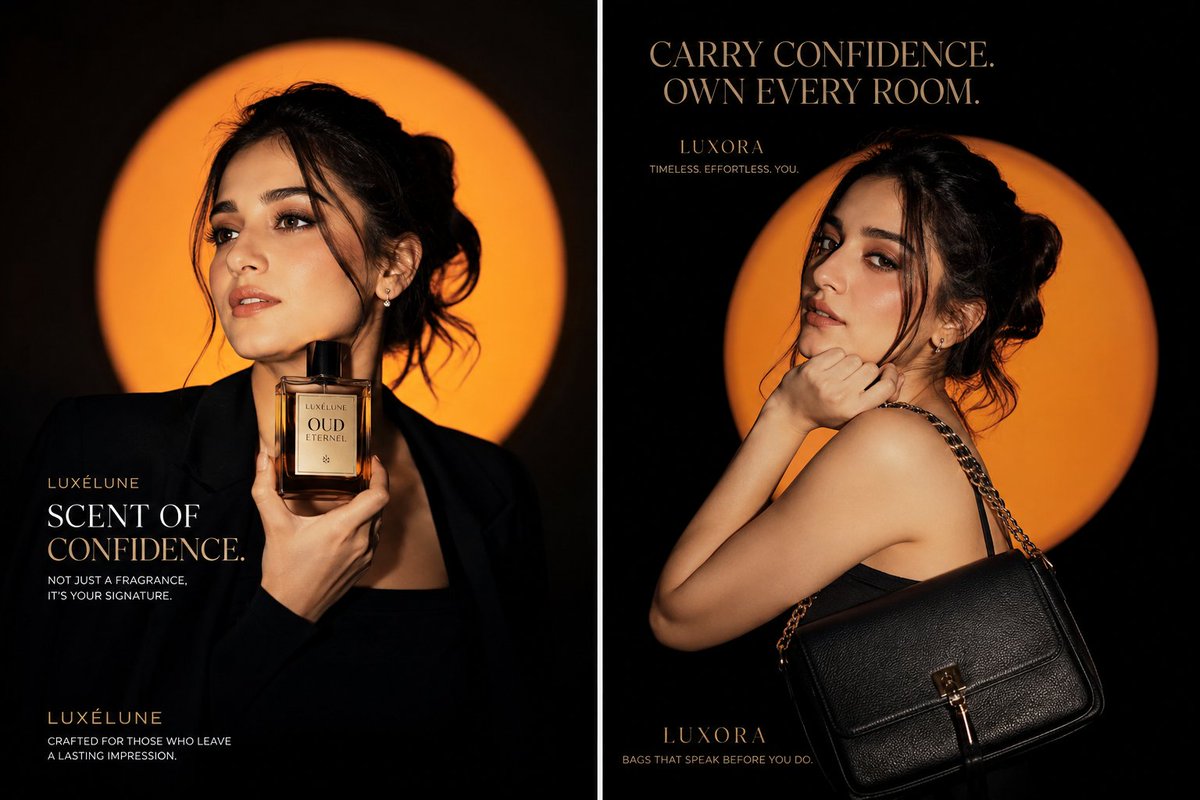
Create a viral luxury fashion advertising campaign featuring the same elegant young woman in two completely different poses, presented as a premium cinematic diptych poster. Left panel: The woman wears a structured matte-black blazer with a sleek black outfit. She holds a luxurious amber perfume bottle close to her neck with one hand, while looking confidently away from the camera with a calm, powerful expression. Her hair is styled in a soft messy bun with natural loose strands framing her face. Right panel: Show the same woman in a dramatic over-the-shoulder pose, wearing a minimalist black evening dress. A premium black leather handbag with subtle gold hardware hangs elegantly from her shoulder. She lightly rests one hand beneath her chin and looks directly into the camera with effortless confidence. Use a deep black studio background with a large glowing burnt-orange circular halo behind the model in both panels. Add cinematic orange rim lighting around her hair, face and shoulders, soft directional key lighting, deep shadows, glossy highlights and high-fashion editorial contrast. Hyper-realistic natural skin texture, realistic pores, elegant makeup, sharp expressive eyes, premium hair detail, realistic leather texture, polished perfume glass reflections, sophisticated luxury styling, 85mm lens, shallow depth of field, HDR, ultra-sharp focus, 8K photorealism, Vogue-style editorial photography, international luxury campaign quality. Add clean premium serif typography in warm metallic gold and ivory: Left panel text: LUXÉLUNE SCENT OF CONFIDENCE Not just a fragrance. It’s your signature. Right panel text: LUXORA CARRY CONFIDENCE. OWN EVERY ROOM. Timeless. Effortless. You. Keep the typography perfectly aligned, readable and minimal. Use balanced negative space, symmetrical luxury composition and a bold scroll-stopping social-media aesthetic. No watermark, no existing brand logos, no distorted hands, no extra fingers, no duplicate products, no clutter, no cartoon effect, no artificial plastic skin. Aspect ratio: 16:9 cinematic campaign poster.
Visual concept
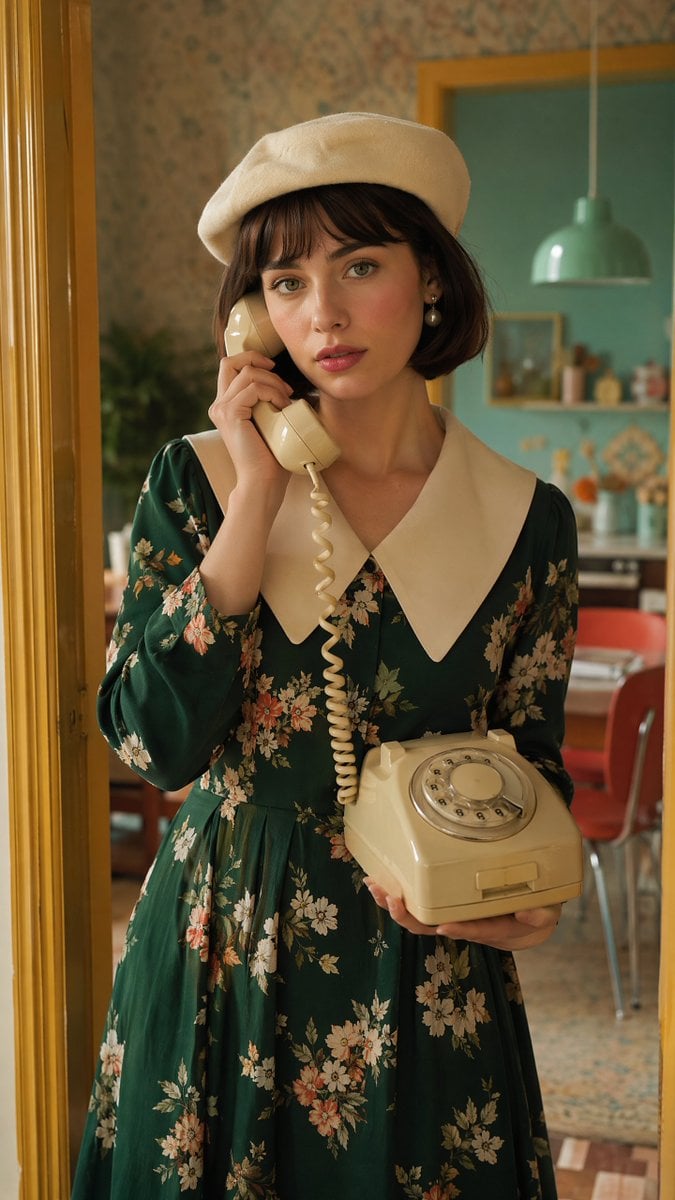
Create a beautiful young European woman with fair skin, expressive green eyes, and short dark brown bob hair with soft bangs. She is wearing a stylish cream beret, elegant pearl earrings, a premium emerald green floral vintage dress with a white oversized collar, creating a sophisticated European fashion editorial look. She is gently holding a classic cream rotary telephone receiver to her ear with one hand while supporting the telephone base with the other, looking thoughtfully toward the camera with a calm, slightly melancholic expression. The scene takes place inside a colorful retro 1970s European apartment. The doorway is painted warm mustard yellow. The walls feature pastel teal and soft coral colors with subtle vintage wallpaper patterns. A hanging mint pendant lamp, blurred kitchen details, and nostalgic home décor appear in the background. Natural cinematic lighting enters from the doorway, producing soft highlights, realistic shadows, authentic skin texture, and premium editorial color grading. Luxury fashion campaign photography, Vogue editorial, retro European lifestyle, cinematic realism, medium portrait, 85mm lens, f/2, shallow depth of field, ultra photorealistic, HDR, 8K, masterpiece. Negative prompt: anime, cartoon, CGI, illustration, low quality, blurry, text, logo, watermark, duplicate subject, distorted hands, extra fingers, deformed face, oversaturated colors.
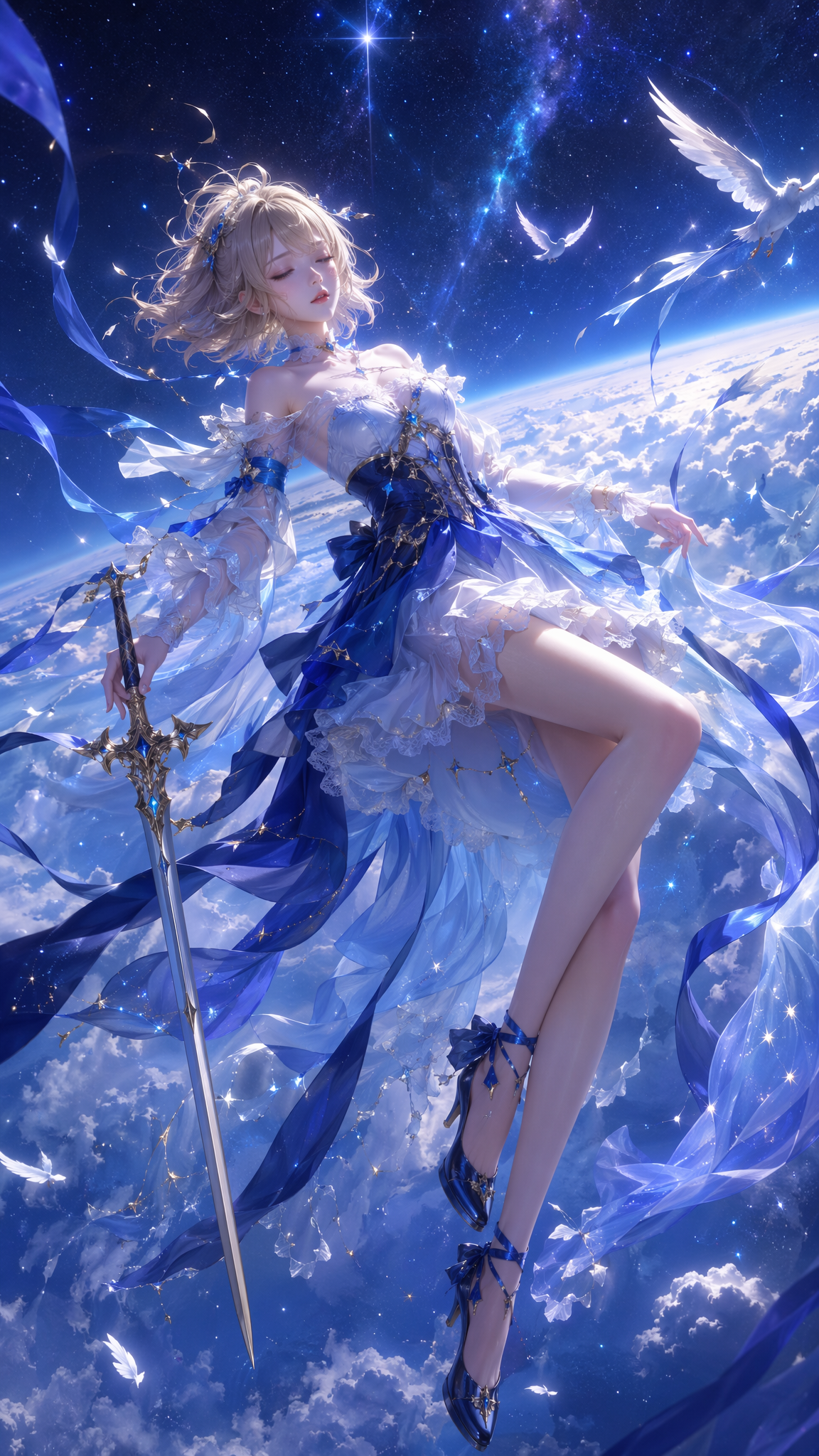
Fantasy scene
At a glance
Is this model right for you?
Without uploads, the model uses its text-to-image entry point; uploading 1–3 images switches to image to image. References may be JPEG, PNG, WebP, BMP, GIF, or TIFF files up to 10 MB each. The client submits only fields allowed by the current contract, and extra parameters are rejected before charging.
- What it does best
- A general image-generation model for controlled canvases, reproducible random seeds, and a small set of multiple references.
- Who it is for
- Marketing drafts, character or product references, horizontal and vertical content, visual exploration with negative constraints, and delivery at 1K/2K.
- Why use it on Kyeo AI
- Kyeo rounds preauthorization up based on the number of input images and locks the text-to-image or image-to-image route, image formats, and parameter allowlist before charging.
Key facts
Quickly evaluate whether this model fits your business use case.
Model category
AI image model
Vendor
Alibaba Cloud
Model family
Qwen Image
Prompt limit
800 characters
Reference formats
JPEG/PNG/WebP/BMP/GIF/TIFF
Output formats
PNG/JPEG
Other names
The same model may have different names in official documentation, community discussions, and API integrations. This section brings them together for you.
Qwen Image 3
Qwen3 Image
Alibaba Qwen Image 3.0
Qwen image generation 3.0
Common questions
These practical questions focus on the task, input conditions, and result requirements you should confirm before choosing.
how to use Qwen Image 3.0
how much does Qwen Image 3.0 cost
Qwen Image 3.0 reference image limit
Qwen Image 3.0 supported sizes
Qwen Image 3.0 vs Pro
how to set seed and negative prompts in Qwen Image 3.0
Decision guide
Still deciding? Start with these key decision points.
1
Choose the standard model to control cost
If you want the same base price at 1K/2K, the standard model is easier to budget than Pro. Preauthorization still rises according to the reference-image formula.
2
Compare Pro for the higher-priced tier
Pro has a higher 2K base price, so treat it as a separate pricing tier rather than a free upgrade from the standard model.
3
Switch models for a larger reference set
The current image-to-image limit is 3 images. For 4 or more, compare a multi-image entry point such as Nano Banana 2 Lite.
Popular comparisons
Compare common alternatives on the same task to clarify differences in inputs, controls, and cost.
How do Qwen Image 3.0 and Qwen Image 3.0 Pro differ in price and resolution?
What control changes does Qwen Image 3.0 introduce over Qwen2 Image?
How are multiple references priced in Qwen Image 3.0?
Model comparison table
Not sure which model to choose? Compare the key differences between this model and its alternatives at a glance.
Kyeo credits
Qwen Image 3.0
5–7 credits
Qwen Image 3.0 Pro
7–14 credits
Nano Banana 2 Lite
Fixed 3 credits
Resolution
Qwen Image 3.0
1K/2K at the same base price
Qwen Image 3.0 Pro
1K/2K with tiered pricing
Qwen2 Image
See the current contract on its model page
References
Qwen Image 3.0
1–3 images, 10 MB each
Qwen Image 3.0 Pro
1–3 images, 10 MB each
Nano Banana 2 Lite
Up to 10 images, 30 MB each
Real-world experience
Practical guidance based on public sources, current on-site limits, and representative tasks.
Price multiple references by actual count
Each input adds 0.5 credits before Kyeo rounds up to an integer. Requests with 1 or 2 references therefore preauthorize 6 credits, while 3 references use 7 credits.
More controls do not make outcomes certain
The seed parameter can help reproduce test conditions, but references, prompt expansion, and asynchronous service state still influence the result. Review final assets manually.
Capabilities
Two-mode image generation
Selects text to image or image to image based on the presence of references while keeping each mode's inputs separate.
Multi-dimensional output controls
Combine resolution, canvas size, output format, prompt expansion, a negative prompt, and a random seed.
Multiple reference formats
Accepts 6 common image formats, with server-side checks of the true file type rather than the extension alone.
Use cases
Product and character references
Use 1–3 images to control subject, material, or composition separately, and explain the purpose of each reference in the prompt.
Drafts for multiple placements
Switch among 1:1, 16:9, 9:16, and 21:9 to prepare directions for covers, feeds, and wide layouts.
Reproducible experiments
Fix the seed, then adjust only the negative prompt or prompt-expansion toggle to compare the effect of one variable.
Prompt tips
Put hard constraints first within 800 characters
State the subject, composition, camera, and required preserved elements before adding style, so critical requirements do not get buried at the end.
Keep negative prompts specific
Name unwanted objects, defects, or layout issues instead of stacking generic low-quality terms.
Assign each reference a role
Identify which image controls the person, color, or spatial relationship to reduce semantic conflict across inputs.
Why choose it
1K/2K share one base price, keeping standard-tier costs clear.
Supports 3 reference images in 6 input formats.
Canvas, format, negative-prompt, and seed controls are comprehensive.
Input count is included in the price calculation before charging instead of preauthorizing only the minimum.
What to know first
Prompts are limited to 800 characters, so complex specifications must be concise.
Image-to-image tasks require 1–3 images, each no larger than 10 MB.
References add cost: 3 images reach a 7-credit preauthorization.
Asynchronous output can still be affected by queues, content review, and public source service state.
Adjustable settings
Quickly evaluate whether this model fits your business use case.
Resolution
Optional
Parameter type: Select
Default: 1K
1K
2K
Canvas size
Optional
Parameter type: Select
Default: 16:9
1:1
3:2
2:3
4:3
3:4
16:9
9:16
21:9
8 options total
Output format
Optional
Parameter type: Select
Default: png
png
jpeg
Prompt expansion
Optional
Parameter type: Toggle
Default: on
Sensitive-content toggle
Optional
Parameter type: Toggle
Default: off
Negative prompt
Optional
Parameter type: Text
Up to 5,000 characters
Random seed
Optional
Parameter type: Integer
Default: 1
0–2,147,483,647
Credit cost
5–7 credits
The current public source price is 4.8 credits per output image plus 0.5 credits for each input reference. Kyeo rounds preauthorization up: text-only generation uses 5 credits, while requests with 1/2/3 references use 6/6/7 credits. The base price is the same for 1K and 2K, and final settlement reads actual consumption after completion.
Credit-saving tip
Before generating images or videos in bulk, run an A/B test with the same input on this model and similar alternatives. Confirm the result first to avoid wasting credits.
Frequently asked questions
Related models
Still deciding? Take a quick look at these similar alternatives.
Qwen Image 3.0 Pro
Qwen Image 3.0 Pro offers text-to-image generation and image to image with up to 3 references. It includes 1K/2K, 8 canvas sizes, PNG/JPEG output, prompt expansion, negative prompts, and seed control. Preauthorization ranges from 7–14 credits based on resolution and input count.
AI image model
7–14 credits
Qwen2 Image
Qwen2 Image — Qwen2 Image / Text creation and one-image editing — Start from a text prompt or upload exactly one image to edit. Multiple reference images are not supported. Ratio, format, and seed controls — Text creation supports 1:1, 3:4, 4:3, 9:16, and 16:9. Editing adds 2:3, 3:2, and 21:9; the default remains 16:9. Prompts are capped at 800 characters; editing accepts one JPG, PNG, or WebP image up to 10 MB; each result costs a fixed 6 credits.
AI image model
Fixed 6 credits per image
Nano Banana 2 Lite
Nano Banana 2 Lite is a streamlined image entry point: generate from text alone or upload up to 10 reference images, choose only the aspect ratio, and use a fixed 3 credits per request. There is no resolution button, which prevents a pricing-table label from being presented as an interface capability.
AI image model
Fixed 3 credits
Sources
This page is based on vendor materials, model-family documentation, and Kyeo AI integration settings.
Source note
Explore Qwen Image 3.0 text-to-image and image-to-image generation, 1K/2K, 8 canvas sizes, up to 3 references, prompt expansion, negative prompts, and 5–7-credit pricing. The current public source price is 4.8 credits per output image plus 0.5 credits for each input reference. Kyeo rounds preauthorization up: text-only generation uses 5 credits, while requests with 1/2/3 references use 6/6/7 credits. The base price is the same for 1K and 2K, and final settlement reads actual consumption after completion.
Last updated: 2026-08-11
Qwen Image 3 current interface notes
Integration
Used to check the input modes, visible controls, media limits, and availability of the version currently connected to this site. The page and workbench show the actual options.