メインコンテンツへ移動
AI画像モデル
Google
Google Imagen

Google Imagen4 Ultra

テキストのみの画像生成. 12クレジット/回. 5,000文字. アスペクト比: 1:1, 16:9, 9:16, 3:4, 4:3, Auto.

機能
テキストのみの画像生成
クレジット消費
1回12クレジット
プロンプト上限
5,000文字
画像入力
非対応
30秒でわかる
  • テキストのみの入力、5,000文字の主プロンプト上限、1枚固定の出力範囲が明確です。
  • アスペクト比: 1:1, 16:9, 9:16, 3:4, 4:3, Auto.
  • Google Imagen4 UltraとImagen4 Fastのクレジットをどう比較するか? KyeoではGoogle Imagen4 Ultraの単一画像タスクを1回12クレジット固定で処理します。アスペクト比、ネガティブプロンプト、seedによってKyeoのクレジットは変わりません。

よく検索されるキーワード: KyeoでGoogle Imagen4 Ultraを使う方法 · Google Imagen4 Ultraは1回何クレジットか · Google Imagen4 Ultraのプロンプト上限

例

Visual concept

Visual concept

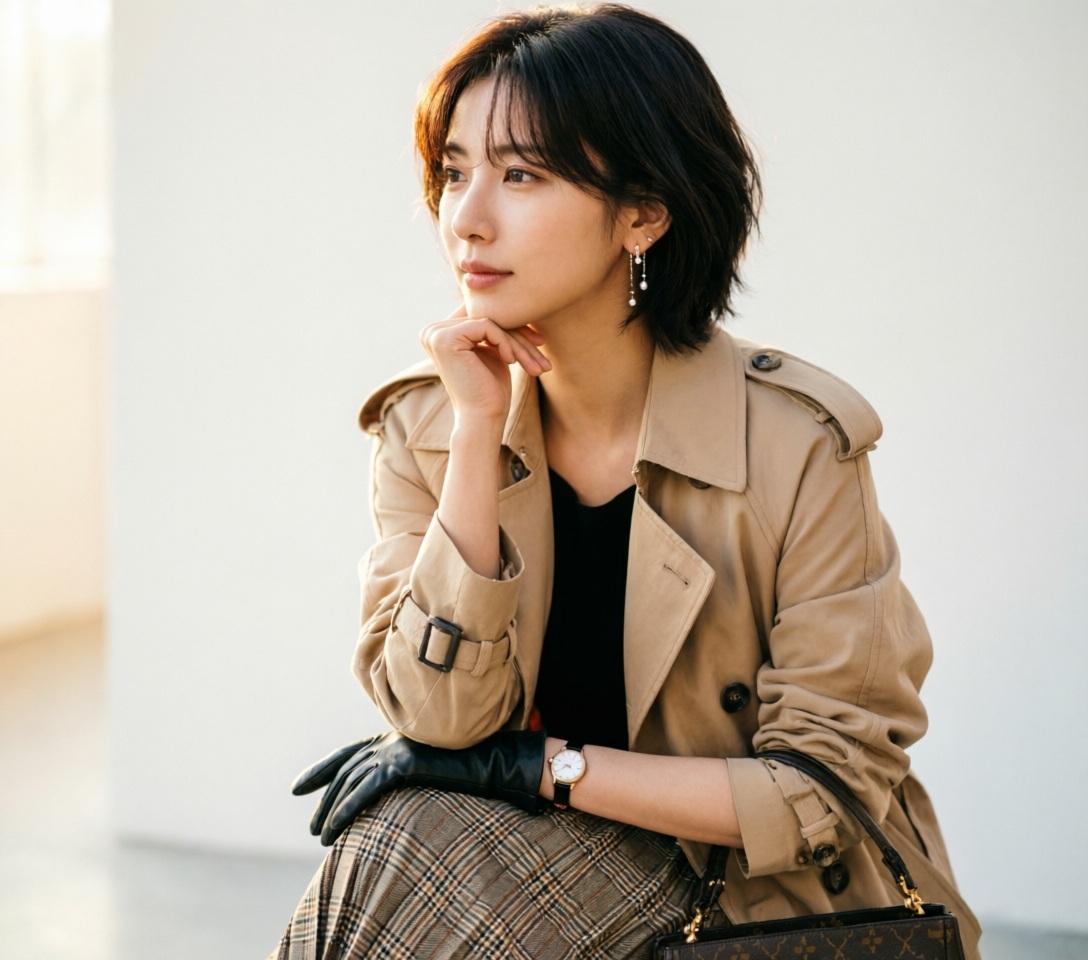
Use ONLY the facial identity from the uploaded reference image. Preserve the face exactly. Match hairstyle, hair color, hair texture, and bangs from the uploaded reference image. Ultra-realistic DSLR fashion portrait, beautiful young woman, standing in a graceful side profile with her body facing left while her face remains naturally visible, chin gently resting on the back of her hand, relaxed posture, elegant slim body, long layered beige trench coat over a black top, pleated plaid midi skirt, black gloves, luxury handbag, delicate earrings, wristwatch, calm thoughtful expression, soft feminine emotion, refined fashion editorial, minimal clean background, warm natural soft light, realistic skin texture, shallow depth of field, 85mm lens, f/1.8, ultra detailed, masterpiece, photorealistic, 8k. negative: low quality, worst quality, blurry, cartoon, anime, illustration, painting, CGI, 3D, doll, fake skin, deformed body, bad anatomy, bad hands, extra fingers, missing fingers, fused fingers, duplicate body, multiple people, cropped face, out of frame, closed eyes, exaggerated expression, muscular body, child, old woman, fat body, watermark, logo, text, signature, oversaturated, noisy, overexposed, underexposed
Editorial design

Editorial design

Editorial design

Editorial design

Visual concept

Visual concept

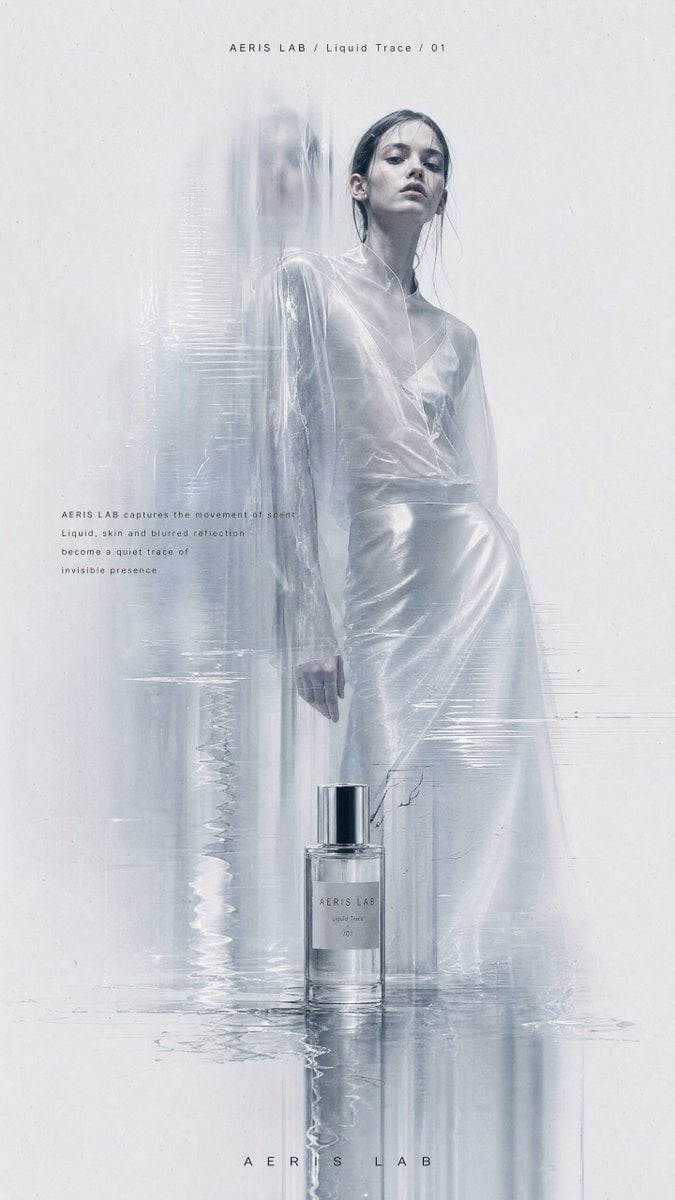
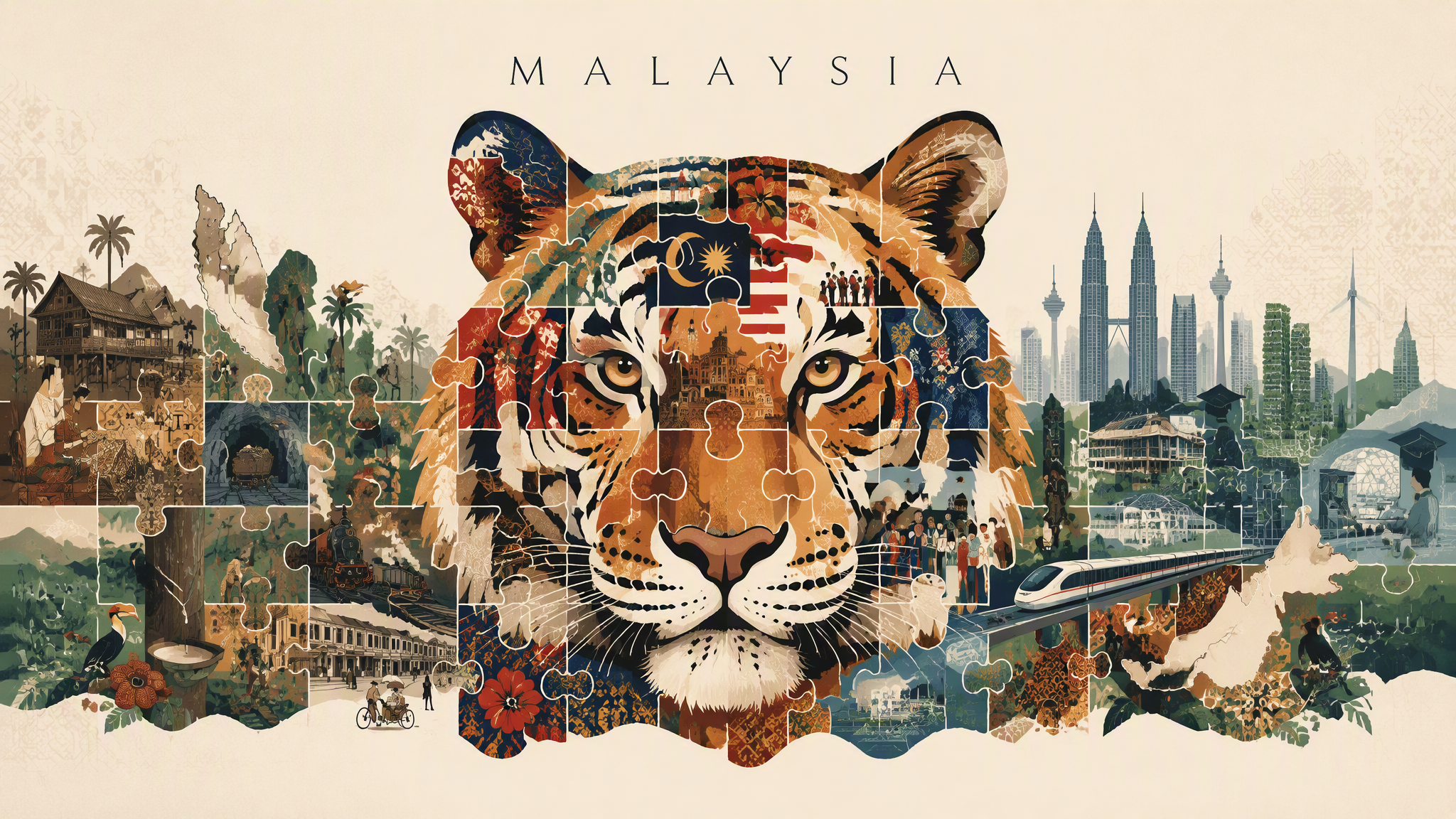
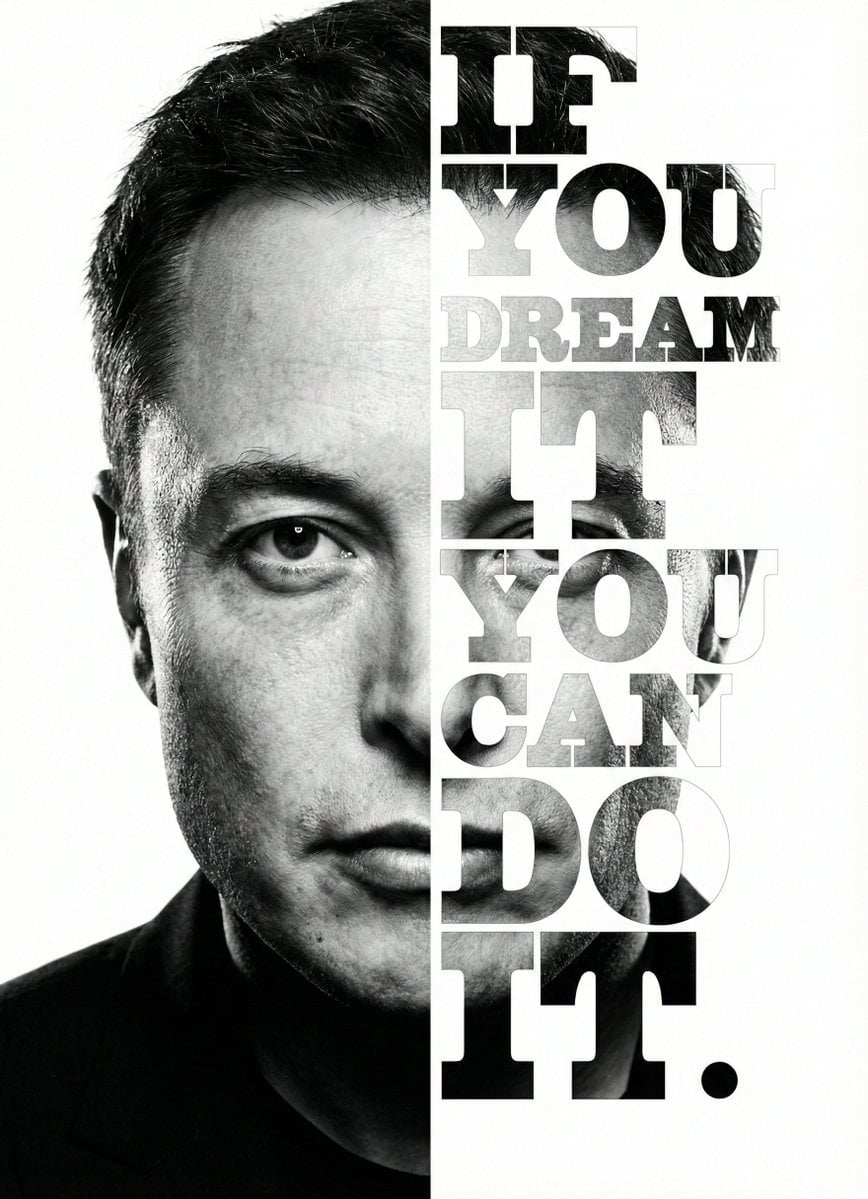
Create a vertical high-resolution experimental fashion editorial poster. 【Theme】: [Your Theme] 【Brand name】: [Your Brand Name] 【Collection title】: [Collection Title] 【Fashion / product direction】: [Fashion Product Direction] 【Main color palette】: [Main Color Palette] 【Model direction】: [Model Direction] 【Editorial copy】: [Editorial Copy] The image should feel like a high-end, cold, minimal and experimental fashion magazine poster. Use a large pale grey-white negative-space background with subtle paper grain, low-contrast noise and printed editorial texture. Avoid clean plastic white backgrounds or commercial studio backdrops. The main subject is [Model Direction], shown in a full-body or nearly full-body pose, placed slightly right of center. The pose should feel quiet, restrained, distant and editorial. The model should have a calm expression and high-fashion presence. Avoid influencer posing, exaggerated performance or commercial catalog energy. The clothing or product must have strong design value, clear silhouette and rich material details: sheer fabric, crinkled texture, soft volume, leather reflection, knit texture, structured tailoring, transparent layers, natural folds or subtle shine. Keep the person realistic, with natural skin texture and no plastic AI face. Add a controlled “ghost scan blur” effect: vertical motion trails, translucent afterimages, stretched scan lines, slight glitch displacement and soft dissolving blur around the left side of the body, lower garment edges, arms, shoes or product edges. The effect should look like the person, garment or product has been optically scanned, folded by paper texture, or dragged by memory. Important: keep the face or upper body relatively clear as the visual anchor. Do not blur the entire person. The key contrast is: clear emotional anchor + blurred ghost trace around the edges. If the theme includes a product such as perfume, jewelry, bags or shoes, place it subtly near the model, at the bottom of the poster or in the foreground. Connect the product with the model through reflection, transparent blur, liquid trace, glass distortion or scan-like afterimages. Do not make it look like a normal e-commerce product image. Use a minimal fashion magazine layout: small English title at the top, such as “[Brand Name] / [Collection Title]”; a small paragraph of editorial copy near the body or product; and a tiny abstract logo at the bottom. Typography should be clean, restrained, small, high-end and sans-serif. Avoid large promotional text, loud fonts or ad-like design. Overall mood: low saturation, low contrast, cold, quiet, premium, experimental, editorial, archive-like, independent designer lookbook, avant-garde fashion magazine, artistic brand campaign. Avoid: cartoon, illustration, cheap poster design, e-commerce ad, promotional banner, large text, complex background, multiple random people, collage grid, over-sharpening, over-retouched skin, obvious AI look.

Visual concept

Visual concept

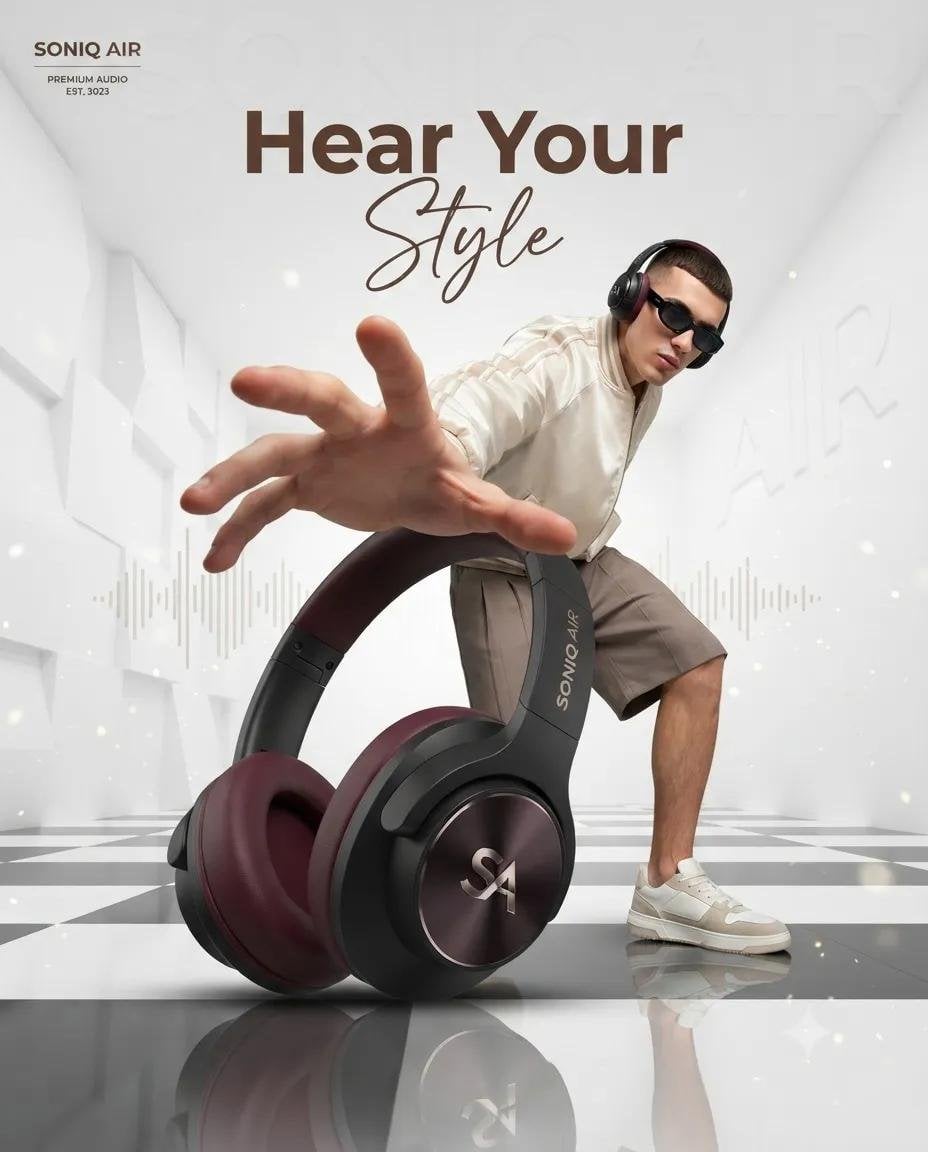
Ultra-realistic luxury product advertising campaign, a futuristic white architectural room with tall geometric walls and a glossy black-and-white checkered reflective floor. A giant premium over-ear headphone in the foreground (black matte body with deep burgundy ear cushions), positioned as the hero product using forced perspective. Behind it, a stylish young male fashion model wearing black sunglasses, a cream bomber jacket, beige shorts, and white sneakers crouches dynamically, reaching one hand toward the camera with exaggerated perspective. Clean luxury lighting, soft volumetric glow, floating dust particles, subtle audio waveform graphics in the background, minimal premium aesthetic, editorial fashion photography, commercial product render, ultra-sharp details, cinematic composition, depth of field, 8K, Octane Render, photorealistic. Leave space at the top for branding and the headline "Hear Your Style" in elegant modern typography. Prompt 2 – Perfume Advertisement: Luxury perfume commercial, minimalist white architectural interior with tall pillars, glossy black-and-white checkered reflective floor. A large amber glass perfume bottle with a gold cap dominates the foreground using dramatic forced perspective. In the background, a fashionable young male model wearing black sunglasses, a beige varsity jacket, matching shorts, white socks, and sneakers leans forward as if reaching for the bottle, creating an energetic lifestyle pose. Bright soft daylight, premium fashion campaign, clean luxury aesthetic, realistic reflections, subtle sparkles, high-end editorial photography, photorealistic, cinematic lighting, depth of field, ultra-detailed, 8K, Octane Render, luxury branding look. Leave negative space at the top for the headline "Own the Moment" and logo placement.

Visual concept

Visual concept

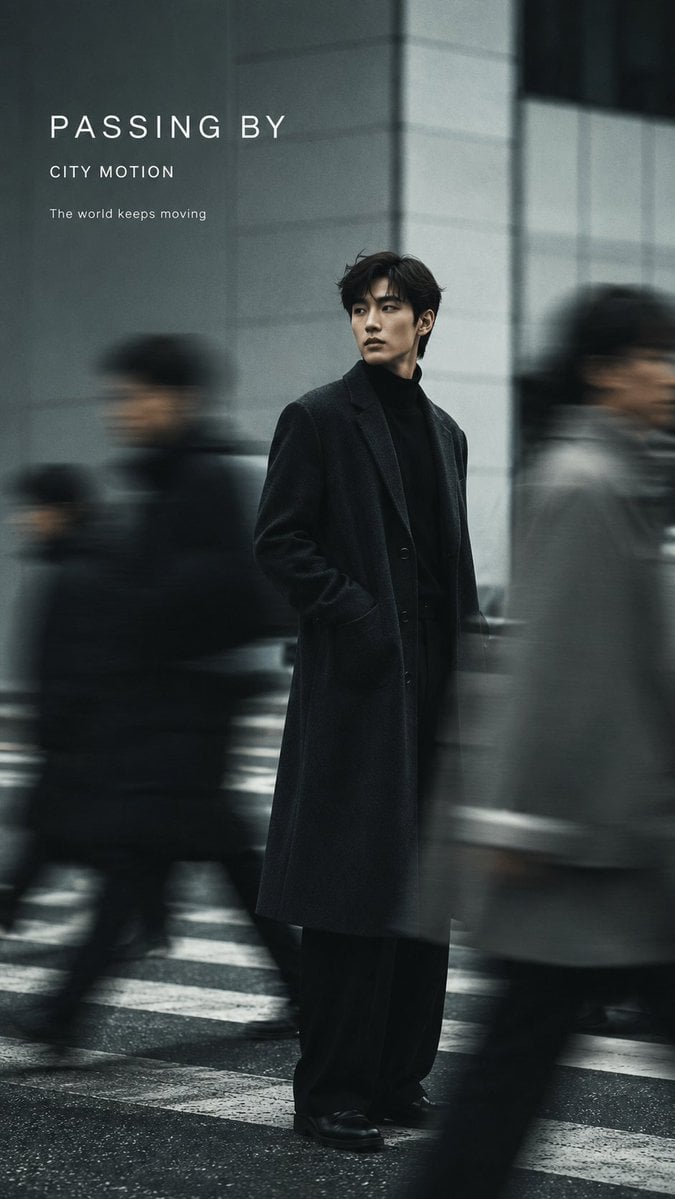
Create a 9:16 vertical fashion editorial poster with realistic slow-shutter photography and elegant minimal typography. Subject: [Person / Gender / Appearance] Outfit: [Fashion Styling] Scene: [Street / Minimalist Studio / Interior] Color palette: [Main Colors] Motion effect: [Moving Crowd / Walking Motion Blur / Layered Afterimages / Double Exposure] Title: [Main Title] Subtitle: [Short Subtitle] Keep one clear visual anchor while using authentic directional motion blur, ghosting, long-exposure trails, or layered afterimages to show movement and the passage of time. The motion should feel photographic rather than like a digital special effect. Preserve realistic anatomy and recognizable facial features while allowing moving figures, clothing, or surrounding people to dissolve naturally into soft blur. Use a clean, restrained background with generous negative space. Add subtle film grain, soft focus, imperfect exposure, low saturation, and natural light for an editorial photography feel. Typography should be minimal and integrated into the composition: only the main title and one short subtitle, using clean modern sans-serif typography. Do not include VOL numbers, dates, image numbers, or unnecessary information. Overall aesthetic: experimental fashion photography, slow-shutter motion blur, editorial magazine poster, cinematic and understated, realistic photography, refined but not overly commercial.

ひとことで紹介

このモデルの特長

ネガティブプロンプトは5,000文字まで、テキストseedは500文字までです。 テキストのみの画像生成.

得意なこと
テキスト生成のみで、Kyeoは画像を受け付けず、編集、出力枚数、解像度、形式、安全設定、プロンプト書き換えも公開していません。
おすすめのユーザー
まずデフォルトの正方形で生成し、同じ記述で横長、縦長、3:4、4:3を比較します。実際の掲載枠に合わせて主体の位置、切り抜き、文字、余白を確認してください。 Auto.
Kyeo AIで使う理由
クレジット消費: KyeoではGoogle Imagen4 Ultraの単一画像タスクを1回12クレジット固定で処理します。アスペクト比、ネガティブプロンプト、seedによってKyeoのクレジットは変わりません。

主な仕様

このモデルが用途や業務に合うかをすばやく判断できます。

モデルカテゴリ
AI画像モデル
提供元
Google
モデルファミリー
Google Imagen
実行方式
非同期タスク
プロンプト上限
5,000文字
画像入力
非対応

別名

同じモデルでも、公式ドキュメント、コミュニティ、API接続層で呼び方が異なる場合があります。ここでまとめて確認できます。

Google Imagen4 Ultra
Google Imagen 4 Ultra

よくある質問・検索

タスク、入力条件、必要な結果から、モデルを選ぶ前に確認したい実用的な質問を整理しています。

KyeoでGoogle Imagen4 Ultraを使う方法
Google Imagen4 Ultraは1回何クレジットか
Google Imagen4 Ultraのプロンプト上限
Google Imagen4 Ultraの対応アスペクト比
Google Imagen4 Ultraは画像入力に対応するか
Google Imagen4 Ultraのネガティブプロンプトの長さ
Google Imagen4 Ultraのseedの長さ
Google Imagen4 Ultraは一度に何枚出力するか
Google Imagen4 UltraとFastの違い
Kyeoで公開されるImagen4 Ultraの設定

選び方ガイド

モデル選びで迷う場合は、まず次のポイントをご確認ください。

1
テキストのみと1:1のデフォルトが必要なら選ぶ

テキストのみの画像生成. 12クレジット/回. 5,000文字. アスペクト比: 1:1, 16:9, 9:16, 3:4, 4:3, Auto. KyeoではGoogle Imagen4 Ultraの単一画像タスクを1回12クレジット固定で処理します。アスペクト比、ネガティブプロンプト、seedによってKyeoのクレジットは変わりません。

2
画像編集や出力設定を増やしたいなら別モデルを比較する

この入口は画像を受け付けず、出力枚数、サイズ、形式、安全設定もありません。元画像の主体を保つ、部分修正、アップスケール、出力形式の指定が必要なら、該当する設定を明示的に公開するモデルを選んでください。

3
ネガティブプロンプトとテキストseedの境界を同時に検証する

ネガティブプロンプトとテキストseedの境界を同時に検証する: ネガティブプロンプトは5,000文字まで、テキストseedは500文字までです。

よく検索される比較

同じタスクで候補を比べ、入力方法、制御項目、コストの違いを確認できます。

Google Imagen4 UltraとImagen4 FastのKyeo設定はどう違うか?
Google Imagen4 UltraとImagen4 Fastのクレジットをどう比較するか?
Google Imagen4 UltraとUltraのデフォルト比率はどう違うか?

モデル比較表

現在のモデルと代替候補の主な違いを一覧で確認できます。

Kyeoの入力と出力
Google Imagen4 Ultra
テキストのみの入力、1枚固定の出力
Google Imagen4
テキストのみの入力、1枚固定の出力
Google Imagen4 Fast
テキストのみの入力、1枚固定の出力
デフォルトのアスペクト比
Google Imagen4 Ultra
1:1
Google Imagen4
1:1
Google Imagen4 Fast
16:9
Kyeoのクレジット
Google Imagen4 Ultra
12固定
Google Imagen4
8固定
Google Imagen4 Fast
4固定

実際の利用場面での見方

公開情報、現在のサイト内の範囲、代表的なタスクに基づく実用的な案内です。

Google Imagen

Google Imagen: KyeoではGoogle Imagen4 Ultraの単一画像タスクを1回12クレジット固定で処理します。アスペクト比、ネガティブプロンプト、seedによってKyeoのクレジットは変わりません。 ネガティブプロンプトは5,000文字まで、テキストseedは500文字までです。 アスペクト比: 1:1, 16:9, 9:16, 3:4, 4:3, Auto.

アスペクト比

Google Imagen: アスペクト比: 1:1, 16:9, 9:16, 3:4, 4:3, Auto. デフォルト: 1:1.

機能の詳細

機能

機能: テキストのみの入力、5,000文字の主プロンプト上限、1枚固定の出力範囲が明確です。

アスペクト比

アスペクト比: アスペクト比: 1:1, 16:9, 9:16, 3:4, 4:3, Auto. デフォルト: 1:1.

乱数シード

乱数シード: ネガティブプロンプトは5,000文字まで、テキストseedは500文字までです。

適した用途

1:1を起点にした比率比較

1:1を起点にした比率比較: まずデフォルトの正方形で生成し、同じ記述で横長、縦長、3:4、4:3を比較します。実際の掲載枠に合わせて主体の位置、切り抜き、文字、余白を確認してください。 Auto.

ネガティブプロンプトとseedの対照

ネガティブプロンプトとseedの対照: ネガティブプロンプトは5,000文字まで、テキストseedは500文字までです。

Google Imagen: Google Imagen4 UltraとImagen4 FastのKyeo設定はどう違うか?

Google Imagen: Google Imagen4 UltraとImagen4 FastのKyeo設定はどう違うか?: KyeoではGoogle Imagen4 Ultraの単一画像タスクを1回12クレジット固定で処理します。アスペクト比、ネガティブプロンプト、seedによってKyeoのクレジットは変わりません。

プロンプトのコツ

主プロンプトは見える内容から書く

主体、動作、環境、構図、光、表示したい文字の順に説明します。

ネガティブプロンプト / 乱数シード

ネガティブプロンプト / 乱数シード: ネガティブプロンプトは5,000文字まで、テキストseedは500文字までです。

seedテストでは1つの変数だけを変える

seedテストでは1つの変数だけを変える: ネガティブプロンプトは5,000文字まで、テキストseedは500文字までです。

選ぶ理由

Google Imagen: テキストのみの入力、5,000文字の主プロンプト上限、1枚固定の出力範囲が明確です。
デフォルト: 1:1: アスペクト比: 1:1, 16:9, 9:16, 3:4, 4:3, Auto.
公開設定を変えても1回12クレジット固定です。

利用前の注意点

Googleは `imagen-4.0-generate-001` を終了対象とし、移行を推奨しています。
画像編集や出力設定を増やしたいなら別モデルを比較する: テキスト生成のみで、Kyeoは画像を受け付けず、編集、出力枚数、解像度、形式、安全設定、プロンプト書き換えも公開していません。
Google Imagen4 UltraとUltraのデフォルト比率はどう違うか? ネガティブプロンプトは5,000文字まで、テキストseedは500文字までです。

設定できる項目

このモデルが用途や業務に合うかをすばやく判断できます。

ネガティブプロンプト
任意
パラメータ型: text
5,000文字
アスペクト比
任意
パラメータ型: select
デフォルト: 1:1
1:1
16:9
9:16
3:4
4:3
Auto
乱数シード
任意
パラメータ型: text
ネガティブプロンプトは5,000文字まで、テキストseedは500文字までです。

クレジット消費

12クレジット/回

KyeoではGoogle Imagen4 Ultraの単一画像タスクを1回12クレジット固定で処理します。アスペクト比、ネガティブプロンプト、seedによってKyeoのクレジットは変わりません。

クレジットを節約するコツ

画像や動画を一括生成する前に、同じ素材を使って現在のモデルと同タイプの候補をA/Bテストし、結果を確認してから一括生成することをおすすめします。

よくある質問

同タイプのおすすめモデル

まだ決まっていない場合は、同タイプの候補も比較してみましょう。

Google Imagen4

テキストのみの画像生成. 8クレジット/回. 5,000文字. アスペクト比: 1:1, 16:9, 9:16, 3:4, 4:3, Auto.

AI画像モデル
8クレジット/回

Google Imagen4 Fast

テキストのみの画像生成. 画像入力には非対応. アスペクト比: 1:1, 16:9, 9:16, 3:4, 4:3, Auto. 4クレジット/回.

AI画像モデル
4クレジット/回

4o Image

4o Image / 機能 — 現在のページが提供するのは`1:1 / 3:2 / 2:3`の3種類の比率だけで、1回3クレジット固定です。参照画像は受け付けません。

AI画像モデル
3クレジット/回

情報源

開発元の資料、モデルファミリーの説明、Kyeo AIの現在の接続設定をもとにまとめています。

情報源について

KyeoではGoogle Imagen4 Ultraの単一画像タスクを1回12クレジット固定で処理します。アスペクト比、ネガティブプロンプト、seedによってKyeoのクレジットは変わりません。 ネガティブプロンプトは5,000文字まで、テキストseedは500文字までです。 アスペクト比: 1:1, 16:9, 9:16, 3:4, 4:3, Auto.

最終更新: 2026-08-26
Google Cloud: Imagen 4 Ultraモデルの説明
公式

Google Cloud: Imagen 4 Ultraモデルの説明: Google Imagen.

元の情報源を開く
Google Cloud: Vertex AI Release Notes
公式

Google Cloud: Vertex AI Release Notes: Google Imagen.

元の情報源を開く
Google Cloud: Imagenのテキストから画像生成
公式

Google Cloud: Imagenのテキストから画像生成: Google Imagen.

元の情報源を開く