メインコンテンツへ移動
AI画像モデル
xAI
Grok Imagine Image

Grok Imagine Image 2.0

Grok Imagine Image 2.0は、一つのサイト内入口でテキストだけの画像生成と最大5枚の参照画像を使う標準画像編集に対応します。テキスト画像生成では固定5種類のアスペクト比を選べ、編集ではautoも利用できます。現在はどちらも画像あたり4クレジットを事前承認します。

ワークフロー
テキスト画像生成、画像編集
参照画像
最大5枚
アスペクト比
固定5種類+auto
クレジット
画像あたり4クレジット
30秒でわかる
  • テキスト画像生成と標準画像編集で別々のリクエスト入口を使用
  • 画像編集は1–5枚のJPEG/PNG/WebP参照画像に対応
  • テキスト画像生成は固定5種類、画像編集ではautoも利用可能
  • 現在利用できる二つのモードはいずれも画像あたり4クレジット

よく検索されるキーワード: Grok Imagine Image 2.0の使い方 · Grok Image 2.0の料金はいくらか · Grok Image 2.0は参照画像を何枚使えるか

例

Visual concept

Visual concept

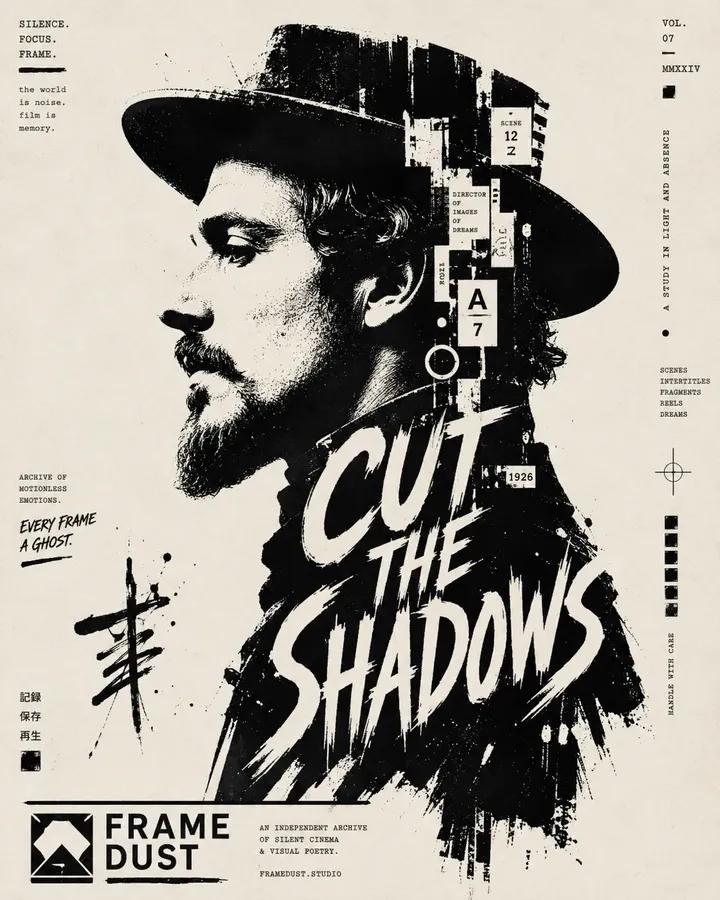
High-contrast black and white typographic portrait poster of [Human], shown in side profile with [Feature]. Build the portrait with bold black silhouette blocks, sharp negative space, rough ink edges, fragmented stencil shapes, tiny editorial microtext, vertical typographic accents and expressive hand-drawn calligraphic marks. Integrate one large readable text block saying “[Text]” in 2 to 4 stacked lines, placed only inside the neck and body area, using oversized scribbled lettering that feels fused into the silhouette. Include a graphic design logo reading “[Logo]” near the footer. Minimal off-white paper background, asymmetrical layout, cropped vertical composition, experimental editorial poster design, raw ink print texture, aspect ratio 4:5.

Visual concept

Visual concept

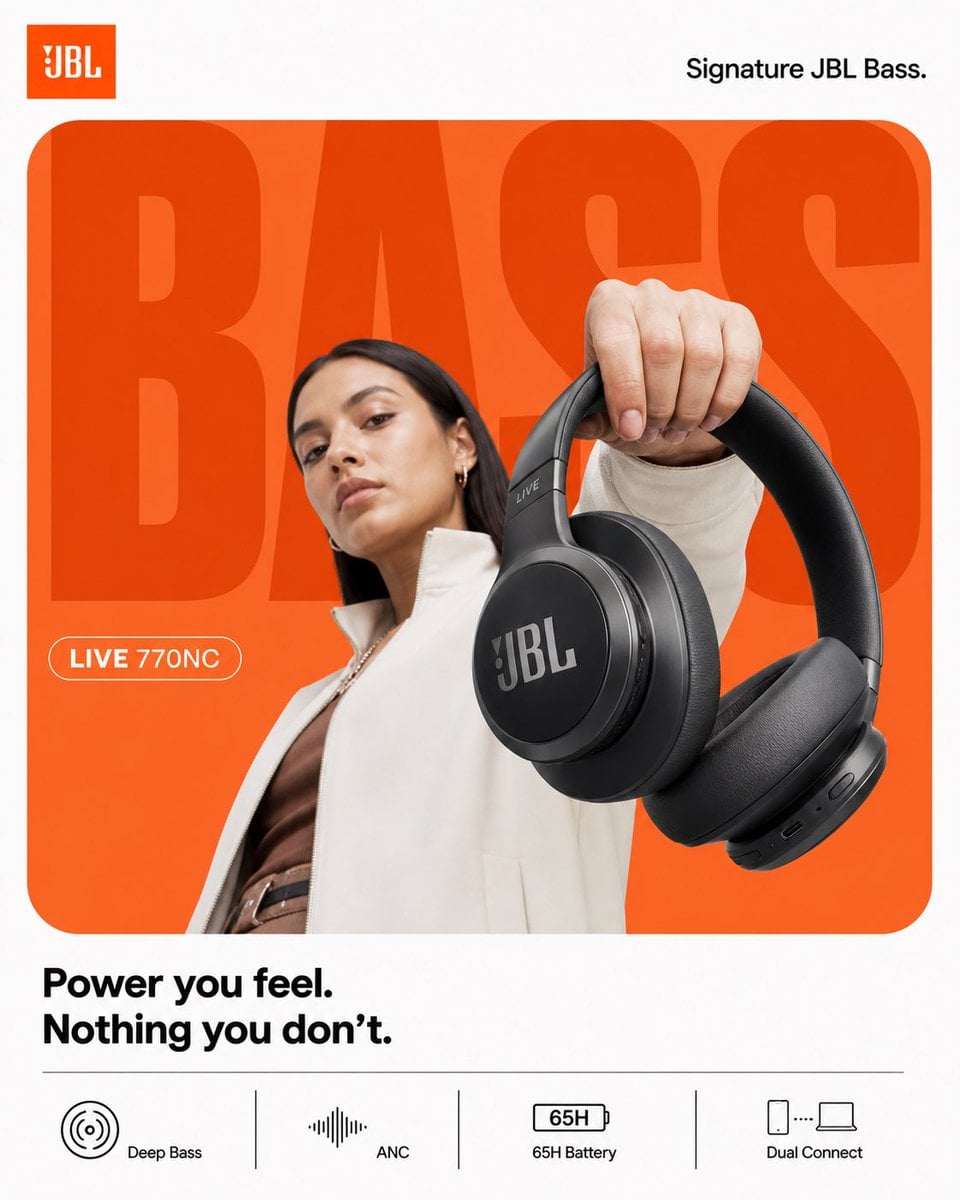
ACT AS: Apple × Nike hybrid product designer (graphic-first, not cinematic) PROJECT TITLE: “BASS, WITHOUT TRYING.” FORMAT: 4:5 vertical, ultra-clean, product-first poster STYLE DNA: Flat minimalism × bold typography × strong color blocking × hyper-clean product 🧠 CORE INTENT: Effortless impact. Not loud visually. But strong. 🎬 LAYOUT (THIS IS KEY): BACKGROUND: Pure white canvas COLOR BLOCK: Rounded rectangle (dominant) → JBL orange → flat gradient (very subtle, not glowing) GIANT TYPE: “BASS” - ultra-bold sans-serif - tight kerning - fills frame - partially cropped - sits BEHIND subject color: slightly darker orange than block NO effects. 👤 SUBJECT: - female model (editorial, calm) - neutral face (no hype) - slight low angle POSE: - holding headphones toward camera - minimal body twist OUTFIT: - muted tones (off-white / brown) 🎧 PRODUCT: JBL headphones POSITION: - extreme foreground (forced perspective) - very clean - slightly tilted DETAIL: - sharp edges - no over-texture - no scratches - product = hero ✨ LIGHTING: - flat studio light - soft shadow only - no rim light drama 🎨 COLOR: - orange + white - minimal palette - no saturation spikes ✍️ TYPOGRAPHY: TOP LEFT: JBL logo TOP RIGHT: “Signature JBL Bass.” MID LEFT (pill): “LIVE 770NC” BOTTOM: “Power you feel. Nothing you don’t.” 📊 FEATURES (CLEAN STRIP): simple icons, no glass: - Deep Bass - ANC - 65H Battery - Dual Connect 📐 RULE: Everything must feel: flat controlled intentional NO cinematic energy Boat 4:5 vertical premium headphone campaign poster, ultra-clean high-energy composition, boAt Nirvana 751 ANC STYLE: Nike-level graphic clarity × JBL energy control × Indian Gen-Z identity BACKGROUND: pure white canvas MAIN BLOCK: large rounded rectangle, deep navy to electric blue gradient, smooth and premium, no texture TYPOGRAPHY: giant bold “LOUD” text, ultra-bold sans-serif, tight kerning, slightly condensed, cropped edges, flat color, subtle duplication offset SUBJECT: young Indian Gen-Z model, confident expression, direct eye contact, slight smirk, relaxed stance, minimal movement, wearing street casual outfit (neutral tones with blue accents) PRODUCT: boAt Nirvana 751 ANC headphones, clean matte black, strong logo visibility, extreme foreground perspective, slight tilt, crisp edges, controlled reflections SECONDARY PRODUCT: worn naturally by subject LIGHTING: soft frontal key light, electric blue rim light, subtle red accent highlight, medium contrast shadows SOUND VISUAL: minimal waveform arcs in electric blue, clean, subtle glow, no particles or chaos TYPOGRAPHY DETAILS: top left: boAt logo top right: “Signature boAt Bass.” mid left pill: “NIRVANA 751 ANC” bottom right text: “Play louder. Own your sound.” FEATURE STRIP: flat clean grid with icons: - Beast Mode Bass - Active Noise Cancellation - 65H Playtime - ASAP Charge CAMERA: 50mm lens, slight low angle, sharp focus, high clarity, no cinematic blur RENDER: clean, premium, high contrast but controlled, no noise, no over-effects

Visual concept

Visual concept

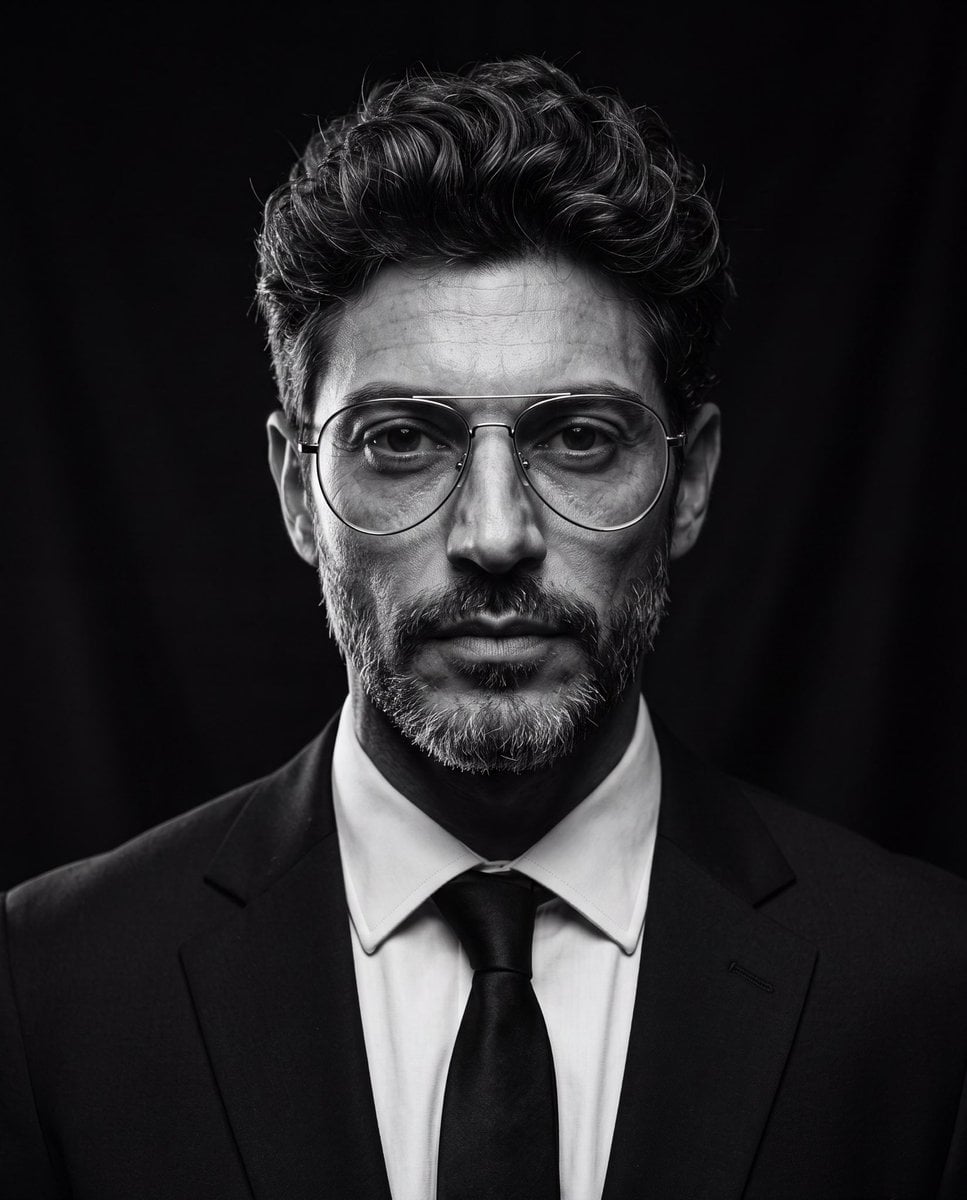
Create an ultra-realistic cinematic studio portrait of the person in the reference image. Preserve the person’s facial features and identity while styling them in a luxury editorial fashion. Give them a modern textured quiff hairstyle with medium-length hair, voluminous top, natural lift, slightly messy brushed-back texture, subtle side taper, clean sides, and realistic individual hair strands. Add thin silver metal aviator eyeglasses with large rounded lenses, minimalist frame, clear lenses, elegant luxury design, perfectly fitted to the face. Dress them in a tailored black suit, crisp white dress shirt, and black tie. Pose them looking directly into the camera with a calm, confident, serious expression. Use dramatic low-key studio lighting with a single large octabox positioned 45° above the subject, classic Rembrandt lighting, deep cinematic shadows, subtle rim light around the hair and shoulders, black seamless background, high contrast black-and-white grading, rich tonal range, crisp eyes with natural catchlights, highly detailed skin texture, realistic pores, subtle facial hair detail, shallow depth of field, Leica SL2 with APO-Summicron 90mm lens, f/2.2, ISO 100, HDR, editorial fashion photography, timeless Hollywood portrait, museum-quality, photorealistic, ultra-sharp, 8K resolution, masterpiece. Negative Prompt cartoon, anime, illustration, CGI, plastic skin, beauty filter, overprocessed skin, blurry, low quality, low resolution, distorted face, asymmetrical eyes, duplicate face, extra glasses, oversized glasses, thick frames, text, watermark, logo, cropped head, poor lighting, noisy image, unrealistic hair, exaggerated hairstyle, overexposed, underexposed

Visual concept

Visual concept

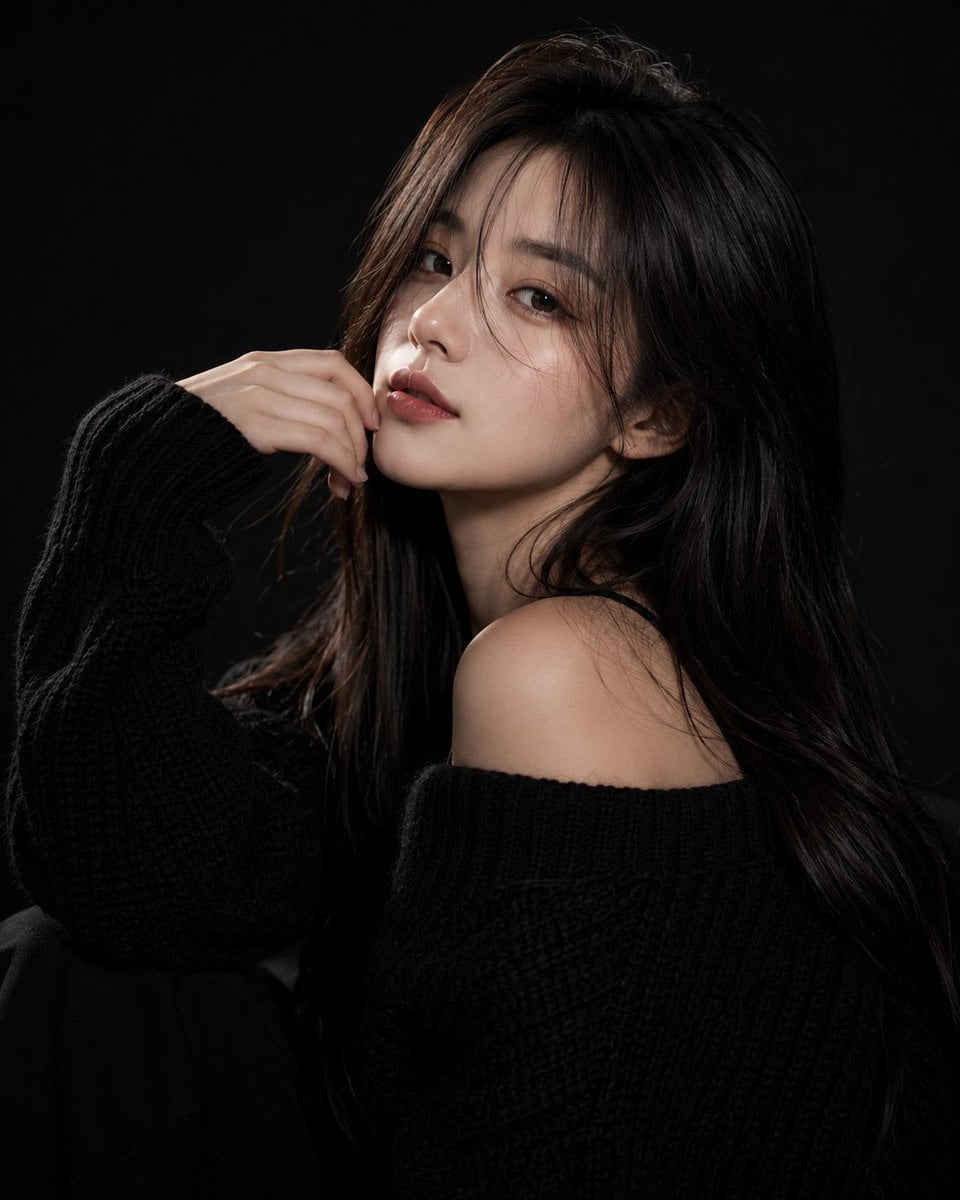
Ultra-realistic fashion beauty portrait of a stylish young woman with long silky dark-brown hair and soft curtain bangs, wearing an oversized chunky black knit sweater. She poses elegantly against a deep black studio background, partially covering one eye with her hand while gazing confidently into the camera. Soft fair skin, natural matte makeup, warm blush, defined brows, subtle eyeliner, and rich velvet-red lips. Calm, mysterious, high-fashion expression with a modern editorial aesthetic. Professional studio lighting creates dramatic contrast between light and shadow, emphasizing facial structure, hair texture, and the cozy knit fabric. Minimalist composition, luxury fashion campaign mood, sophisticated monochrome styling, clean black-on-black palette with subtle skin-tone highlights. Sharp focus on the visible eye, premium beauty photography, elegant and timeless atmosphere. Shot on a full-frame camera, 85mm lens, f/1.8, shallow depth of field, ultra-detailed skin texture, soft directional key light, cinematic contrast, high-end magazine editorial, luxury fashion advertisement, photorealistic, HDR, 8K resolution, masterpiece quality. Negative Prompt: blurry, low resolution, low quality, bad anatomy, extra fingers, deformed hands, duplicate limbs, asymmetrical eyes, distorted face, cartoon, anime, CGI, painting, plastic skin, excessive retouching, overexposed highlights, underexposed shadows, noise, grain, watermark, logo, text, cluttered background, motion blur, unrealistic proportions, oversaturated colors.

Visual concept

Visual concept

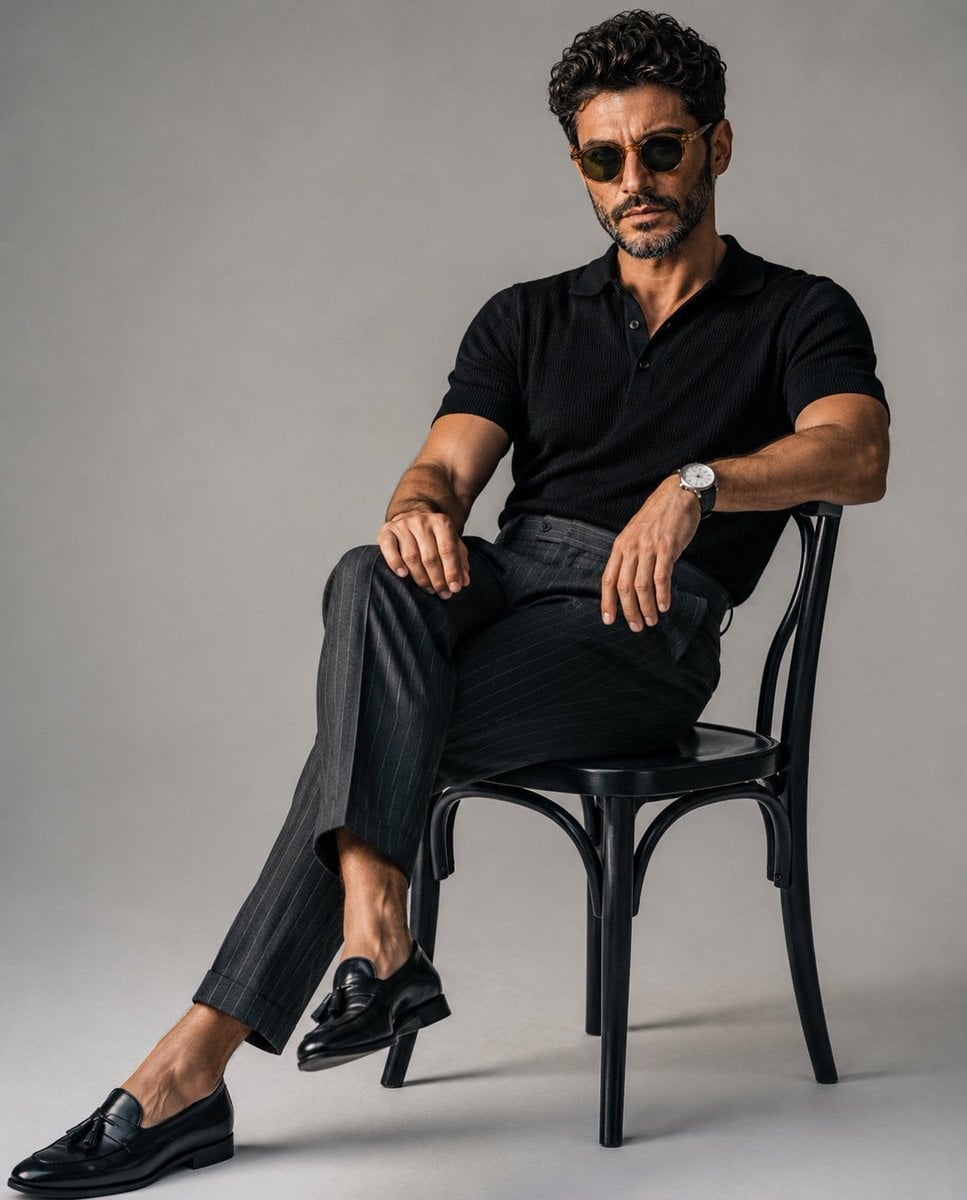
A luxury editorial fashion portrait of a stylish young man sitting casually on a classic black wooden chair in a minimalist photography studio with a seamless light gray backdrop. He wears a fitted black knit polo shirt tucked into tailored high-waisted charcoal gray pinstripe trousers, paired with polished black leather tassel loafers and a minimalist silver wristwatch. One leg is extended while the other is crossed naturally, with one arm resting on his knee and the other relaxed on the chair, maintaining direct eye contact with a calm, confident expression. Slightly messy textured hair, clean masculine features, relaxed yet elegant posture. Soft diffused studio lighting from a large octabox creates gentle shadows, realistic skin tones, and subtle depth. Minimalist composition with negative space, quiet luxury aesthetic, old-money fashion, premium menswear editorial, ultra-realistic, photorealistic, Vogue magazine style, Hasselblad medium format look, 85mm lens, f/4, crisp details, cinematic color grading, high dynamic range, 8K. Negative Prompt: low quality, blurry, cartoon, anime, CGI, unrealistic anatomy, extra fingers, duplicate limbs, distorted face, bad proportions, oversaturated colors, harsh lighting, watermark, logo, text, cluttered background, noise, artifacts, motion blur, low resolution, overexposed, underexposed, wrinkled clothing, awkward pose.

Visual concept

Visual concept

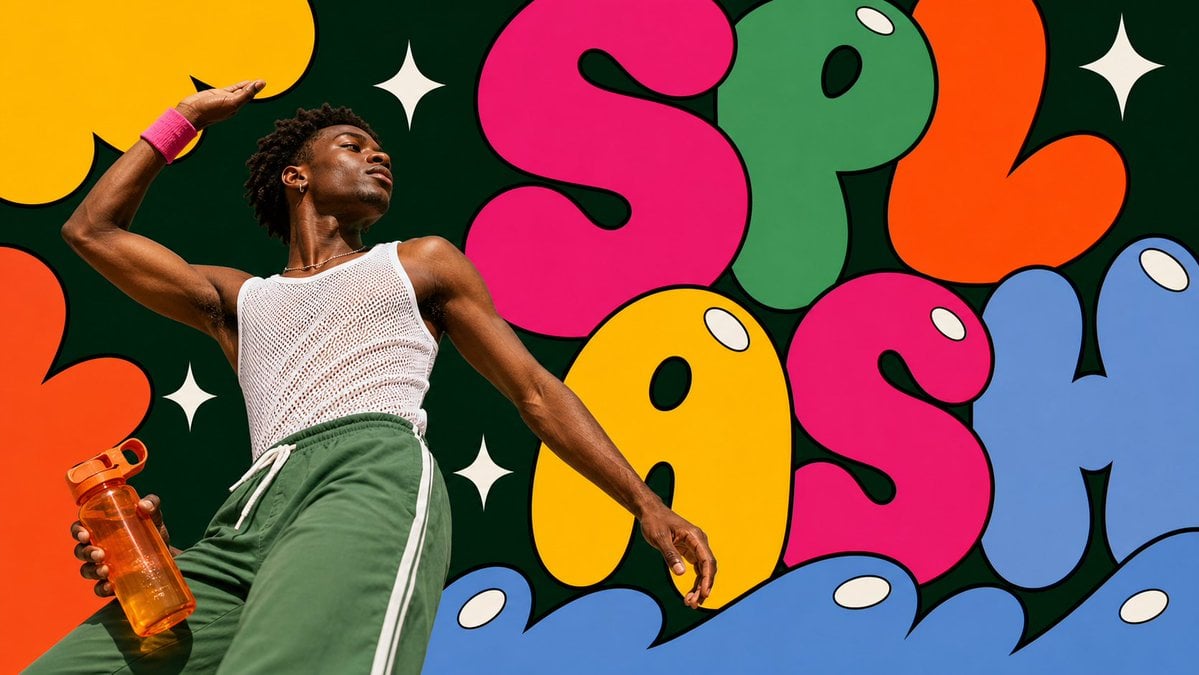
Create an image in pop-bubble-letter-photo-poster-style. Aspect ratio: 9:16. Scene: [SUBJECT] [SUBJECT_ACTION], interacting with or carrying [PRODUCT_OR_PROP], in [LOCATION]. Style the subject with [WARDROBE_STYLE]. Use real photographic portrait detail for the subject: low-angle editorial framing, bright direct sunlight or clean studio light, crisp skin and fabric texture, saturated wardrobe, calm confident expression. Layout: center the subject on the vertical axis and surround them with [BACKGROUND_ELEMENTS]. Build the poster from oversized flat bubble-letter forms spelling or suggesting "[MAIN_TEXT]". Crop the letters hard against the frame edges. Layer some letter shapes behind the subject and some in the foreground over the lower frame while keeping the face and main gesture unobstructed. Graphic language: thick black outlines, smooth flat fills, hot pink, candy yellow, leaf green, tangerine orange, tomato red, powder blue, deep evergreen negative space, cream-white oval shine highlights, and [ACCENT_SYMBOL]. Keep the bubbles bold, rounded, inflated, vector-like, and pop-art. Text: use "[MAIN_TEXT]" as the large bubble-letter graphic word. Add "[SECONDARY_TEXT]" only as tiny editorial caption text if needed. Do not include watermarks, usernames, creator IDs, QR codes, platform logos, or app marks. --- VARIABLES --- [ACCENT_SYMBOL] — four-point sparkle, oval highlight, curved underline, star separator, or small rounded sticker shape [BACKGROUND_ELEMENTS] — dark green negative-space panel, oversized cropped bubble letters, white sparkle marks, oval shine highlights, candy-colored abstract shapes [LOCATION] — painted wall, studio set, public plaza, gallery exterior, market stall, campus courtyard, subway entrance, or clean event backdrop [MAIN_TEXT] — short bubble-letter word or graphic headline such as WOW, POP, OPEN, BLOOM, WAVE, or PLAY [PRODUCT_OR_PROP] — camera, headphones, drink bottle, book, bouquet, transit card, compact mirror, sunglasses, or featured product [SECONDARY_TEXT] — tiny editorial caption, campaign note, date line, or short supporting phrase [SUBJECT] — main person, model, performer, maker, athlete, student, traveler, or product ambassador [SUBJECT_ACTION] — standing still, leaning back, looking upward, closing eyes in sunlight, holding a prop, stepping forward, or posing calmly [WARDROBE_STYLE] — bold striped knit, saturated trousers, color-block streetwear, mod fashion layers, clean editorial styling, or retro pop styling --- NEGATIVE PROMPT --- watermark, username, creator ID, QR code, platform logo, app interface marks, copied reference person, copied outfit, copied exact text, long paragraphs, crowded small text, 3D balloon letters, chrome typography, glossy plastic render, clay mascot, muted pastel-only palette, thin-line doodles, busy street background, horror, dystopian, grunge, cyberpunk, luxury minimalist editorial
ひとことで紹介

このモデルの特長

画像をアップロードしない場合はテキスト画像生成、署名検証済みの画像を1–5枚アップロードした場合は標準画像編集として実行します。参照画像は実際のファイル形式がJPEG、PNG、WebPのいずれかで、各画像10 MBまでです。Segment MapとSegment Editには独立した料金根拠がないため、現在は利用可能なモードに含まれません。

得意なこと
単一の画像をすばやく生成したい場合、複数の参照素材の方向性を保ちたい場合、またはautoで元画像の構図を引き継ぎたい場合に向く画像生成タスクです。
おすすめのユーザー
商品イメージカット、人物や素材の参照、SNS用の掲載枠、背景の置き換え、スタイル探索、複数画像の制約を使うビジュアルラフに適しています。
Kyeo AIで使う理由
Kyeoはクレジットを差し引く前にテキスト画像生成と標準画像編集を区別し、各画像の実際の形式と署名済みメタデータを確認して、確定済みの料金でタスクを作成します。

主な仕様

このモデルが用途や業務に合うかをすばやく判断できます。

モデル分類
AI画像モデル
開発元
xAI
モデルファミリー
Grok Imagine Image
プロンプト上限
サイト内8,000文字
参照画像の形式
JPEG/PNG/WebP
タスクの精算
実消費量または照合対象

別名

同じモデルでも、公式ドキュメント、コミュニティ、API接続層で呼び方が異なる場合があります。ここでまとめて確認できます。

Grok Image 2
Grok Imagine Image 2
Grok 画像 2.0
Grok Imagine 画像モデル

よくある質問・検索

タスク、入力条件、必要な結果から、モデルを選ぶ前に確認したい実用的な質問を整理しています。

Grok Imagine Image 2.0の使い方
Grok Image 2.0の料金はいくらか
Grok Image 2.0は参照画像を何枚使えるか
Grok Image 2.0が対応するアスペクト比
Grok Image 2.0のテキスト画像生成と画像編集の違い
Grok Image 2.0でautoを使える条件

選び方ガイド

モデル選びで迷う場合は、まず次のポイントをご確認ください。

1
ゼロから構図を作るならテキスト画像生成

保持すべき主体、素材、レイアウトがない場合は画像をアップロードせず、1:1、2:3、3:2、16:9、9:16のいずれかを選びます。

2
視覚的な特徴を保つなら画像編集

商品、人物、素材、構図を参照する必要がある場合は画像を1–5枚アップロードし、各画像が担う制約をプロンプトに明記します。

3
セグメント単位の制御が必要なら別のモデルを選ぶ

現在利用できるのは標準画像編集だけです。料金が確定していない状態で誤ってクレジットを差し引かないよう、Segment MapとSegment Editは利用できません。

よく検索される比較

同じタスクで候補を比べ、入力方法、制御項目、コストの違いを確認できます。

Grok Imagine Image 2.0とGPT Image 2では、料金と入力方法がどう違いますか?
Grok Imagine Image 2.0とQwen Image 3.0では、参照画像の上限がどう違いますか?
Grok Imagine Image 2.0とNano Banana 2 Liteはどう選び分けますか?

モデル比較表

現在のモデルと代替候補の主な違いを一覧で確認できます。

サイト内クレジット
Grok Imagine Image 2.0
画像あたり4クレジット
GPT Image 2
現在のモデルページに記載された段階別料金
Nano Banana 2 Lite
固定3クレジット
参照画像
Grok Imagine Image 2.0
1–5枚、各画像10 MB
Qwen Image 3.0
1–3枚、各画像10 MB
Nano Banana 2 Lite
最大10枚、各画像30 MB
アスペクト比
Grok Imagine Image 2.0
固定5種類、編集ではautoも選択可能
GPT Image 2
モデルページで現在のサイズ契約を確認
Qwen Image 3.0
8種類のキャンバスサイズ

実際の利用場面での見方

公開情報、現在のサイト内の範囲、代表的なタスクに基づく実用的な案内です。

二つのモードは同一料金

現在、テキスト画像生成と標準画像編集はいずれも画像あたり4 creditsです。料金だけを見て安そうなモードを選ぶのではなく、参照素材が必要かどうかで判断します。

複数画像を使えても素材の整理は必要

最大5枚の参照画像に主体、素材、配色、構図の役割を割り当てられますが、矛盾する素材を混ぜると結果の安定性は下がります。

機能の詳細

二つのモードによる画像生成

参照画像の有無に応じて、テキスト画像生成と標準画像編集を厳密に切り替えます。

複数の参照画像を使う編集

署名検証済みの参照画像を1–5枚送信し、主体、素材、スタイル、空間関係を指定できます。

キャンバスのアスペクト比を制御

テキスト画像生成では固定5種類を選択でき、画像編集ではautoを使って元画像に適した比率を引き継げます。

適した用途

商品イメージカット

商品画像を参照して形状と素材を保ち、プロンプトで背景、照明、掲載枠を調整します。

人物と衣装の参照

人物の外見、衣装のディテール、配色の方向性を別々の画像に割り当て、人物の特徴が食い違うのを抑えます。

複数の掲載枠に向けたビジュアルラフ

横長、縦長、正方形の比率を使い、カバー、フィード、ストーリー向けに異なる方向の案を用意します。

プロンプトのコツ

維持すべき特徴を先に書く

画像編集では、維持すべき主体の輪郭、素材、色、構図を先に示し、その後で変更したい背景やスタイルを説明します。

参照画像ごとに役割を割り当てる

どの画像が主体を担当し、どの画像が素材や照明を担当するかを明確にします。すべての参照画像で画面全体を同時に制御しようとしないことが重要です。

掲載枠に合わせてアスペクト比を選ぶ

テキスト画像生成では、横長、縦長、正方形のどれが必要かを先に決めます。画像編集でautoを選ぶのは、元の構図を引き継ぎたい場合だけです。

選ぶ理由

テキスト画像生成と標準画像編集は、どちらも画像あたりの料金が同じで明確です。
一度に最大5枚の参照画像を使用できます。
編集ではautoを利用でき、固定比率も一般的な横長・縦長の掲載枠をカバーします。
クレジットを差し引く前に、画像の実際の形式と署名済みメタデータを検証します。

利用前の注意点

サイト内プロンプトの上限は8,000文字で、プロダクト上の明確な安全制限です。
画像編集には1–5枚の画像が必要で、各画像は10 MBまでです。
autoは画像編集だけで利用でき、テキストだけの画像生成ではクレジットを差し引く前に拒否されます。
Segment MapとSegment Editは現在利用できません。非同期タスクは失敗または照合対象になる場合があります。

設定できる項目

このモデルが用途や業務に合うかをすばやく判断できます。

アスペクト比
任意
パラメータ型: ドロップダウン
デフォルト:1:1
1:1
2:3
3:2
16:9
9:16
auto(画像編集のみ)
テキスト画像生成は5項目、画像編集は6項目

クレジット消費

画像あたり4クレジット

テキスト画像生成と標準画像編集はいずれも現在、出力画像あたり4 creditsです。サイトではタスク作成前に4クレジットを事前承認し、完了後に実消費量を読み取ります。実消費量が正当で事前承認額以下の場合にだけ差額を返還します。実消費量が欠落している、不正な値である、または事前承認額を上回る場合は照合対象とし、追加クレジットを暗黙に差し引きません。

クレジットを節約するコツ

画像や動画を一括生成する前に、同じ素材を使って現在のモデルと同タイプの候補をA/Bテストし、結果を確認してから一括生成することをおすすめします。

よくある質問

同タイプのおすすめモデル

まだ決まっていない場合は、同タイプの候補も比較してみましょう。

GPT Image 2

GPT Image 2 / 機能 — GPT Image 2は、Kyeo AIでテキストからの画像生成と参照画像の編集に対応します。Kyeoでは出力解像度別に課金され、1Kは3クレジット、2Kは5クレジット、4Kは8クレジットです。

AI画像生成・編集モデル
3~8クレジット/回

Qwen Image 3.0

Qwen Image 3.0は、テキストだけの画像生成と最大3枚の参照画像を使う画像変換に対応します。1K/2K、8種類のキャンバスサイズ、PNG/JPEG出力に加え、プロンプト拡張、ネガティブプロンプト、seedを利用できます。サイト内の事前承認額は5~7クレジットです。

AI画像モデル
5~7クレジット

Nano Banana 2 Lite

Nano Banana 2 Liteは、設定を絞った画像生成モデルです。テキストだけでも、最大10枚の参照画像を使っても生成でき、画面で選ぶのはアスペクト比だけです。リクエストごとに3クレジット固定で、解像度の設定はありません。料金表のラベルをインターフェースの機能として誤解しない設計です。

AI画像モデル
3クレジット固定

情報源

開発元の資料、モデルファミリーの説明、Kyeo AIの現在の接続設定をもとにまとめています。

情報源について

このページは、現在のサイト内画像リクエスト契約、署名付きアップロードの制限、ログイン状態で確認した料金根拠に基づいて検証しています。公開パラメーターは、実際のリクエストで許可されるフィールドと一致します。

最終更新: 2026-08-24
Grok Image 2 の現行インターフェース情報
接続情報

現在サイトに接続されている版の入力モード、表示設定、素材制限、提供状況を確認するための情報です。実際に選べる項目はページとワークベンチを基準にしてください。

Kyeoの現在のアップロード・料金・精算契約
接続情報

実際のファイル形式、サイト内のサイズ制限、整数クレジットの事前承認、タスク完了後の実消費量による精算の確認に使用します。