跳至主要內容
AI 圖片模型
Google
Google Imagen

Google Imagen4 Ultra

純文字生成圖片. 12 點數/次. 5,000 個字元. 長寬比: 1:1, 16:9, 9:16, 3:4, 4:3, Auto.

能力標籤
純文字生成圖片
點數消耗
12 點數/次
提示詞上限
5,000 個字元
圖片輸入
不支援
30 秒快速瞭解
  • 純文字輸入、5,000 個字元主提示詞上限與固定單張輸出邊界明確。
  • 長寬比: 1:1, 16:9, 9:16, 3:4, 4:3, Auto.
  • Imagen4 Ultra 與 Imagen4 Fast 的 Kyeo 點數如何比較? Kyeo 目前對每次 Google Imagen4 Ultra 單圖任務固定收取 12 點數;比例、反向提示詞與 seed 不會改變 Kyeo 點數。

熱門搜尋: 如何在 Kyeo 上使用 Google Imagen4 Ultra · Google Imagen4 Ultra 每次多少點數 · Google Imagen4 Ultra 提示詞上限是多少

示例

Visual concept

Visual concept

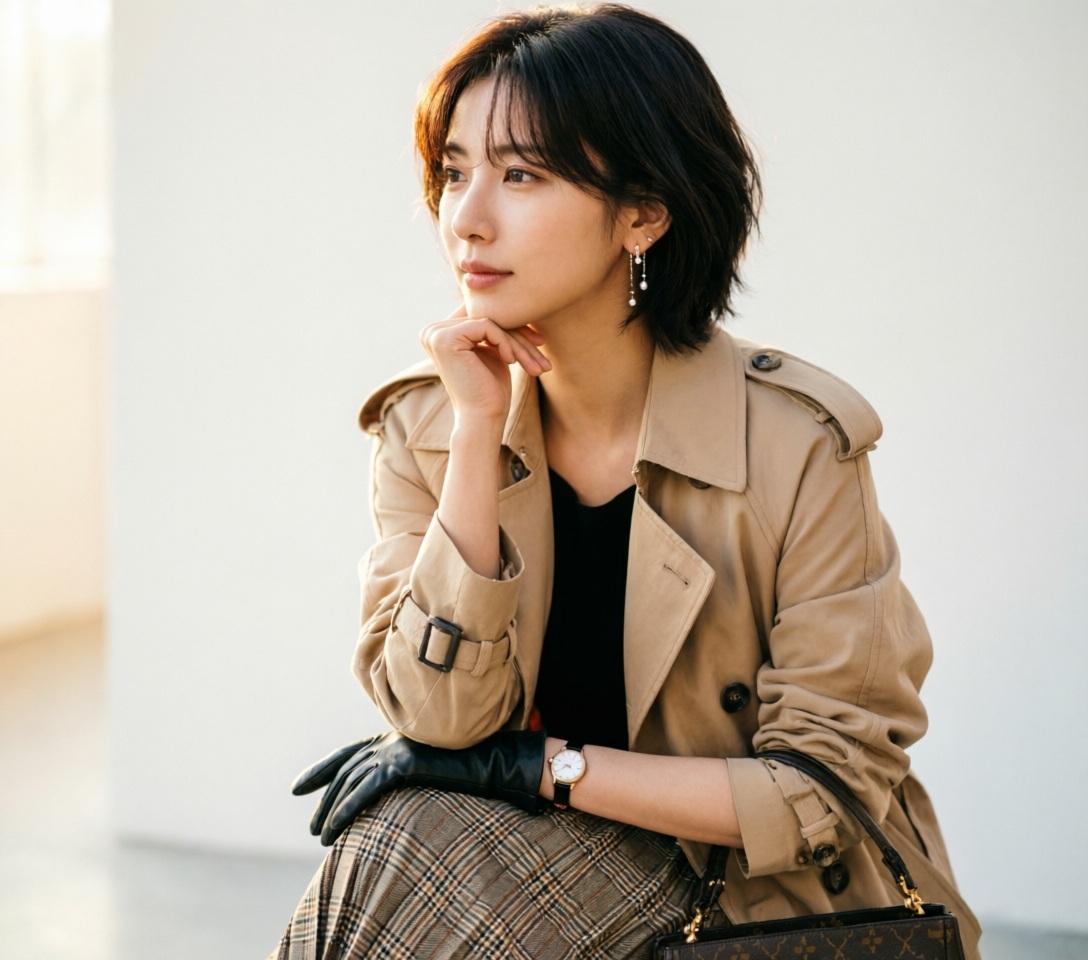
Use ONLY the facial identity from the uploaded reference image. Preserve the face exactly. Match hairstyle, hair color, hair texture, and bangs from the uploaded reference image. Ultra-realistic DSLR fashion portrait, beautiful young woman, standing in a graceful side profile with her body facing left while her face remains naturally visible, chin gently resting on the back of her hand, relaxed posture, elegant slim body, long layered beige trench coat over a black top, pleated plaid midi skirt, black gloves, luxury handbag, delicate earrings, wristwatch, calm thoughtful expression, soft feminine emotion, refined fashion editorial, minimal clean background, warm natural soft light, realistic skin texture, shallow depth of field, 85mm lens, f/1.8, ultra detailed, masterpiece, photorealistic, 8k. negative: low quality, worst quality, blurry, cartoon, anime, illustration, painting, CGI, 3D, doll, fake skin, deformed body, bad anatomy, bad hands, extra fingers, missing fingers, fused fingers, duplicate body, multiple people, cropped face, out of frame, closed eyes, exaggerated expression, muscular body, child, old woman, fat body, watermark, logo, text, signature, oversaturated, noisy, overexposed, underexposed
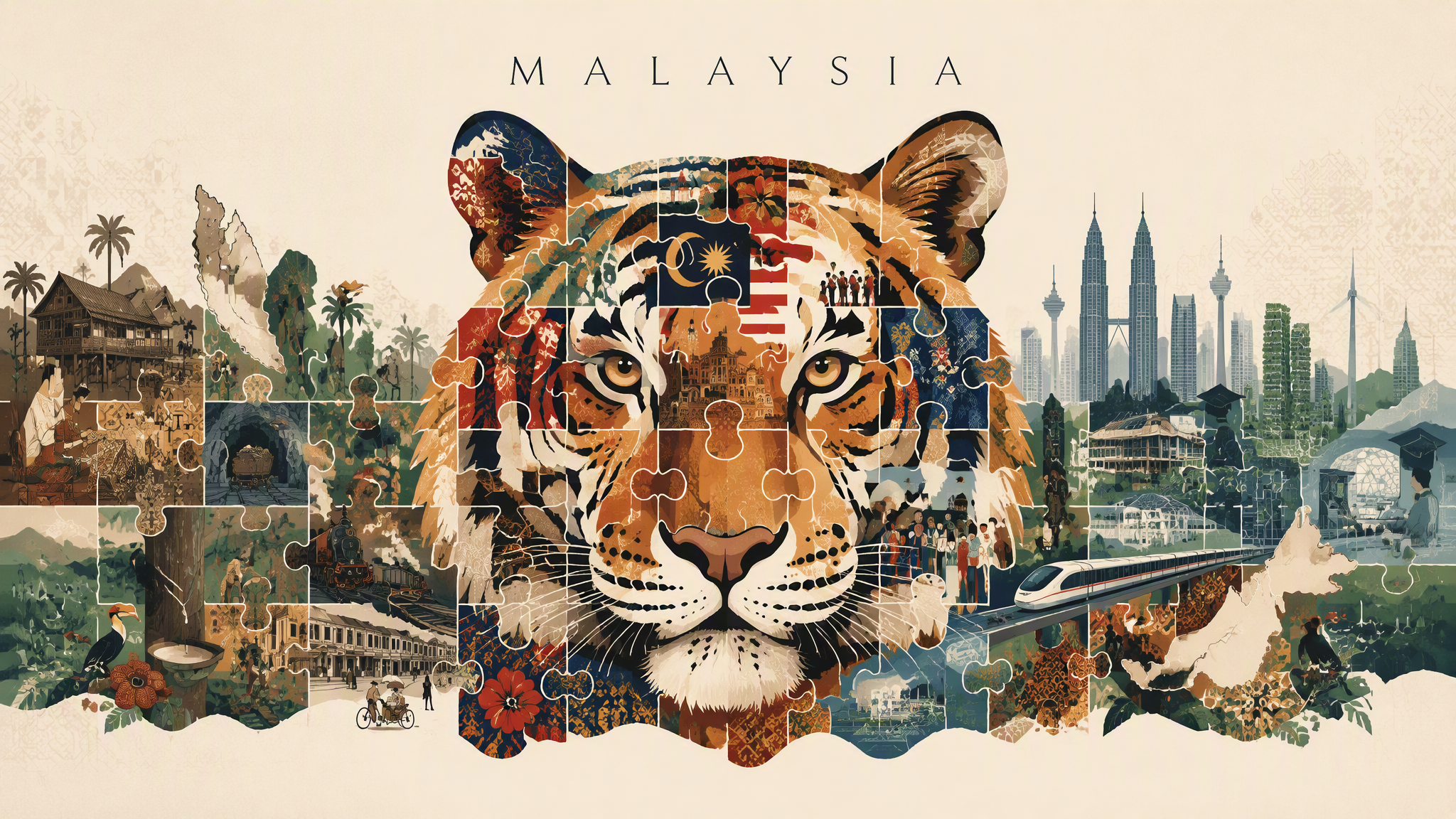
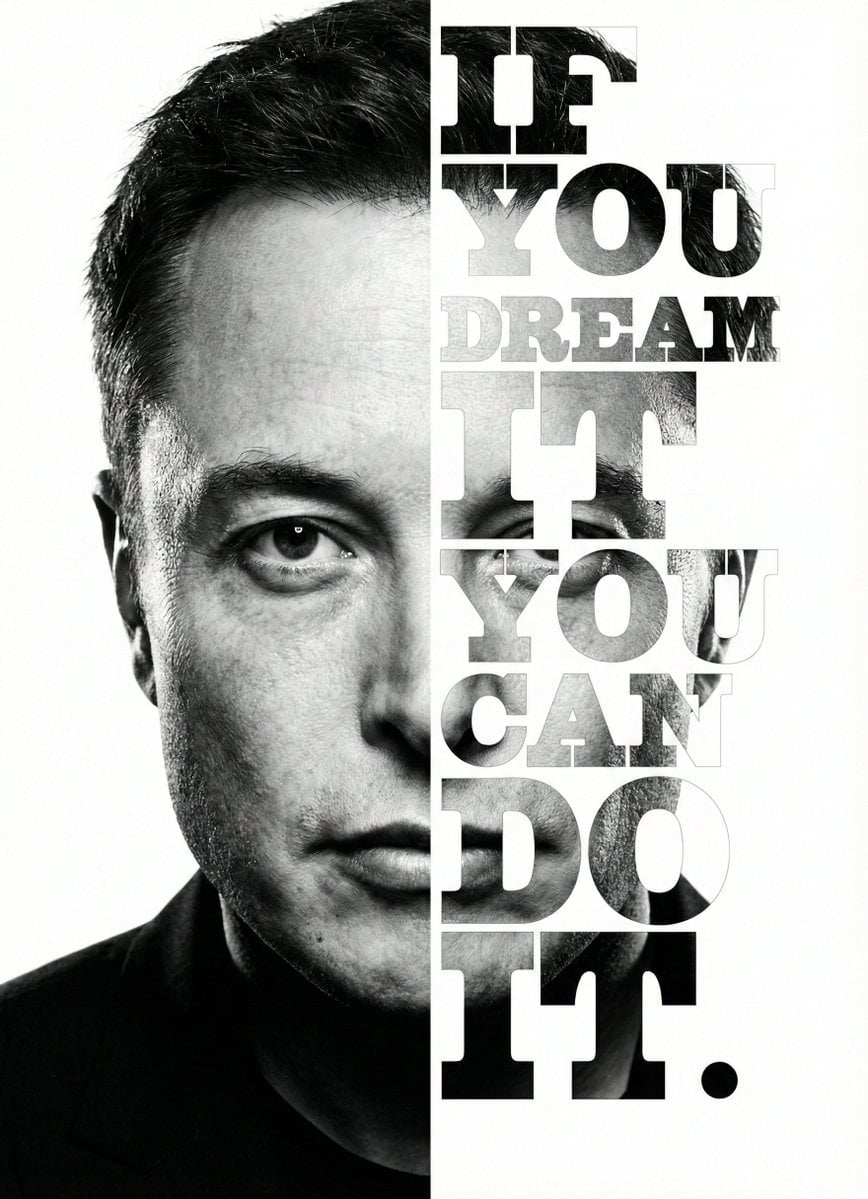
Editorial design

Editorial design

Editorial design

Editorial design

Visual concept

Visual concept

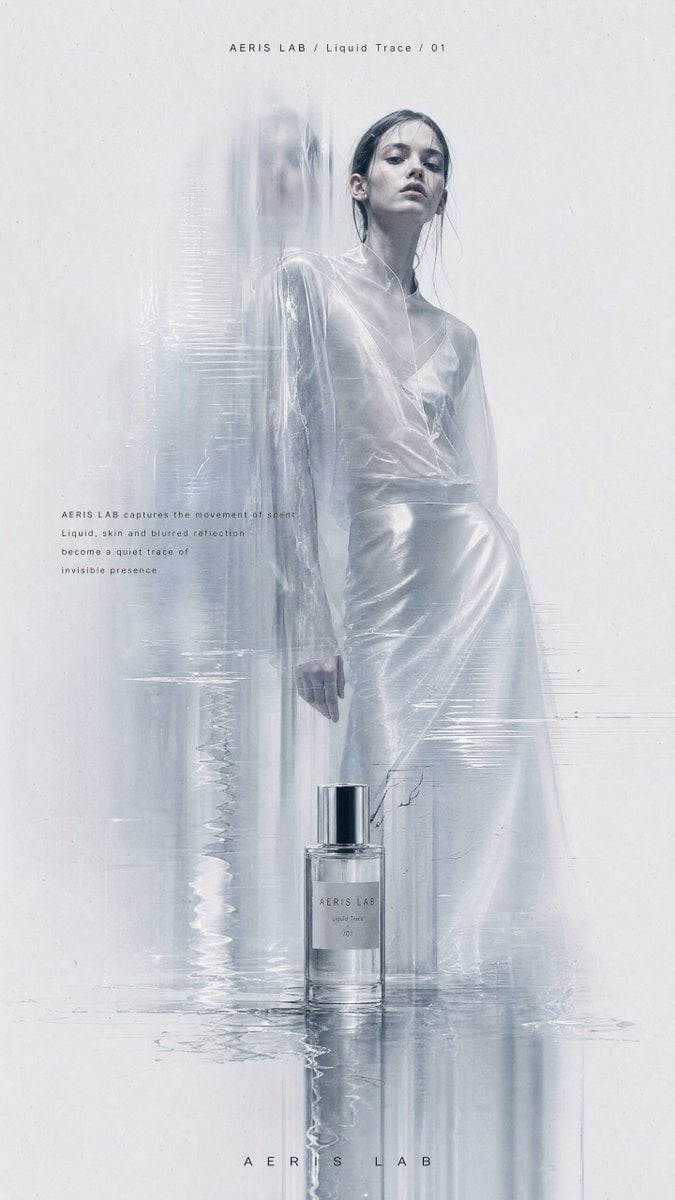
Create a vertical high-resolution experimental fashion editorial poster. 【Theme】: [Your Theme] 【Brand name】: [Your Brand Name] 【Collection title】: [Collection Title] 【Fashion / product direction】: [Fashion Product Direction] 【Main color palette】: [Main Color Palette] 【Model direction】: [Model Direction] 【Editorial copy】: [Editorial Copy] The image should feel like a high-end, cold, minimal and experimental fashion magazine poster. Use a large pale grey-white negative-space background with subtle paper grain, low-contrast noise and printed editorial texture. Avoid clean plastic white backgrounds or commercial studio backdrops. The main subject is [Model Direction], shown in a full-body or nearly full-body pose, placed slightly right of center. The pose should feel quiet, restrained, distant and editorial. The model should have a calm expression and high-fashion presence. Avoid influencer posing, exaggerated performance or commercial catalog energy. The clothing or product must have strong design value, clear silhouette and rich material details: sheer fabric, crinkled texture, soft volume, leather reflection, knit texture, structured tailoring, transparent layers, natural folds or subtle shine. Keep the person realistic, with natural skin texture and no plastic AI face. Add a controlled “ghost scan blur” effect: vertical motion trails, translucent afterimages, stretched scan lines, slight glitch displacement and soft dissolving blur around the left side of the body, lower garment edges, arms, shoes or product edges. The effect should look like the person, garment or product has been optically scanned, folded by paper texture, or dragged by memory. Important: keep the face or upper body relatively clear as the visual anchor. Do not blur the entire person. The key contrast is: clear emotional anchor + blurred ghost trace around the edges. If the theme includes a product such as perfume, jewelry, bags or shoes, place it subtly near the model, at the bottom of the poster or in the foreground. Connect the product with the model through reflection, transparent blur, liquid trace, glass distortion or scan-like afterimages. Do not make it look like a normal e-commerce product image. Use a minimal fashion magazine layout: small English title at the top, such as “[Brand Name] / [Collection Title]”; a small paragraph of editorial copy near the body or product; and a tiny abstract logo at the bottom. Typography should be clean, restrained, small, high-end and sans-serif. Avoid large promotional text, loud fonts or ad-like design. Overall mood: low saturation, low contrast, cold, quiet, premium, experimental, editorial, archive-like, independent designer lookbook, avant-garde fashion magazine, artistic brand campaign. Avoid: cartoon, illustration, cheap poster design, e-commerce ad, promotional banner, large text, complex background, multiple random people, collage grid, over-sharpening, over-retouched skin, obvious AI look.

Visual concept

Visual concept

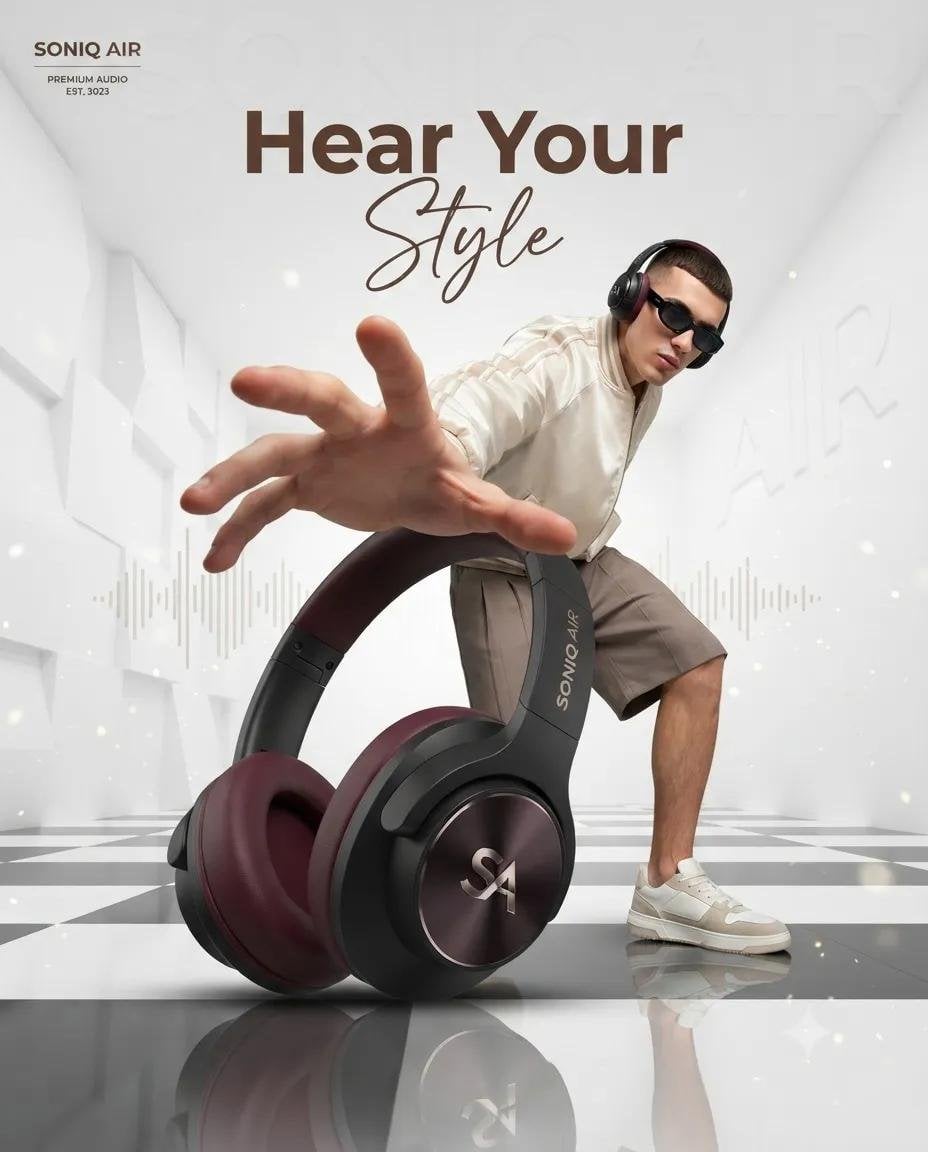
Ultra-realistic luxury product advertising campaign, a futuristic white architectural room with tall geometric walls and a glossy black-and-white checkered reflective floor. A giant premium over-ear headphone in the foreground (black matte body with deep burgundy ear cushions), positioned as the hero product using forced perspective. Behind it, a stylish young male fashion model wearing black sunglasses, a cream bomber jacket, beige shorts, and white sneakers crouches dynamically, reaching one hand toward the camera with exaggerated perspective. Clean luxury lighting, soft volumetric glow, floating dust particles, subtle audio waveform graphics in the background, minimal premium aesthetic, editorial fashion photography, commercial product render, ultra-sharp details, cinematic composition, depth of field, 8K, Octane Render, photorealistic. Leave space at the top for branding and the headline "Hear Your Style" in elegant modern typography. Prompt 2 – Perfume Advertisement: Luxury perfume commercial, minimalist white architectural interior with tall pillars, glossy black-and-white checkered reflective floor. A large amber glass perfume bottle with a gold cap dominates the foreground using dramatic forced perspective. In the background, a fashionable young male model wearing black sunglasses, a beige varsity jacket, matching shorts, white socks, and sneakers leans forward as if reaching for the bottle, creating an energetic lifestyle pose. Bright soft daylight, premium fashion campaign, clean luxury aesthetic, realistic reflections, subtle sparkles, high-end editorial photography, photorealistic, cinematic lighting, depth of field, ultra-detailed, 8K, Octane Render, luxury branding look. Leave negative space at the top for the headline "Own the Moment" and logo placement.

Visual concept

Visual concept

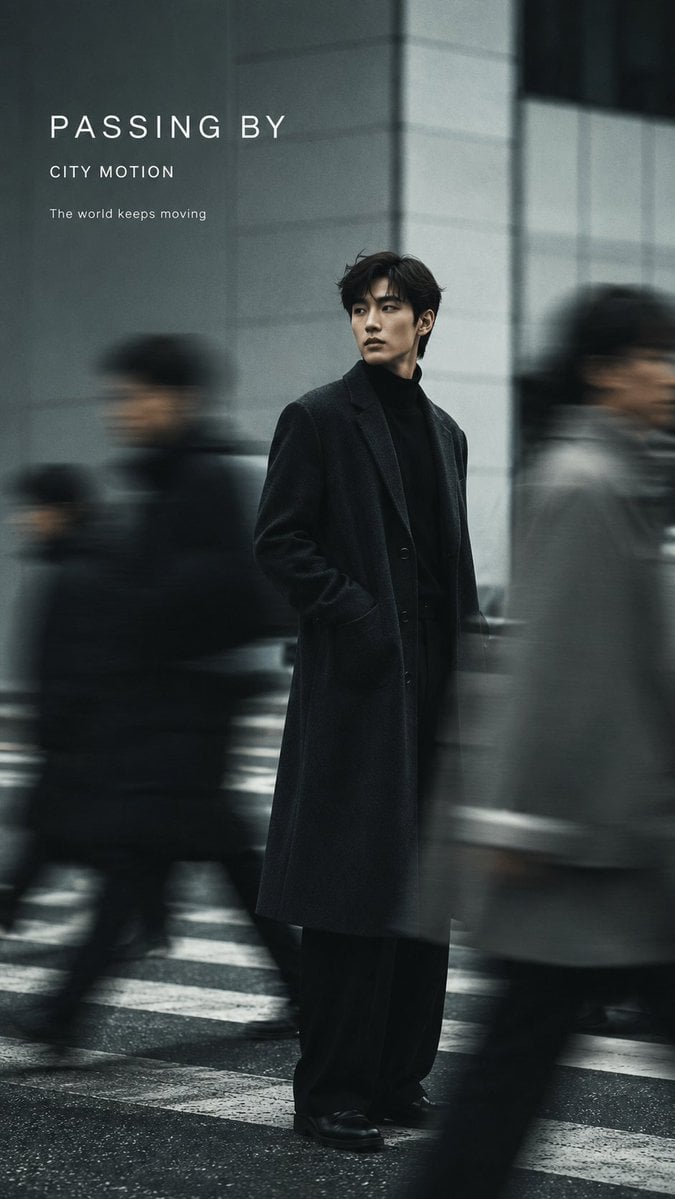
Create a 9:16 vertical fashion editorial poster with realistic slow-shutter photography and elegant minimal typography. Subject: [Person / Gender / Appearance] Outfit: [Fashion Styling] Scene: [Street / Minimalist Studio / Interior] Color palette: [Main Colors] Motion effect: [Moving Crowd / Walking Motion Blur / Layered Afterimages / Double Exposure] Title: [Main Title] Subtitle: [Short Subtitle] Keep one clear visual anchor while using authentic directional motion blur, ghosting, long-exposure trails, or layered afterimages to show movement and the passage of time. The motion should feel photographic rather than like a digital special effect. Preserve realistic anatomy and recognizable facial features while allowing moving figures, clothing, or surrounding people to dissolve naturally into soft blur. Use a clean, restrained background with generous negative space. Add subtle film grain, soft focus, imperfect exposure, low saturation, and natural light for an editorial photography feel. Typography should be minimal and integrated into the composition: only the main title and one short subtitle, using clean modern sans-serif typography. Do not include VOL numbers, dates, image numbers, or unnecessary information. Overall aesthetic: experimental fashion photography, slow-shutter motion blur, editorial magazine poster, cinematic and understated, realistic photography, refined but not overly commercial.

一句話瞭解

這個模型表現如何?

反向提示詞最多 5,000 個字元,文字 seed 最多 500 個字元。 純文字生成圖片.

它擅長什麼
只支援純文字生成,Kyeo 不接受圖片,也未開放編輯、輸出數量、解析度、格式、安全設定或提示詞改寫。
適合哪些使用者
可先用預設方形生成,再以相同描述比較橫式、直式、3:4 與 4:3;應依實際版位檢查主體位置、裁切、文字與留白。 Auto.
為什麼要在 Kyeo AI 使用
點數消耗: Kyeo 目前對每次 Google Imagen4 Ultra 單圖任務固定收取 12 點數;比例、反向提示詞與 seed 不會改變 Kyeo 點數。

關鍵參數總覽

協助你快速評估此模型是否符合你的業務情境。

模型類別
AI 圖片模型
廠商
Google
模型家族
Google Imagen
執行方式
非同步任務
提示詞上限
5,000 個字元
圖片輸入
不支援

其他名稱

同一個模型在官方文件、社群討論與 API 串接層可能有不同稱呼,這裡幫你統一整理。

Google Imagen4 Ultra
Google Imagen 4 Ultra

使用者常見問題

從實際任務、輸入條件和結果要求出發,整理選擇模型時最需要確認的問題。

如何在 Kyeo 上使用 Google Imagen4 Ultra
Google Imagen4 Ultra 每次多少點數
Google Imagen4 Ultra 提示詞上限是多少
Google Imagen4 Ultra 支援哪些比例
Google Imagen4 Ultra 是否支援圖片輸入
Google Imagen4 Ultra 反向提示詞最長多少
Google Imagen4 Ultra seed 最長多少
Google Imagen4 Ultra 一次輸出幾張圖片
Google Imagen4 Ultra 與 Fast 有何不同
Kyeo 開放哪些 Imagen4 Ultra 控制項

選擇指南

還在猶豫該用哪個模型嗎?先查看這幾個關鍵決策點。

1
需要純文字與 1:1 預設值時選擇

純文字生成圖片. 12 點數/次. 5,000 個字元. 長寬比: 1:1, 16:9, 9:16, 3:4, 4:3, Auto. Kyeo 目前對每次 Google Imagen4 Ultra 單圖任務固定收取 12 點數;比例、反向提示詞與 seed 不會改變 Kyeo 點數。

2
需要圖片編輯或更多輸出控制時改用其他模型

此入口不接受圖片,也沒有輸出數量、尺寸、格式或安全設定。若要保留原圖主體、局部修改、放大或指定輸出格式,應選擇明確提供相關控制項的模型。

3
同時驗證反向提示詞與文字 seed 邊界

同時驗證反向提示詞與文字 seed 邊界: 反向提示詞最多 5,000 個字元,文字 seed 最多 500 個字元。

使用者常搜尋的比較

把常見候選放在同一任務下比較,協助你確認輸入方式、控制項和成本差異。

Kyeo 的 Imagen4 Ultra 與 Imagen4 Fast 控制項有何不同?
Imagen4 Ultra 與 Imagen4 Fast 的 Kyeo 點數如何比較?
Imagen4 Ultra 與 Ultra 在 Kyeo 的預設比例有何不同?

模型比較表

還在猶豫該選哪一個嗎?這張表協助你快速看清目前模型與替代方案的核心差異。

Kyeo 輸入與輸出
Google Imagen4 Ultra
純文字輸入,固定單張輸出
Google Imagen4
純文字輸入,固定單張輸出
Google Imagen4 Fast
純文字輸入,固定單張輸出
預設長寬比
Google Imagen4 Ultra
1:1
Google Imagen4
1:1
Google Imagen4 Fast
16:9
Kyeo 點數
Google Imagen4 Ultra
固定 12
Google Imagen4
固定 8
Google Imagen4 Fast
固定 4

實際使用體驗

結合公開資料、目前站內邊界和典型任務,說明模型適合與不適合的情況。

Google Imagen

Google Imagen: Kyeo 目前對每次 Google Imagen4 Ultra 單圖任務固定收取 12 點數;比例、反向提示詞與 seed 不會改變 Kyeo 點數。 反向提示詞最多 5,000 個字元,文字 seed 最多 500 個字元。 長寬比: 1:1, 16:9, 9:16, 3:4, 4:3, Auto.

長寬比

Google Imagen: 長寬比: 1:1, 16:9, 9:16, 3:4, 4:3, Auto. 預設值:1:1.

功能詳解

能力標籤

能力標籤: 純文字輸入、5,000 個字元主提示詞上限與固定單張輸出邊界明確。

長寬比

長寬比: 長寬比: 1:1, 16:9, 9:16, 3:4, 4:3, Auto. 預設值:1:1.

隨機種子

隨機種子: 反向提示詞最多 5,000 個字元,文字 seed 最多 500 個字元。

適合做什麼

以 1:1 為起點的比例比較

以 1:1 為起點的比例比較: 可先用預設方形生成,再以相同描述比較橫式、直式、3:4 與 4:3;應依實際版位檢查主體位置、裁切、文字與留白。 Auto.

反向提示詞與 seed 對照

反向提示詞與 seed 對照: 反向提示詞最多 5,000 個字元,文字 seed 最多 500 個字元。

Google Imagen: Kyeo 的 Imagen4 Ultra 與 Imagen4 Fast 控制項有何不同?

Google Imagen: Kyeo 的 Imagen4 Ultra 與 Imagen4 Fast 控制項有何不同?: Kyeo 目前對每次 Google Imagen4 Ultra 單圖任務固定收取 12 點數;比例、反向提示詞與 seed 不會改變 Kyeo 點數。

提示詞技巧

主提示詞先寫可見內容

依序說明主體、動作、環境、構圖、光線與需要出現的文字。

反向提示詞 / 隨機種子

反向提示詞 / 隨機種子: 反向提示詞最多 5,000 個字元,文字 seed 最多 500 個字元。

seed 測試只改變一個變數

seed 測試只改變一個變數: 反向提示詞最多 5,000 個字元,文字 seed 最多 500 個字元。

選擇它的理由

Google Imagen: 純文字輸入、5,000 個字元主提示詞上限與固定單張輸出邊界明確。
預設值:1:1: 長寬比: 1:1, 16:9, 9:16, 3:4, 4:3, Auto.
每次固定 12 點數,不會因已開放的參數而變動。

使用前須知

Google 已棄用 `imagen-4.0-generate-001` 並建議遷移。
需要圖片編輯或更多輸出控制時改用其他模型: 只支援純文字生成,Kyeo 不接受圖片,也未開放編輯、輸出數量、解析度、格式、安全設定或提示詞改寫。
Imagen4 Ultra 與 Ultra 在 Kyeo 的預設比例有何不同? 反向提示詞最多 5,000 個字元,文字 seed 最多 500 個字元。

可調整參數

協助你快速評估此模型是否符合你的業務情境。

反向提示詞
選填
參數類型: text
5,000 個字元
長寬比
選填
參數類型: select
預設值:1:1
1:1
16:9
9:16
3:4
4:3
Auto
隨機種子
選填
參數類型: text
反向提示詞最多 5,000 個字元,文字 seed 最多 500 個字元。

點數消耗

12 點數/次

Kyeo 目前對每次 Google Imagen4 Ultra 單圖任務固定收取 12 點數;比例、反向提示詞與 seed 不會改變 Kyeo 點數。

省點數小技巧

批次生成圖片或影片前,建議先用同一組素材,在目前模型與同類候選模型之間進行 A/B 測試;確認效果後再批次生成,避免浪費點數。

常見問題

同類模型推薦

還沒決定該用哪個嗎?順便比較一下這幾個同類候選模型。

Google Imagen4

純文字生成圖片. 8 點數/次. 5,000 個字元. 長寬比: 1:1, 16:9, 9:16, 3:4, 4:3, Auto.

AI 圖片模型
8 點數/次

Google Imagen4 Fast

純文字生成圖片. 不支援圖片輸入. 長寬比: 1:1, 16:9, 9:16, 3:4, 4:3, Auto. 4 點數/次.

AI 圖片模型
4 點數/次

4o Image

4o Image / 能力標籤 — 目前頁面只提供 `1:1 / 3:2 / 2:3` 三種比例,每次固定 3 點數,不接受參考圖。

AI 圖片模型
3 點數 / 次

資訊來源

頁面內容依據廠商資料、模型系列說明與 Kyeo AI 平台串接設定整理。

來源說明

Kyeo 目前對每次 Google Imagen4 Ultra 單圖任務固定收取 12 點數;比例、反向提示詞與 seed 不會改變 Kyeo 點數。 反向提示詞最多 5,000 個字元,文字 seed 最多 500 個字元。 長寬比: 1:1, 16:9, 9:16, 3:4, 4:3, Auto.

最後更新: 2026-08-26
Google Cloud:Imagen 4 Ultra 模型說明
官方

Google Cloud:Imagen 4 Ultra 模型說明: Google Imagen.

查看原始來源
Google Cloud:Vertex AI Release Notes
官方

Google Cloud:Vertex AI Release Notes: Google Imagen.

查看原始來源
Google Cloud:Imagen 文字生成圖片
官方

Google Cloud:Imagen 文字生成圖片: Google Imagen.

查看原始來源