跳至主要內容
AI 圖片模型
xAI
Grok Imagine Image

Grok Imagine Image 2.0

Grok Imagine Image 2.0 在同一站內入口涵蓋純文字生成和最多 5 張參考圖的標準圖片編輯。文字生成圖片提供 5 種固定比例,編輯額外支援 auto;兩種模式目前都按每張 4 點數預授權。

工作流程
文字生成圖片、圖片編輯
參考圖
最多 5 張
長寬比
5 種+自動
點數
4/張
30 秒快速瞭解
  • 文字生成圖片與標準圖片編輯使用各自的請求入口
  • 圖片編輯支援 1–5 張 JPEG/PNG/WebP 參考圖
  • 文字生成圖片支援 5 種固定比例,圖片編輯額外支援 auto
  • 兩種已開放模式目前均為每張 4 點數

熱門搜尋: Grok Imagine Image 2.0 怎麼用 · Grok Image 2.0 多少錢 · Grok Image 2.0 支援幾張參考圖

示例

Visual concept

Visual concept

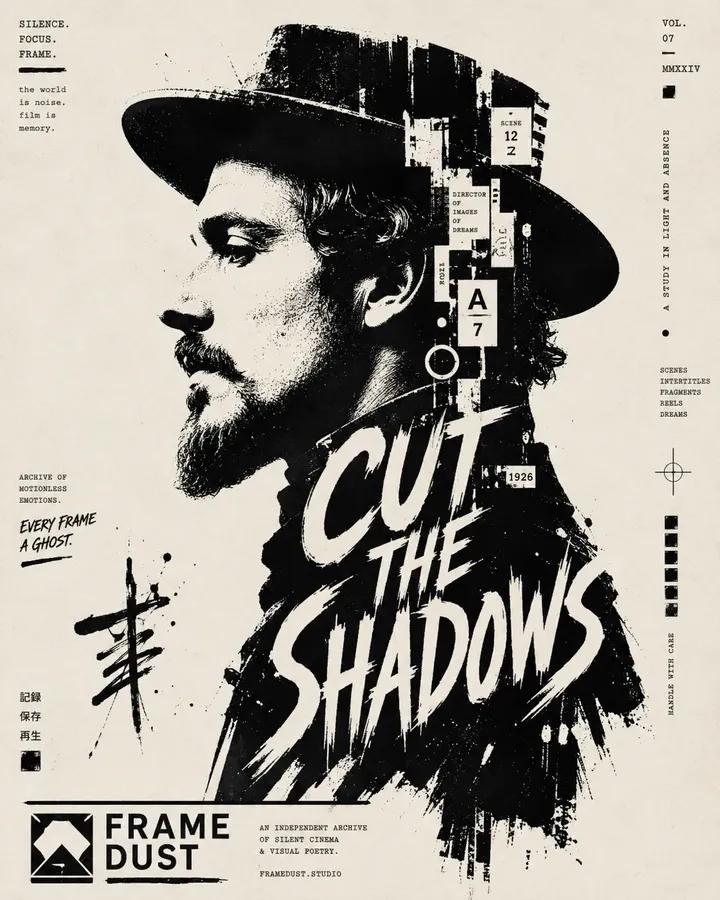
High-contrast black and white typographic portrait poster of [Human], shown in side profile with [Feature]. Build the portrait with bold black silhouette blocks, sharp negative space, rough ink edges, fragmented stencil shapes, tiny editorial microtext, vertical typographic accents and expressive hand-drawn calligraphic marks. Integrate one large readable text block saying “[Text]” in 2 to 4 stacked lines, placed only inside the neck and body area, using oversized scribbled lettering that feels fused into the silhouette. Include a graphic design logo reading “[Logo]” near the footer. Minimal off-white paper background, asymmetrical layout, cropped vertical composition, experimental editorial poster design, raw ink print texture, aspect ratio 4:5.

Visual concept

Visual concept

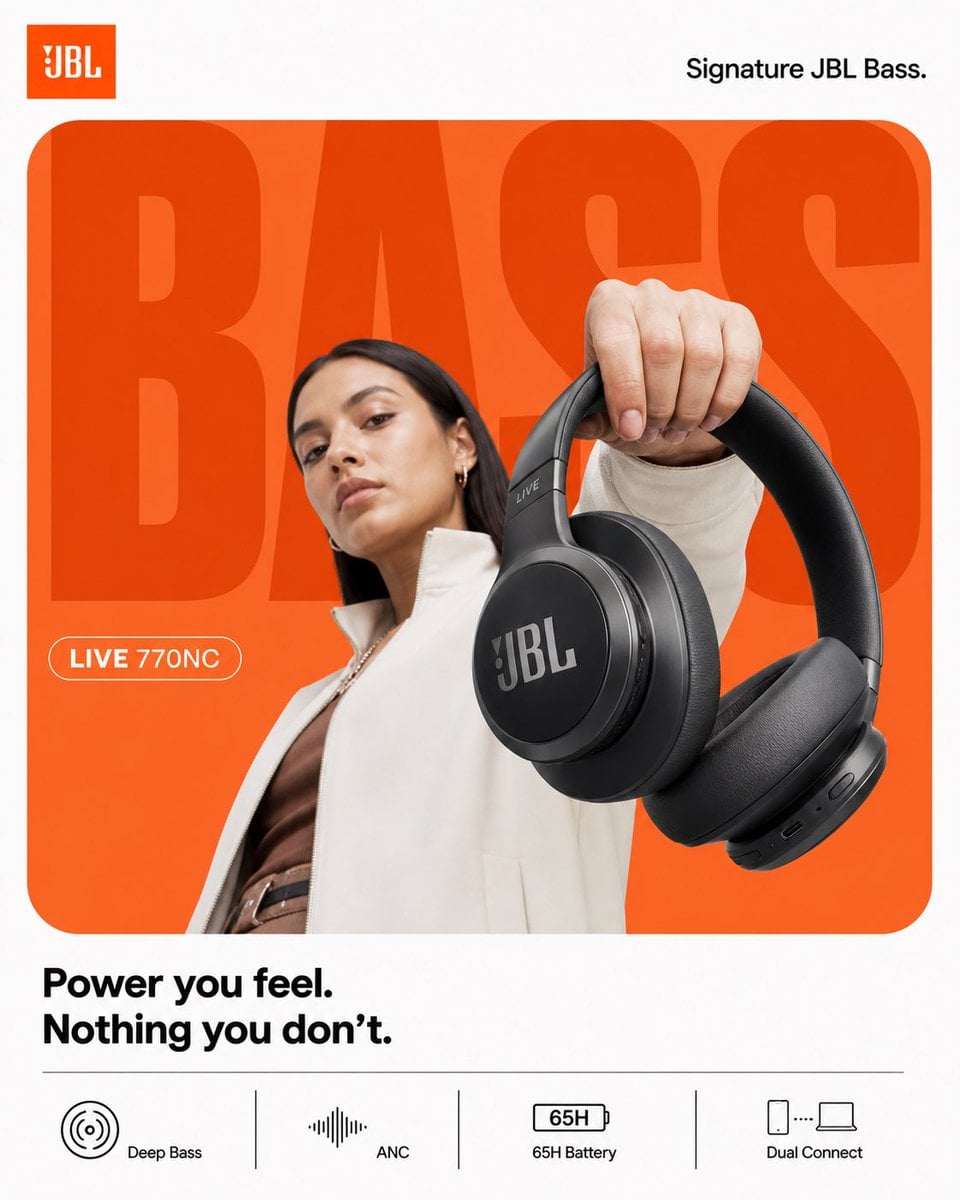
ACT AS: Apple × Nike hybrid product designer (graphic-first, not cinematic) PROJECT TITLE: “BASS, WITHOUT TRYING.” FORMAT: 4:5 vertical, ultra-clean, product-first poster STYLE DNA: Flat minimalism × bold typography × strong color blocking × hyper-clean product 🧠 CORE INTENT: Effortless impact. Not loud visually. But strong. 🎬 LAYOUT (THIS IS KEY): BACKGROUND: Pure white canvas COLOR BLOCK: Rounded rectangle (dominant) → JBL orange → flat gradient (very subtle, not glowing) GIANT TYPE: “BASS” - ultra-bold sans-serif - tight kerning - fills frame - partially cropped - sits BEHIND subject color: slightly darker orange than block NO effects. 👤 SUBJECT: - female model (editorial, calm) - neutral face (no hype) - slight low angle POSE: - holding headphones toward camera - minimal body twist OUTFIT: - muted tones (off-white / brown) 🎧 PRODUCT: JBL headphones POSITION: - extreme foreground (forced perspective) - very clean - slightly tilted DETAIL: - sharp edges - no over-texture - no scratches - product = hero ✨ LIGHTING: - flat studio light - soft shadow only - no rim light drama 🎨 COLOR: - orange + white - minimal palette - no saturation spikes ✍️ TYPOGRAPHY: TOP LEFT: JBL logo TOP RIGHT: “Signature JBL Bass.” MID LEFT (pill): “LIVE 770NC” BOTTOM: “Power you feel. Nothing you don’t.” 📊 FEATURES (CLEAN STRIP): simple icons, no glass: - Deep Bass - ANC - 65H Battery - Dual Connect 📐 RULE: Everything must feel: flat controlled intentional NO cinematic energy Boat 4:5 vertical premium headphone campaign poster, ultra-clean high-energy composition, boAt Nirvana 751 ANC STYLE: Nike-level graphic clarity × JBL energy control × Indian Gen-Z identity BACKGROUND: pure white canvas MAIN BLOCK: large rounded rectangle, deep navy to electric blue gradient, smooth and premium, no texture TYPOGRAPHY: giant bold “LOUD” text, ultra-bold sans-serif, tight kerning, slightly condensed, cropped edges, flat color, subtle duplication offset SUBJECT: young Indian Gen-Z model, confident expression, direct eye contact, slight smirk, relaxed stance, minimal movement, wearing street casual outfit (neutral tones with blue accents) PRODUCT: boAt Nirvana 751 ANC headphones, clean matte black, strong logo visibility, extreme foreground perspective, slight tilt, crisp edges, controlled reflections SECONDARY PRODUCT: worn naturally by subject LIGHTING: soft frontal key light, electric blue rim light, subtle red accent highlight, medium contrast shadows SOUND VISUAL: minimal waveform arcs in electric blue, clean, subtle glow, no particles or chaos TYPOGRAPHY DETAILS: top left: boAt logo top right: “Signature boAt Bass.” mid left pill: “NIRVANA 751 ANC” bottom right text: “Play louder. Own your sound.” FEATURE STRIP: flat clean grid with icons: - Beast Mode Bass - Active Noise Cancellation - 65H Playtime - ASAP Charge CAMERA: 50mm lens, slight low angle, sharp focus, high clarity, no cinematic blur RENDER: clean, premium, high contrast but controlled, no noise, no over-effects

Visual concept

Visual concept

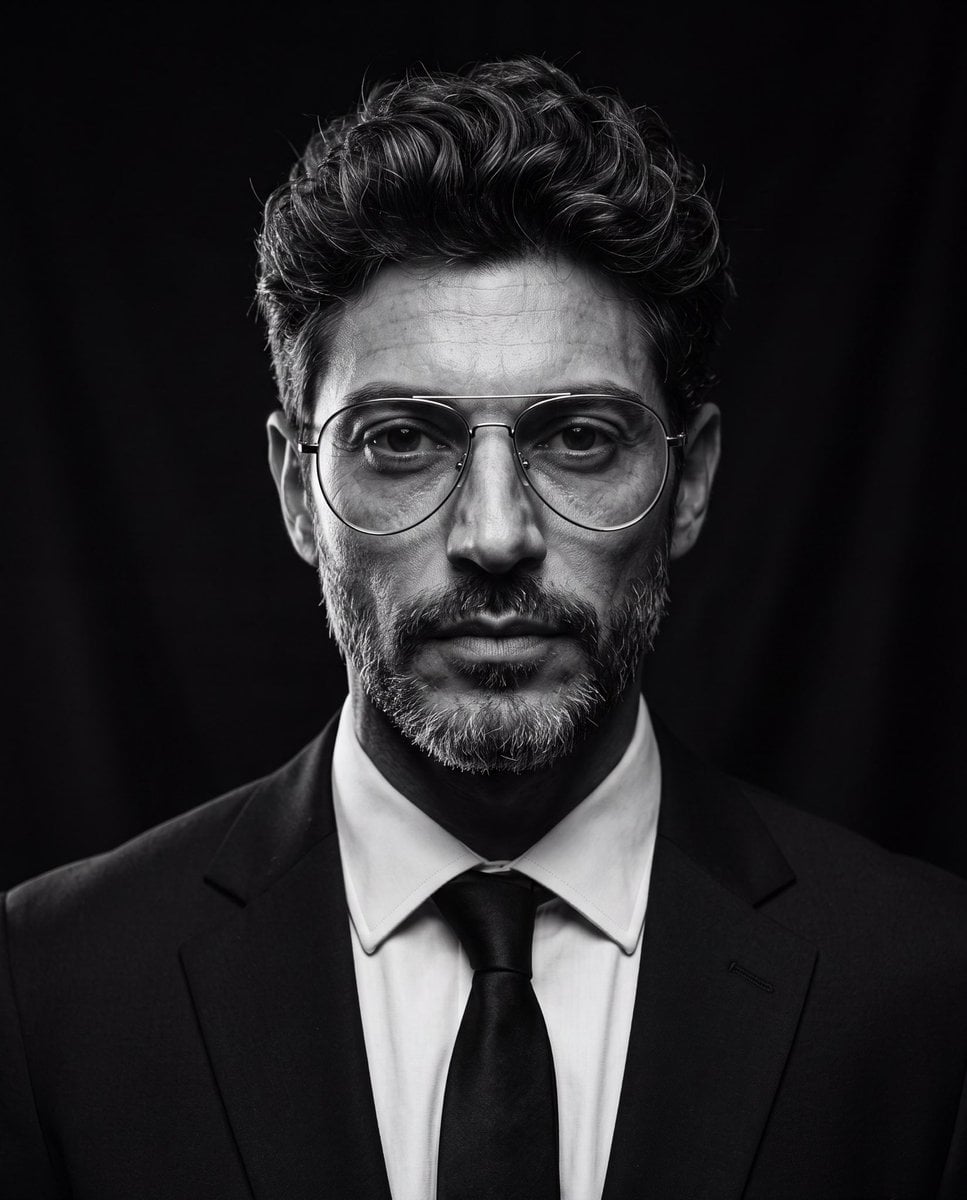
Create an ultra-realistic cinematic studio portrait of the person in the reference image. Preserve the person’s facial features and identity while styling them in a luxury editorial fashion. Give them a modern textured quiff hairstyle with medium-length hair, voluminous top, natural lift, slightly messy brushed-back texture, subtle side taper, clean sides, and realistic individual hair strands. Add thin silver metal aviator eyeglasses with large rounded lenses, minimalist frame, clear lenses, elegant luxury design, perfectly fitted to the face. Dress them in a tailored black suit, crisp white dress shirt, and black tie. Pose them looking directly into the camera with a calm, confident, serious expression. Use dramatic low-key studio lighting with a single large octabox positioned 45° above the subject, classic Rembrandt lighting, deep cinematic shadows, subtle rim light around the hair and shoulders, black seamless background, high contrast black-and-white grading, rich tonal range, crisp eyes with natural catchlights, highly detailed skin texture, realistic pores, subtle facial hair detail, shallow depth of field, Leica SL2 with APO-Summicron 90mm lens, f/2.2, ISO 100, HDR, editorial fashion photography, timeless Hollywood portrait, museum-quality, photorealistic, ultra-sharp, 8K resolution, masterpiece. Negative Prompt cartoon, anime, illustration, CGI, plastic skin, beauty filter, overprocessed skin, blurry, low quality, low resolution, distorted face, asymmetrical eyes, duplicate face, extra glasses, oversized glasses, thick frames, text, watermark, logo, cropped head, poor lighting, noisy image, unrealistic hair, exaggerated hairstyle, overexposed, underexposed

Visual concept

Visual concept

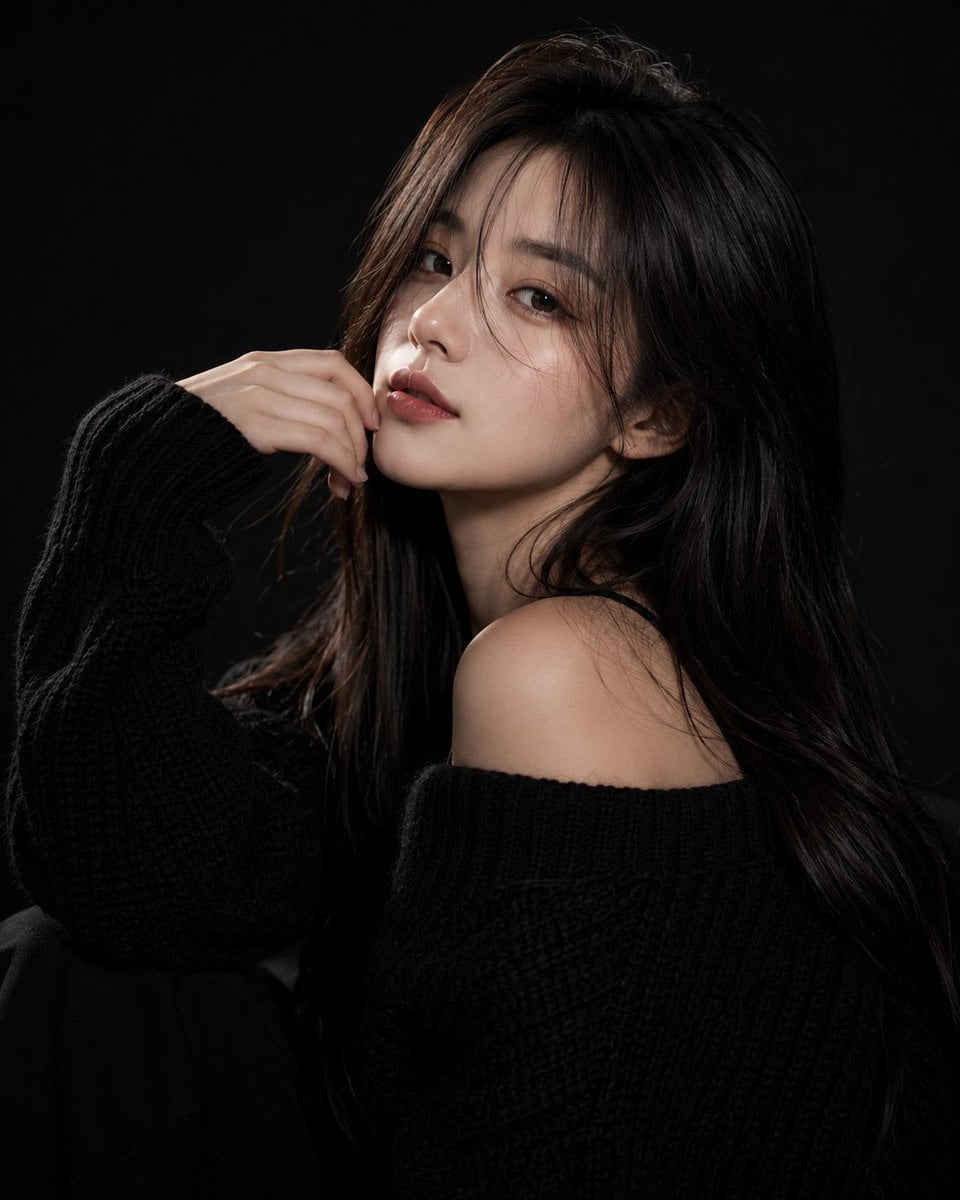
Ultra-realistic fashion beauty portrait of a stylish young woman with long silky dark-brown hair and soft curtain bangs, wearing an oversized chunky black knit sweater. She poses elegantly against a deep black studio background, partially covering one eye with her hand while gazing confidently into the camera. Soft fair skin, natural matte makeup, warm blush, defined brows, subtle eyeliner, and rich velvet-red lips. Calm, mysterious, high-fashion expression with a modern editorial aesthetic. Professional studio lighting creates dramatic contrast between light and shadow, emphasizing facial structure, hair texture, and the cozy knit fabric. Minimalist composition, luxury fashion campaign mood, sophisticated monochrome styling, clean black-on-black palette with subtle skin-tone highlights. Sharp focus on the visible eye, premium beauty photography, elegant and timeless atmosphere. Shot on a full-frame camera, 85mm lens, f/1.8, shallow depth of field, ultra-detailed skin texture, soft directional key light, cinematic contrast, high-end magazine editorial, luxury fashion advertisement, photorealistic, HDR, 8K resolution, masterpiece quality. Negative Prompt: blurry, low resolution, low quality, bad anatomy, extra fingers, deformed hands, duplicate limbs, asymmetrical eyes, distorted face, cartoon, anime, CGI, painting, plastic skin, excessive retouching, overexposed highlights, underexposed shadows, noise, grain, watermark, logo, text, cluttered background, motion blur, unrealistic proportions, oversaturated colors.

Visual concept

Visual concept

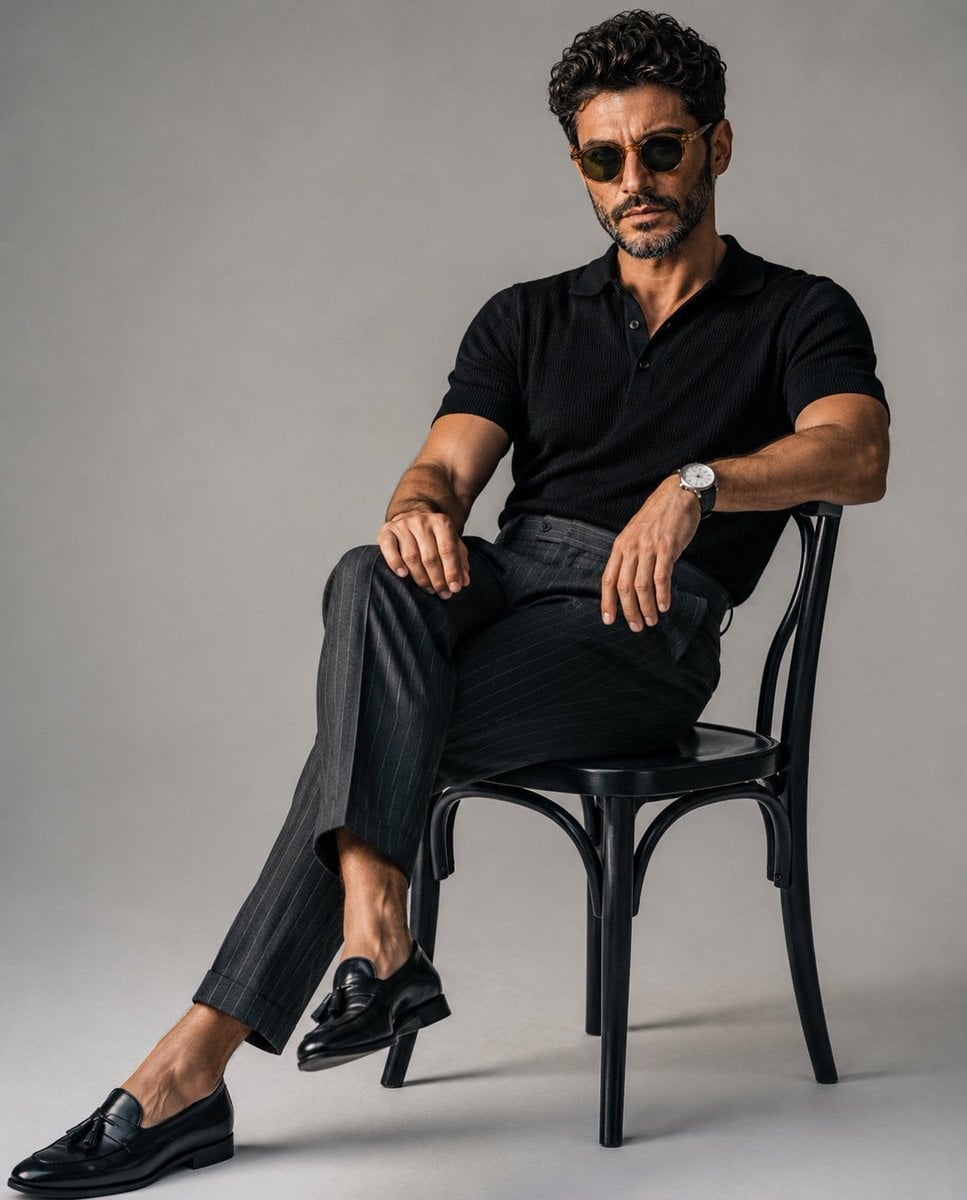
A luxury editorial fashion portrait of a stylish young man sitting casually on a classic black wooden chair in a minimalist photography studio with a seamless light gray backdrop. He wears a fitted black knit polo shirt tucked into tailored high-waisted charcoal gray pinstripe trousers, paired with polished black leather tassel loafers and a minimalist silver wristwatch. One leg is extended while the other is crossed naturally, with one arm resting on his knee and the other relaxed on the chair, maintaining direct eye contact with a calm, confident expression. Slightly messy textured hair, clean masculine features, relaxed yet elegant posture. Soft diffused studio lighting from a large octabox creates gentle shadows, realistic skin tones, and subtle depth. Minimalist composition with negative space, quiet luxury aesthetic, old-money fashion, premium menswear editorial, ultra-realistic, photorealistic, Vogue magazine style, Hasselblad medium format look, 85mm lens, f/4, crisp details, cinematic color grading, high dynamic range, 8K. Negative Prompt: low quality, blurry, cartoon, anime, CGI, unrealistic anatomy, extra fingers, duplicate limbs, distorted face, bad proportions, oversaturated colors, harsh lighting, watermark, logo, text, cluttered background, noise, artifacts, motion blur, low resolution, overexposed, underexposed, wrinkled clothing, awkward pose.

Visual concept

Visual concept

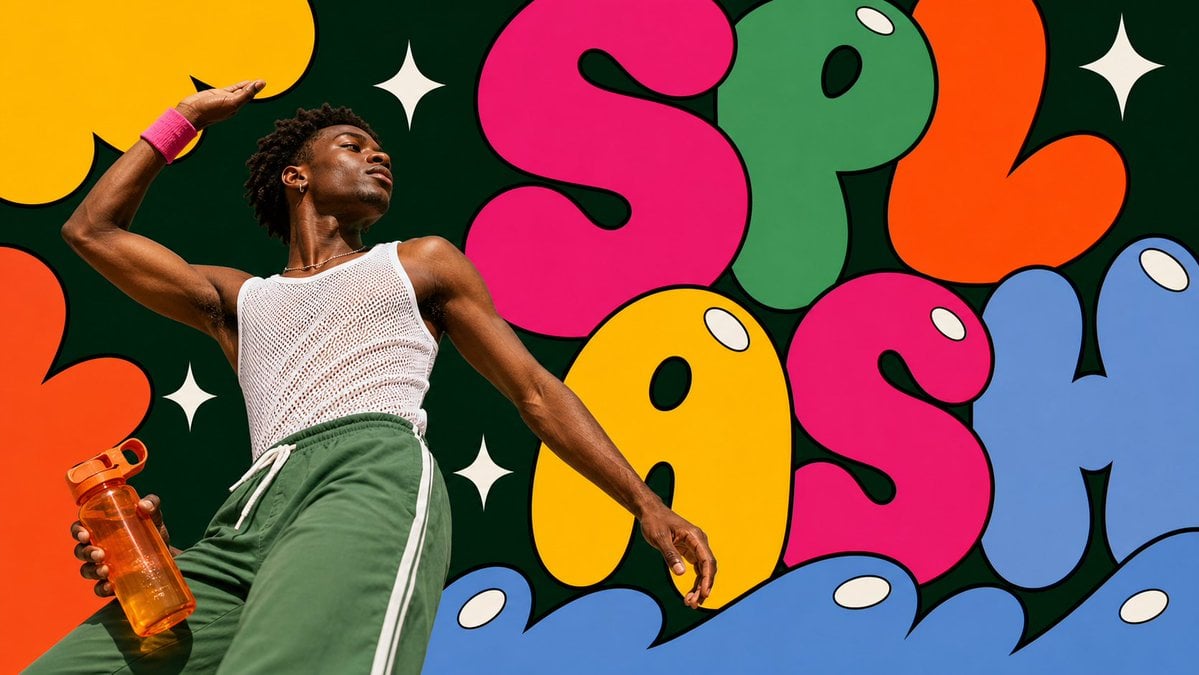
Create an image in pop-bubble-letter-photo-poster-style. Aspect ratio: 9:16. Scene: [SUBJECT] [SUBJECT_ACTION], interacting with or carrying [PRODUCT_OR_PROP], in [LOCATION]. Style the subject with [WARDROBE_STYLE]. Use real photographic portrait detail for the subject: low-angle editorial framing, bright direct sunlight or clean studio light, crisp skin and fabric texture, saturated wardrobe, calm confident expression. Layout: center the subject on the vertical axis and surround them with [BACKGROUND_ELEMENTS]. Build the poster from oversized flat bubble-letter forms spelling or suggesting "[MAIN_TEXT]". Crop the letters hard against the frame edges. Layer some letter shapes behind the subject and some in the foreground over the lower frame while keeping the face and main gesture unobstructed. Graphic language: thick black outlines, smooth flat fills, hot pink, candy yellow, leaf green, tangerine orange, tomato red, powder blue, deep evergreen negative space, cream-white oval shine highlights, and [ACCENT_SYMBOL]. Keep the bubbles bold, rounded, inflated, vector-like, and pop-art. Text: use "[MAIN_TEXT]" as the large bubble-letter graphic word. Add "[SECONDARY_TEXT]" only as tiny editorial caption text if needed. Do not include watermarks, usernames, creator IDs, QR codes, platform logos, or app marks. --- VARIABLES --- [ACCENT_SYMBOL] — four-point sparkle, oval highlight, curved underline, star separator, or small rounded sticker shape [BACKGROUND_ELEMENTS] — dark green negative-space panel, oversized cropped bubble letters, white sparkle marks, oval shine highlights, candy-colored abstract shapes [LOCATION] — painted wall, studio set, public plaza, gallery exterior, market stall, campus courtyard, subway entrance, or clean event backdrop [MAIN_TEXT] — short bubble-letter word or graphic headline such as WOW, POP, OPEN, BLOOM, WAVE, or PLAY [PRODUCT_OR_PROP] — camera, headphones, drink bottle, book, bouquet, transit card, compact mirror, sunglasses, or featured product [SECONDARY_TEXT] — tiny editorial caption, campaign note, date line, or short supporting phrase [SUBJECT] — main person, model, performer, maker, athlete, student, traveler, or product ambassador [SUBJECT_ACTION] — standing still, leaning back, looking upward, closing eyes in sunlight, holding a prop, stepping forward, or posing calmly [WARDROBE_STYLE] — bold striped knit, saturated trousers, color-block streetwear, mod fashion layers, clean editorial styling, or retro pop styling --- NEGATIVE PROMPT --- watermark, username, creator ID, QR code, platform logo, app interface marks, copied reference person, copied outfit, copied exact text, long paragraphs, crowded small text, 3D balloon letters, chrome typography, glossy plastic render, clay mascot, muted pastel-only palette, thin-line doodles, busy street background, horror, dystopian, grunge, cyberpunk, luxury minimalist editorial
一句話瞭解

這個模型表現如何?

未上傳圖片時執行文字生成圖片;上傳 1–5 張通過簽名驗證的圖片時執行標準圖片編輯。本站參考圖只接受真實類型為 JPEG、PNG 或 WebP 的檔案,每張不超過 10 MB。分區圖與分區編輯沒有獨立價格證據,目前不會出現在可呼叫模式中。

它擅長什麼
面向需要快速生成單張視覺、維持多張參考素材方向或用自動比例延續原圖構圖的圖片任務。
適合哪些使用者
適合商品氛圍圖、角色或材質參考、社群媒體版位、背景替換、風格探索和多圖約束的視覺草圖。
為什麼要在 Kyeo AI 使用
Kyeo 在扣點前區分文字生成圖片與標準圖片編輯,核對每張圖片的真實類型和簽名中繼資料,並依已鎖定的兩檔價格建立任務。

關鍵參數總覽

協助你快速評估此模型是否符合你的業務情境。

模型類別
AI 圖片模型
廠商
xAI
模型家族
Grok Imagine Image
提示詞上限
站內 8,000 個字元
參考圖格式
JPEG/PNG/WebP
任務結算
實際消耗或進入對帳

其他名稱

同一個模型在官方文件、社群討論與 API 串接層可能有不同稱呼,這裡幫你統一整理。

Grok Image 2
Grok Imagine Image 2
Grok 圖片 2.0
Grok Imagine 圖片模型

使用者常見問題

從實際任務、輸入條件和結果要求出發,整理選擇模型時最需要確認的問題。

Grok Imagine Image 2.0 怎麼用
Grok Image 2.0 多少錢
Grok Image 2.0 支援幾張參考圖
Grok Image 2.0 支援哪些比例
Grok Image 2.0 文字生成圖片和圖片編輯有何差異
Grok Image 2.0 自動比例何時可用

選擇指南

還在猶豫該用哪個模型嗎?先查看這幾個關鍵決策點。

1
從零構圖時使用文字生成圖片

沒有必須保留的主體、材質或版面配置時,不上傳圖片並選擇 1:1、2:3、3:2、16:9 或 9:16。

2
保留視覺事實時使用圖片編輯

需要參考商品、人物、材質或構圖時上傳 1–5 張圖片,並在提示詞中明確每張圖負責的約束。

3
需要分區控制時暫不選擇本頁

目前只開放標準圖片編輯;分區圖與分區編輯仍維持不可呼叫,避免在價格未閉合時錯誤扣點。

使用者常搜尋的比較

把常見候選放在同一任務下比較,協助你確認輸入方式、控制項和成本差異。

Grok Imagine Image 2.0 與 GPT Image 2 的價格和輸入方式有何不同?
Grok Imagine Image 2.0 與 Qwen Image 3.0 的參考圖數量有何不同?
Grok Imagine Image 2.0 與 Nano Banana 2 Lite 應該如何選擇?

模型比較表

還在猶豫該選哪一個嗎?這張表協助你快速看清目前模型與替代方案的核心差異。

站內點數
Grok Imagine Image 2.0
4 點數/張
GPT Image 2
依目前模型頁分級計價
Nano Banana 2 Lite
固定 3 點數
參考圖
Grok Imagine Image 2.0
1–5 張,每張 10 MB
Qwen Image 3.0
1–3 張,每張 10 MB
Nano Banana 2 Lite
最多 10 張,每張 30 MB
長寬比
Grok Imagine Image 2.0
5 種固定比例;編輯可選 auto
GPT Image 2
查看模型頁目前尺寸合約
Qwen Image 3.0
8 種畫布尺寸

實際使用體驗

結合公開資料、目前站內邊界和典型任務,說明模型適合與不適合的情況。

雙模式價格已統一

目前文字生成圖片與標準圖片編輯都是 4 credits/張,因此選擇模式應由素材需求決定,而不是依靠最低價猜測路由。

多圖能力不取代素材治理

最多 5 張參考圖可以分配主體、材質、色彩和構圖角色,但彼此矛盾的素材仍會降低結果穩定性。

功能詳解

雙模式圖片生成

依是否上傳參考圖,在文字生成圖片和標準圖片編輯間嚴格切換。

多圖參考編輯

一次可提交 1–5 張簽名參考圖,用於描述主體、材質、風格或空間關係。

畫布比例控制

文字生成圖片提供 5 種固定比例,圖片編輯還可用 auto 沿用更合適的原圖比例。

適合做什麼

商品氛圍圖

以商品參考圖鎖定形狀和材質,再用提示詞調整背景、光線和版位。

角色與服裝參考

將不同圖片分別指定為人物外觀、服裝細節與色彩方向,減少角色事實衝突。

多版位視覺草圖

使用橫版、直版或方形比例,為封面、動態消息與限時動態頁準備不同方向稿。

提示詞技巧

先寫必須維持的事實

圖片編輯時先說明必須保留的主體輪廓、材質、顏色和構圖,再描述要改變的背景或風格。

為每張圖片分配角色

明確哪張負責主體、哪張負責材質或光線,避免讓所有參考圖同時控制全部畫面。

依交付版位選擇比例

文字生成圖片先確定橫版、直版或方形;圖片編輯只有在希望沿用來源構圖時才選擇 auto。

選擇它的理由

文字生成圖片和標準圖片編輯採用同一清楚的單張價格。
一次最多可使用 5 張參考圖。
編輯模式支援 auto,固定比例也涵蓋常見橫直版位。
圖片真實類型與簽名中繼資料會在扣點前驗證。

使用前須知

本站提示詞上限為 8,000 個字元,屬於明確的產品安全邊界。
圖片編輯至少 1 張、最多 5 張,每張不超過 10 MB。
auto 只允許圖片編輯,純文字生成圖片會在扣點前拒絕。
分區圖與分區編輯目前不可呼叫;非同步任務仍可能進入失敗或對帳狀態。

可調整參數

協助你快速評估此模型是否符合你的業務情境。

長寬比
選填
參數類型: 下拉選單
預設:1:1
1:1
2:3
3:2
16:9
9:16
auto(僅圖片編輯)
文字生成圖片 5 項;圖片編輯 6 項

點數消耗

4 點數/張

文字生成圖片與標準圖片編輯目前都是每張輸出圖 4 credits,站內建立前預授權 4 點數;任務完成後讀取實際消耗,只有合法且不高於預授權時才退還差額,缺失、無效或高於預授權則進入對帳且不暗扣。

省點數小技巧

批次生成圖片或影片前,建議先用同一組素材,在目前模型與同類候選模型之間進行 A/B 測試;確認效果後再批次生成,避免浪費點數。

常見問題

同類模型推薦

還沒決定該用哪個嗎?順便比較一下這幾個同類候選模型。

GPT Image 2

GPT Image 2 / 能力標籤 — GPT Image 2 在 Kyeo AI 支援文字生成圖片與參考圖編輯。Kyeo 依輸出解析度計費:1K 為 3 點數、2K 為 5 點數、4K 為 8 點數。

AI 圖片生成與編輯模型
3–8 點數/次

Qwen Image 3.0

Qwen Image 3.0 同時支援純文字生成與最多 3 張參考圖的圖片生成圖片,可選 1K/2K、8 種畫布尺寸、PNG/JPEG 輸出,並提供提示詞擴充、負面提示詞與 seed。站內預授權為 5–7 點數。

AI 圖片模型
5–7 點數

Nano Banana 2 Lite

Nano Banana 2 Lite 是設定精簡的圖片入口:可以只用文字生成,也能上傳最多 10 張參考圖;前台只需選擇長寬比,單次固定 3 點數。它不提供解析度按鈕,以免將價格表標籤誤認為介面能力。

AI 圖片模型
固定 3 點數

資訊來源

頁面內容依據廠商資料、模型系列說明與 Kyeo AI 平台串接設定整理。

來源說明

本頁依目前站內圖片請求合約、簽名上傳邊界與登入狀態價格證據複核;公開參數和實際請求白名單一致。

最後更新: 2026-08-24
Grok Image 2 目前介面資料
串接

用於核對本站目前接入版本的輸入模式、可見設定、素材限制與可用狀態;實際選項以頁面和工作台為準。

Kyeo 目前上傳、計費與結算合約
串接

用於核對真實檔案類型、站內大小邊界、整數預授權和任務完成後的實際消耗結算。