跳到主要内容
图片生成与单图编辑
xAI
Grok Imagine

Grok Imagine

Grok Imagine 可从提示词生成图片,也可上传一张参考图提出修改要求。文生图选择固定画幅和标准或高质量档;带图编辑时隐藏这两项设置,内容检查仍可选。各任务的图片数量以实际返回为准。

图片任务
文生图、单图编辑
预计预扣
文生图 4/5 积分;编辑 4 积分
提示词长度
最多 5,000 字符
参考图数量
最多 1 张
快速了解
  • 无参考图时生成新图,上传参考图后进行单图编辑。
  • 文生图标准档预计预扣 4 积分,高质量档 5 积分;单图编辑 4 积分,不保证固定返回图片张数。
  • 参考图最多 1 张,支持 JPG、PNG、WEBP,单张不超过 10 MB。
  • 两种图片任务都有内容检查选项,默认关闭;该选项不代替版权、隐私和安全责任。

相关查询: 如何在 Kyeo AI 使用 Grok Imagine 生成图片 · Grok Imagine 文生图需要哪些输入 · Grok Imagine 如何编辑一张参考图

示例

Visual concept

Visual concept

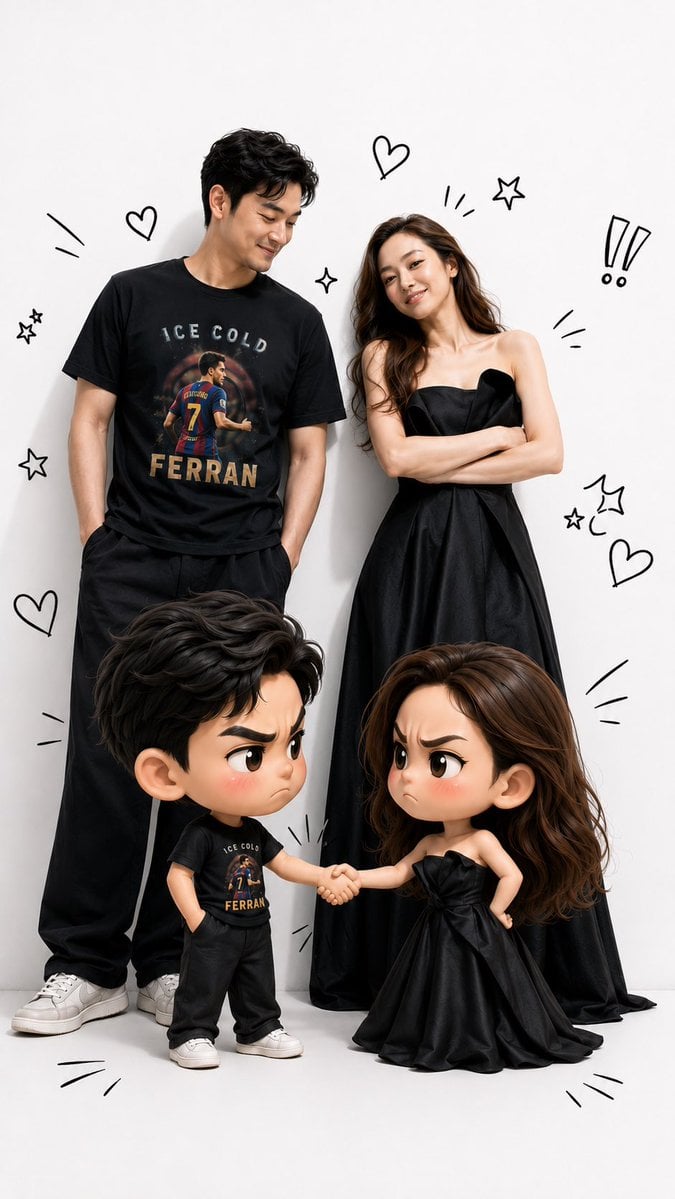
Use the uploaded face photo as the primary facial reference and the uploaded T-shirt photo as the primary clothing reference. Preserve the person’s facial identity exactly, including face shape, skin tone, hairstyle, natural expression, and all distinctive facial features. Also preserve the T-shirt design exactly as shown in the reference, without changing its color, pattern, logo, print, or any other details. Create a hyper-realistic illustration inspired by the attached reference image. A grown man stands on the left and a grown woman stands on the right. In front of them are adorable 3D chibi versions of each character. The two chibi characters are shaking hands while making funny “arguing” expressions—furrowed eyebrows, pouting faces, and slightly blushing cheeks—yet they remain cute, playful, and entertaining. The adult versions smile warmly as they watch the amusing interaction between their chibi counterparts. The adult faces must match the uploaded face references exactly, and the clothing—especially the man’s T-shirt—must be identical to the uploaded reference, preserving every design detail faithfully. Use a premium visual style that seamlessly blends photorealistic humans with high-quality 3D chibi characters. The chibi characters should have oversized heads, large expressive eyes, small bodies, and an irresistibly cute appearance. Add black hand-drawn doodles around the characters, such as hearts, exclamation marks, expressive lines, stars, motion effects, and other decorative sketch elements, similar to those in the reference image. Use soft studio lighting, a clean white studio background, vibrant colors, ultra-sharp details, soft shadows, cinematic lighting, sharp focus, premium-quality rendering, ultra-realistic textures, ultra-detailed finishing, and true 8K quality. The composition should be full-body, symmetrical, and in a vertical 9:16 aspect ratio, making it ideal for TikTok, Instagram Reels, and YouTube Shorts. Ensure the final result maintains an extremely accurate resemblance to the original face references and keeps the T-shirt design perfectly identical to the reference, without adding any accessories or altering any attributes that are not present in the original photos.
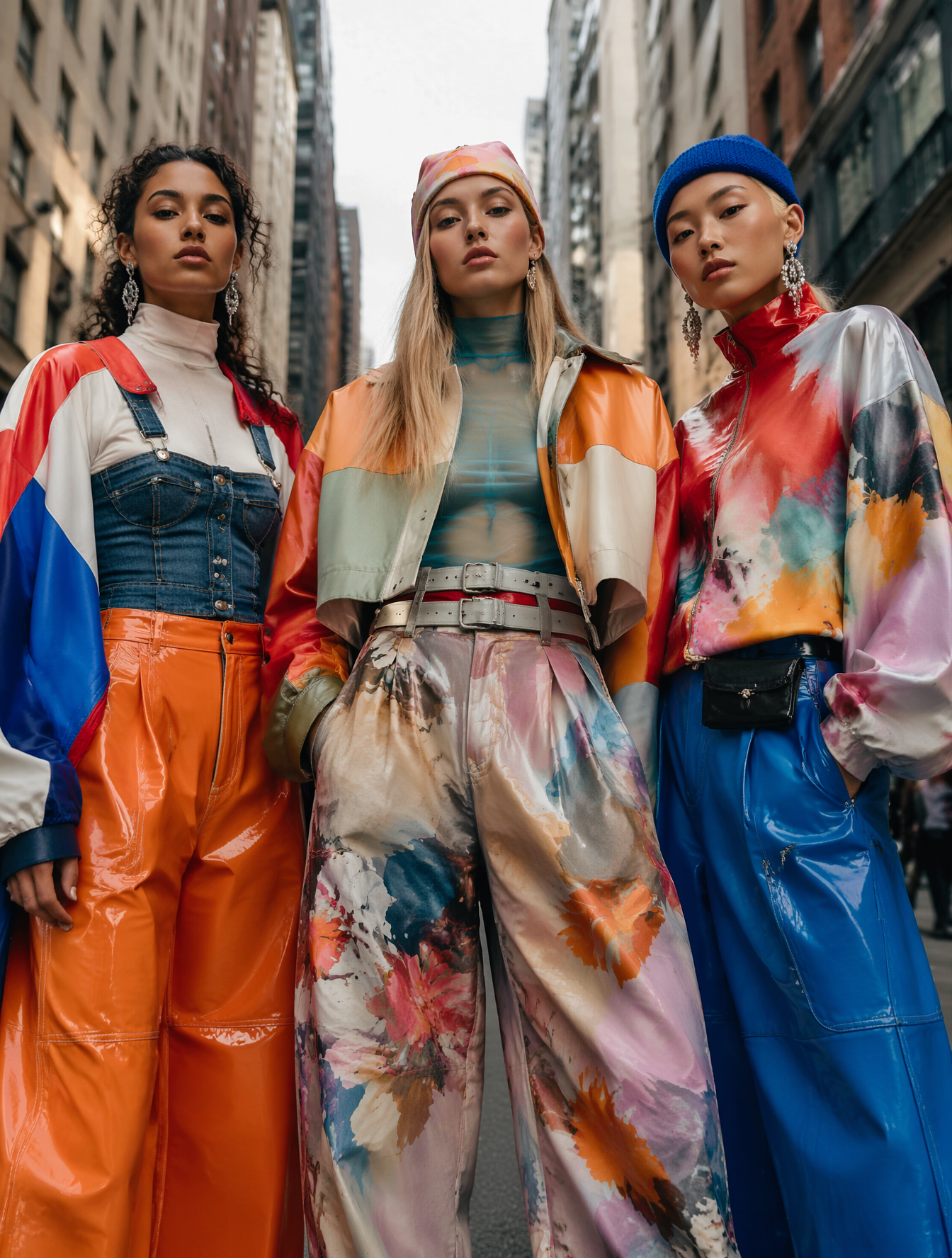
Fashion portrait

Fashion portrait

Visual concept

Visual concept

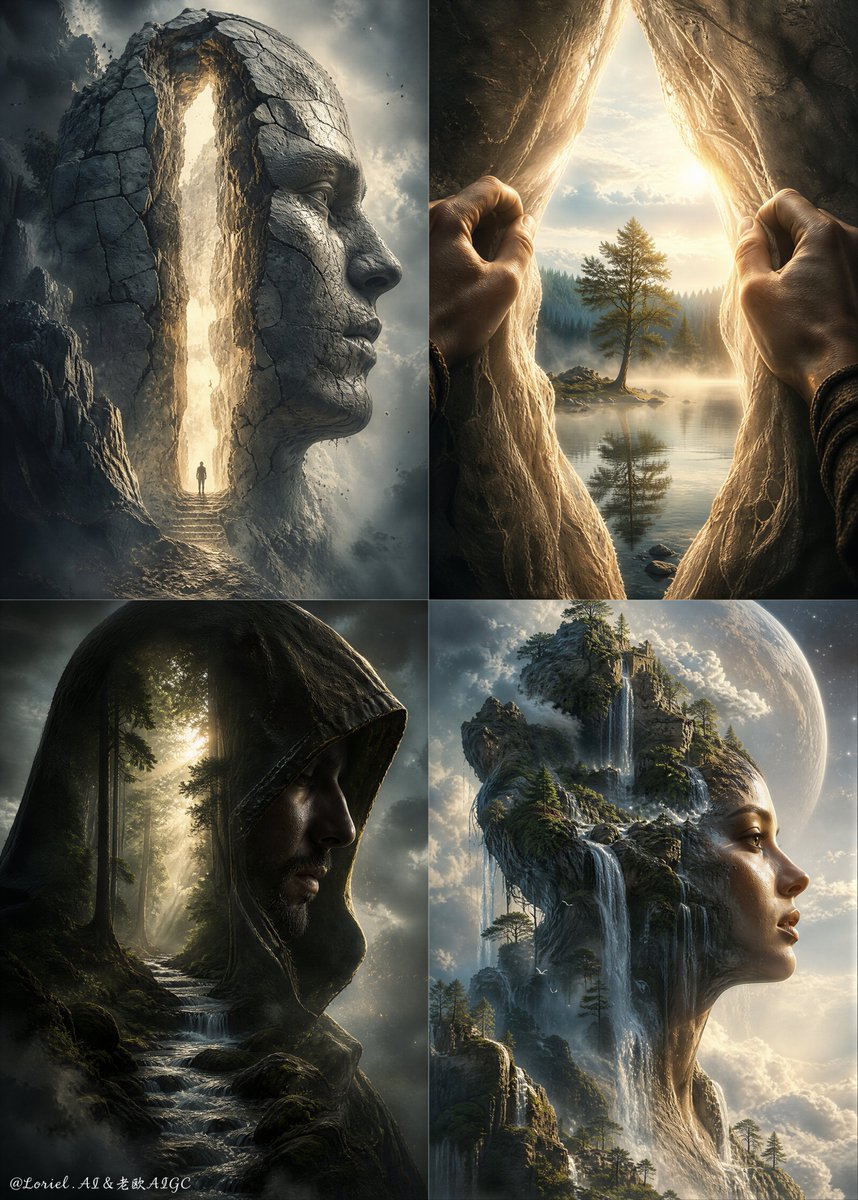
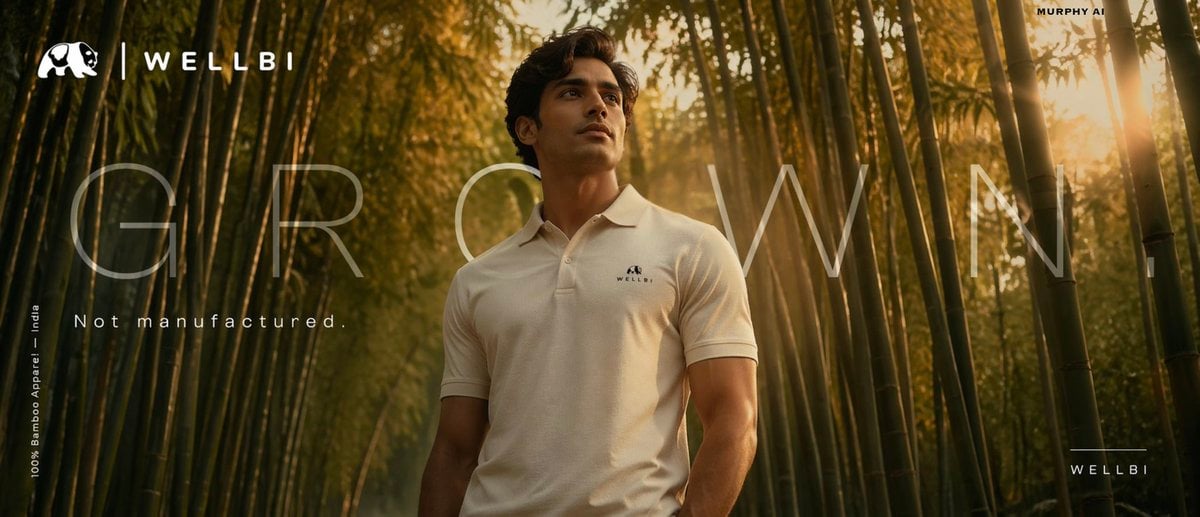
Cinematic product poster for WELLBI, India's premium bamboo apparel brand. SCENE: A lone young Indian man emerges from a dense, luminous bamboo forest at golden hour. Wears a perfectly draped, ultra-clean ivory WELLBI bamboo polo. Bamboo stalks alive with warm amber and jade light filtering through canopy. VISUAL STORYTELLING: The bamboo forest IS the fabric — seamless living metaphor. Thin golden light rays land on the polo, suggesting softness and breathability. COMPOSITION: Low angle, subject centre-frame, bamboo framing both sides like a natural arch. Horizon at lower third. Cinematic 2.39:1 anamorphic crop. — TYPOGRAPHY SYSTEM — Hero line: "GROWN." — single word, massive scale, Helvetica Neue Ultra Light, all caps, extreme letter-spacing +600, ghost white at 15% opacity overlaid across the ENTIRE poster width — architectural, not decorative. Sub-line: "Not manufactured." — set in sharp Aktiv Grotesk Regular, sentence case, 18pt, tracking +80, positioned directly below hero word. White. Full opacity. Feels like a whisper after a shout. Brand name: "WELLBI" — bottom right corner. Neutral Grotesk Medium, all caps, tracking +300, 11pt. Separated by a 0.5pt hairline rule above it, 40px wide. Restrained. Premium. Legal/descriptor: "100% Bamboo Apparel — India" — micro text, 7pt, tracking +150, bottom left. Rotated 90° vertical. Acts as a structural edge element, not an afterthought. COLOUR PALETTE: Deep jungle green, warm amber, ivory white, earth brown. LIGHTING: ARRI Alexa Mini LF — golden hour rim, diffused fill, subtle lens flare grazing the polo fabric. MOOD: Grounded luxury. Like a Loro Piana campaign shot in Assam. CAMERA: 85mm f/1.4, shallow DOF, anamorphic lens flare. Editorial brand poster for WELLBI sustainable Indian fashion. SCENE: Extreme close-up of a weathered artisan's hands spinning bamboo thread. Blurred WELLBI tee draped elegantly in background. Warm-lit rural Indian workshop — clay walls, raw natural light. VISUAL STORYTELLING: Rough hands against silk-smooth bamboo fabric. Heritage craftsmanship. The contrast IS the message. COMPOSITION: Split tonal — dark warm left (hands, workshop), light cream right (garment). Hands at cross-point. Leica 50mm documentary realism. — TYPOGRAPHY SYSTEM — Hero line: "ONE LAKH HANDS." — Canela Display Thin, mixed case, enormous scale, set across 80% of poster width. The word "HANDS" drops to second line, indented right — staggered layout creates visual rhythm like musical notation. Counter-line: Below "HANDS", flush right: "One fabric." — same Canela Thin but 28pt, italic. The tonal shift from all-caps to italic sentence case creates emotional contrast — like going from statement to confession. Brand stamp: "WELLBI" centred bottom — pressed as if letterpress embossed. Freight Display Pro Bold, tracked tight at -20. Earthen cream on warm brown. Feels physical. Tactile. Descriptor line: "Handcrafted bamboo apparel since 2021 — India" — 9pt, Suisse Int'l Light, tracking +200, full width, very bottom edge. Reads like a footnote on a heritage certificate. COLOUR: Terracotta, aged ivory, saffron gold, deep walnut. LIGHTING: Soft natural window light, warm practical lamp. Documentary-editorial quality. MOOD: Deeply human. D&AD craft award energy. CAMERA: Leica 50mm Summilux, skin texture visible, documentary realism with fashion editorial polish.

Visual concept

Visual concept

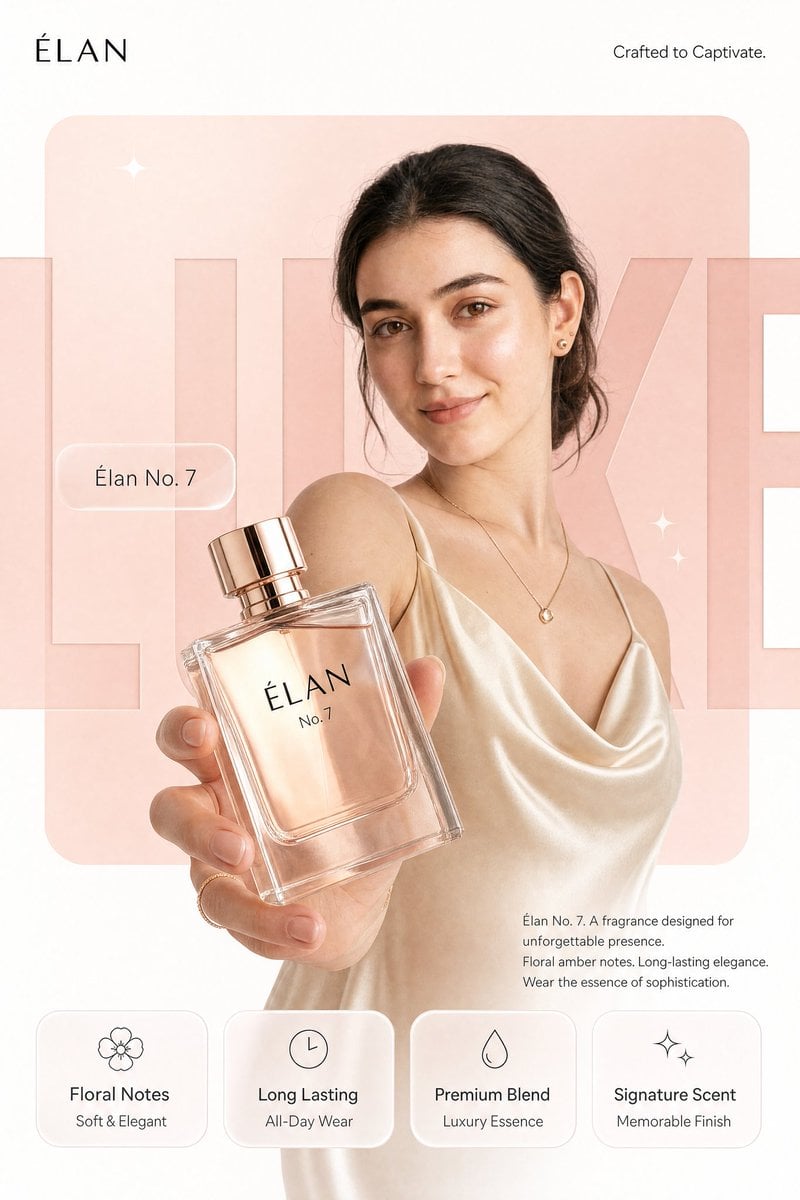
REFERENCE IMAGE INSTRUCTION: Use the uploaded product photo as the exact source of truth for the product's appearance, color, finish, branding, and form factor. Do not invent or alter any product detail. Reproduce it with photorealistic precision. --- Create a photorealistic premium [PRODUCT CATEGORY] campaign poster in a 4:5 vertical aspect ratio. Design it as a clean global OOH, digital, and social campaign layout with strict grid alignment, premium white space, and precise typography. The campaign idea is "[CAMPAIGN TAGLINE]," but do not render that phrase as visible text. Use a strict 12-column poster grid with 6% outer margins. Keep all text aligned to this grid. The image has four layers: background shape, giant background typography, subject/product photography, and clean graphic text overlays. BACKGROUND: Pure matte white canvas. Place one large rounded-rectangle block behind the subject, occupying roughly 70% of the poster height and 76% of the width, centered slightly above the middle. The block uses a controlled [PRIMARY BRAND COLOR] gradient, glowing gently from top-left to bottom-right. Behind the subject and product, place giant cropped typography reading "[BACKGROUND HERO WORD]" in ultra-bold geometric sans-serif letters. The word is a background layer only: huge, partially cropped by the frame edges, wide letter spacing, darker [PRIMARY BRAND COLOR] than the rectangle, subtle embossed depth, soft shadow, and low enough contrast that it does not fight the product. SUBJECT AND PRODUCT: [DESCRIBE MODEL OR SUBJECT — e.g., "a female model with a clean editorial look, neutral confident expression, natural slightly wind-touched hair, muted off-white outfit, and [ACCENT COLOR] jacket"]. Shoot from a slightly low hero angle. Body angled for depth, face turned toward the viewer with direct eye contact. One hand extends toward the camera holding the product from the uploaded reference image. The product is the dominant foreground object, slightly tilted to reveal [KEY PRODUCT DETAIL — e.g., "the triple camera system, brushed titanium edges, and centered brand logo"]. Keep the product sharp with realistic surface reflections, material texture, faint micro-details, and soft bloom around premium features. Keep the model's face readable behind it. LIGHTING: Soft studio key light from front-left, warm rim light from the right, and subtle [PRIMARY BRAND COLOR] bounce from the background block. Skin remains natural and non-airbrushed with realistic catchlights. Product edges have clean [MATERIAL FINISH — e.g., "metallic / matte / glossy"] highlights. Shadows are soft and controlled. TYPOGRAPHY OVERLAY: All text must be flat, crisp, perfectly aligned graphic typography — not painted onto the scene. Render exactly these text elements once, with no extra text: Top left, small black logo: [BRAND LOGO NAME/MARK] Top right, thin sans-serif: "[BRAND SUB-TAGLINE — e.g., 'Built for Apple Intelligence.']" Mid left, glassmorphism pill: "[PRODUCT NAME — e.g., 'iPhone 17 Pro']" Large background type: "[BACKGROUND HERO WORD]" Bottom right body copy, small clean sans-serif: "[PRODUCT NAME]. [POWER STATEMENT — one sentence.] [FEATURE 1]. [FEATURE 2]. [CLOSING LINE — e.g., 'Designed for what's next.']" BOTTOM FEATURE STRIP: Place four equal-width glass-white rounded cards along the bottom, aligned to the grid, same height, same spacing, same baseline alignment. Each card has one minimal line icon above the heading. Render exactly: Card 1: "[FEATURE HEADING 1]" / "[FEATURE SUBLINE 1]" Card 2: "[FEATURE HEADING 2]" / "[FEATURE SUBLINE 2]" Card 3: "[FEATURE HEADING 3]" / "[FEATURE SUBLINE 3]" Card 4: "[FEATURE HEADING 4]" / "[FEATURE SUBLINE 4]" GRAPHIC DETAILS: Two or three small sparkle icons only, subtle grain, soft glassmorphism, controlled [PRIMARY BRAND COLOR]-white-[ACCENT COLOR] palette, no neon, no oversaturation.

Visual transformation

Visual transformation

Visual concept

Visual concept

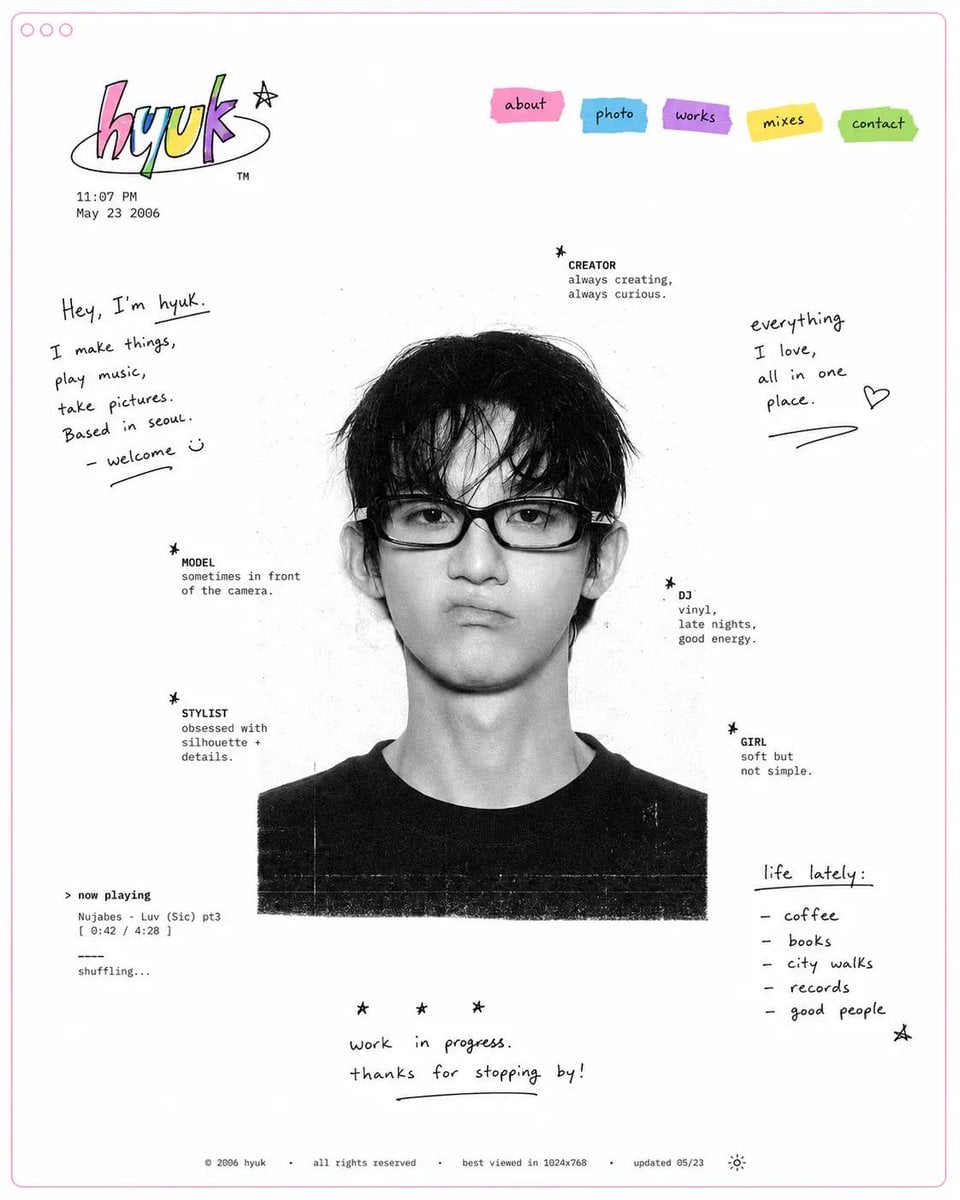
Design a minimal early-internet personal profile webpage / digital portfolio landing page on a large white canvas with generous negative space and a thin pastel pink browser-style frame. In the center, place a black-and-white editorial portrait of [SUBJECT], featuring soft film grain, subtle scanner texture, and low-contrast photographic tones. Surround the portrait with scattered profile metadata labels and small star-bullet elements arranged asymmetrically, resembling a playful personal résumé. Include descriptors such as: ✦ creator ✦ model ✦ stylist ✦ DJ ✦ girl ✦ photographer ✦ collector ✦ dreamer In the top-left corner, create a colorful hand-drawn logo or personal brand mark. Beneath it, add a tiny timestamp and date in a small system font, mimicking an old personal homepage. In the top-right corner, place irregular sticker-like navigation tabs in bright accent colors (pink, cyan, purple, yellow, and green). Use simple labels such as: HOME ABOUT WORK DIARY LINKS Scatter handwritten marker-style notes, introductions, personal thoughts, and lifestyle captions throughout the empty space. Examples: "currently making things online" "welcome to my homepage" "music, fashion, internet" "updated today" "living between projects" Maintain an anti-grid editorial layout with intentionally imperfect spacing and playful placement. Mix tiny system fonts, handwritten script, and casual notebook-style annotations. Keep the portrait entirely monochrome while reserving color only for the logo, navigation stickers, and a few small graphic accents.

一句话了解

这个模型怎么样?

从文字开始时,先选画幅,再描述主体、场景和构图;编辑已有图片时,说明要保留的内容和需要修改的部分。两种任务都需要提示词,最多 5,000 个字符。标准和高质量是工作台档位名称,不保证画面效果或跨次一致性。

模型定位
Grok Imagine 的带图任务只使用单张参考图。可以围绕原图要求替换、增加或调整内容,但不能将多张素材同时作为参考,也不保证只修改指定区域。
适合谁用
可尝试指定画幅的新图,或一张图片的背景、色彩和对象变化。生成后检查文字、主体、比例和未要求改动的部分,再决定是否采用。
本站使用说明
同一工作台按是否提供参考图选择任务,并显示适用参数、提示词长度、上传要求和预计预扣积分。准备好输入后再提交,结果仍需检查。

关键参数一览

根据这些信息,判断模型是否适合你的任务。

模型类别
图片生成与单图编辑
厂商
xAI
模型家族
Grok Imagine
使用入口
Kyeo AI 工作台
运行方式
提交后等待结果
提示词长度
最多 5,000 字符
参考图数量
最多 1 张

它还叫什么

同一个模型在公开资料中可能有不同名称,这里整理相关称呼,方便查找和比较。

Grok Imagine 文生图
Grok Imagine 单图编辑

用户常见问题

从任务、输入条件和结果要求出发,整理选择模型时需要确认的问题。

如何在 Kyeo AI 使用 Grok Imagine 生成图片
Grok Imagine 文生图需要哪些输入
Grok Imagine 如何编辑一张参考图
Grok Imagine 标准与高质量档如何选择
Grok Imagine 文生图和编辑分别预计预扣多少积分
Grok Imagine 最多能上传几张参考图
Grok Imagine 与 GPT Image 2 怎么选
Grok Imagine 与 Nano Banana 2 怎么选
Grok Imagine 单图编辑有哪些限制
Grok Imagine 参考图支持哪些格式和大小

选型指南

根据输入素材、任务要求和积分成本,逐项确认模型是否适合。

1
先选新图的用途和画幅

从文字生成时,可在固定比例中选择方形、竖幅或横幅,再写主体位置、场景和留白要求。需要画面文字时写清具体内容,生成后逐字核对。

2
编辑前准备有权使用的参考图

选择一张有权使用的图片,格式为 JPG、PNG 或 WEBP,单张不超过 10 MB。上传后画幅和生成模式会隐藏;编辑后的比例与内容仍需检查。

3
比较档位时保持输入一致

同一文生图提示词可分别尝试标准和高质量档,保持画幅一致,再比较文字、主体和构图。每次另行提交被受理后都会重新预扣。

模型对比

把常见候选放在同一任务下比较,帮助你确认输入方式、控制项和成本差异。

Grok Imagine 与 GPT Image 2 的参考图数量限制有什么不同?
怎样比较 Grok Imagine 与 GPT Image 2 的参数和预扣积分?
Grok Imagine 与 Nano Banana 2 的可选参数有什么不同?
Grok Imagine 与 Nano Banana 2 分别能用几张参考图,预计预扣多少积分?
Grok Imagine 与 Flux 2 Flex 的参考图限制有什么不同?
Grok Imagine 与 Flux 2 Flex 是否都能选择分辨率?

模型横向对比表

按同一组维度比较当前模型和候选模型的输入、设置与使用边界。

图片任务
Grok Imagine
无图时文生图;上传参考图后进行单图编辑
GPT Image 2
文生图,或使用最多 16 张参考图编辑
Nano Banana 2
文生图,或使用最多 10 张参考图编辑
参考图数量
Grok Imagine
最多 1 张
GPT Image 2
最多 16 张
Flux 2 Flex
最多 8 张
预计预扣积分
Grok Imagine
文生图标准 4、高质量 5;单图编辑 4
GPT Image 2
1K 3;2K 5;4K 8
Nano Banana 2
1K 5;2K 8;4K 12
文生图参数
Grok Imagine
5 种固定画幅、标准/高质量档和内容检查
GPT Image 2
画幅与 1K/2K/4K;部分画幅不能用于 2K 或 4K
Flux 2 Flex
固定画幅、1K/2K 和内容检查
编辑参数
Grok Imagine
内容检查可选,默认关闭;隐藏画幅和生成模式
GPT Image 2
画幅与分辨率可选,仍受分辨率和画幅组合限制
Nano Banana 2
画幅、分辨率和 JPG/PNG 输出格式可选,不提供搜索增强

适用情况

依据公开资料与当前站内设置,说明模型适用的任务及需要注意的限制。

先看选项是否符合任务

文生图可选择固定画幅和生成档位,但没有分辨率或输出张数设置。需要多张参考图时,可比较 GPT Image 2、Nano Banana 2 和 Flux 2 Flex;其中前两者有 1K/2K/4K,Flex 有 1K/2K,仍需确认各自的画幅和输入限制。

有原图,仍要检查修改结果

这个编辑任务只能使用一张参考图。明确写出修改要求有助于检查,但主体、文字或未要求改动的区域仍可能变化,上传原图不保证完整还原。

能力详解

文字生成和单图编辑

没有参考图时根据提示词生成图片;提供参考图时结合原图进行编辑。两种任务都需要非空提示词,最多 5,000 个字符;上传的参考图张数不代表输出张数。

文生图选择画幅和生成档位

文生图提供 5 种固定画幅,默认 1:1;生成档位默认标准,也可选择高质量。本模型没有输出张数或分辨率设置,结果数量以实际返回为准。

单图编辑与内容检查

参考图最多 1 张,支持 JPG、PNG、WEBP,单张不超过 10 MB。编辑时隐藏画幅和生成模式,内容检查默认关闭,可改为开启。编辑后的比例和画面内容仍可能变化,请检查后再使用。

适合做什么

制作指定画幅的新图

按方形、竖幅或横幅用途选择固定比例,再描述主体、环境、镜头、光线和版面关系。输出的文字与布局仍需检查。

修改一张已有图片

可在拥有使用权限的前提下上传一张图片,说明需要保留的元素,以及要替换、增加、删除或调整的内容。

比较标准和高质量档样稿

用相同文生图提示词和画幅分别尝试两档,记录具体错误、实际结果和积分用量。单次样稿不代表后续结果一定一致,另行提交被受理后会再次预扣。

提示词技巧

按重要程度组织描述

先写主体与动作,再写场景、构图、光线、色彩和媒介;若画面中必须出现文字,请同时检查拼写、字形和排版,不要假定模型会准确复现。

分开写保留项和修改项

说明要保留的主体、结构或文字,以及需要替换或调整的内容。要求有冲突时,结果可能偏离预期;明确描述也不保证只改指定区域。

按使用场景安排构图

文生图先选择需要的固定画幅,再描述主体位置与留白。上传参考图后不显示画幅选项,生成后仍应检查比例和构图。

为什么选它

同一工作台可从文字生成新图,也可上传单张参考图编辑。
文生图的固定画幅、生成档位和预计预扣积分可在提交前查看。
参考图格式、数量和单张容量都有说明,可先整理符合要求的输入。
文生图与单图编辑的预计预扣分别说明,最终按确认的实际消耗结算。

使用前要知道

参考图最多 1 张,不支持多参考图编辑。
带图编辑时隐藏画幅和生成档位,不提供分辨率或输出张数设置。
内容检查选项不保证内容一定通过,也不能代替对输入和结果的版权、隐私与安全责任。
标准与高质量档都不保证文字、构图、指定区域或跨次一致性,结果数量以实际返回为准。

可调参数

根据这些信息,判断模型是否适合你的任务。

画幅比例(仅文生图)
可选
参数类型: 选择项
文生图默认:1:1
1:1
2:3
3:2
16:9
9:16
内容检查
可选
参数类型: 选择项
默认:关闭
关闭
开启
生成模式(仅文生图)
可选
参数类型: 选择项
文生图默认:标准
标准
高质量

积分消耗

文生图预计预扣 4/5 积分;编辑 4 积分

文生图标准档预计预扣 4 积分,高质量档 5 积分;单图编辑预计预扣 4 积分。输入或限流检查未通过时不会预扣,任务受理后先预扣,确认后按实际消耗结算。生成成功但消耗尚未确认时,仍显示预扣额,并提示本次消耗尚未确认。失败后请查看任务的积分退还提示,在积分明细中核对实际记录。退还仍受原有效期和相关欠款抵扣影响,可用余额不一定等额增加。另行提交的重试被受理后会再次预扣。本模型不提供输出张数设置,图片数量以实际返回为准,不保证固定张数。

使用建议

准备多次生成时,建议先用少量素材测试,核对输入设置和结果是否适合任务,再决定是否继续。每次生成均按工作台显示的计费规则扣点。

常见问题

相关模型

按你的任务比较这些模型的输入要求、功能和当前状态,再查看对应详情。

GPT Image 2

用文字生成图片,或上传参考图说明需要怎样修改。GPT Image 2 在 Kyeo AI 提供 1K、2K、4K 输出选项,每次预扣积分随分辨率变化。

AI 图片生成与编辑模型
每次预扣 3–8 积分

Nano Banana 2

用文字生成新图,也可以上传最多 10 张参考图说明要保留或修改的内容。默认画幅为自动,可选 1K、2K、4K 和 JPG、PNG 输出;提交前请检查设置与预计积分。

AI 图片生成与编辑模型
预计 5~12 积分/次

Flux 2 Flex

用文字描述生成图片,或上传最多 8 张参考图进行编辑。Flux 2 Flex 提供 7 种固定画幅、1K/2K 和内容检查选项;提交前可查看预计预扣积分。

图片生成与编辑
1K 预计预扣 14 积分;2K 24 积分

信息来源

页面内容依据公开模型资料与 Kyeo AI 的模型信息整理。能否在线使用,请以当前模型状态为准。

来源说明

本页介绍 Kyeo AI 的 Grok Imagine 图片任务,输入、可选参数和预扣积分以本站工作台与提交规则为准。xAI 资料仅供品牌和图像模型背景参考,不证明本站使用某个官方版本,也不代表视频、其它图像型号或官方全部能力已开放。

内容复核日期: 2026-08-26
xAI:Grok Imagine 图像模型文档
官方
查看原始来源
xAI:Grok Imagine 质量模式说明
官方
查看原始来源