
AI image model
Ideogram
Ideogram V3 Reframe
Ideogram V3 Reframe is currently unavailable on Kyeo. Review its documented canvas-extension workflow and compare image models that can accept submissions now.
Online use is currently unavailable
This page is for reviewing the model's capabilities, use cases, and public references. The model does not appear in the home workbench, and you cannot submit generation tasks with it.
Capabilities
Documented reframing background
Prompt limit
Submission unavailable
Upload limit
Submission unavailable
30-second overview
- Generation is unavailable, so no task is created and no credits are deducted.
- The documented workflow focused on extending a canvas while retaining the main subject and message.
- Earlier prices and settings are background information, not a current offer.
Popular searches: how to use Ideogram V3 Reframe · Ideogram V3 Reframe pricing · Ideogram V3 Reframe input requirements
Examples
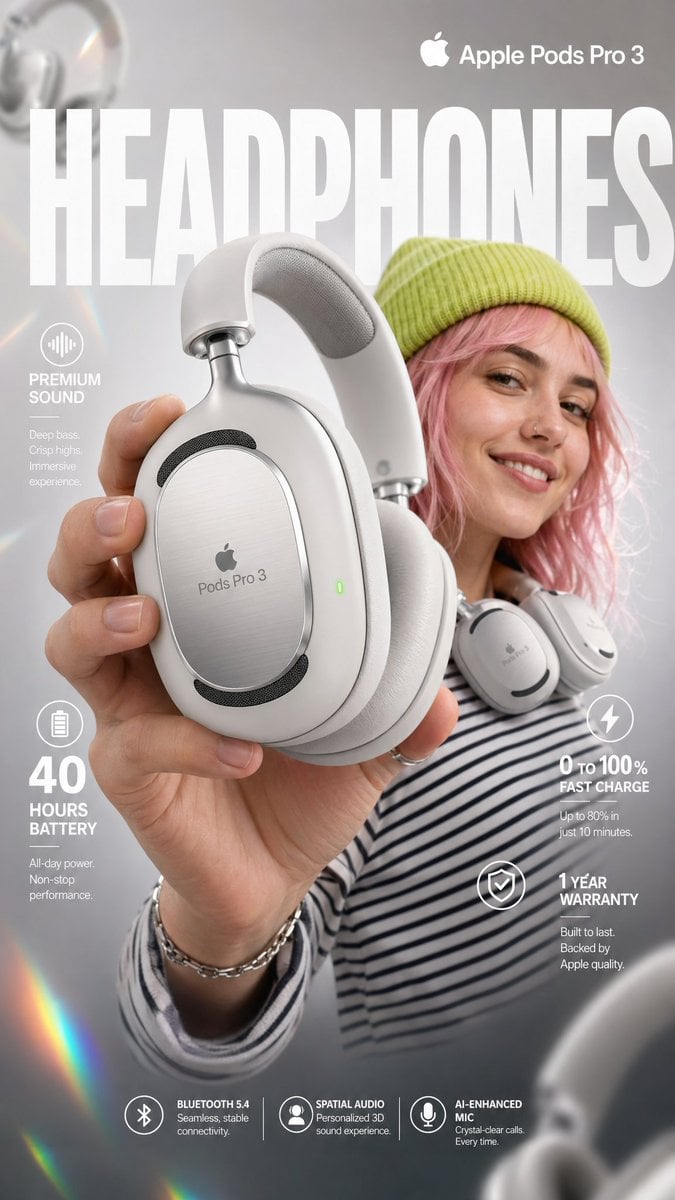
Visual concept
High-impact e-commerce infographic for "Apple Pods Pro 3" premium wireless over-ear headphones. FOREGROUND - PRODUCT HERO SHOT Extreme close-up of a hand holding a sleek, matte-white premium over-ear headphone toward the camera at a slight angle. The headphone features: - Glossy white ear cushions with soft memory foam padding - Brushed aluminum silver headband with subtle Apple Pods Pro 3 embossed branding - Black mesh speaker grille visible on the ear cup face - A tiny glowing green LED status indicator on the right ear cup edge - Subtle touch-control icons etched on the outer cup surface Macro-lens shallow depth of field — hand and headphone slightly blurred at edges to create cinematic depth. Product remains razor-sharp in center frame. CENTRAL SUBJECT — MODEL In the mid-ground: a smiling young woman with freckles and wavy pastel-pink hair. She wears: - A vibrant lime-green knit beanie - A psychedelic black and white-striped long-sleeve shirt - The white over-ear headphones resting stylishly around her neck (not on ears) — one hand casually touching the ear cup Expression: relaxed, confident, joyful. She is glancing slightly off-camera with a natural smile. BACKGROUND & ATMOSPHERE Clean soft-focus studio backdrop — light gray gradient fading to warm white at center. Atmospheric overlays: - Diagonal rainbow prism lens flares cutting across upper-left to lower-right - Soft pastel light leaks in pink and yellow at corners - 4–5 blurred white over-ear headphones floating artistically in the background at various depths and rotation angles - Subtle bokeh circles from background studio lights Lighting: Soft professional three-point studio lighting. Key light from upper-left, fill light right side. Rim light behind model for separation. Glossy highlights on headphone surfaces catching light naturally. TYPOGRAPHY & LAYOUT — Sans-Serif, Clean white TOP CENTER (behind model, large background text): → Massive bold oversized text: "HEADPHONES" Semi-transparent white, spanning full width behind subject TOP RIGHT CORNER: → Bold clean text: "Apple Pods Pro 3" Subtitle smaller text: "Over-Ear Wireless" MID LEFT: → Icon: small sound wave symbol → Bold text: "Premium Sound" → Sub-text: "Active Noise Cancellation + Transparency Mode" MID RIGHT: → Extra-large bold numeral: "40" → Smaller text below: "hours of battery life" LOWER LEFT: → Extra-large bold numeral: "0" with "to" beside it → then bold "100%" → Sub-text: "Fast charge — 10 min = 3hrs playback" BOTTOM RIGHT: → Extra-large bold numeral: "1" → Sub-text: "Year Warranty Included" BOTTOM CENTER (fine print style): → Small elegant text: "Bluetooth 5.4 | Hi-Res Audio Certified | Foldable Design | USB-C Charging" TECHNICAL SPECS Resolution: 8K ultra-sharp Style: Commercial product photography meets editorial fashion advertising Color Palette: White, lime green, pastel pink, rainbow prism accents Focus: Tack-sharp on headphone product — shallow DOF on everything else Lens: 85mm macro, slight low angle Render Quality: Hyperrealistic, clean ad aesthetic, vibrant yet professional color grading

Editorial design
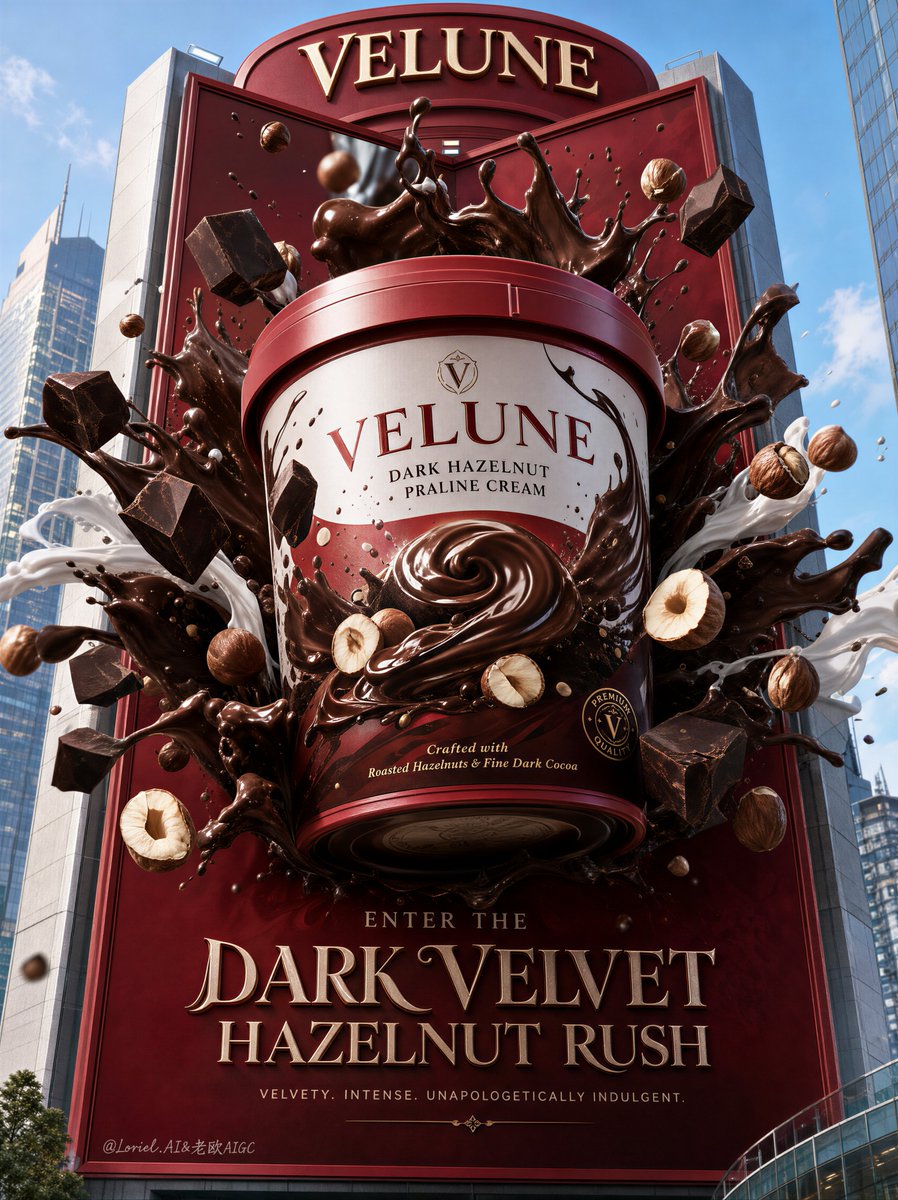
Visual transformation
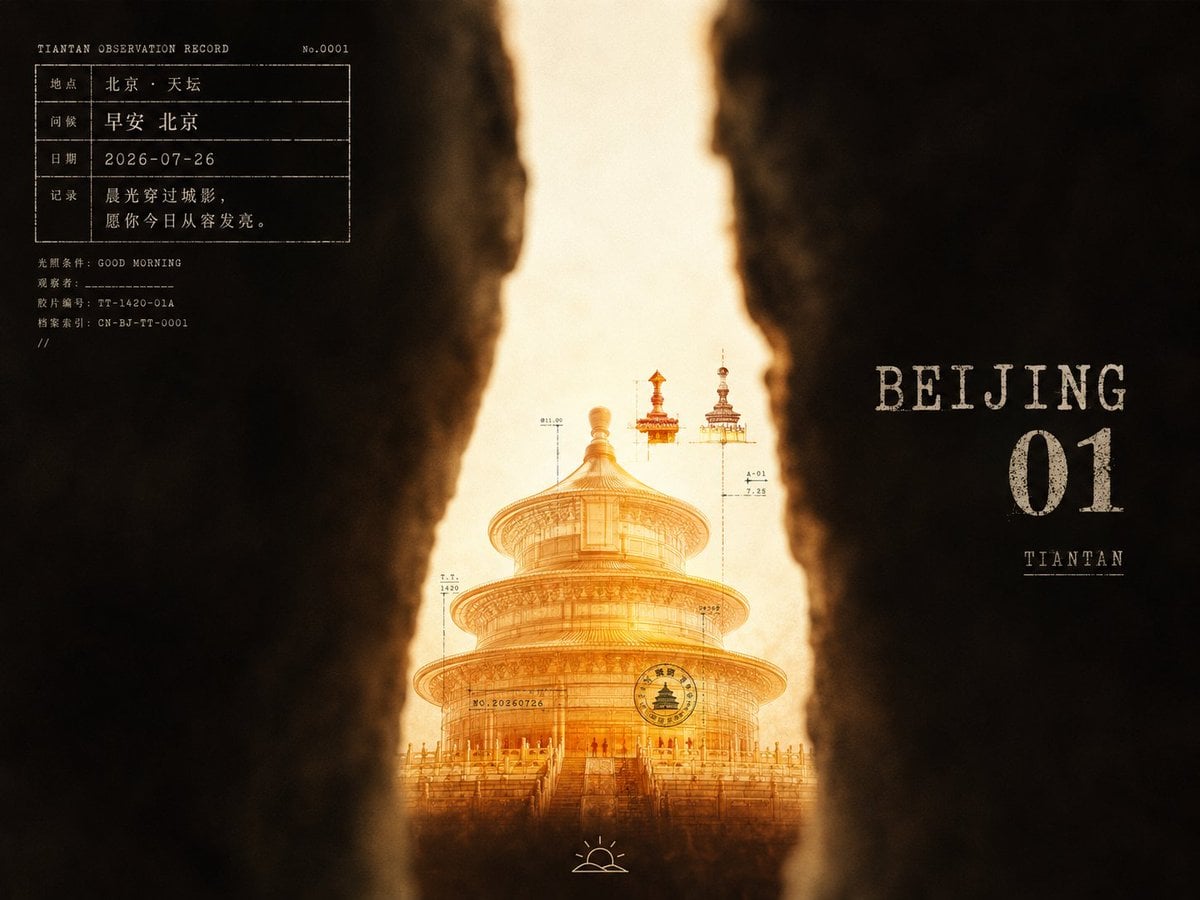
Visual concept
围绕[主题对象]展开暗隙窥视式广告画面:两侧用近景失焦的深色遮挡物压成厚重前景,边缘柔软、起伏、不规则,只在中轴附近留下狭长亮缝,让主题视觉载体被局部照亮并从缝隙中显现;主体放在下半段偏中位置,尺度克制但清晰,顶部或上缘设置少量由主题派生的细小附着物,形成轻微的向上节奏。背景是暖白到奶油色的背光场,四周被深咖黑阴影吞入,整体低照度、局部高亮,像隔着纸板裂口与旧实验室灯箱观看。颜色由主题自动派生:大面积暗部保持低明度、低饱和、微暖的棕黑或主题等价暗色;亮缝保持高明度、干净柔和的乳白或主题等价光色;主体使用中等以上饱和度的透明或半透明主题色,下部形成更深、更暖的沉积感,上部保留清亮、轻盈、洁净的发光层,少量高饱和点缀集中在上缘。画面叠加小型实验记录文字:左上以白色打字机感小字和细线表格构成轻量资料块,字距略松、边缘有轻微油墨破损;右侧中部放置更大的斑驳白色主题命名文字和单个数字标记,像旧标签被擦淡,只承担节奏与品牌感,不复制现成词句;主体表面可有极小的黑色编号、短线、圆章式记号。底部中央加入简笔线描小图标,像使用说明或观察者符号,线条朴素,面积很小。整体保留摄影拼贴感:柔焦遮挡、轻微压暗边框、淡颗粒与低清晰度压缩痕迹只作用于光影边缘 and 白字,不把洁净亮面弄脏;若暗部不形成裂缝、亮缝不包住主体、文字变成整齐商业排版,画面就失去这套风格。
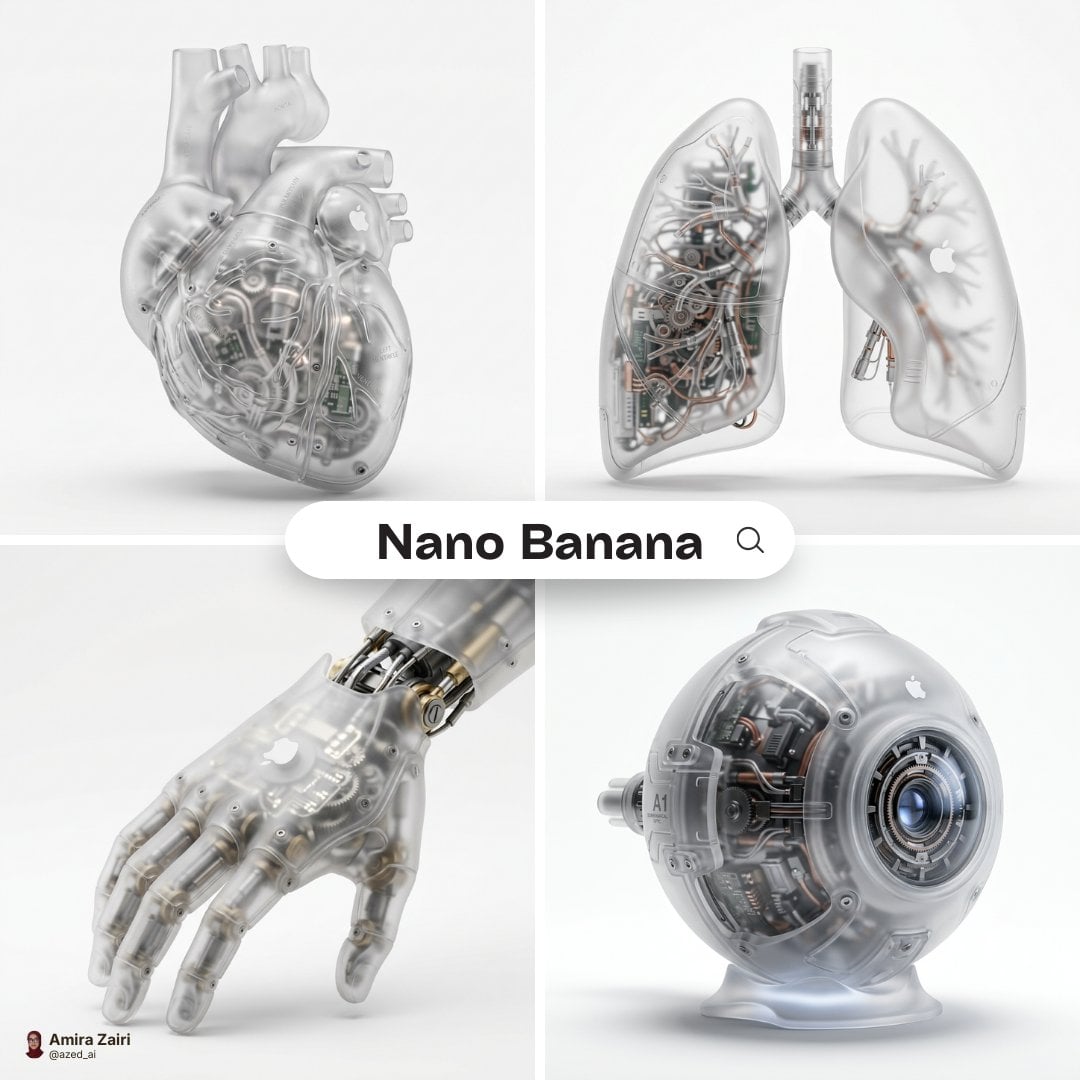
Visual concept
A hyper-realistic 3D anatomical human [organ] made from semi-translucent frosted polycarbonate with a milky matte finish, softly diffusing light. Industrial injection-molded detailing, subtle micro-texture, and rounded edges with precision seams. Inside, intricate mechanical components replace organic tissue, micro gears, pistons, circuitry, and engineered chambers visible but softly blurred through the shell. A subtle white Apple logo is naturally embedded on the surface, minimal and not overly obvious. Soft diffused studio lighting, realistic plastic refraction, subtle shadow beneath, centered composition, pure white background, ultra-detailed futuristic biomechanical render, 1:1 aspect ratio.
At a glance
Is this model right for you?
Generation is currently unavailable. Retained settings and earlier prices are background information only; choose an enabled image model when you need to create a result.
- What it does best
- Ideogram V3 Reframe is intended to extend or adapt an image canvas. This page keeps that model background available while generation remains closed.
- Who it is for
- Understanding the intended canvas-extension workflow before choosing a currently available image-editing model.
- Why use it on Kyeo AI
- The page keeps useful model background and alternatives visible without presenting earlier prices as a current offer.
Key facts
Quickly evaluate whether this model fits your business use case.
Category
AI image model
Vendor
Ideogram
Model family
Ideogram
Runtime
No task creation
Prompt limit
Submission unavailable
Upload limit
Submission unavailable
Other names
The same model may have different names in official documentation, community discussions, and API integrations. This section brings them together for you.
Ideogram V3 Reframe API
Ideogram Reframe
Ideogram V3 outpainting
Common questions
These practical questions focus on the task, input conditions, and result requirements you should confirm before choosing.
how to use Ideogram V3 Reframe
Ideogram V3 Reframe pricing
Ideogram V3 Reframe input requirements
Ideogram V3 Reframe canvas size
Ideogram V3 Reframe composition change
Ideogram V3 Reframe preserve subject
which Reframe image size should I choose
Ideogram V3 Reframe rendering tiers
Ideogram V3 Reframe vs Remix
Decision guide
Still deciding? Start with these key decision points.
1
Ideogram V3 Reframe — How do I choose between Ideogram V3 Reframe and Ideogram V3 Remix?
Reframe was intended for extending or resizing an existing canvas; Remix focuses more on reinterpreting the source image and style. Neither distinction changes Reframe's current unavailability.
2
Ideogram V3 Reframe — Ideogram V3 Reframe vs Ideogram V3 Remix
Choose an available editing model for current work. Use the Reframe and Remix descriptions only to compare their intended editing goals.
3
Ideogram V3 Reframe — What is the difference between Ideogram V3 Reframe and Ideogram V3?
Reframe starts with an existing image and changes its canvas or composition; Ideogram V3 creates a new image from a text prompt.
Popular comparisons
Compare common alternatives on the same task to clarify differences in inputs, controls, and cost.
How do I choose between Ideogram V3 Reframe and Ideogram V3 Remix?
Ideogram V3 Reframe vs Ideogram V3 Remix
What is the difference between Ideogram V3 Reframe and Ideogram V3?
Ideogram V3 Reframe vs Ideogram V3
What is the difference between Ideogram V3 Reframe and Flux Kontext Pro?
Ideogram V3 Reframe vs Flux Kontext Pro
Model comparison table
Not sure which model to choose? Compare the key differences between this model and its alternatives at a glance.
Primary goal
Ideogram V3 Reframe
Outpaint and adapt an existing canvas
Ideogram V3 Remix
Reinterpret content and style from a prompt
Ideogram V3
Create a new image from text
How the source is retained
Ideogram V3 Reframe
Aim to retain the subject and core message while changing layout
Ideogram V3 Remix
Use strength to control the source's influence
Ideogram V3
Does not depend on a source image
Best task profile
Ideogram V3 Reframe
Channel resizing, poster outpainting, and layout changes
Ideogram V3 Remix
Style remixing and visual reinterpretation
Ideogram V3
Design-led generation from a blank brief
Real-world experience
Practical guidance based on public sources, current on-site limits, and representative tasks.
Primary goal
The documented goal was to outpaint and adapt an existing canvas. Inputs cannot currently be submitted on Kyeo.
How the source is retained
The workflow aimed to retain the subject and core message while changing the surrounding layout. Current availability is disabled.
Capabilities
Primary goal
Designed to extend an existing canvas or adapt it to a new aspect ratio. This capability cannot currently accept inputs on Kyeo.
How the source is retained
Designed to keep the central subject and message recognizable while changing the composition around them.
Best task profile
Documented examples include channel resizing, poster outpainting, and layout changes, but generation is currently unavailable.
Use cases
Ideogram V3 Reframe — What is Ideogram V3 Reframe best used for?
When available, Reframe is designed to expand an existing canvas or adapt it to a new aspect ratio. Generation is currently unavailable.
Ideogram V3 Reframe — Is Ideogram V3 Reframe better for image editing or generation from scratch?
Reframe is an image-editing workflow built around an existing image, not a text-only workflow from scratch. It cannot accept inputs now.
Ideogram V3 Reframe — How does Reframe differ from Ideogram V3 Remix?
Reframe focuses on canvas size and composition; Remix focuses on changing the image itself. Choose an available alternative for current work.
Prompt tips
Ideogram V3 Reframe — What input does Ideogram V3 Reframe require?
The earlier workflow used one existing image. No image or parameter can be submitted while generation is unavailable.
Ideogram V3 Reframe — How much does Reframe cost on Kyeo AI?
Earlier 4, 7, and 10-credit tiers are background only, not current pricing. No task or credit charge is created now.
Ideogram V3 Reframe — Can Ideogram V3 Reframe be used for production content?
No. Generation is currently unavailable, so choose an enabled image model for production work.
Why choose it
Clear distinction between canvas extension, remixing, and text-to-image generation.
Documented focus on retaining the main subject while adapting composition.
No task or credit charge is created while the model is unavailable.
What to know first
Generation is currently unavailable, and the page does not accept image uploads or prompts.
Reframing can change text, logos, edges, or product details; every production output requires manual review.
Use a currently available image model for production work; this page provides background information only.
Currently unavailable
This page is for reviewing the model's capabilities, use cases, and public references. The model does not appear in the home workbench, and you cannot submit generation tasks with it. Ideogram V3 Reframe is intended to extend or adapt an image canvas. This page keeps that model background available while generation remains closed.
No additional settings are available for this model.
Frequently asked questions
Related models
Still deciding? Take a quick look at these similar alternatives.
Ideogram V3 Remix
Ideogram V3 Remix — Upload one JPEG, PNG, or WebP image, describe what should stay or change, then choose speed, style, MagicPrompt, size, strength, and 1–4 outputs. It suits experiments with style, setting, material, or content based on an existing poster, illustration, product concept, or social asset.
AI image model
4 / 7 / 10 credits per image; 1–4 outputs
Ideogram V3
Ideogram V3 is Kyeo AI's design-first AI image generator for posters, ad layouts, cover art, and social graphics where text rendering and typography matter.
AI image model
TURBO 4 / BALANCED 7 / QUALITY 10 credits per image
Flux Kontext Pro
Flux Kontext Pro provides prompt-only generation and one-image editing on Kyeo for a fixed 4 credits. Generation offers six aspect ratios. Uploading one image switches to editing, where Kyeo hides the ratio control and sends no ratio by default. The page also exposes JPEG or PNG, automatic translation, prompt enhancement, safety tolerance, and a watermark identifier.
AI image model
4 credits per request
Sources
This page is based on vendor materials, model-family documentation, and Kyeo AI integration settings.
Source note
Generation is currently unavailable, so no task is created and no credits are deducted. Earlier parameters, limits, and prices are background information rather than a current offer.
Last updated: 2026-08-26
Ideogram Developer Docs
Official
Ideogram V3 Reframe API Reference
Official