Visual concept
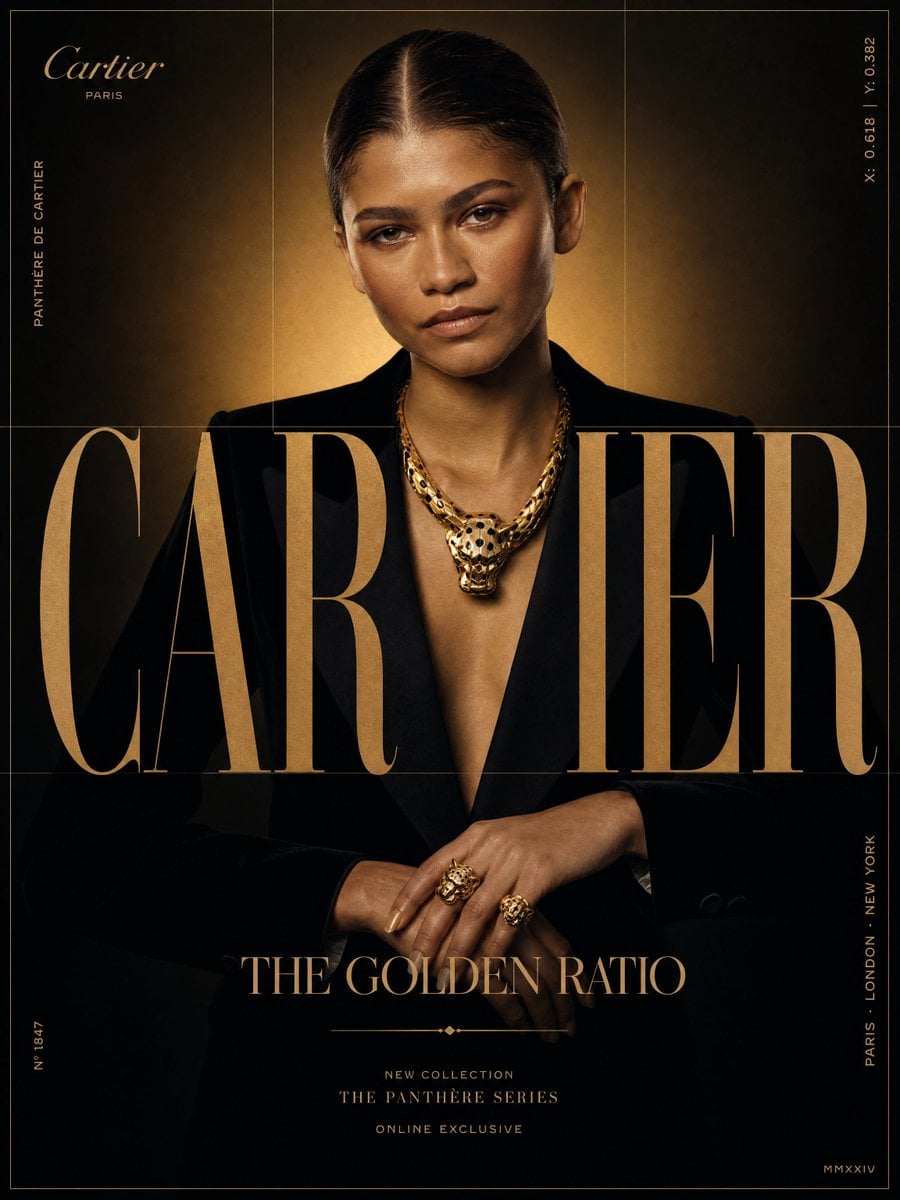
Cartier × Zendaya — "THE GOLDEN RATIO"
FORMAT: Ultra-Premium Jewelry SMM Poster | 4:5 | Instagram Hero | Behance Front Page Quality
CORE STRATEGY: Chiaroscuro luxury. Monolithic serif typography integrated with model and product.
CAMPAIGN: "THE GOLDEN RATIO"
MASTER VISUAL: Massive serif CARTIER typography (70% canvas), layered with Zendaya.
HERO SUBJECT: Zendaya. Sleek low bun, black velvet tuxedo, large gold panther necklace, gold rings.
POSE: Centered, direct lens contact. Hands resting to display gold rings.
COLOR SYSTEM: Obsidian Black, Warm Gold, Muted Bronze, Cream.
BACKGROUND: Dark studio back with a soft gold gradient halo.
GRAPHIC SYSTEM: Thin gold grid lines, catalog coordinates, clean editorial labels.
PROMOTIONAL ELEMENTS: NEW COLLECTION | THE PANTHÈRE SERIES | ONLINE EXCLUSIVE
TYPOGRAPHY: Top left small wordmark | Center giant C A R T I E R | Title: THE GOLDEN RATIO
LIGHTING: High-contrast key light highlights the gold necklace and face profile.
CAMERA: ARRI Alexa Mini LF, 85mm Lens, shallow depth of field, sharp metal highlights.
Visual concept
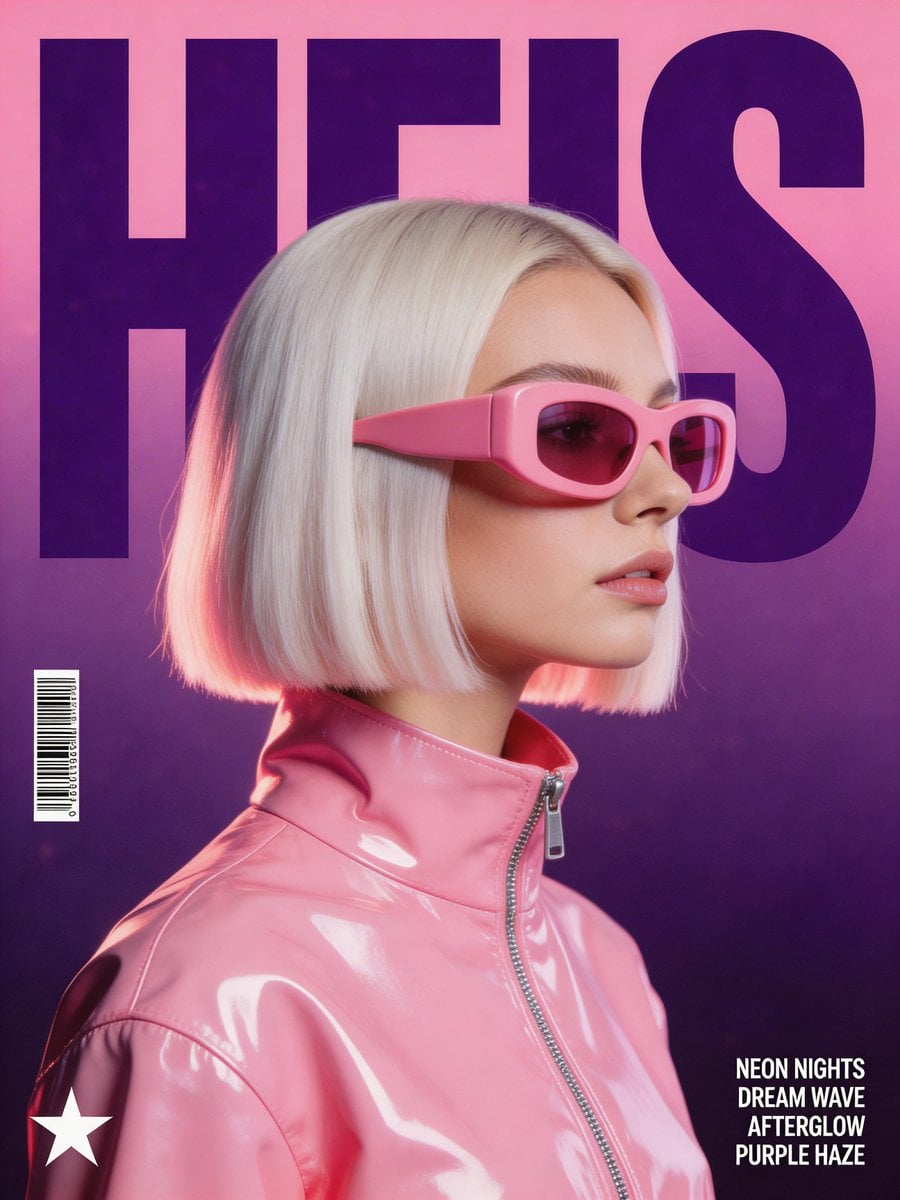
A stylized, retro-futuristic music poster in a synthwave aesthetic. The central focus is a woman in profile with a platinum blonde bob haircut, wearing oversized, chunky pink opaque visor sunglasses and a high-collar, extremely glossy pink vinyl jacket with visible zipper detail. Behind her, the word "HEIS" is written in massive, dark purple, condensed block typography, partially hidden by her head. The background is a clean gradient shifting from soft magenta to deep purple, overlaid with a subtle film grain texture. Lighting: Soft studio lighting with high-specular highlights on the glossy jacket and rim lighting on the hair. Color Palette: Dominant shades of bubblegum pink, deep violet, and lavender. Graphics: A small barcode on the left, a minimalist star logo in the bottom-left corner, and four lines of small sans-serif song lyrics in the bottom-right corner. Atmosphere: High-fashion, electronic dance music vibe, clean and polished composition.
Visual concept
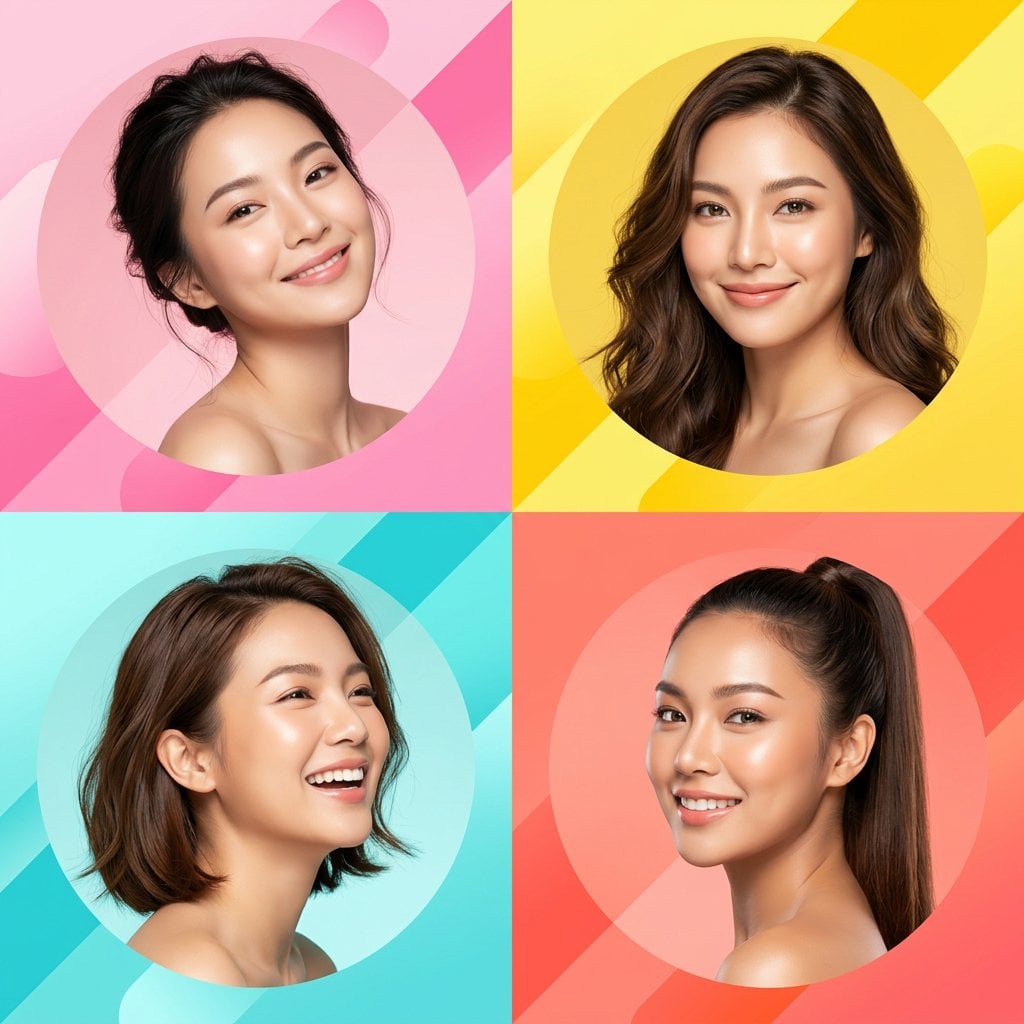
Ultra-modern high-end skincare advertising collage featuring four beautiful young Asian women, each portrait styled in a separate geometric section of a dynamic diagonal layout. Clean editorial beauty photography with soft natural skin texture, glowing healthy complexion, and subtle makeup. Bright vibrant color blocking design using pink, yellow, cyan, and coral tones. Minimal abstract background shapes, smooth gradients, and modern graphic design composition. Studio-quality lighting, fashion magazine aesthetic, premium cosmetic campaign feel. Each woman posed confidently in different angles, smiling softly, fresh and youthful vibe. Balanced symmetry with sharp diagonal divisions and circular portrait frames. Highly polished commercial beauty branding style, cinematic lighting, ultra-detailed, 4k resolution.
IMPORTANT NEGATIVE PROMPT:
No text, no typography, no logos, no brand names, no product bottles, no packaging, no watermark, no labels, no written elements.
Visual concept
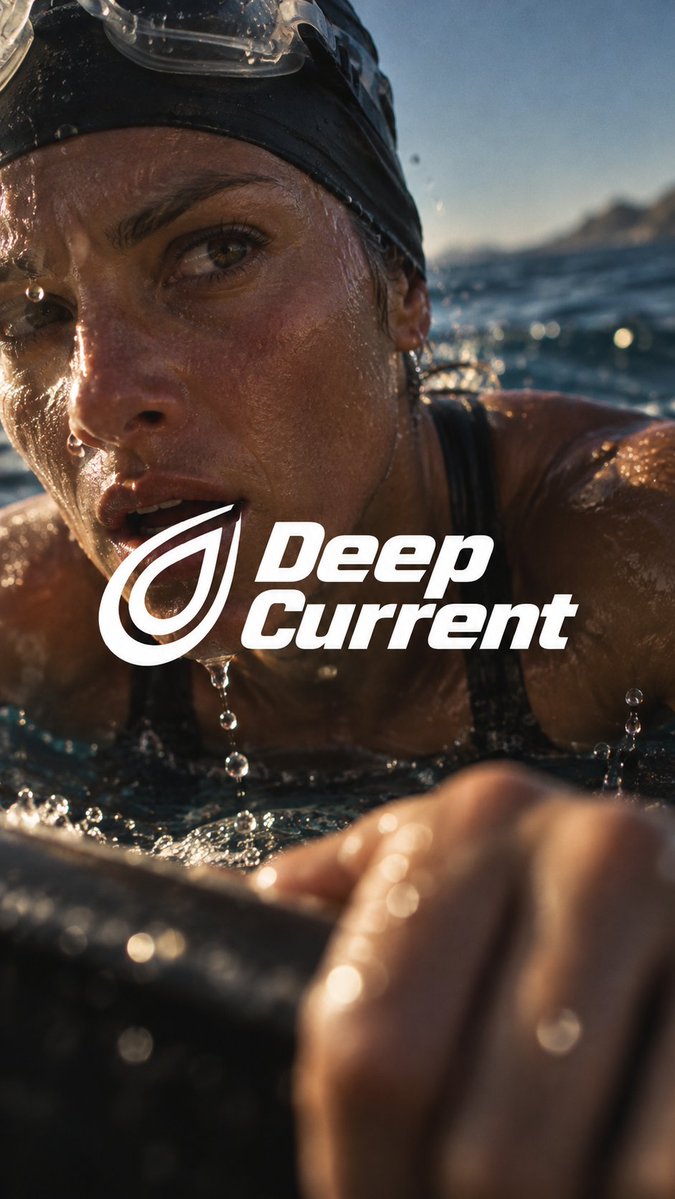
Create a finished premium sports campaign poster, 9:16, full bleed. Intimate film-like sports photography, extreme close-up, strong selective focus, one bold white logo lockup at the center.
An adult athlete shot from arm's length, canted off-axis, caught in one felt bodily moment: exertion, breath, water, heat or recovery. Real sweat beads, flushed skin, damp hair, irregular water drops.
Moody, slightly underexposed sunlight: warm amber skin highlights, deep natural shadow, muted blue sky or water, gentle bloom on wet highlights, fine restrained grain. Only the nearer eye and a small patch of skin are sharp; a near arm or hand melts into soft blur across the lower foreground, and the background falls away.
One tightly joined white lockup: a simple original logo placed directly left of a two-line heavy italic sans-serif wordmark in title case, first word stacked above the second. The lockup spans about 60 to 66% of canvas width (38 to 44% for 16:9) and overlaps the lower cheek, chin and upper body at the optical center. Keep the key eye readable. The photo continues behind it.
Wordmark: "[Word One] [Word Two]"
Logo: [Simple Original White Symbol]
Athlete & Setting: [Sport Wardrobe Environment]
Felt Moment: [Bodily State Physical Evidence]
Near Foreground: [Blurred Arm / Hand / Prop Close To Lens]
No other text, no subtitle, no footer, no side copy panel, no glitch, no neon or colored gel light, no HDR, no plastic skin, no uniform fake sweat, no evenly sharp clinical look.
01 True Motion · open-ring logo · coastal climb road
Cyclist in a white vented helmet leaning over the bars after a brutal climb; sweat and poured water drip off flushed cheeks.
Near foreground: blurred forearm and handlebar grip. Logo: tilted white open ring with a wedge cut at the upper right.
02 Still Moving · twin rounded bars · mountain trail summit
Trail runner folded forward, hands on knees, chest heaving, freckled face lifted to the sky with wet strands of hair.
Near foreground: sweat-lit forearm blurring across the lower left. Logo: two parallel rounded white bars slanting upward.
03 Deep Current · nested teardrop · open sea at the waterline
Swimmer breaking the surface for air, goggles pushed up on a black cap, water streaming from nose and chin.
Near foreground: wet hand gripping a dark boat edge. Logo: two nested white teardrop loops pointing up-right.
04 Raw Ascent · folded chevron · sunlit rock face
Climber resting one beat after a hard move, cheek against warm stone, lips parted on an exhausted exhale.
Near foreground: chalked hand on a hold, deep in soft focus. Logo: stacked white angular chevrons with a blunt cut end.
Visual concept
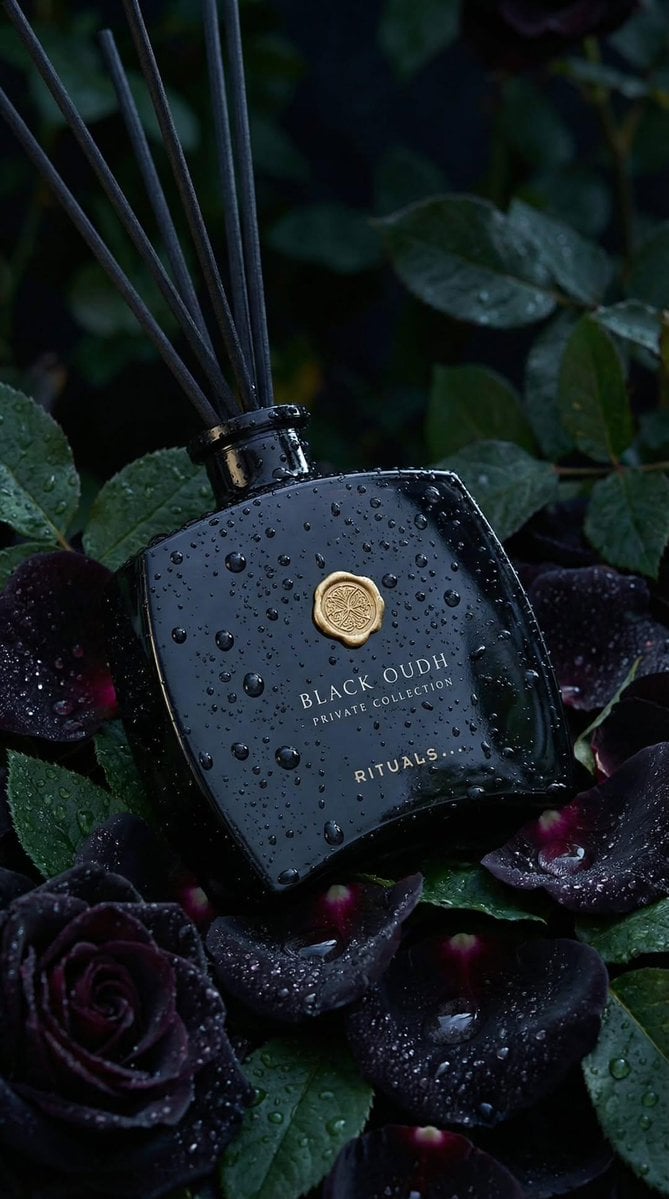
Ultra-realistic luxury product photography of a black glass reed diffuser bottle labeled “BLACK OUDH – Private Collection – RITUALS” in elegant gold serif typography. The bottle has a curved rectangular shape with soft edges, a glossy reflective surface, and a gold wax-seal style emblem centered near the top. Thin black diffuser reeds extend upward from the bottle neck.
The bottle is covered in realistic water droplets and condensation, as if freshly misted after rain. It is placed among deep black roses and dark burgundy petals with visible water droplets, surrounded by rich green leaves. The scene is moody and dramatic with a dark botanical background, softly blurred (shallow depth of field, bokeh effect).
Lighting is cinematic and low-key, with soft diffused highlights reflecting off the wet glass surface. Cool-toned lighting (deep greens and midnight blues) enhances the dark, luxurious atmosphere. The gold emblem and lettering subtly catch the light, creating a premium, high-end aesthetic.
Composition: vertical portrait orientation (4:5 ratio), centered product placement, slightly angled bottle resting naturally among roses. Foreground roses partially frame the bottom of the bottle. Background is dark foliage fading into shadow.
Texture emphasis: hyper-detailed water droplets, glossy glass reflections, velvety rose petals, matte black reeds.
Style: high-end commercial fragrance advertising, macro lens, 85mm, f/2.0, shallow depth of field, photorealistic, 8K resolution, sharp focus on bottle, dramatic contrast, rich blacks, luxury perfume campaign aesthetic.
Visual concept
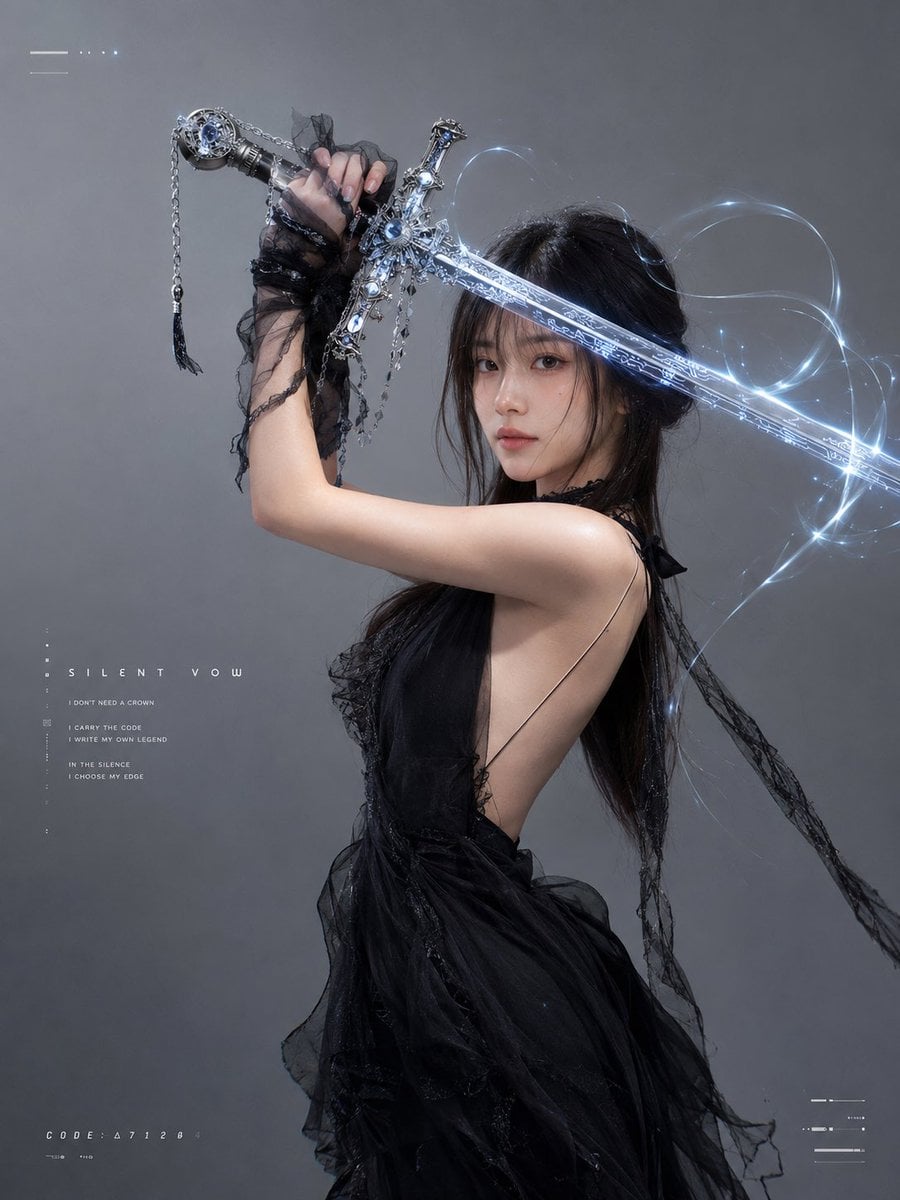
以上传人像作为唯一身份参考,生成一组高质感赛博暗黑婚纱剑姬写真。人物五官、发型和整体气质保持一致,但每张表情、眼神、动作与构图都要不同,包含冷静直视、低头沉思、闭眼克制、侧目疏离、温柔发呆等自然神态,避免僵硬、诡异和重复。
灰色极简摄影棚背景,柔和定向光,高级时尚杂志质感。人物穿黑色婚纱,融合薄纱、蕾丝、拖尾、头纱和不规则飘带,整体优雅、暗黑、神秘,但不过度暴露。
手持一把银黑色华丽长剑,剑柄带宝石、金属雕花和垂坠链条,剑身拥有细密赛博纹路、发光符文 and 蓝白色能量光效,周围环绕轻微剑气、粒子、光丝与能量轨迹,效果灵动但不过度夸张,不呈现攻击、伤口或暴力场面。
画面加入少量不规则赛博风英文排版作为点缀,例如:
SILENT VOW
I CARRY THE CODE
I WRITE MY OWN LEGEND
IN THE SILENCE I CHOOSE MY EDGE
文字采用细长未来感字体,错位、留白、分散排版,搭配少量线条、圆点、编号和HUD界面元素,不遮挡人物主体,不要水印和品牌Logo。
整体风格:暗黑婚纱、赛博剑姬、冷灰色调、蓝白剑气、时尚编辑大片、照片级写实、细腻皮肤、自然比例、电影感光影、干净高级、人物有灵性、单张独立输出、不拼图。