
AI image model
Recraft
Recraft Remove Background
Recraft Remove Background / Capabilities — Kyeo accepts one JPG, PNG, or WebP image up to 5 MB and charges a fixed 1 credit. Download the result to review transparency and subject edges. 1 JPG, PNG, or WebP image up to 5 MB and 16 MP; each dimension must be 256–4096 px.
Capabilities
One-image background removal
Credit cost
1 credit per request
Text input
No text input required
Upload limit
Upload limit — 1 JPG, PNG, or WebP image up to 5 MB and 16 MP; each dimension must be 256–4096 px
30-second overview
- Recraft Remove Background / Upload limit — 1 JPG, PNG, or WebP image up to 5 MB and 16 MP; each dimension must be 256–4096 px
- Credit cost — There is no ratio, format, mask, or strength control; each request costs a fixed 1 credit.
- Recraft Remove Background / Capabilities — The product boundary is explicit: one-image background removal only.
Popular searches: how to use Recraft Remove Background on Kyeo · how many images Recraft Remove Background accepts · Recraft Remove Background supported upload formats
Examples
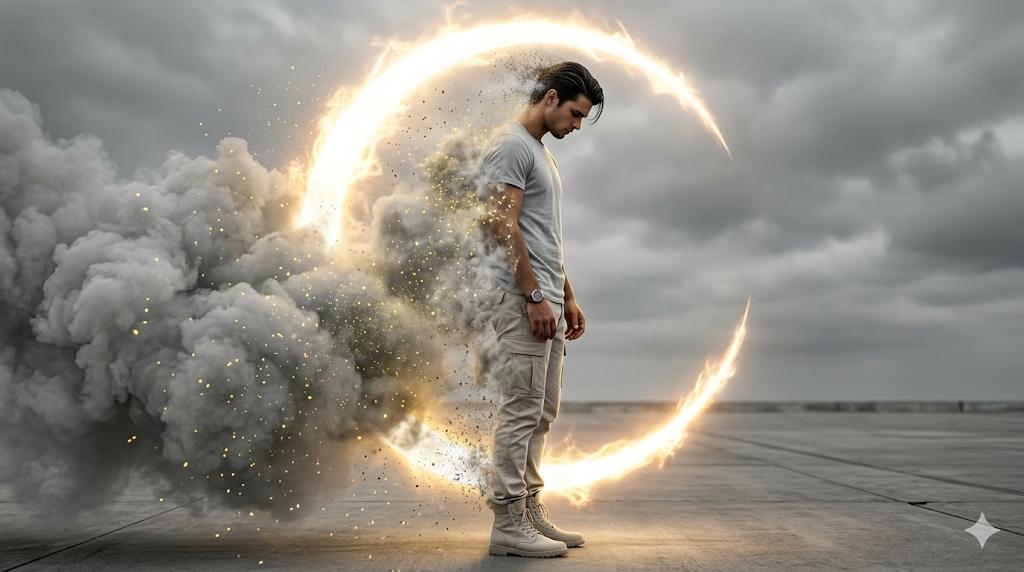
Visual concept
Create an ultra-realistic, cinematic 8K image with high-contrast dramatic lighting and a photo-real digital painting aesthetic-use face reference exactly. The man is shown in a full-body side profile facing right, his face and hairstyle copied perfectly with no alterations He wears modern casual streetwear; a light grey crewneck t-shirt, light neutral cargo pants, light-colored high-top boots, and a watch on his left wrist. His posture is slightly slumped, head bowed, eyes looking downward, hands relaxed at his sides, conveying deep introspection and sorrow. Nearly half of his body is dissolving into extremely thick, cloud-like grey smoke filled with glowing yellow dust particles. His left arm, shoulder, torso, legs, and part of his hair become transparent as they break into luminous particles, suggesting active disintegration Behind and partially surrounding him is a massive glowing crescent (C-shaped) energy aura, emitting fiery golden-white plasma light. This aura acts as a powerful rim and backlight, highlighting the smoke, dust, and silhouette. The setting is minimal and stark: a concrete or desolate paved surface meeting a heavily overcast sky. The color palette is nearly monochrome greys and whites, contrasted by intense amber-gold glow, Shallow depth of field, glow/bloom lighting, particle dispersion, cinematic composition, emotional and dramatic atmosphere.

Visual concept
VOXCAT 独立艺术写真企划,9:16竖版高级人像摄影。 一位成年女性,猫系柔和气质,浅金色蓬松长发,清澈眼眸,安静疏离的情绪,置身纯白梦境空间。 整体视觉: 中国新锐摄影 × 日系柔光美学 × 极简时尚编辑 × 猫系幻想。 白色床铺、柔软织物、半透明纱帘、大面积留白,形成干净、高级、安静的私人空间。 服装为 VOXCAT 定制系列: 象牙白轻盈材质,简约高级剪裁,加入微型猫元素结构设计,细腻刺绣与金属配件,隐藏式品牌细节,服装吊牌显示“VOXCAT”。 画面左上角: stylized “V” + 猫元素品牌图形 logo。 右下角: 小型手写签名“voxCAT”。 摄影采用自然窗光,柔焦,高明度曝光,低饱和奶油色调,细腻皮肤质感,电影级空气感。 像一本中国独立摄影杂志中的梦境少女肖像,高级、克制、纯净。
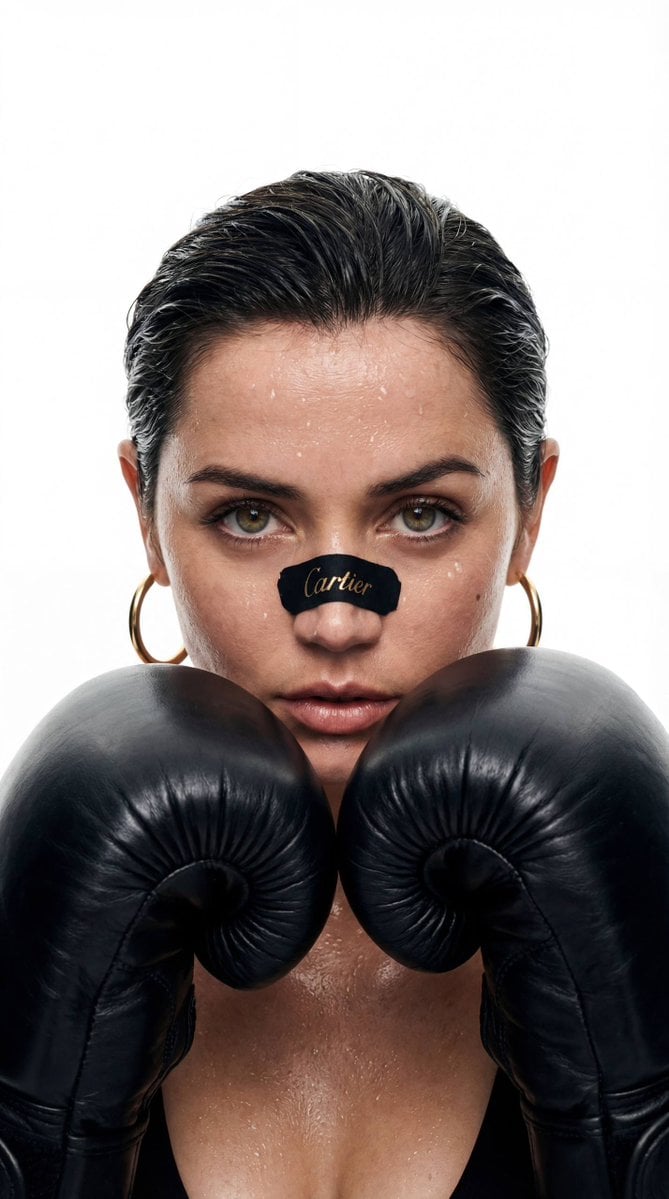
Visual concept
{ "shot": { "composition": "Cinematic close-up, 50mm lens, shot on ARRI Alexa LF, center-framed, symmetrical head-on angle", "camera_motion": "static camera", "frame_rate": "24fps", "film_grain": "clean digital with subtle texture" }, "subject": { "description": "A young female boxer with a piercing gaze, wet dark hair slicked back, skin glistening with sweat. A black sports sticker with the Cartier logo on her nose, gold hoop earrings on her ears, and black boxing gloves raised in front of her face in a fighting stance.", "wardrobe": "Minimalist athletic look: gold Cartier earrings, black leather boxing gloves, dewy skin without makeup." }, "scene": { "location": "a studio with a clean White background", "time_of_day": "neutral daylight", "environment": "a smooth white background without shadows or unnecessary details—the focus is on the face and brand" }, "visual_details": { "action": "A woman looks directly into the camera with cool concentration. Beads of sweat are on her face. She remains motionless, her gaze intense and purposeful.", "props": "A black sticker on the nose with the Cartier inscription, boxing gloves" }, "cinematography": { "lighting": "bright directional light from the front, highlighting beads of sweat and skin texture", "tone": "a glamorous and austere style, a balance of strength and style" }, "audio": { "ambient": "a dull heartbeat, breathing, the short sound of gloves stretching as a fist is clenched" }, "color_palette": "Black and white contrast with gold accents, leather in natural, warm tones," "dialogue": { "character": "Boxer," "line": "You either take a punch... or jewelry is just a mask for you.", "subtitles": false } }
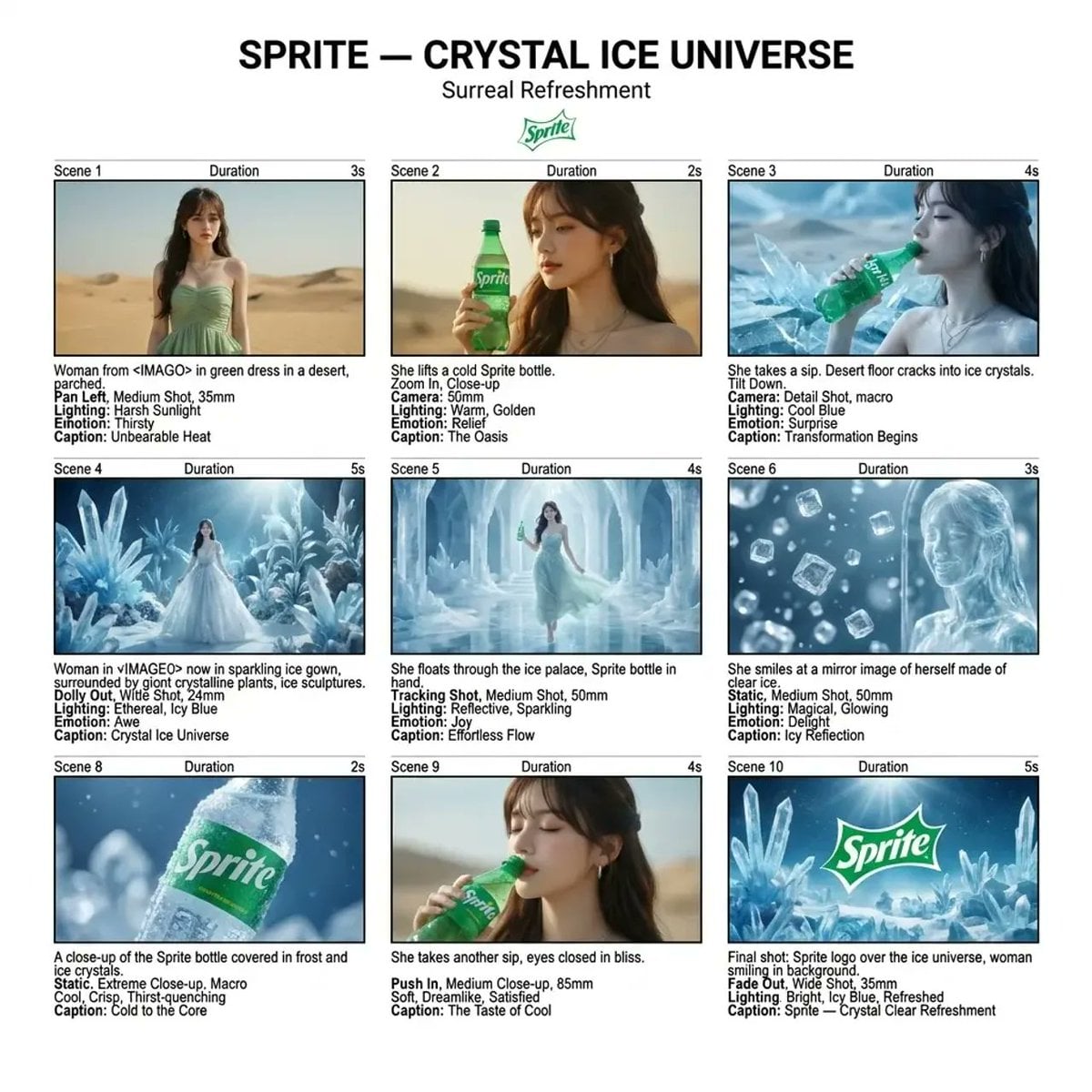
Fantasy scene

Visual transformation
At a glance
Is this model right for you?
Upload one image to remove its background. The operation does not use prompt text, upscale the image, replace the background, or redraw the subject from text.
- What it does best
- This is a single-purpose image-processing action: upload one image, remove the background, and retain the subject. Kyeo exposes no mask, tolerance, output-format, background-replacement, upscale, or text-edit control.
- Who it is for
- Use it to isolate a product, person, pet, icon, or design element before placing the result in a product page, poster, presentation, or another layout workflow.
- Why use it on Kyeo AI
- Before submission, Kyeo shows the one-image limit, JPG/PNG/WebP formats, 5 MB cap, and fixed 1-credit cost. It also separates background removal from Recraft Crisp Upscale and Topaz enlargement.
Key facts
Quickly evaluate whether this model fits your business use case.
Category
AI image model
Vendor
Recraft
Model family
Recraft
Runtime
Asynchronous task
Prompt limit
No text input required
Upload limit
1 JPG, PNG, or WebP image up to 5 MB and 16 MP; each dimension must be 256–4096 px
Other names
The same model may have different names in official documentation, community discussions, and API integrations. This section brings them together for you.
Recraft Remove Background
Recraft background remover
Common questions
These practical questions focus on the task, input conditions, and result requirements you should confirm before choosing.
how to use Recraft Remove Background on Kyeo
how many images Recraft Remove Background accepts
Recraft Remove Background supported upload formats
Recraft Remove Background 5 MB upload limit
does Recraft Remove Background require a prompt
does Recraft Remove Background produce transparency
how to inspect Recraft background-removal edges
Recraft Remove Background Kyeo credit cost
how Remove Background differs from Crisp Upscale
how Remove Background differs from Topaz Image Upscaler
Decision guide
Still deciding? Start with these key decision points.
1
Choose it only for background removal
Choose it only for background removal — Use it to isolate a subject from one existing image. It does not edit the subject from text, create a new background, increase resolution, or repair blurred details.
2
Use an upscaler when size is the issue
Use an upscaler when size is the issue — Compare Recraft Crisp Upscale for clarity and resolution. Compare Topaz Image Upscaler when you need a selectable 1/2/4/8 factor. Upscaling and background removal are separate actions.
3
Check alpha and edges after download
Check alpha and edges after download — View the result over both light and dark backgrounds. Inspect hair, glass, gauze, reflections, shadows, and holes within the subject, then confirm that an alpha channel is present before layout or publishing.
Popular comparisons
Compare common alternatives on the same task to clarify differences in inputs, controls, and cost.
What actions do Recraft Remove Background and Crisp Upscale perform?
How do the upload limits for Remove Background and Crisp Upscale differ?
How do the controls for Remove Background and Topaz Image Upscaler differ?
How do Remove Background and Topaz Image Upscaler compare on Kyeo credits?
Model comparison table
Not sure which model to choose? Compare the key differences between this model and its alternatives at a glance.
Operation
Recraft Remove Background
Operation — Remove an image background
Recraft Crisp Upscale
Increase clarity and resolution
Topaz Image Upscaler
Enlarge by a selected factor
Image input
Recraft Remove Background
Image input — 1 JPG, PNG, or WebP image up to 5 MB and 16 MP; each dimension must be 256–4096 px
Recraft Crisp Upscale
1 JPG/PNG/WebP, up to 10 MB
Topaz Image Upscaler
1 JPG/PNG/WebP, up to 10 MB
Visible controls
Recraft Remove Background
Visible controls — None
Recraft Crisp Upscale
Recraft Crisp Upscale — None
Topaz Image Upscaler
Upscale factor 1/2/4/8
Kyeo credits
Recraft Remove Background
Kyeo credits — Fixed 1
Recraft Crisp Upscale
Recraft Crisp Upscale — Fixed 1
Topaz Image Upscaler
1/2/4/8 maps to 5/10/20/40
Real-world experience
Practical guidance based on public sources, current on-site limits, and representative tasks.
Removing a background is not replacing one
Recraft documents remove, replace, and generate background as separate operations. Kyeo currently integrates removal only, so one request cannot specify a new color, scene, or text-described backdrop.
Large images may still lose edge detail
Recraft Studio documentation says large images may be downscaled before background removal and can show edge artifacts. Kyeo's 5 MB validation is not a resolution or edge-quality guarantee.
Capabilities
One-image upload boundary
One-image upload boundary — 1 JPG, PNG, or WebP image up to 5 MB and 16 MP; each dimension must be 256–4096 px
Transparent output and result checks
Transparent output and result checks — View the result over both light and dark backgrounds. Inspect hair, glass, gauze, reflections, shadows, and holes within the subject, then confirm that an alpha channel is present before layout or publishing.
Choose it only for background removal / Recraft Remove Background
Choose it only for background removal / Recraft Remove Background — Use it to isolate a subject from one existing image. It does not edit the subject from text, create a new background, increase resolution, or repair blurred details.
Use cases
Product image cutouts
Separate a product from one photo, then place it on a white or brand-color background in a separate layout step. Check the destination marketplace's listing rules independently.
People, pets, and profile assets
Prepare a transparent person or pet cutout, then inspect hair, jewelry, fur, shadows, and translucent areas at a larger zoom.
Pre-compositing preparation
Isolate an icon, object, or illustrated subject before using it in a poster, presentation, webpage, or video layout.
Prompt tips
Choose an image with a distinct subject
Differences in color, brightness, focus, or depth between subject and background make the result easier to assess. Complex scenes may still need manual edge cleanup.
Inspect hard edges and translucent areas
View contours, hair, fur, glass, smoke, gauze, and shadows over different background colors instead of judging only from a checkerboard preview.
Keep the source and inspect the downloaded file
Confirm that the result has the required alpha, dimensions, and subject detail before passing it to design or publishing.
Why choose it
Runtime / Recraft Remove Background — The product boundary is explicit: one-image background removal only.
Upload limit — JPG, PNG, WebP, and the 5 MB cap are visible before upload.
Credit cost — There are no adjustable parameters, and each request costs a fixed 1 credit.
What to know first
Capabilities — It removes the background from an existing image; it does not create a new composition or subject.
Runtime / Upload limit — 1 JPG, PNG, or WebP image up to 5 MB and 16 MP; each dimension must be 256–4096 px
Choose it only for background removal / Recraft Remove Background — There is no mask, tolerance, background-replacement, output-format, or batch control.
Runtime / Recraft Remove Background — Automated processing does not grant rights or permission to publish.
Adjustable settings
Quickly evaluate whether this model fits your business use case.
No additional settings are available for this model.
Credit cost
1 credit per request
Kyeo currently charges a fixed 1 credit for each one-image background-removal request; the image content, format, and file size do not change the Kyeo credit cost.
Credit-saving tip
Before generating images or videos in bulk, run an A/B test with the same input on this model and similar alternatives. Confirm the result first to avoid wasting credits.
Frequently asked questions
Related models
Still deciding? Take a quick look at these similar alternatives.
Recraft Crisp Upscale
Recraft Crisp Upscale is Kyeo's one-image clarity and resolution enhancement action. It accepts one JPG, PNG, or WebP file up to 10 MB, exposes no scale, output-format, or other control, and costs a fixed 1 credit. Compare downloaded files to determine the actual dimensions, sharpening, and detail changes.
AI image model
1 credit per request
Topaz Image Upscaler
Topaz Image Upscaler / Capabilities — Topaz Image Upscaler accepts one image and one scale factor on Kyeo AI. It does not read a prompt or change the subject or composition. The values 1, 2, and 4 are width-and-height multipliers, not fixed 1K, 2K, or 4K outputs; calculate the output by multiplying the source width and height by the selected factor.
AI image model
Conservative 40-credit preauthorization; refund by actual usage
GPT Image 2.5 Flare
GPT Image 2.5 Flare / Capabilities — GPT Image 2.5 Flare supports text-to-image generation and reference-image editing on Kyeo AI. Kyeo charges by output resolution: 1K costs 3 credits, 2K costs 10, and 4K costs 8.
AI image generation and editing model
3–16 credits per request
Sources
This page is based on vendor materials, model-family documentation, and Kyeo AI integration settings.
Source note
Kyeo accepts one JPG, PNG, or WebP image up to 5 MB and charges a fixed 1 credit. Download the result to review transparency and subject edges. 1 JPG, PNG, or WebP image up to 5 MB and 16 MP; each dimension must be 256–4096 px.
Last updated: 2026-08-26
Recraft: Background Remover
Official
Recraft Remove Background / Recraft: Background Remover — Recraft's product page describes transparent cutouts and lists JPG/JPEG, PNG, WebP, and a 5 MB file limit. The vendor experience is not evidence of Kyeo output quality.
Recraft API: Remove Background
Official
Recraft Remove Background / Recraft API: Remove Background — 1 JPG, PNG, or WebP image up to 5 MB and 16 MP; each dimension must be 256–4096 px
Recraft Docs: Background Tools
Official
Recraft Remove Background / Recraft Docs: Background Tools — Recraft Studio separates background removal from background replacement and warns that large images may be downscaled and show edge artifacts.
Recraft Docs: FAQ
Official
Recraft Remove Background / Recraft Docs: FAQ — Recraft's FAQ repeats that high-resolution images may be downscaled before background removal, so passing upload validation does not prove edge quality.