Image template
Free to view, copy, and apply; generation uses credits
Featured
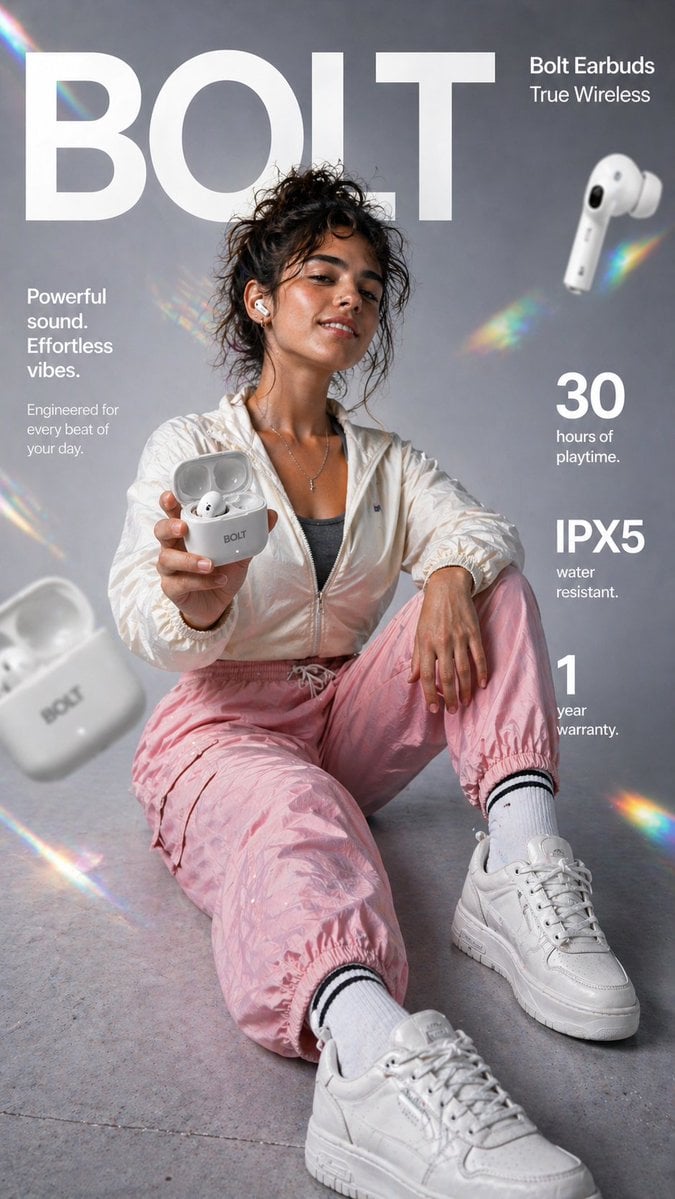
Bolt True Wireless Earbuds Vertical Ad
Start with the recommended models, use cases, and steps, then decide how to apply the template directly.
Official template4 views
Brand and Packaging
Ecommerce Product Images
Product
Product Scene
Brand Key Visual
Packaging Display
Studio Lighting
Minimal
Template type
Image template
Usage access
Free to view, copy, and apply; generation uses credits
Created
06/15/2026
Rating
No ratings yet
Template overview
These templates work best when you keep the visual structure, then replace the subject, style, or commercial goal. Start with GPT Image 2, then switch to a similar alternative based on the result.
Recommended models
If you are unsure which model to use first, start with one of the author's recommendations.
GPT Image 2
GPT Image 1.5
4o Image
Prompt
Start with the recommended models, use cases, and steps, then decide how to apply the template directly.
Create a high-impact vertical 9:16 e-commerce infographic for Bolt True Wireless Earbuds in a premium lifestyle-advertising style. Subject: Show a full-body shot of a young woman whose face and identity exactly match the provided reference image, including her facial features, skin tone, and hairstyle. Position the camera slightly low and close for a fashion-campaign perspective. Seat her on the floor with one knee raised and one leg extending toward the camera. Foreground product focus: Have her hold an open Bolt earbud charging case toward the camera. Show one earbud inside the case and the second earbud in her ear. Make the case glossy white with subtle “BOLT” branding. Allow a slight macro depth-of-field blur on the hand and case to enhance the cinematic realism. Styling: Use modern sporty streetwear—an off-white or neutral lightweight jacket, a crop top or sports bra, loose joggers in light pink or another soft color, and textured white sneakers. Give her a confident, relaxed expression with a slight smile and a natural lifestyle pose that does not feel stiff. Background: Use a clean studio backdrop with a soft gray gradient. Add rainbow-prism lens flares, subtle light leaks, floating blurred earbuds and a charging case, and a lightly textured studio floor. Lighting: Use soft, diffused commercial lighting to highlight skin texture, the glossy earbud case, and fabric details. Add subtle rim lighting to separate the subject from the background. Typography: Use a modern white sans-serif. At the top center behind the model, place the bold, oversized text “BOLT”. At the top right, set “Bolt Earbuds” and “True Wireless”. At mid-left, place “Powerful sound.” / “Effortless vibes.” / “Engineered for every beat of your day.” At mid-right, show a large “30” with the small text “hours of playtime”; below it, set a large “IPX5” with the small text “water resistant”. At the bottom right, show a large “1” with the small text “year warranty”. Finish as 8K ultra-realistic commercial photography. Keep the face and earbuds in sharp focus, use slight depth blur in the foreground and background, and create a clean Apple/Nike-style premium-ad aesthetic with strong negative space and balanced composition.
How to use it
Following this sequence usually produces a usable result faster than copying the prompt without a plan.
1
Start with a recommended model
If you do not have a preference, starting with GPT Image 2 is usually a reliable choice.
2
Keep the structure, replace the details
Preserve composition, lighting, materials, and style, then replace the subject, brand information, and use case.
3
Compare at least 2 or 3 results
Image templates are most valuable when they speed up iteration, so do not judge the direction from a single result.
Template details
Quickly decide whether this template fits your current task.
Template type
Image template
Usage access
Free to view, copy, and apply; generation uses credits
Created
06/15/2026
Rating
No ratings yet
Best for
This template works especially well for the following tasks.
Posters and covers
Useful for event graphics, social covers, campaign posters, and key visuals.
Product and brand images
Useful for ecommerce main images, brand visuals, and product variations.
Character and style exploration
Create samples for characters, illustrations, scenes, and style directions.
Recommended models
If you are unsure which model to use first, start with one of the author's recommendations.
GPT Image 2
IMAGE
These templates work best when you keep the visual structure, then replace the subject, style, or commercial goal. Start with GPT Image 2, then switch to a similar alternative based on the result.
GPT Image 1.5
IMAGE
These templates work best when you keep the visual structure, then replace the subject, style, or commercial goal. Start with GPT Image 2, then switch to a similar alternative based on the result.
4o Image
IMAGE
These templates work best when you keep the visual structure, then replace the subject, style, or commercial goal. Start with GPT Image 2, then switch to a similar alternative based on the result.
Related templates
Compare templates of the same type to find the prompt direction that fits you best.

Image template
Featured
K-Pop Idol Nine-Panel Portrait Grid
No ratings yet
Portrait Photography
Realistic Photography
Cinematic

Image template
Featured
Japanese Negative-Film Rooftop Summer Portrait
No ratings yet
Portrait Photography
Realistic Photography
Cinematic
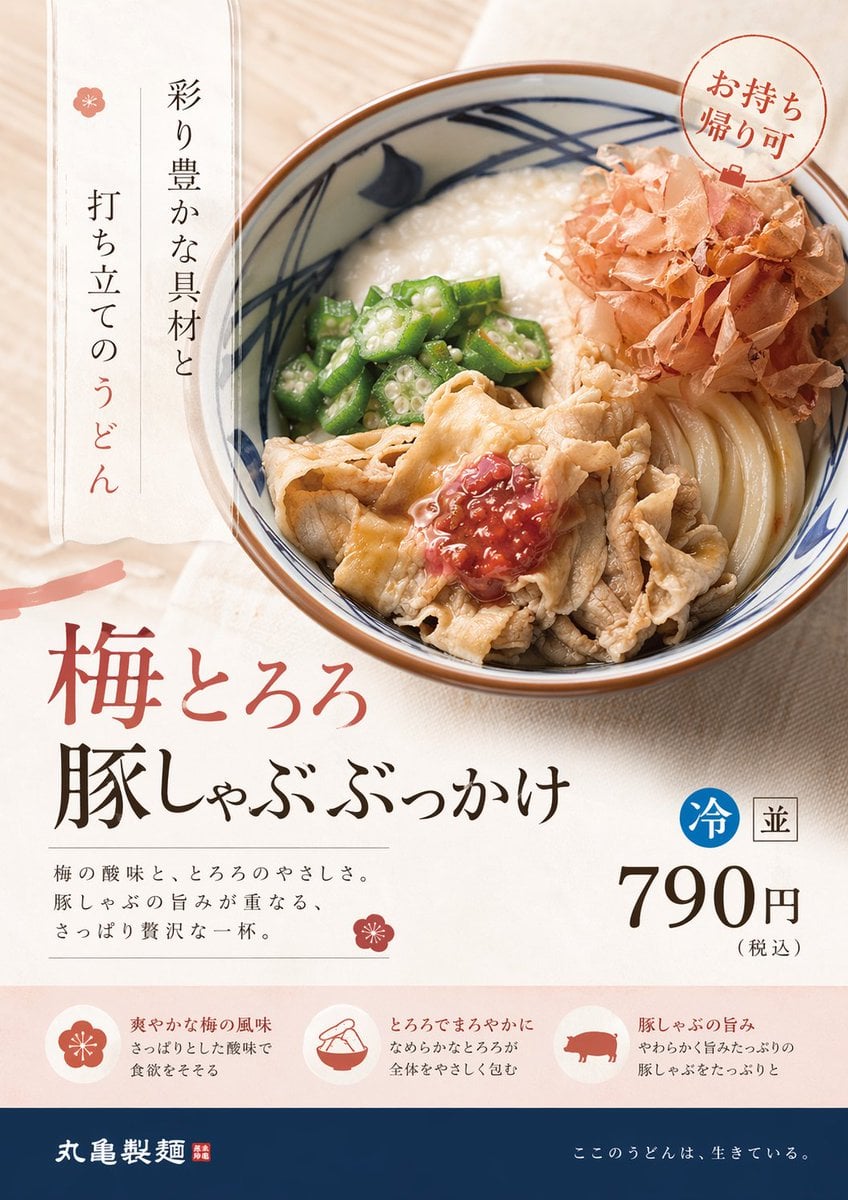
Image template
Featured
On-Trend Product Advertisement Redesign
No ratings yet
Ecommerce Product Images
Food
Drink
Ratings and feedback
No ratings yet
Please sign in first