Image template
Free to view, copy, and apply; generation uses credits
Featured
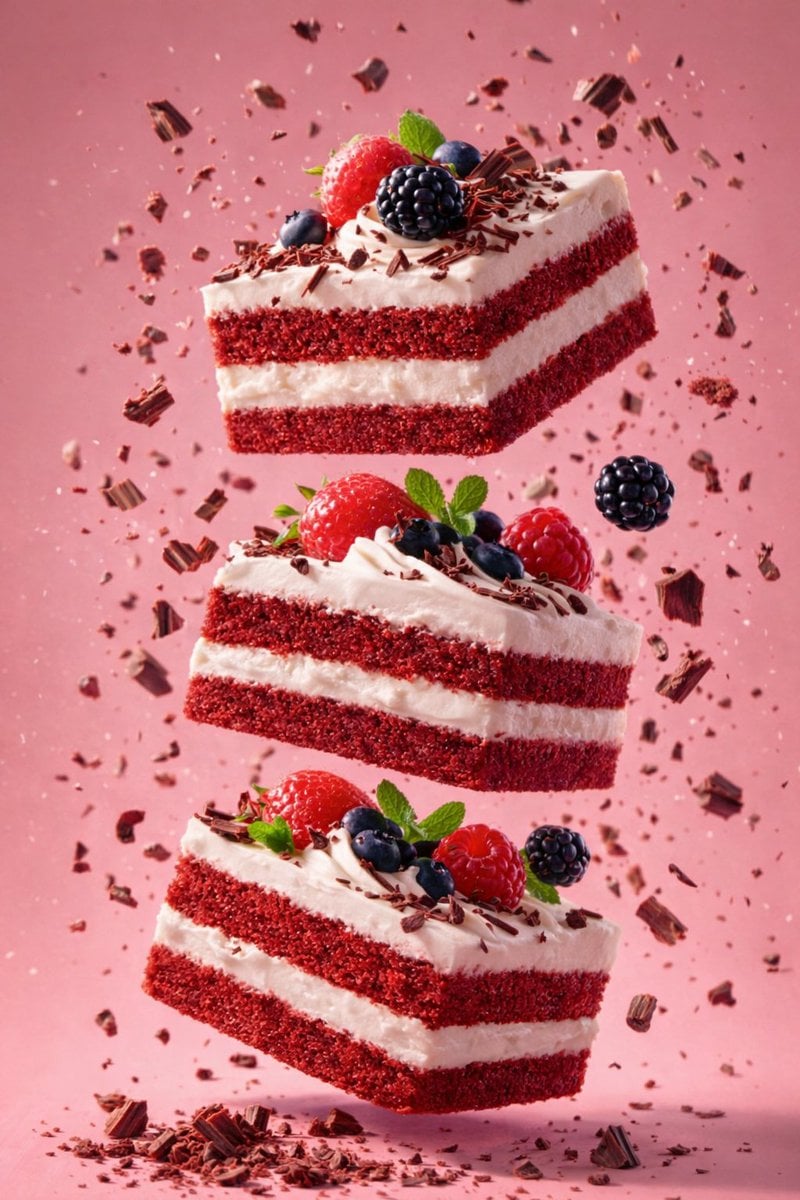
Floating Red Velvet Cake and Metal Spoon Dessert
Start with the recommended models, use cases, and steps, then decide how to apply the template directly.
Official template0 views
Food and Drink
Portrait Photography
Food
Drink
Menu Creative
Product Scene
Packaging Display
Macro
Template type
Image template
Usage access
Free to view, copy, and apply; generation uses credits
Created
06/15/2026
Rating
No ratings yet
Template overview
These templates work best when you keep the visual structure, then replace the subject, style, or commercial goal. Start with Google Imagen4, then switch to a similar alternative based on the result.
Recommended models
If you are unsure which model to use first, start with one of the author's recommendations.
Google Imagen4
GPT Image 2
GPT Image 1.5
Prompt
Start with the recommended models, use cases, and steps, then decide how to apply the template directly.
Create high-detail food photography with an AI-edited surreal composition. Set resolution to 8K ultra-high-definition and aspect_ratio to 3:4. main_subject: A single cube-shaped piece of red velvet cake floating in mid-air, set at a slight angle, with its front face visible and the top frosting facing upward. cake texture: fine, dense crumb texture with visible granules. frosting: a smooth, creamy, thick layer with soft ridges. cake_details: Build 2 deep-red layers of red velvet sponge around 1 pale off-white layer of cream filling, with the cream filling in the center layer. top_frosting: an off-white / cream swirled frosting peak with soft, curved piping lines. toppings: small red velvet crumbs scattered over the top. motion_elements: crumbs presence=true. Scatter crumbs around the cake in mid-air, ranging in size from fine dust to small chunks, frozen mid-flight. secondary_object: A metal spoon. material: polished stainless steel. position: below the cake. orientation: slightly tilted upward. Give the spoon's surface subtle reflections; interaction: crumbs falling toward the spoon. lighting: Studio lighting with soft directional light from the upper side, gentle highlights on the frosting and spoon, soft shadows with no harsh edges, and moderate contrast emphasizing texture. background: dark maroon, deep burgundy, and muted pink gradient. Use a smooth gradient backdrop, shallow depth of field, and clean, minimal grain. dominant colors: deep red, cream white, and dark maroon. tone: luxurious and dramatic. composition: centered subject with vertical emphasis; keep the cake centered and the spoon offset below, with ample negative_space. style_tags: hyper-realistic, AI-edited look, surreal food photography, freeze-motion effect, premium dessert aesthetic. camera_simulation: sharp focus on cake, a smooth bokeh-like gradient, and an eye-level to slightly low angle. post_processing: clarity high; sharpness very high; color_grading: cinematic dessert tones; artifacts: none visible.
How to use it
Following this sequence usually produces a usable result faster than copying the prompt without a plan.
1
Start with a recommended model
If you do not have a preference, starting with Google Imagen4 is usually a reliable choice.
2
Keep the structure, replace the details
Preserve composition, lighting, materials, and style, then replace the subject, brand information, and use case.
3
Compare at least 2 or 3 results
Image templates are most valuable when they speed up iteration, so do not judge the direction from a single result.
Template details
Quickly decide whether this template fits your current task.
Template type
Image template
Usage access
Free to view, copy, and apply; generation uses credits
Created
06/15/2026
Rating
No ratings yet
Best for
This template works especially well for the following tasks.
Posters and covers
Useful for event graphics, social covers, campaign posters, and key visuals.
Product and brand images
Useful for ecommerce main images, brand visuals, and product variations.
Character and style exploration
Create samples for characters, illustrations, scenes, and style directions.
Recommended models
If you are unsure which model to use first, start with one of the author's recommendations.
Google Imagen4
IMAGE
These templates work best when you keep the visual structure, then replace the subject, style, or commercial goal. Start with Google Imagen4, then switch to a similar alternative based on the result.
GPT Image 2
IMAGE
These templates work best when you keep the visual structure, then replace the subject, style, or commercial goal. Start with Google Imagen4, then switch to a similar alternative based on the result.
GPT Image 1.5
IMAGE
These templates work best when you keep the visual structure, then replace the subject, style, or commercial goal. Start with Google Imagen4, then switch to a similar alternative based on the result.
Related templates
Compare templates of the same type to find the prompt direction that fits you best.

Image template
Featured
K-Pop Idol Nine-Panel Portrait Grid
No ratings yet
Portrait Photography
Realistic Photography
Cinematic

Image template
Featured
(G)I-DLE Yuqi Golden-Light Fashion Selfie
No ratings yet
Scene Photography
Realistic Photography
Cinematic

Image template
Featured
Japanese Negative-Film Rooftop Summer Portrait
No ratings yet
Portrait Photography
Realistic Photography
Cinematic
Ratings and feedback
No ratings yet
Please sign in first