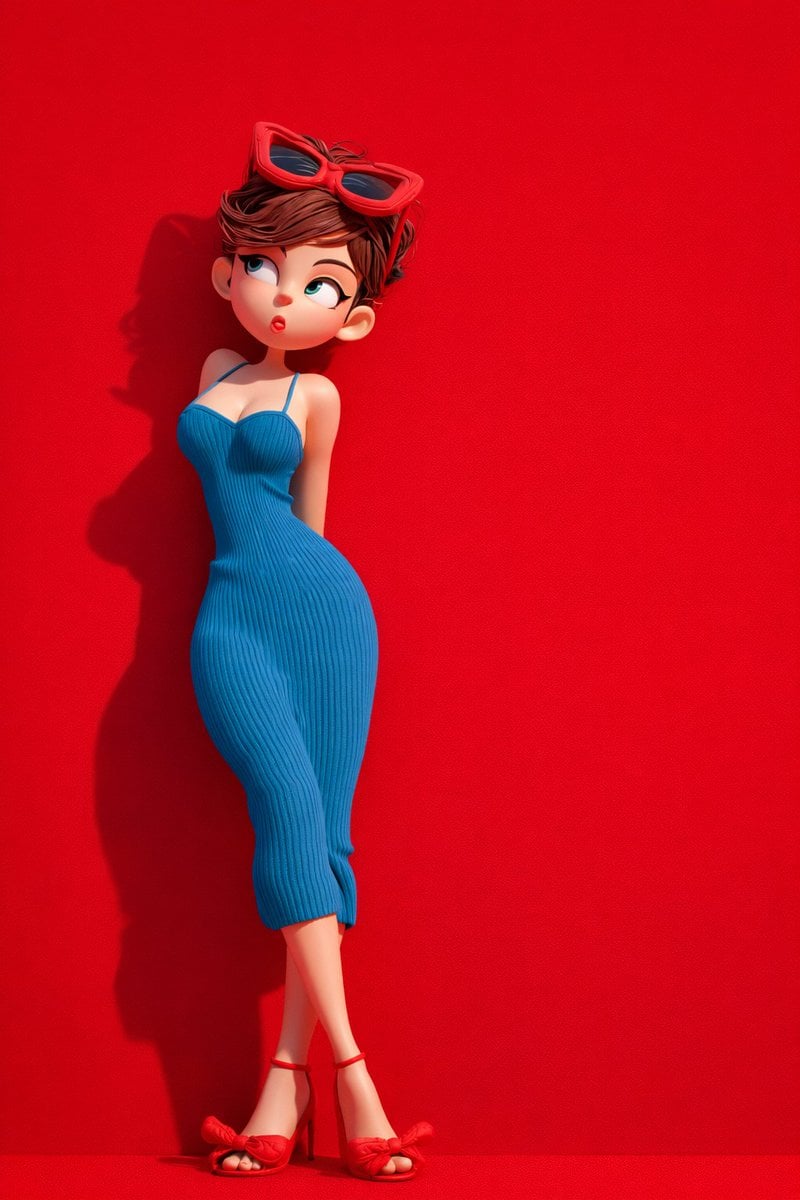
Green Travel 3D Character Set
Start with the recommended models, use cases, and steps, then decide how to apply the template directly.
These templates work best when you keep the visual structure, then replace the subject, style, or commercial goal. Start with Flux 2 Pro, then switch to a similar alternative based on the result.
If you are unsure which model to use first, start with one of the author's recommendations.
Prompt
Start with the recommended models, use cases, and steps, then decide how to apply the template directly.
Create a set of highly detailed 3D cartoon character images in a 2:3 aspect ratio and 8K, with no noise or compression. Maintain soft studio lighting, realistic shadows, crisp edges, and an AI-edited 3D render finish throughout. First scene — stylized 3D cartoon female: Show her full body in a standing pose, turned slightly to the side. Raise one hand so her index finger lightly touches her lips. Give her a cheerful expression and large round eyes. Style her black hair in two braids and add a green cap. Dress her in a sleeveless green crop top, loose green jogger-style pants with a drawstring, and white sneakers. Place a green hard-shell suitcase with an extended handle beside her. Use a solid green studio backdrop with a subtle grain. Second scene — stylized 3D cartoon female: Have her lean slightly backward, glance sideways, and pout a little. Give her short, messy brown hair with red sunglasses resting on her head. Dress her in a form-fitting blue ribbed dress with thin straps and red high-heel sandals with bow detail. Use a frosted red background and soft side lighting to emphasize her curved pose and crossed legs. Third scene: Show two 3D cartoon characters, one woman and one man, sitting on a red sofa. Wrap them separately in a red textured blanket and an orange textured blanket. Give both the background and floor a deep red woven-fabric texture. Have both characters look upward with a quiet mood, using a balanced left-right composition.
How to use it
Following this sequence usually produces a usable result faster than copying the prompt without a plan.
If you do not have a preference, starting with Flux 2 Pro is usually a reliable choice.
Preserve composition, lighting, materials, and style, then replace the subject, brand information, and use case.
Image templates are most valuable when they speed up iteration, so do not judge the direction from a single result.
Template details
Quickly decide whether this template fits your current task.
Best for
This template works especially well for the following tasks.
Posters and covers
Product and brand images
Character and style exploration
Recommended models
If you are unsure which model to use first, start with one of the author's recommendations.
These templates work best when you keep the visual structure, then replace the subject, style, or commercial goal. Start with Flux 2 Pro, then switch to a similar alternative based on the result.
These templates work best when you keep the visual structure, then replace the subject, style, or commercial goal. Start with Flux 2 Pro, then switch to a similar alternative based on the result.
Related templates
Compare templates of the same type to find the prompt direction that fits you best.

K-Pop Idol Nine-Panel Portrait Grid
No ratings yet

Japanese Negative-Film Rooftop Summer Portrait
No ratings yet
On-Trend Product Advertisement Redesign
No ratings yet
Ratings and feedback
Please sign in first