AI 图片生成与编辑模型
Google
Nano Banana
Nano Banana
Nano Banana 可用于文生图和图片编辑。输入提示词生成新图;上传参考图后,用文字说明要修改或保留的部分。两种任务受理后都先预扣 3 积分。
创作方式
文生图、图片编辑
每次预扣
3 积分
提示词上限
5,000 字符
上传限制
最多 10 张参考图
快速了解
- 输入文字生成新图;上传参考图后,按提示编辑已有图片
- 文生图与图片编辑任务受理后,每次先预扣 3 积分
- 提示词最多 5,000 字符;输出可选 PNG 或 JPEG,画幅有 10 个固定比例及自动选项
- 图片编辑最多上传 10 张参考图,按需要选择并说明各张用途
相关查询: 如何在 Kyeo AI 使用 Nano Banana · Nano Banana 每次预扣多少积分 · Nano Banana 不上传图片时如何生成新图
示例
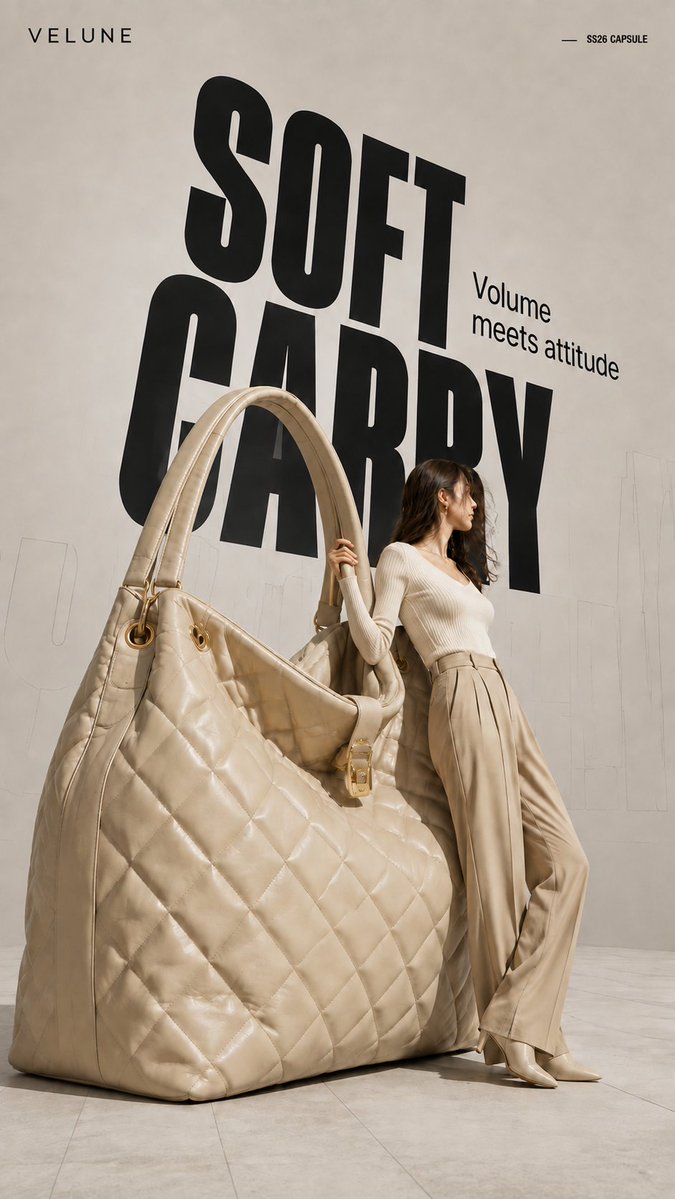
Visual concept
Brand name: [Brand Name] Main title: [Main Title] Subtitle: [Subtitle] Collection label: [Collection Label] Product type: [Product Type] Product material and key details: [Product Material And Key Details] Main color palette: [Main Color Palette] Model styling: [Model Styling] Model interaction: [Model Interaction] Create a 9:16 high-fashion editorial poster featuring an oversized [Product Type] transformed into a giant wearable object installation. Show most of the product clearly and keep its complete silhouette recognizable. Preserve premium product craftsmanship, including realistic material texture, stitching, polished edges, metal hardware, structural joints, reflections, surface finishing, and other details specific to the product. It should look like a real luxury product enlarged to architectural scale, not a rough prop or simplified 3D object. Use an asymmetrical composition: place the oversized product on one side and a realistic full-body adult female model on the other. The model should physically interact with the object by leaning against it, holding it, pushing it, or using it for balance. The pose should show believable weight, contact, and body tension rather than a standard fashion pose. Use a clean neutral studio background with subtle perspective lines, architectural outlines, and soft directional light. Add a large black condensed headline behind the subjects, with partial overlap from the model and product. Place faint oversized outline typography or low-opacity perspective text farther in the background to create depth.
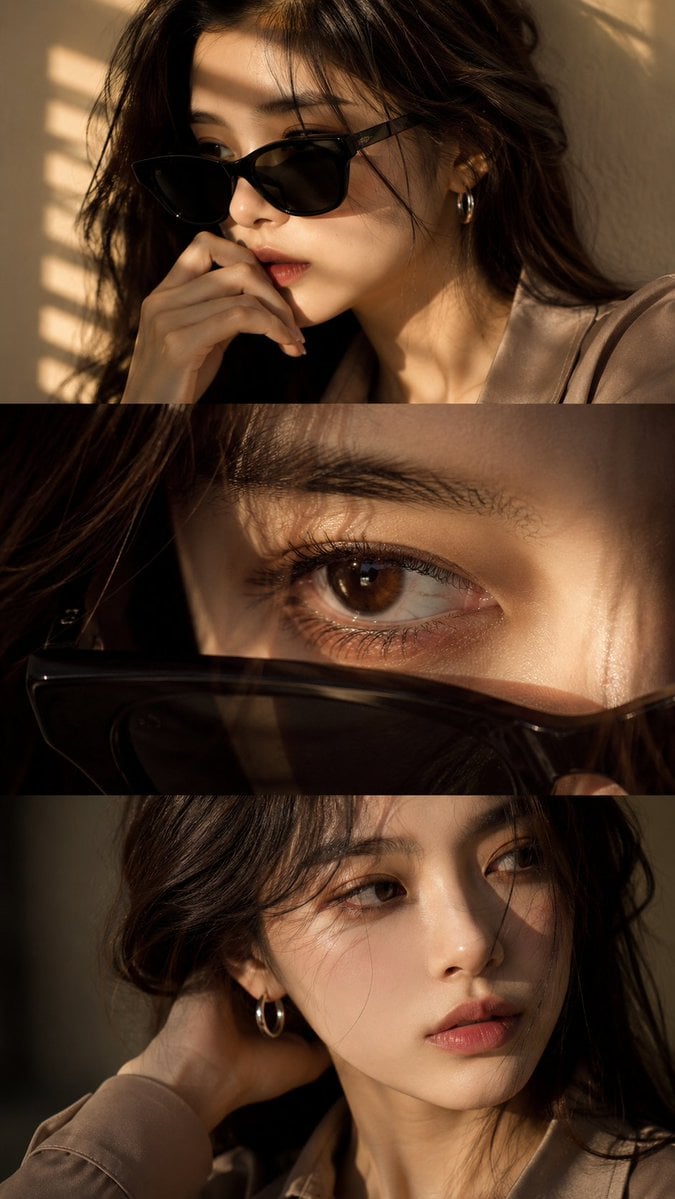
Visual concept
Use the uploaded face reference as a strict identity guide and preserve exact facial features, proportions, skin tone, eye shape, nose, lips, jawline, and overall recognizable identity with very high accuracy. Create an ultra-realistic cinematic high-end fashion editorial vertical triptych portrait in 9:16 format divided into three horizontal panels featuring a young Asian woman with elegant feminine beauty, soft natural styling, luxury aesthetic, silver hoop earring, minimal jewelry, and softly voluminous dark ash-brown wavy hair. Panel 1: medium close-up three-quarter portrait wearing black sunglasses, hand near lips, calm introspective expression, warm golden sunlight through window blinds casting striped shadows, cinematic mood. Panel 2: extreme macro close-up of one eye with sunglasses lowered in foreground, highly detailed iris, lashes, moist reflections, cinematic depth, emotional intimate feel. Panel 3: close-up without sunglasses, head turned toward light, hand behind neck, relaxed lips, soft distant gaze, subtle emotional tension. Outfit: smoky taupe or muted beige tailored silk-viscose blouse, minimal elegant luxury fashion styling, realistic fabric texture. Lighting: warm golden cinematic sunlight, soft indoor blinds shadows, luxury editorial lighting, soft contrast, glowing skin highlights. Camera: DSLR ultra-realism, 85mm lens, f/1.4 shallow depth of field, sharp facial detail, natural skin texture, 8K quality. Color grading: warm golden tones, soft amber highlights, cinematic contrast, filmic glow, luxury finish. Negative: no anime, no CGI, no plastic skin, no over-smoothing, no face change, no distortion, no watermark, no text, no logo.
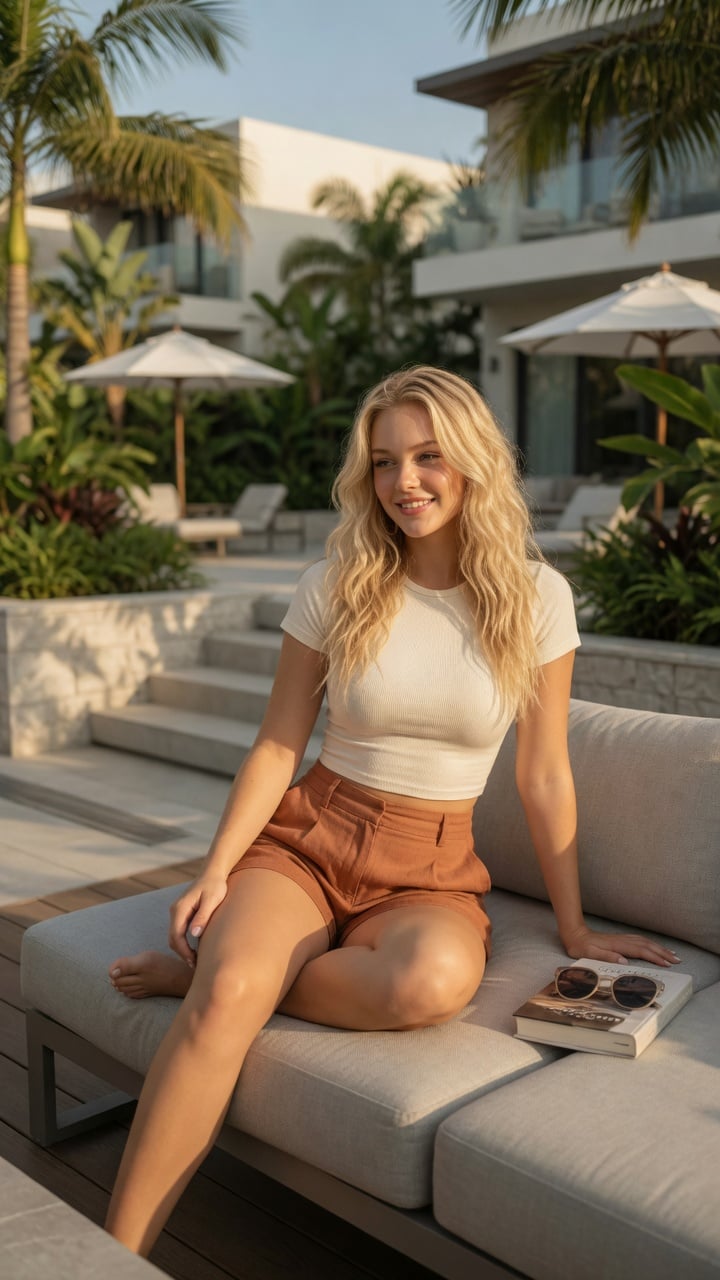
Visual concept
Ultra-realistic lifestyle fashion editorial photograph of a confident young woman relaxing on a contemporary outdoor terrace at an upscale residential complex. She has shoulder-length Blonde colored wavy hair, natural glowing makeup, and a relaxed smile while looking toward the horizon. She is wearing a fitted cream-colored ribbed crop top paired with high-waisted linen shorts in a warm terracotta color.She sits casually on a light gray modular outdoor sofa with one leg folded and the other resting naturally, one hand supporting her body and the other resting on her knee. A hardcover novel and a pair of sunglasses lie beside her, suggesting a peaceful afternoon of reading.The environment features minimalist architecture, lush tropical landscaping, stone planters, modern wooden decking, neutral outdoor furniture, and soft white umbrellas. Bright golden afternoon sunlight creates warm highlights and gentle shadows through nearby palm leaves. The atmosphere is calm, luxurious, and summery.Captured from a slightly low three-quarter angle using an 85mm lens with shallow depth of field. Natural skin texture, realistic anatomy, premium fabric details, cinematic color grading, HDR, soft bokeh, photorealistic, magazine-quality fashion photography, ultra-detailed, 8K. Negative Prompt:low quality, blurry, watermark, logo, text artifacts, bad anatomy, extra limbs, extra fingers, duplicate person, distorted hands, unrealistic proportions, oversaturated, underexposed, overexposed, motion blur, cartoon, anime, illustration, CGI, plastic skin
Visual concept
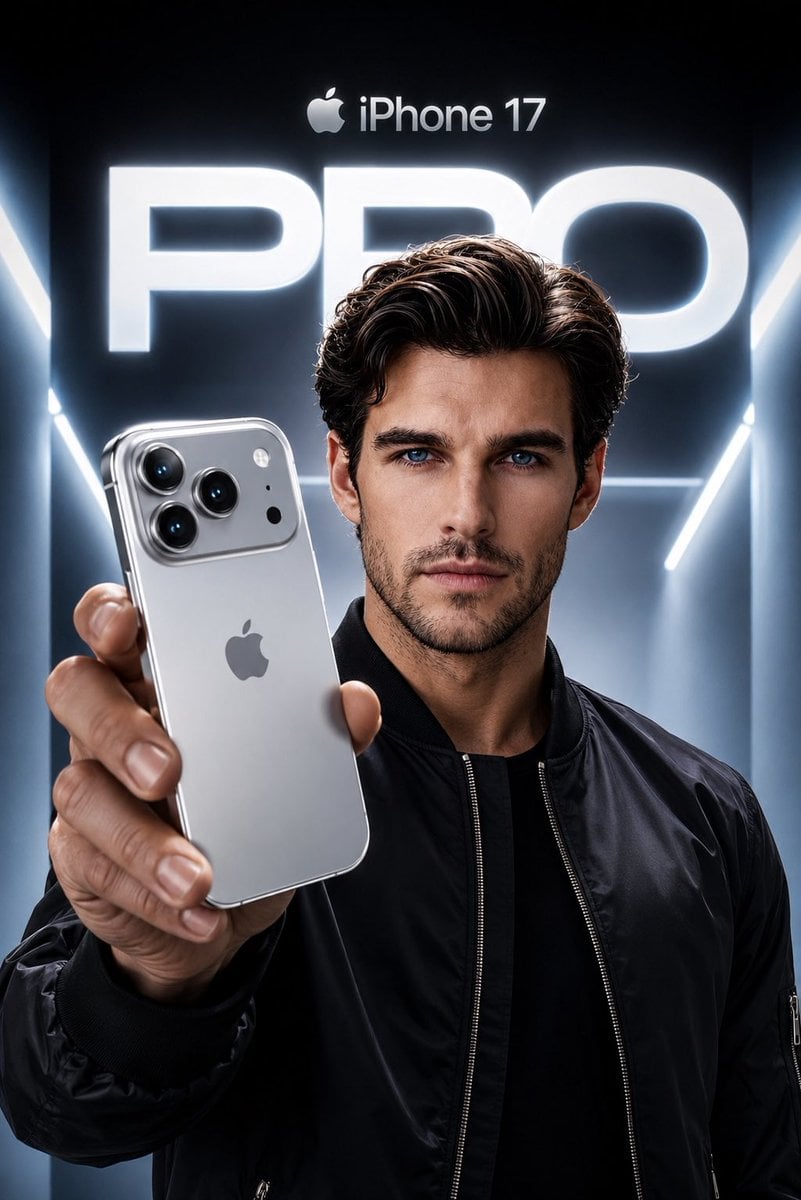
Create an ultra-premium Apple-style product campaign using the uploaded image as the exact facial reference. Preserve my identity with maximum accuracy, including my face shape, hairstyle, beard, eyebrows, skin tone, eye proportions, lips, jawline, and every unique facial feature. Do not alter my age or recognizable appearance. I am wearing a sleek black premium bomber jacket with a minimal futuristic aesthetic. I am confidently holding a Silver iPhone 17 Pro toward the camera in a dramatic low-angle perspective, with the phone dominating the foreground while my face remains perfectly sharp and cinematic. The iPhone features a luxurious brushed titanium silver finish with polished edges, realistic reflections, premium camera lenses, and authentic Apple design language. The background is a futuristic Apple keynote-inspired environment with glowing white and cool blue volumetric lighting, clean architectural lines, and a massive illuminated “PRO” typography behind me. At the top, place a subtle Apple logo with “iPhone 17” in Apple’s minimalist style. Use high-end commercial lighting, realistic skin texture, natural hand proportions, sharp focus, premium depth of field, soft rim lighting, and flawless reflections on the phone. The composition should feel like an official Apple flagship advertisement, ultra-realistic, hyper-detailed, 8K, HDR, IMAX quality, magazine cover worthy, with a cool silver and blue color palette, luxury aesthetic, and perfect cinematic color grading.
Visual concept
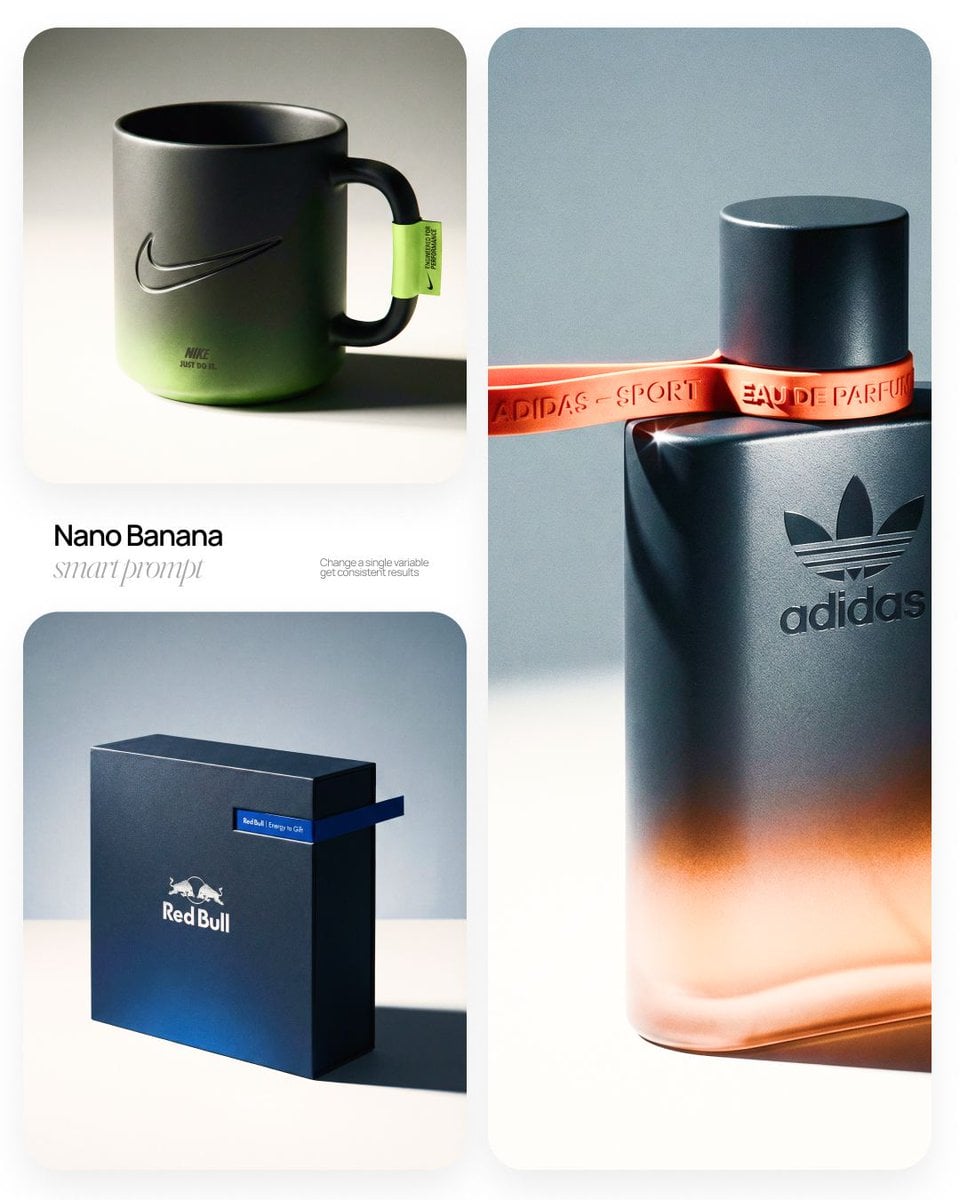
[BRAND NAME] | [OBJECT] Act as a High-End Commercial Product Photographer and Creative Director shooting a luxury editorial campaign (Hypebeast / Highsnobiety /Wallpaper* level). PHASE 1: BRAND INTELLIGENCE The hero subject is a [OBJECT] branded for [BRAND NAME]. Autonomously determine [BRAND NAME]'s full visual identity: signature color palette, typographic DNA, logo mark geometry, material language, and cultural positioning. Apply this identity to the [OBJECT] with precision — do not invent a generic brand, decode the real visual codes. PHASE 2: OBJECT SURFACE & MATERIAL DNA Regardless of the shape of [OBJECT], apply this material system: Base tone: deep neutral — matte dark graphite, warm charcoal, or matte black. Fine-grain surface micro-texture visible under raking light — powder-coat, matte paper, or brushed material feel. Subtle gradient bloom: the base color dissolves in the lower portion of the object's surface into the brand's most iconic accent color — a soft luminous haze from within the material, not a printed graphic. Logo application: embossed, debossed, or metallic foil relief — catching specular light at edges only. Precise. Restrained. Typography: brand-accurate typeface, small tracking, positioned with editorial intentionality. PHASE 3: THE ACCENT BREAKOUT ELEMENT This is the signature design move — adapt it to the natural geometry of [OBJECT]: Identify the most logical "interruption zone" on [OBJECT] — a seam, edge, band, collar, rim, strap, or wrap point. At this zone, apply a narrow saturated accent element in the brand's most iconic hue — vivid, slightly matte. This element must visually "break out" of the object's boundary — extending, protruding, or wrapping beyond the expected edge, creating a deliberate 3D tension between the object and the detail.The accent element carries a micro-typographic brand detail — tagline, model name, or descriptor — small, precise, tracked. PHASE 4: STAGING & COMPOSITION Studio cyclorama. Surface tone: off-white to warm light gray. Background field: cool neutral mid-gray, darker in upper zone. [OBJECT] positioned at 3/4 angle — front face and one secondary surface simultaneously visible. Rule of thirds: object occupies right 60% of frame. Left field: generous negative space — intentional, not empty. Single hard-edged directional shadow cast to the right and slightly downward — crisp penumbra, no diffusion. PHASE 5: LIGHTING Single dominant key light: large softbox, camera-left, elevated at 40°. Specular highlight traces the top-left edge of [OBJECT] — revealing material grain. Shadow side: no fill. Darkness earns depth. Subtle ambient bounce from cyclorama floor — lifts shadow by 15%, no more. Accent element receives micro-specular glint along its dominant edge. Mood: Rembrandt chiaroscuro logic applied to product photography. No lens flare. No atmospheric effects. PHASE 6: TECH SPECS Lens: 85mm equivalent, f/4.5. Depth of field: object fully sharp, background softened. Chromatic aberration: subtle, at extreme frame edges only — optical realism signal. Film grain overlay: 15% opacity — anti-CGI-plastic treatment. Render: Octane / Ray Tracing quality —subsurface scattering where material demands it, global illumination, physically accurate shadow falloff. Aspect ratio: autonomously determine optimal ratio for this [OBJECT] format.
一句话了解
这个模型怎么样?
未上传参考图时,根据文字生成新图;上传后,按提示编辑已有图片。选择输出格式和画幅,再检查提示词与预计积分后提交。人物、商品或文字是否符合要求,需要查看生成结果。
- 模型定位
- 文生图与图片编辑在同一工作台使用,按是否上传图片切换。两种任务都按次预扣积分,没有 1K、2K、4K 分辨率档位,也没有网页搜索选项。
- 适合谁用
- 可尝试从文字做图片初稿,或在现有图片中替换背景、调整颜色、增删元素。需要保留人物、商品或品牌细节时,请逐项检查结果。
- 本站使用说明
- 输出可选 PNG 或 JPEG,画幅有 10 个固定比例和自动选项。提示词上限为 5,000 字符,图片编辑最多上传 10 张参考图;提交前可在工作台核对设置和预计积分。
关键参数一览
根据这些信息,判断模型是否适合你的任务。
模型类别
AI 图片生成与编辑模型
厂商
Google
模型家族
Nano Banana
使用入口
Kyeo AI 工作台
创作方式
文生图、图片编辑
运行方式
异步任务
提示词上限
5,000 字符
上传限制
最多 10 张参考图
它还叫什么
同一个模型在公开资料中可能有不同名称,这里整理相关称呼,方便查找和比较。
Nano Banana
Gemini 2.5 Flash Image
Google Nano Banana
用户常见问题
从任务、输入条件和结果要求出发,整理选择模型时需要确认的问题。
如何在 Kyeo AI 使用 Nano Banana
Nano Banana 每次预扣多少积分
Nano Banana 不上传图片时如何生成新图
怎样用 Nano Banana 编辑上传的图片
Nano Banana 文生图和图片编辑是否同价
Nano Banana 图片编辑最多上传多少张参考图
什么时候比较 Nano Banana 与 Pro
如何对比 Nano Banana 和 GPT Image 1.5 的编辑结果
Nano Banana 修改商品图时需要检查什么
Nano Banana 是 Gemini 2.5 Flash Image 吗
选型指南
根据输入素材、任务要求和积分成本,逐项确认模型是否适合。
1
不需要分辨率档位时
可以先看看 Nano Banana 的画幅、格式和预计积分是否符合任务要求,再决定是否提交。它没有网页搜索选项,文字或素材需要你在提交前准备好。
2
需要指定分辨率时
Nano Banana 2 和 Pro 提供 1K、2K、4K 档位,可按目标尺寸和各自预扣额比较。想比较编辑结果,也可看看 GPT Image 1.5;尽量使用同一提示词和素材,参数无法对齐时记录差异。
3
先用需要的参考图
先上传需要的图片,在提示词里写清各张的作用。检查结果是否混用了主体、材质或背景,再决定是否补充输入。上传上限是 10 张,不代表图越多效果越好。
模型对比
把常见候选放在同一任务下比较,帮助你确认输入方式、控制项和成本差异。
按次预扣的 Nano Banana 和按分辨率预扣的 Pro 怎么选
Nano Banana 没有 4K 档位时是否应改用 Pro
哪些任务更适合改用 Nano Banana 2
需要不同分辨率档位时应选 Nano Banana 还是 Nano Banana 2
怎样用同一素材比较 Nano Banana 与 GPT Image 1.5
Nano Banana 与 GPT Image 1.5 的输入上限如何比较
模型横向对比表
按同一组维度比较当前模型和候选模型的输入、设置与使用边界。
主要用途
Nano Banana
按次预扣积分的文生图与图片编辑
Nano Banana Pro
文生图与图片编辑,可选 1K、2K、4K 档位
GPT Image 1.5
文生图与图片编辑,可选择生成质量
输入方式
Nano Banana
文字生成新图,上传图片后按提示编辑
Nano Banana Pro
输入文字生成新图,也可上传参考图编辑
GPT Image 1.5
输入文字生成新图,也可上传参考图编辑
每次预扣积分
Nano Banana
文生图与图片编辑均先预扣 3 积分
Nano Banana Pro
1K 预扣 8 积分;2K 预扣 8 积分;4K 预扣 14 积分
Nano Banana 2
1K 预扣 5 积分;2K 预扣 8 积分;4K 预扣 12 积分
编辑图片数量
Nano Banana
最多上传 10 张参考图,按需要选择并说明各张用途
Nano Banana Pro
最多上传 8 张参考图
GPT Image 1.5
最多上传 16 张参考图
选型时看什么
Nano Banana
画幅、输出格式和每次预扣额是否符合这次任务
Nano Banana Pro
是否需要指定 1K、2K 或 4K 输出档位
Nano Banana 2
核对 1K、2K、4K 档位与图片数量;没有网页搜索选项
适用情况
依据公开资料与当前站内设置,说明模型适用的任务及需要注意的限制。
先给每张参考图分工
上传前想清楚哪些内容来自哪张图片,例如主体、材质或背景。按任务需要选择素材,不必用满上传上限;生成后检查各张图片是否按要求使用。
选型号时核对各自设置
分别查看 Nano Banana、Nano Banana 2 和 Pro 的参考图上限与分辨率选项。核对工作台设置后,用相同提示词和素材比较实际结果,再按任务选择。
能力详解
从文字生成新图
写下主体、场景、构图和风格要求,再选择画幅与输出格式。未上传参考图时按文字生成新图,任务受理后先预扣 3 积分。
用文字说明图片修改
上传参考图后,写清要保留、删除、替换或调整的内容。生成后逐项检查修改是否符合要求,尤其留意原本要保留的细节。
输出格式、画幅与参考图
输出可选 PNG 或 JPEG,画幅有 10 个固定比例和自动选项。图片编辑最多上传 10 张参考图,单张不超过 10 MB,输入格式支持 JPG、PNG、WEBP。
适合做什么
从文字生成新图片
用主体、场景、构图和风格说明生成初稿,按用途选择横图、竖图或方图比例,再检查画面是否适合目标版位。
对现有图片做定向修改
可尝试增删元素、替换背景、调整颜色或风格。涉及商品外观、人物特征或品牌要求时,也要核对未要求改动的部分。
少量参考图合成
可分别用图片参考主体、材质或场景,在提示词里说明各张用途。先选需要的素材,查看结果后再决定是否补充,不必用满上传上限。
提示词技巧
先写主体与目标动作
先说明要生成或修改什么,再写主体、场景和构图要求。图片编辑时,把保留、替换、删除和避免的内容分别写清。
逐张标注参考图用途
在提示词里标明参考图分别提供主体、姿态、材质还是背景,以及哪些部分必须保留。生成后检查这些内容是否被混用或遗漏。
提交前确定比例与格式
按目标版位选择 1:1、16:9、9:16 等比例,并选好 PNG 或 JPEG。生成后检查文字、手部、边缘、主体特征与未要求修改的部分。
为什么选它
文生图与图片编辑共用一个工作台。
两种任务受理后都按次预扣 3 积分,提交前可核对预计消耗。
提示词最多 5,000 字符;画幅有 10 个固定比例及自动选项。
可上传多张参考图,用文字说明各张素材的用途。
使用前要知道
同名模型在不同服务中的参数、价格和使用条件可能不同;本页只说明 Kyeo AI 的设置。
表单没有 1K、2K、4K 分辨率档位,也没有网页搜索选项。
上传上限是 10 张。更多参考图不保证更符合提示词,每张图的用途仍需说明,并检查结果。
图片中的文字、人物或商品特征和跨图一致性都需检查;涉及素材使用权时也要另行确认。页面不保证每次结果符合预期。
可调参数
根据这些信息,判断模型是否适合你的任务。
输出格式
可选
参数类型: 下拉选择
默认:png
PNG
JPEG
画幅比例
可选
参数类型: 下拉选择
默认:1:1
1:1
9:16
16:9
3:4
4:3
3:2
配置有 10 个固定比例及自动选项,本页列出部分预设
积分消耗
每次预扣 3 积分
文生图与图片编辑任务受理后,都先预扣 3 积分。生成成功后,以确认结算的积分记录为准;消耗尚未确认时保留预扣。失败任务按既定规则处理退还,处理状态请查看任务提示,退还记录可到积分明细核对;退还仍受原有效期和相关欠款抵扣影响,可用余额不一定等额增加。受理前因参数或限流被拒绝的请求不扣任务积分。
使用建议
准备多次生成时,建议先用少量素材测试,核对输入设置和结果是否适合任务,再决定是否继续。每次生成均按工作台显示的计费规则扣点。
常见问题
相关模型
按你的任务比较这些模型的输入要求、功能和当前状态,再查看对应详情。
Nano Banana Pro
用文字生成新图,或上传参考图后说明要修改的内容。输出可选 1K、2K、4K,任务受理后按所选档位预扣积分;更大的输出尺寸不保证文字、人物或商品细节更准确。
Nano Banana 2
用文字生成新图,也可以上传最多 10 张参考图说明要保留或修改的内容。默认画幅为自动,可选 1K、2K、4K 和 JPG、PNG 输出;提交前请检查设置与预计积分。
信息来源
页面内容依据公开模型资料与 Kyeo AI 的模型信息整理。能否在线使用,请以当前模型状态为准。